
is anyone here?
Hi @user-c3a255 👋
Hi @neil First, I saved a binocular video of the process by displaying nine dots in sequence on the screen while my eyes focused on the nine dots and my head held still on a tripod. Then, ellseg is used to calculate the location of the pupil center. Like pupil capture, the pupil was calibrated with five points. I manually selected the pupil information corresponding to each calibration point and used Gazer2D() for calibration. Finally, all pupil positions mapped were displayed on the screen. The result is showed below:
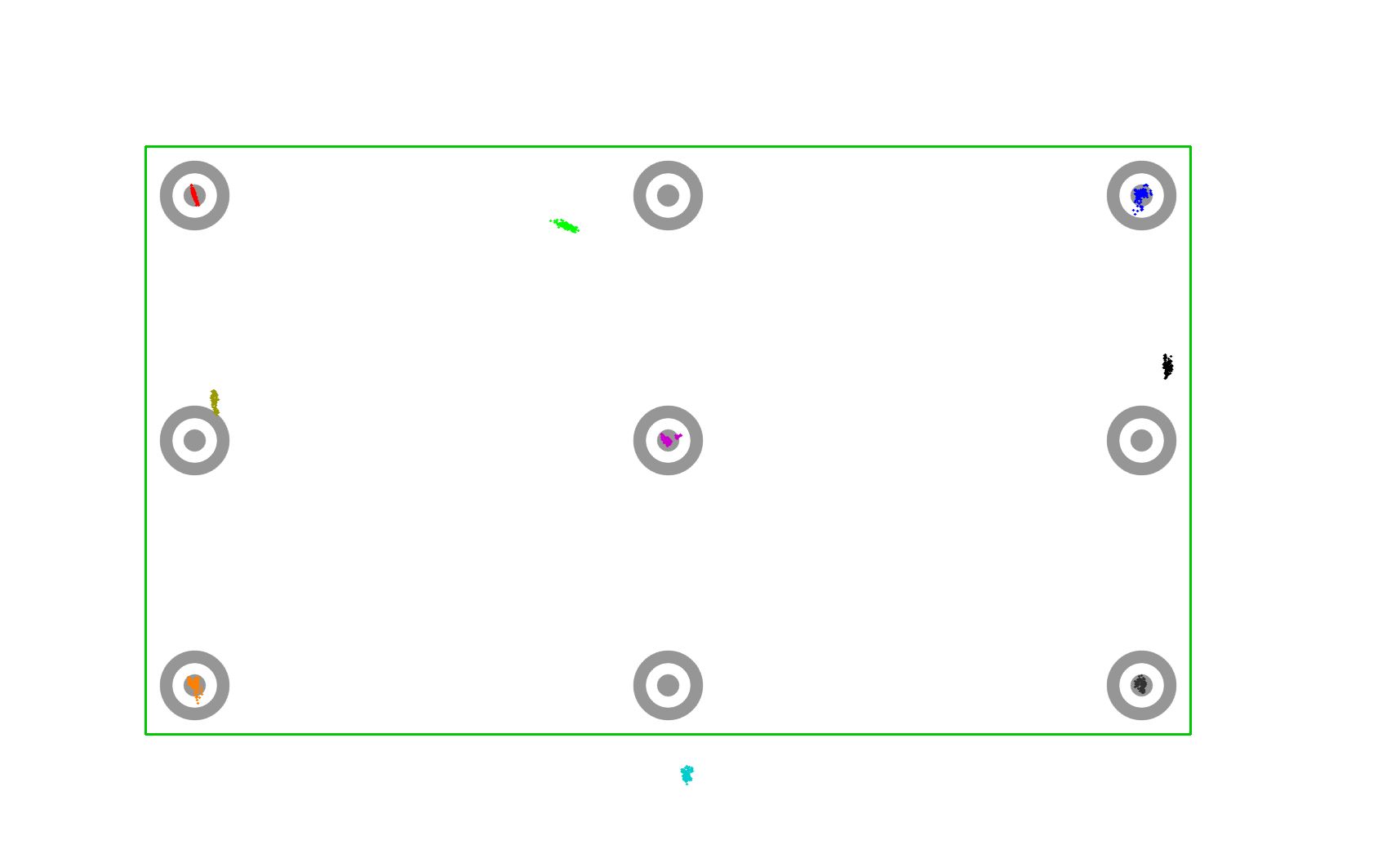
@neil After I removed (norm_x * norm_y, norm_x_squared, norm_y_squared, norm_x_squared * norm_y_squared) in _polynomial_features, things got better
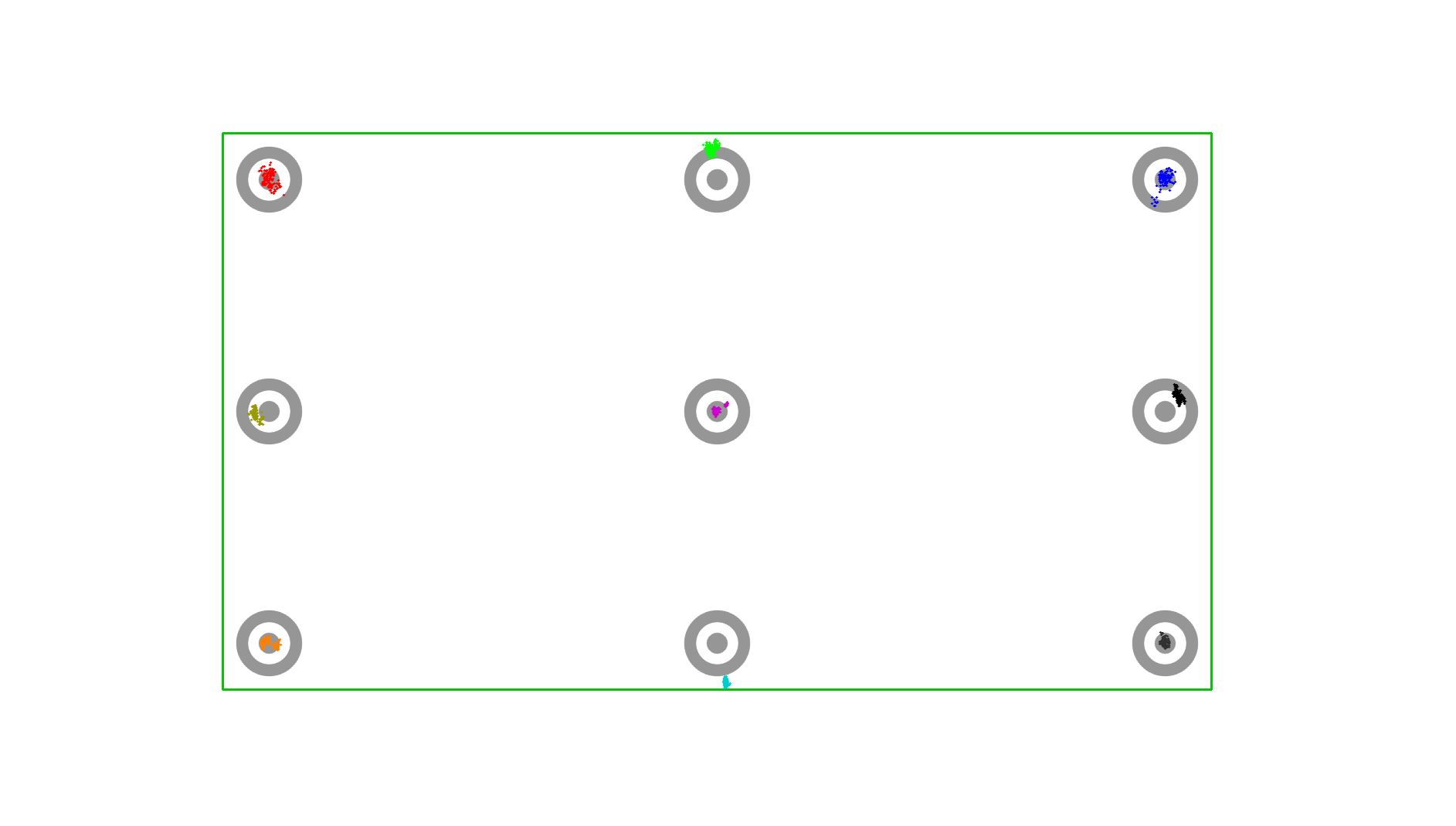
Interesting approach. Of course, it assumes a fixed relationship between the wearer and screen - hence the 'tripod'. Any relative movements between the wearer and the computer screen would introduce errors into the pipeline.
In order to judge whether my head shook during the recording process, I recorded data twice in succession, and the pupil data distribution of the two data did not have a large deviation, which indicated that my head did not shake obviously. However, the verification results are very strange. I don't understand why the locations of the four verification points cannot be accurately predicted by the five-point calibration formula you provided.
Just following up on this question @neil
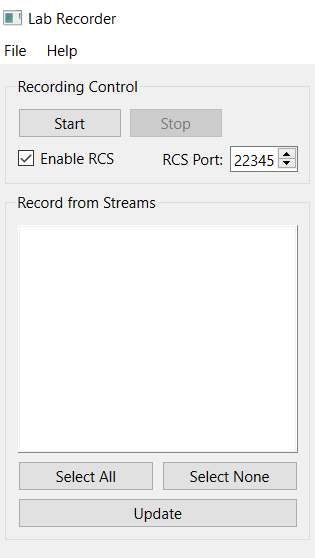
Hi there! My project involves using the Pupil Core (this old model https://hackaday.com/2013/02/12/build-an-eye-tracking-headset-for-90/) and a portable EEG while the participant runs a task on the computer. I plan to use LSL to synchronize all three data (stimuli, glasses, and EEG). I'm a bit confused regarding this process. Considering that everything is compatible with LSL, I'll have to download the Pupil LSL Relay plugin, LabRecorder (does it works as a hub?), and add some plugin/code in MatLab. Is that correct? Can I have the data separately later, or LabRecorder saves everything as just one file?
One other thing related to this version of the core. I was able to run the software in it, however, the image quality of the eye camera is really weird and it's not even detecting the pupil. The image is really dark (if I change some settings it gets red but still really dark) but I'm not sure if it's an issue with the camera or some configuration in the software. Do you have any recommendations for this?
What happens when you change the exposure time? Bear in mind you have an older DIY project built with webcams - there's every chance the camera is faulty 😅
I changed the calibration distance from 60 cm to 1+ meter, but the result is also bad. Could do you please share a calbration file and validation file that include pupils and refs? I wanna find the reason why my approach does not work. I have downloaded https://drive.google.com/file/d/1vzjZkjoi8kESw8lBnsa_k_8hXPf3fMMC/view, but it only can be used in pupil player, and its Default_Calibration-5139f250-3d5e-43e7-832c-5e9feb9fe2d6.plcal only contain params.
Hey @user-9f7f1b - I'm afraid we'll be unable to provide much support with this endeavour as you're setup is very specific in that it doesn't have a scene camera. Our default calibration + gazers provide gaze coordinates in scene camera space. For screen-based work, we recommend our Surface Tracker Plugin
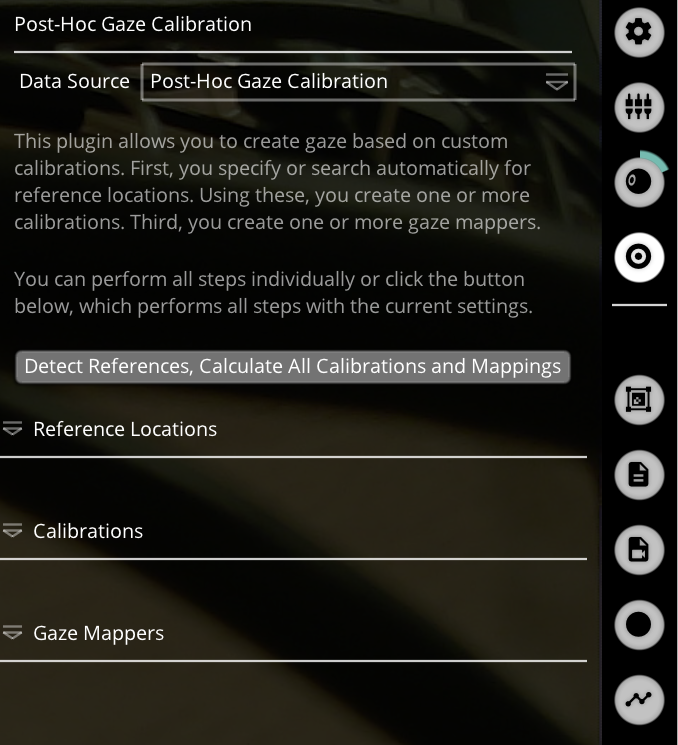
Hello, I would ask a question about post-hoc gaze calibration. These are my steps: I record my data from a Raspberry pi, then post-hoc the data via a desktop PC. I calibrate the eye tracker on the Raspberry pi and unchecked the pupil detection during the recording. Then, on the desktop side, I select post-hoc pupil detection. My situation is: when I only select Post-Hoc Gaze Calibration, I do not have data on gaze direction. I only get data on gaze direction when I press the button Detect References (see figure bellow). And my question is: is it the right way for having the gaze direction data? Or do I need to do other steps? Thank you in advance in your instruction, have a nice day.
hi team! I am very new to the software, In which file formats should recordings be to be uploaded to pupil player?
Hi @user-e91538 ! Are you using Pupil Core? The recordings files generated with Capture should be on folder named recordings, each folder inside is named after the datetime it was generated. If you navigate inside one of them, you will have more folders, one per recording made on that date. Those are named 000, 001, etc. Just drag one of these recordings onto Pupil Player.
Check out our getting started guide for more information https://docs.pupil-labs.com/core/#_6-locate-saved-recording
can I use recordings that have not been generated with Capture?
Hey! Player only supports Capture recordings
Hi everyone, I am currently suing pupil core ET with older adults and I am struggling to record good data because they usually wear thick glasses and it is throwing off the calibration or during the recording session. I was wondering if there is a way around this. Thanks
Hi @user-e91538! External glasses sometimes work, but it can be hit and miss. The goal is to capture unobstructed images of the eyes - we recommend trying to put the Core headset on first and the external glasses on top. This is not an ideal condition but does work for some people
hello, there is some tutorial to acquire gaze position from pupillab to unity?
Check out our hmd-eyes repository: https://github.com/pupil-labs/hmd-eyes
Hey @user-b9005d! I'd recommend checking out our pupil detector plugin API: https://docs.pupil-labs.com/developer/core/plugin-api/#pupil-detection-plugins. It should be feasible to do what you want - running from source is probably the better option for plugin development - you can use this specifically for pye3d tweaks: https://gist.github.com/papr/af39155d853528fb29cc38571c07287f#file-all_controls_pye3d-py
@neil I downloaded the all_controls_pye3d.py plugin from the link and placed it into the Pupil Player plugins folder, but it is not appearing in the plugin manager when I run the program. Is there something else I needed to do first to get it working?
Hi @user-80123a 👋. Please take a deep dive into these videos: https://docs.pupil-labs.com/core/software/pupil-player/#pupil-data-and-post-hoc-detection They can explain everything better than I could via text 😄
Thanks for the link, it is indeed very explanatory.
Hello! My Lab is planning to record data from two headsets simultaneously and we where trying to figure out if there's a way to run two headsets simultaneously on the same PC or if we will need to use separate PC's?
Whilst technically possible, we recommend running each Pupil Capture instance on a separate computer. To keep them in sync, use the Pupil Groups Plugin: https://docs.pupil-labs.com/core/software/pupil-capture/#pupil-groups
Hello, I have a question about downloading the timeseries + scene video. For one video, I've tried downloading the timeseries + scene video from different computers, but the download continuously fails. The download works just fine with the other videos. Is there a way around this issue at all?
Please reach out to info@pupil-labs.com in this regard
@neilWhat should happen when Core is operated in a completely dark room, where the eyes are completely dilated and there is nothing to fix the gaze on> For example, imagine as if operating core at the depth in a murky void?
The eye cameras of Core have IR illuminators, so you should be able to capture the pupils. I've used Core down to about 3 lux ambient illumination. If you calibrate prior to turning the lights off, you'll still get a gaze estimate as gaze is provided in scene camera coordinates.
@user-3578ef, what are you planning to do in such a dark environment?
We've only just done some experiments with a diver in a darkened tub with a monitor but I noticed that when there is some illumination from the monitor reducing the pupil size, its initial tracking might be more robust than when the tub is dark and the pupil initially fully dilated. In fact the initial tracking of pupil diameter is rather bizarre, but there could be plenty of reasons in our setup for that. Only first experiments for now...
For extremely dilated pupils you might need to increase the maximum pupil size under 2d detector settings. Additionally, we recommend checking out our pupillometry best practices (if you haven't already): https://docs.pupil-labs.com/core/best-practices/#pupillometry
Indeed that seems to be the case. But then that might create tracking problems when tasking requires looking at the bright display. It seems it would be better to have the minimum diameter auto-regulated somehow to have a seamless response behavior so that the 3D eyeball tracking can maintain valid pupil diameter estimates.
Apologies, I meant to say maximum expected pupil size. I've edited the original message.
I also edited my message. But the open question does this large maximum degrade performance in the normal use case where the gaze is turned to the bright screen? The normal pupil sizes are in the range of 2 - 4.5 mm as recommended minmax settings but due to scaling issues related to our eye camera position, these numbers are inherently larger, maybe 2X to begin with and might degrade the Pye3D tracker. I suspect at some point my numbers become unworkable and the pupil diameter dropouts occur.
Neil, notice the large dead zones, and that I do get diameter tracking about midway through the episode and I can see some small reasonable diameter changes during that time. But then it drops again, etc. And I can see from the erratic FPS that tracker is struggling during the dead zones.

Hi @user-3578ef Are you running some other programs that may have increased the CPU usage during these phases of the recording?
Kindly note that you can try to reduce the CPU usage if you run some of the plugins like surface tracker post-hoc.
Thanks Miguel, I'll check about that with the lab - but I don't think so. And the only time I see this is in "dark" condition and it is consistent across multiple sessions.
Note that you can run pupil detection post-hoc and tweak the 2d detector settings.
It's also worth checking that the eye camera exposure time was appropriate for the dark condition. Exposure time can be set to automatic or manual
Can I read the min max pupil size data from the recording folder to check it?
This isn't stored with the recording as far as I remember
Thank you for the response! we will use two computers then. Out of curiousity, how would you go about using two on one computer? when we've tried pupil capture will only recognize one system, would we need to use the pupil groups plugin?
You would need to open two instances of Pupil Capture, but it's not really recommended for quite a few reasons.
Hi, I got a question about the data gained by pupil core. From 'pye3d 0.3.0 real-time' method, the left and right pupil's diameters are similar in pixels, while the diameter_3d in the unit of millimeter are quite different, the value of the right eye is even twice that of the left eye. Can anyone explain why?
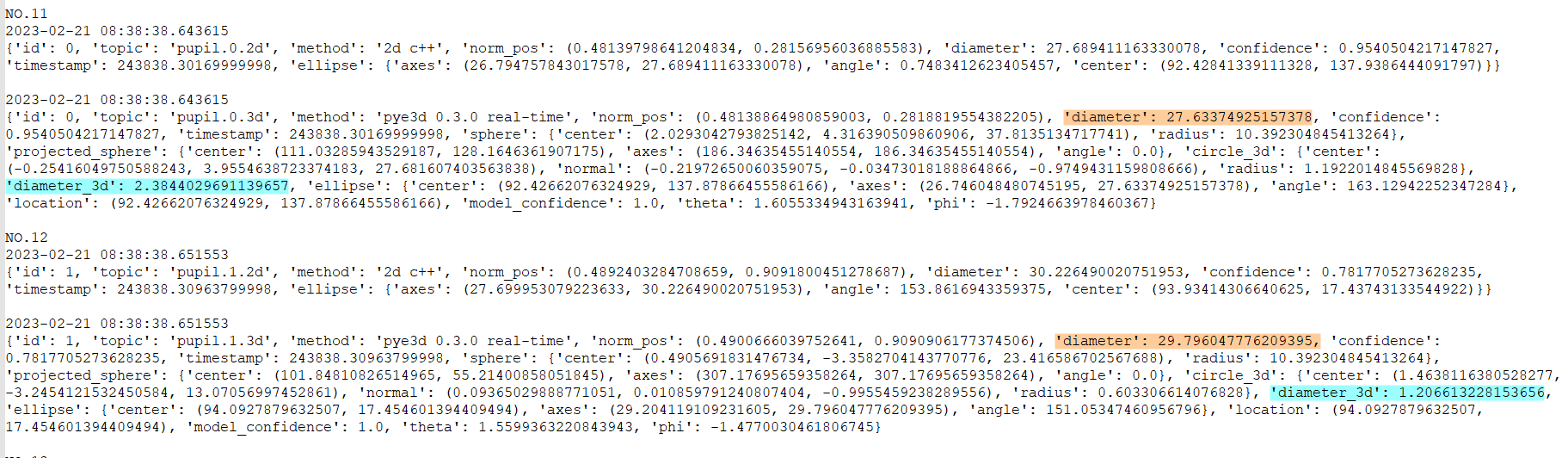
Hi @user-17ca63! The diameter in pixels does not take into account the 3D model, nor the position of the pupil or the corneal refraction. Pye3D offers the diameter 3D by accounting for the eyeball model, the location of the pupil (this is accounting for perspective) and the corneal refraction. There are several possible explanations for what you observe, such as variability of the 3D model between eyes, the cameras to eye relationship, or a misalignment on the estimation. When performing pupillometry, it is recommended to get a proper 3D model of both eyes, a good calibration, freeze the model, and compare relative changes rather than absolute values. https://docs.pupil-labs.com/core/best-practices/#pupillometry
Hello, I am not getting audio in my core recordings. I see two options in the audio mode in Capture: Sound Only and Silent. I have it set to Sound Only, but my world recordings have no sound. Is there an adjustment or fix for this? Thank you so much!
Hi,
I did a short recording to test whether the calibration markers on a curved screen were detected.
I then ran post hoc calibration - accuracy was 1.7 degrees.
However, the visualisation was a bit odd as you can see in the first screenshot - the two green dots were always connected by the pink line during the calibration process as my eyes moved around the screen. Most of the time it's in a straight line, but sometimes there's a lot of zigzagging like in the 2nd screenshot. Do you know what's going on here please?
Re: the FPS, I don't know why it's so low in the screenshot but in the recording everything is smooth and FPS averages around 23.
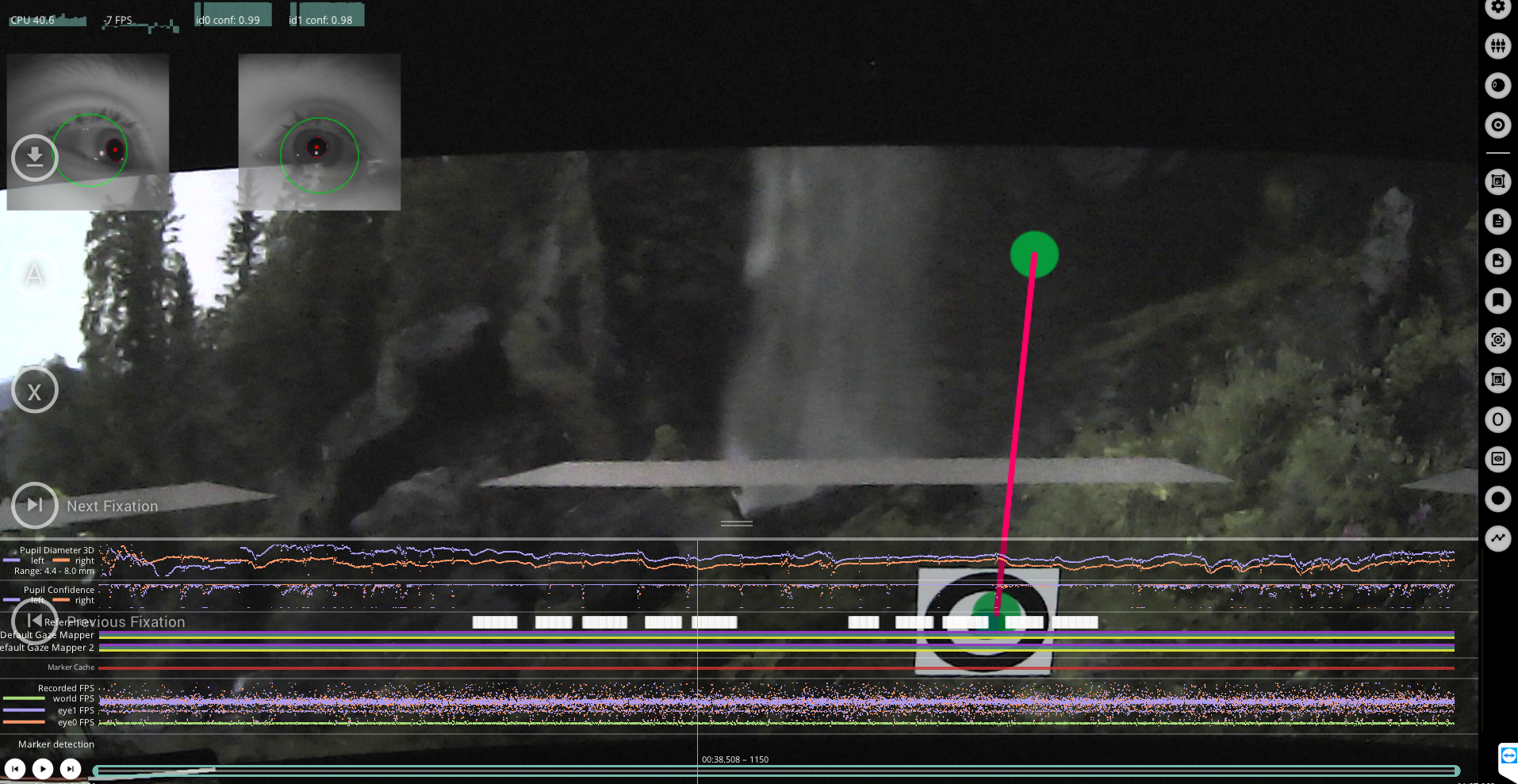
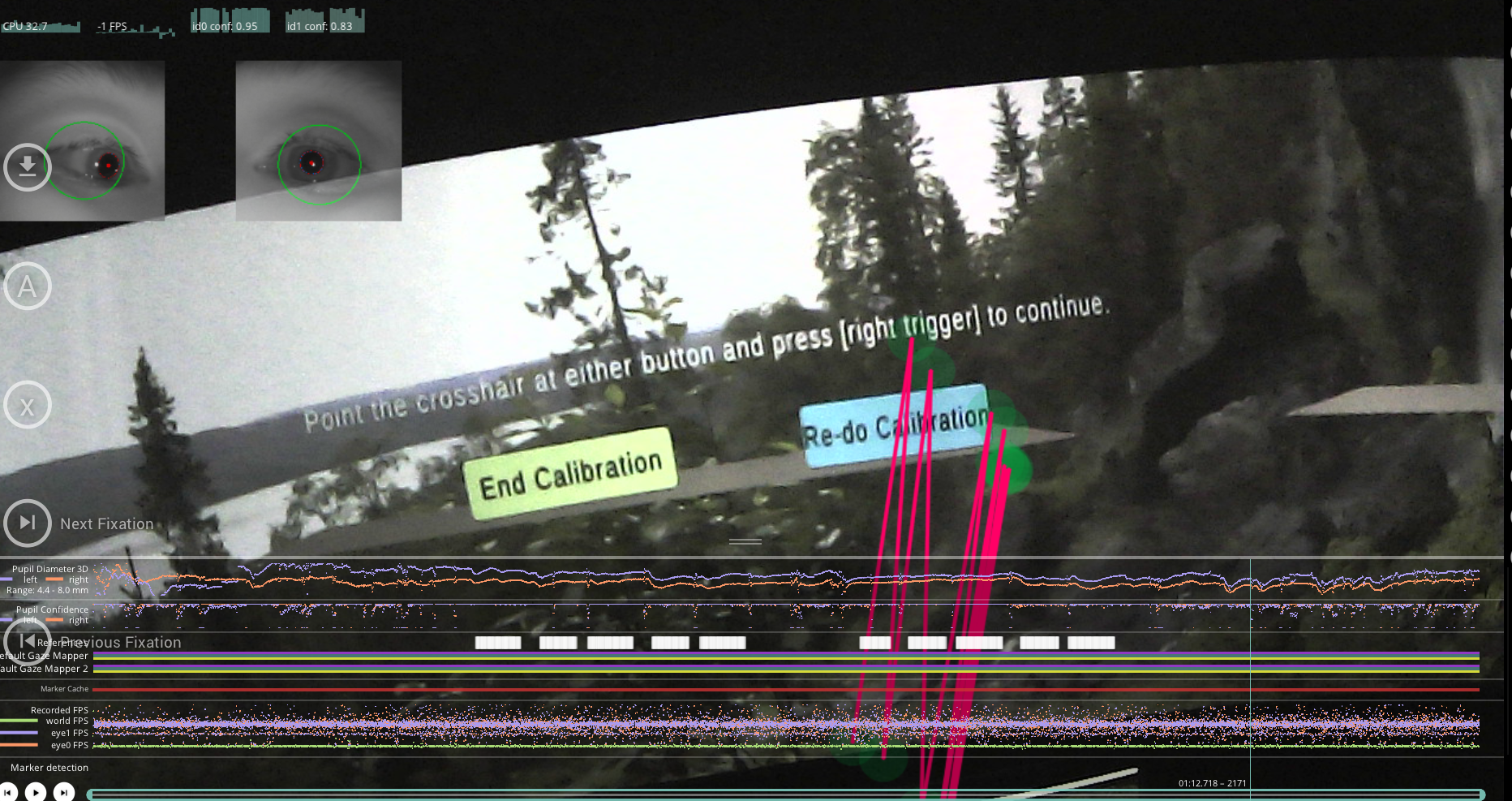
I'd firstly recommend updating your Pupil Core software to the latest version, make a test recording that contains the calibration choreography, and share it with data@pupil-labs.com for feedback
Hi @user-2798d6 👋. Please see this message for reference
Hi Neil, what message? Thanks for your help!
Apologies! This message: https://discord.com/channels/285728493612957698/285728493612957698/1006542146922352650
Ah thank you! May I ask what the Sound Only and Silent are in reference to then?
These are legacy menu options - your best bet is to capture the audio signal via LSL. But note that, as far as I know, it only captures the raw waveform
Thank you @neil for your help!
Pye3d settings are in the eye windows that load during post-hoc pupil detection
Excellent, thank you for your help!
Hello, I am setting up an experiment. I need to measure saccades, however the LSL data recorded is only at around 30 FPS. My question is, can I increase the frame rate of the LSL broadcast from pupil capture to 200 Hz? if So how can it be done?
Thanks,
Hi @user-4ba9c4! Can you confirm what sampling rate you're getting with gaze data when not using LSL, i.e. directly in Pupil Capture?
Hello, Does Pupil Core work well for doing screen-based eye tracking research?
Yes, it can be used in conjunction with the Surface Tracker plugin https://docs.pupil-labs.com/core/software/pupil-capture/#surface-tracking
For example, using a chin rest?
Thank you. Will that yield more than just AOI, ie scanpath?
It will also give you heatmaps, for scanpaths you will need to follow this tutorial https://github.com/pupil-labs/pupil-tutorials/blob/master/03_visualize_scan_path_on_surface.ipynb
Thanks again! My other question: can you record input like mouse events so they are already synchronized with eye tracking data or do you have to synchronize them in post processing?
You can use Lab Streaming Layer for example to do that, using https://github.com/labstreaminglayer/App-Input and https://github.com/labstreaminglayer/App-PupilLabs/blob/master/pupil_capture/README.md
or a way to log mouse events by yourself and send the corresponding event annotations
Hello @neil I checked, the fps without LSL shows 30 fps (same as with LSL). Is there anyway to increase this?
You can manually select the sampling rate of the scene camera in the scene camera settings, and also the eye cameras in the eye camera settings (by changing the resolution). Note that the achieved sampling rate may be variable depending on things like CPU load
So, I did that and I got 9.19. I got per-sample duration, which I then summed and then divided by the duration of the recording in seconds (approx 1200).
From what I remember sampling frequency could either be 60 Hz or 120 Hz. So, I am not sure what this means. I want to interpolate gaze data to calculate saccades so I need sampling frequency.
If anyone here has experience calculating saccades then please reach out! I am trying t implement someone's code and I have some questions on how to do that in PL. Thanks!
This is quite low and suggests insufficient computational resources. What are you computer specifications?
Intel i7 @ 2.20 GHz, 16GB RAM. I used start pupil timestamp to calculate the sampling frequency.
Hi @neil, many thanks for your reply. It is reassuring to know that the coordinate system can be adapted to the image. I have a new question. On pupil PLAYER the frame number does not match the frame number of the world video exported from pupil PLAYER. Why is this happening?
Hi PupilCore, I am currently analyzing the data recorded from the eye tracker and loading them from the exported csv file. I noticed that the diameter_3d column has some missing values in between some intervals ( i am not sure if the duration of these intervals is constant) . I just wanted to know if this is normal and expected. Secondly, is it possible to reduce the sampling rate of the recorded data? as currently, it is recording 200 data points per second and if we would like to sync it with other devices with different sampling rates, do you have any tips on how best to handle this? Thank you!
diameter_3d is an estimate of pupil size in mm generated by our pye3d eye model. In cases of low-confidence pupil detections, e.g. during blinks, squinting etc. you can expect missing values. As regards synchronisation, it's not really possible to match Pupil Core's sampling frequency with external equipment. Instead, I'd recommend using our network api to send/receive trigger events, or preferably, use our Lab Streaming Layer integration: https://github.com/labstreaminglayer/App-PupilLabs/tree/master/pupil_capture#pupil-capture-lsl-plugins
Sorry, I just noticed you have answered the sampling rate question above, i will try that.. so just the first question is unclear to me now.
I'm not 100% sure I understand what you mean here. Can you share a screenshot for illustration purposes?
Hi Neil, we found out when this missing values occur for the diameter_3d values. It is when the method value changes from pye3d eye model to 2d c++
Hey @user-f1866e! The search bar is up in the right corner 🙂
I just find a significant delay in realtime data. topic, payload = Globs.pupil_subscriber.recv_multipart()
it is 2-3 seconds of delay
I tried to monitor normalized pupil direction in pupil group. Any idea???
I doubt its the computer.
Thanks! Delay happens in my tkinter routine.
oops, wrong channel. sorry!
Frame rate
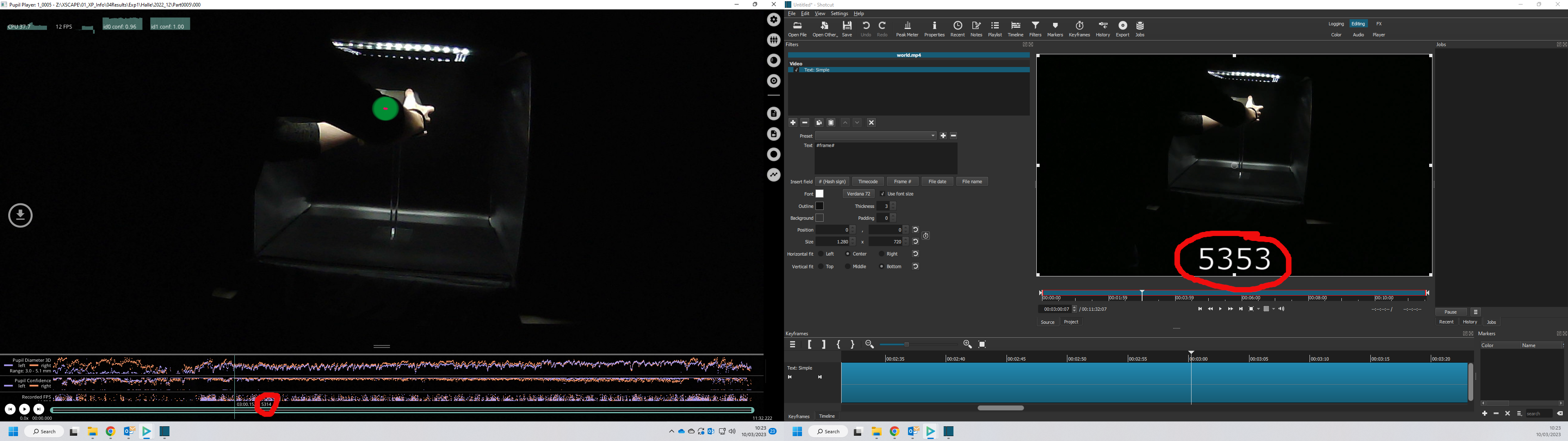
Sure thing. Here it is. So the world video on the left is the one opened in pupil player and the one on the right is the video exported with pupil player. Notice how the frame number does not match.
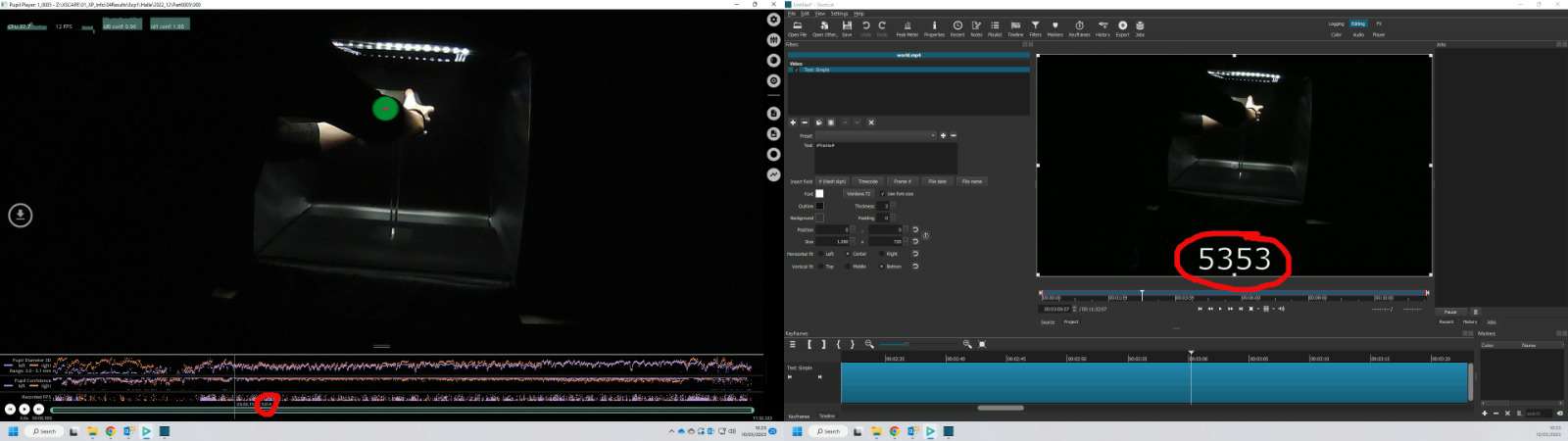
Sorry. I attach an image with better quality so you can read the numbers if you zoom in.
Hi PupilLabs, I tried to use pupil player to do the offline detection, but it only saved the offline_pupil data, while missed blink data and so on, how can I get other data?
Hi @user-17ca63! You'll need to enable the blink detector plugin to see classified blinks in Pupil Player
Hi PupilLabs community, I have question regarding baseline correction -- So if in case the baseline has not been recorded during the experiment, can we create a baseline before the stimulus was presented and the participants were reading a 'Welcome' text. Thanks
The image is somewhat low resolution, but am I right in thinking the frame number on the right has been generated by third-party software? This has proven quite unreliable in our experience.
Yes, it is a third party software, but I have run it through 3 different software and they all consistently show the same result. The same happens when I extract each individual frame with ffmpeg. Do you have any suggestions on how to fix this?
Hi @user-e91538 👋. Are you doing pupillometry? If so, a baseline should be recorded in the same session as the experiment, otherwise confounds will creep into your data.
Hi, @neil Yes, I am doing pupillometry. I do understand now the importance of a clear-cut baseline, however, my question was how valid it is to use pre-stimulus data as a baseline correction? Thanks
Frame indices
how much does the eye tracking costs in USA Dollars?
Hi @user-e91538 - see my response in the vr-ar channel. Quick note: we'd be really grateful if you could avoid duplicate questions and responding to other user's conversions when unrelated 🙂
Hello, I want to ask is there anyway we can extract the size of the AOI just to record it? the width and height of each AOI?
Hi @user-e91538 , it is quite common to use part of the pre-stimulus data as baseline correction. Of course, it also depends on your paradigm. A good approach would be to visually compare your baseline-corrected data with the uncorrected data and see what's going on. With baseline correction, you should have reduced variability, however, the correction should not qualitatively change the pattern of the results. Maybe this paper would be helpful for you: https://www.ncbi.nlm.nih.gov/pmc/articles/PMC5809553/
Hi @nadia Thanks for the answer! Cheers
Hi everyone! The Pupil Player says “no fixation detected” but it genuinely showed me heat maps and fixation points last time I opened it. What’s wrong? What should I do to detect the fixations again? Thanks in advance!
Hi @user-daaa64. You'll need to enable the Fixation Detector Plugin https://docs.pupil-labs.com/core/software/pupil-player/#fixation-detector
Hey Neil! Thanks for the swift reply. I did toggle "Show fixations" but it still says "0 fixations detected" in the detection process.
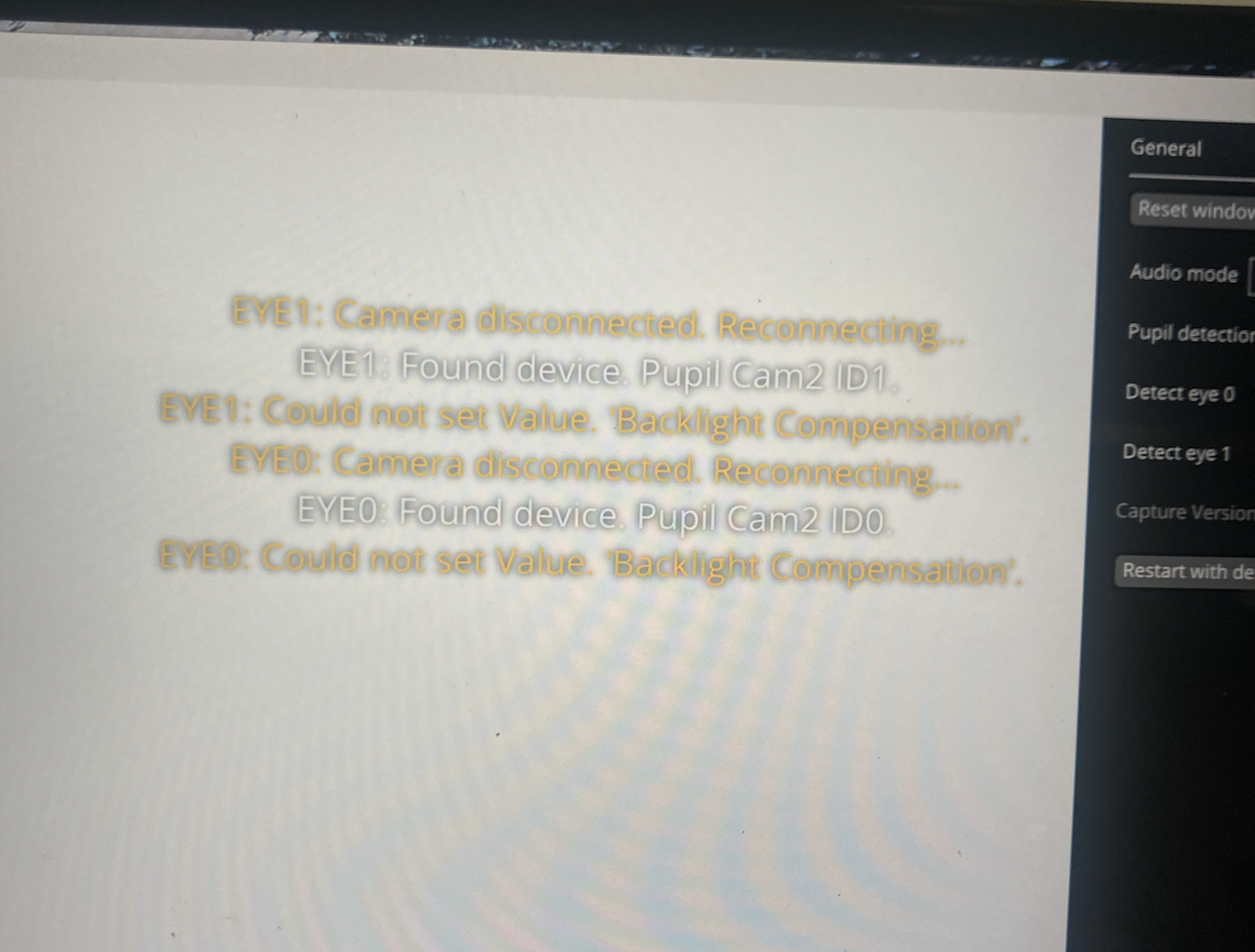
Hello @user-e91538 @user-d407c1 @neil ! I'm having the same problem as @user-be0bae , but restarting Pupil Capture with default settings and checking the eye camera cable connection has not resolved it, unfortunately. I am running Pupil Capture with Pupil Core on a Windows 11 laptop -- I had to install the libusbK drivers for the pupil cameras (following these instructions: https://github.com/pupil-labs/pyuvc/blob/master/WINDOWS_USER.md)
The error message is "Camera disconnected. Reconnecting.... '___ Found device. Could not set Value. 'Backlight Compensation', and the camera feeds are not showing up ('pupil detection', 'detect eye 0', and 'detect eye 1' are all checked).
I am setting this up to run on Linux (Ubuntu-22.04) as a subsystem of Windows 11. This headset's cameras are functioning properly on MacOS, so I don't think it's the Pupil Core hardware.
Do you have any other suggestions?
hi @neil can we determine the size per AOI? is there any way we can record the size in pixels (height and width)
can someone answer my question please 😁
Hello, I am wondering how I can use the face blurring function that is described in the facemapper enrichment. I cannot find anything about in the documentation, because there it says it will be coming soon.
Hi @user-e91538, we have received your email and will respond there
Hi, we have the pupil eye tracker glasses (pupil invisible) we are trying to connect the glasses to our lsl. According to the instructions we download the pupil capture software (on windows10), but although the glasses were connected to the computer we get the attached errors [and see gray screen]:
we also tried to follow the instructions under the windows section here: https://docs.pupil-labs.com/core/software/pupil-capture/
but nothing work 😦 what can we do ?

Hi team, do you have any other documentation that shows how to generate and print the april tags? I tried to follow this page but the links are not working: https://pupil-labs.com/releases/core/036-marker-tracking/
@user-6cf287, you can use the markers found here: https://docs.pupil-labs.com/core/software/pupil-capture/#markers
Hi @user-535417! Pupil Capture software is not compatible with the Pupil Invisible system. Pupil Invisible must connect to your Companion smartphone device for operation.
The Pupil Invisible LSL documentation can be found here: https://pupil-invisible-lsl-relay.readthedocs.io/en/stable/
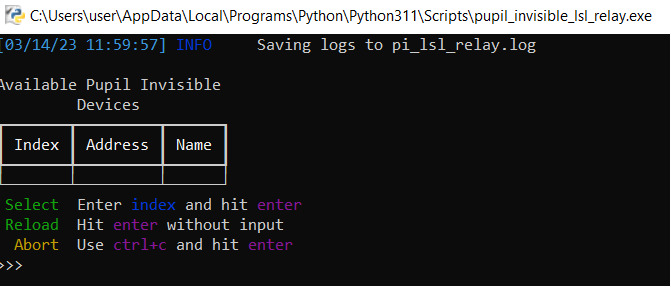
thank you for your response. we also downloaded the pupil pupil-invisible-lsl-relay but we get the attached output:
Hello there
Im johan Lara
Im about to buy the pupil core model for sport shooting purposes
i wanted to know if using the software + pupil core require any specific knowledge in terms of code writing ?
or if i can connect the pupil core to my mac, and start using it as a plug and play system
(im totally new, sorry if its a dumb question !!)
Can you please confirm that your Companion device is connected to the same network as your LSL computer?
yes
And that you've enabled HTTP Streaming in the Companion App
Ok we did it and now we really can see the streaming in the computer, but it still not connect to the lsl
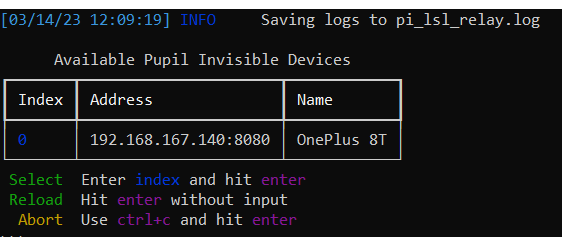
I tried but I have the followed error:
Hi @user-1436e5 👋. Our software can be certainly be used by no-code users. You tether the Core headset to a computer, in your case Mac is supported, and load the software. Then it's a case of calibrating the system for the wearer and starting a recording. However, there are quite a few things to consider when it comes to using Core in sports shooting. We can offer a demo & Q&A via video call to ensure it's a good fit for your needs. Feel free to reach out to info@pupil-labs.com
Thanks a lot ! Are you based in the us ? (To take into consideration the time difference) I’ll send you a mail 👍
Thanks @neil . Another question I have: is there another way to play the world and eye recordings without using Pupil Player? as we would like to embed the video on an external page but not able to play it using media player for example.
Enable the 'eye overlay' plugin and then use the World Video exporter. It will generate a separate video file that you can use for embedding. You can also change the visualisation parameters: https://docs.pupil-labs.com/core/software/pupil-player/#visualization-plugins
We're in Europe, but can usually find a good time to meet with friends in the US through our scheduling tool 🙂
That’s perfect ! I’m in France
thanks, i found it and I am able to export. While playing the video, I noticed something that happens randomly as below where the red any yellow circle gets separated. Is there a reason for this and does it affect the accuracy of the data captured at this point?
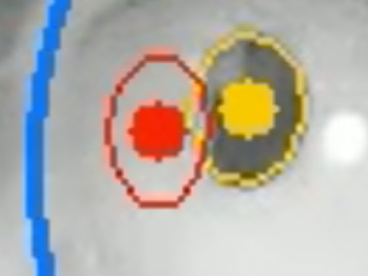
The yellowish ellipse is the result of the 2d pupil detector, while the red ellipse is that of the 3d detector. An occasional separation is not of concern. Feel free to share a video such that we can provide more concrete feedback.
Hi @user-eb6164. The pixel size of the surface will be dependent on camera perspective, so not totally reliable as a measure in and of itself. You can specify the real size of the surfaces in the Player GUI. You can use any unit you like.
thanks
Hi, somehow, the video I recorded through the phone cannot be uploaded to the cloud. do you have any idea why?
Hi @user-5d8c4f 👋. Can I just confirm, which Pupil Labs system are you using?
Hi, team! I have read the code about calculating accuracy, the final accuracy is calculated as the average angular offset (distance) (in degrees of visual angle, only look for values greater than cos(5deg)) between fixations locations and the corresponding locations of the fixation targets. I have a question about the final accuracy. If the average error of one or two fixation target is 1.8 deg, but the rest fixation targets have small deg error, the final accuracy is also small, such as 0.5deg. Should we consider this calibration a failure?
Hi @user-9f7f1b. I'm not sure I really understand your question. Perhaps you could rephrase it 😸? Maybe I have a question for you - why would small (e.g. 0.5 deg) of accuracy be considered a failure?
Hello rcd 5213 mgg 6348 nmt 1123 I m
I do not know. Where can I find it?
You can see which eye tracker you have on this page: https://docs.pupil-labs.com/
We bought a pupil labs neon mobile eye tracker. We wanted to see the fixations during the recording of the video but unfortunately when we watch the video there was a message saying no fixations found. Could you help us how to setup the eye tracker to resolve the problem.
Hi @user-e91538, I have just replied to your email!
Hi @nadia Yes, I have already received the email. Thank you!
emmmm, let us see the following image, although the average validation accuracy is 0.872 deg, but there are some large error. For example, ref points numbered 10, 11, 13, 14, 23, and 24 have average accuracy greater than 1.0, the rest points have small average accuracy. My question is that should we consider the max angular error of all ref points as a evaluation criteria rather than just looking at the average? In other words, do you think this result is good? Is it necessary that all ref points have small error?
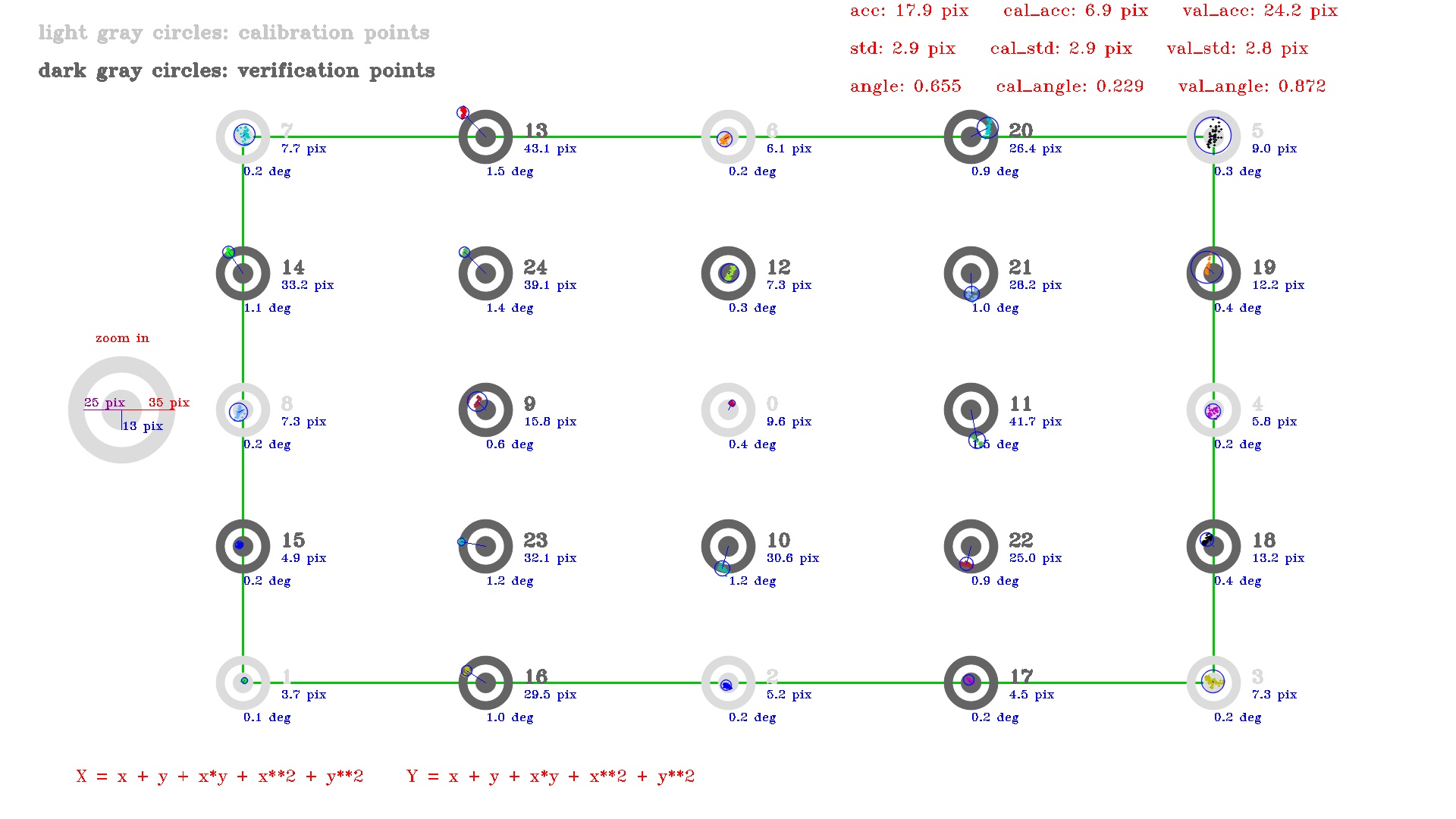
Thanks for sharing the image - that helps a lot. It's quite common to take the average. Whether you take the same approach and/or the accuracy is sufficient really depends on your research question. A good place to start is to determine how big your on-screen experimental stimuli will be, in degrees of visual angle. Then you can determine if the accuracy is good enough to capture gaze on/off the stimuli.
Thanks for your reply, I will do some optimization.
As a follow-up - are you using the default 3D calibration pipeline? If so, those values are pretty typical. You can increase accuracy by using the 2D pipeline, but it's not robust to headset slippage so you'd need to keep your experiment blocks short and controlled
Unfortunately, I use DIY headset and 2D calibration code. My teacher said that this result is not good enough. I decided to test the algorithm by making some simulation data as ground truth data.
Honestly, those results are very impressive for a DIY headset
Thanks for your suggesstion, I'll try it.
Recommend, if you can, implementing a custom 2d calibration choreography where the marker moves around and covers all areas of the screen - that should improve region-specific accuracy values.
We have Pupil Invisible and Pupil Cloud. But my situation now is we have app installed. However, the data on the cell phone cannot uploaded to Cloud.
Hey @user-5d8c4f - after making sure your phone has internet connection, please try logging out and back into the app
That should trigger a reupload
Hi, i'm trying to run main.py from this link (https://github.com/pupil-labs/pupil), but after i follow all steps and run i keep getting this error, can anyone help me?

Hi, we pressed "C" after setting up the communication between Unity and pupil capture, but we did not see the calibration mark on the headworn display, and the calibration mark on the computer screen did not change either. can anyone help me?
@neil Could you help me see how to solve this problem?I would be very grateful if you could reply to my information in time.
The calibration for unity must take place via hmd-eyes rather than pupil capture. Please see point 5 of the getting started guide: https://github.com/pupil-labs/hmd-eyes#vr-getting-started
Thank you for your reply. However, I followed this guide and kept displaying calibration failure.
Hi i have the Pupil Core and Can't seam to get it to work, would anyone be able to help with the "world - [ERROR] calibration_choreography.screen_marker_plugin: Calibration requiers world capture video input." Issue?
Hi @user-5bef55 👋 May I ask you which software version are you using and if you can see the real-time camera preview in all three windows (world, eye0, eye1)?
I'll check the software version in a minute but I only get both eye 1 and eye 0
The main view with controls shows nothing
hi, we have the pupil labs core and just track instruments on a screen. We noticed a difference between the normal lens and the fish eye lens. Do we have to consider a deviation in the coordinates with the fish eye lens or is this already compensated?
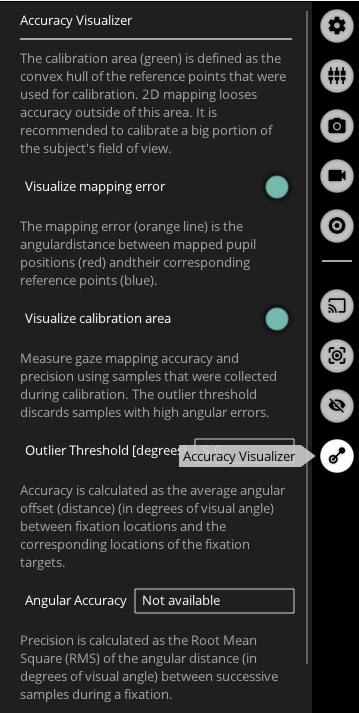
Hi @eleonora .After the calibration is completed, the gaze visualizer is still displayed in the scene. How do I hide the gaze visualizer?
Hi @user-6b1efe 👋 You can enable/disable the accuracy visualizer by accessing the accuracy visualizer plugin located in the menu on the right side of the main window in Pupil Capture.
Hi @neil I need help on how to upload our recording from the local drive to pupil cloud
Hi @user-e91538 ! Pupil Core recordings can not be uploaded to Pupil Cloud, if you are using Pupil Invisible, please repost your question at 🕶 invisible
But from the video you shared, it seems like you are using Pupil Core. For fixations with Pupil Core, there are two approaches, depending on whether you are using Pupil Player (post-hoc detection) or Pupil Capture (in realtime) . Please check our documentation https://docs.pupil-labs.com/core/terminology/#fixations for more info.
Any of those can be activated in the Plugins section at the sidebar https://docs.pupil-labs.com/core/software/pupil-player/#player-window
Edit: Sorry, I saw that you already have enabled the plugin. In the plugin panel you should see a button at the end saying "Show fixations"
What we want to see are the fixations in the player so we can see the location where the user looks
@user-d407c1 are using pupil core. We want to visualize the fixations when we play the recording using Pupil player but we can’t visualize it. The link you shared about fixation just shows the terminology about fixations. Is there a way for us to visualise the fixations?
Sy, I saw later you had the plugin enabled, see the edit to my answer. Also above that toggle you will see the number of fixations detected.
Hi, I have a pupil core device for an eye-tracking experiment. I am wondering if there is any limitation of the eye tracking video recording length, like no more than 40 minutes?
Hi! There is no specific time limit for recording with the Pupil Core device. However, it is recommended to split your experiment into smaller chunks instead of recording for a long period of time. This is because the main video data can be heavy and there is a risk of crashing the PC if it's not particularly powerful. Therefore, it's better to split your experiment into several blocks rather than just one or two, if your experiment allows. It's also worth doing some pilot testing to get a feel for the kinds of data you'll get, how accurate the calibration is over time, etc. That'll help you decide on an appropriate plan. If you haven't already, check out the best practices page for more information: https://docs.pupil-labs.com/core/best-practices/#split-your-experiment-into-blocks
Will do the splitting, thank you very much!
Hi, I have pupil labs for HTC vive. I wonder what camera sensor are you using? They seem very cool for a lot of DIY projects I have in mind. Could you share? because I don't want to take them apart, quite expensive gear 😄
This isn't publicly available, I'm afraid @user-0aca39
Thank you for your reply @eleonora , but the gaze visualizer I mentioned is in hmd-eye, as shown in the following figure. After the calibration is completed, it still displayed in the scene, which will affect the experience of virtual scenes. I would be grateful if you could help me.
Please try disabling the Gaze Visualizer script: https://github.com/pupil-labs/hmd-eyes/blob/master/docs/Developer.md#default-gaze-visualizer
hi I am having an issue with pupil labs head mounted eye tracker V.3.5.1. One of the eye video captures is not working (eye1) it just give grey color. I did try to uninstall and install drivers didn't work. I unplugged the cam and plugged it again is not working. We already purchased a new camera for this eye and it was working until today the issue occurred again. It is giving me error Video_capture.uvc_backend: could not connect to device. No images will be supplied. No camera intrinsics available. Consider selecting a different resolution
Please reach out to info@pupil-labs.com in this regard
i tried different pc not working too
Hi I am trying to read all the topics from the zmq with the code in the helper (https://github.com/pupil-labs/pupil-helpers/blob/master/python/filter_messages.py) to check if the surfaces are well sent over the interface I have uncommented the line to receive all the topics. Some topics are well displayed but I quicly run into an error related to UTF-8 awlays after the topic "frame.eye.X" "UnicodeDecodeError: 'utf-8' codec can't decode byte 0x80 in position 33: invalid start byte" Any idea how to deal with that Thanks for the help
Can you please share more of the terminal output over in the software-dev channel?
Hi! I tried disabling the gaze visualizer script, but after the calibration is complete, it always displays'Calibration route is done. Waiting for results...'. Calibration results are not displayed in the scene
Disabling it should be enough, but if it does not work for you, try commenting line 70 on GazeVisualizer.cs
Please post your output over in the software-dev channel 🙂
Sorry I am still unsure what goes where
Unfortunately, I have a defect of eyecamera 0. A replacement part is on its way. Since our experiment is currently at a standstill and we are absolutely pressed for time, I will temporarily use a single camera setup.
Did I understand the Swirski and Dodgson paper mentioned in previous threads correctly that no user calibration is required? Is there anything else I need to consider when setting up PupilCapture for the single camera setup? For the single camera setup, are there any other tips or important papers I should have read somewhere? I understand that contralateral eye movement may not be captured robustly. Thank you. 🙂
Hi @user-e91538 👋. Go ahead and use the eye tracker like you would with both eye cameras, i.e. set the camera to get good pupil detection, fit the model, and do a calibration choreography, as per the getting started guide: https://docs.pupil-labs.com/core/#_3-check-pupil-detection
The system will default to a monocular calibration if only one eye camera is connected.
Hi, I'm trying to write a simple c++ script to open the camera and capture some images using the Core. I can open the camera and get images using the Pupil Labs version of libuvc, however it seems like the IR emitters are not turning on. When I run Pupil Capture , or use guvcview, the camera displays the eye clearly. Through some testing, it appears that with my code the IREDs aren't turning on. I tried looking through the Pupil documentation, but I couldn't find anything about controlling the IREDs. This problem exists on both my VM running Ubuntu 22.04.2 and the current Rasbian release on a Pi 4. Any help is appreciated. This may also pertain to the software-dev channel, so I can move it if needs be. I have some images of the camera outputs in each situation if that would be helpful.
Hi @user-1ba94f. The cameras are UVC compliant, and the IR illuminators receive power when connected to USB. It sounds like you might need to adjust the brightness setting in UVC settings, which is exposed in libuvc.
Hi, I am trying to use the gaze position to plot a heatmap through python. I understand that the origin of position should be the center of marked surface, but I am confused about the unit of position. For example, I had a gaze position (1.2, 0.7), what is the unit of this "1.2"? Thank you.
Hi @user-956845 👋. Did you obtain surface mapped gaze coordinates through Pupil Core software, or through Pupil Cloud?
Thanks for the follow up, I have tried using the uvc_set and uvc_get brightness, but I would get segmentation faults or pipe errors respectively. I have been trying to understand what a pipe error is in this context. I know there is the detech_kernal_driver flag, I'm not sure what value that should be set to though.
Hi @user-53a8c4, How would we calculate angular accuracy in the 2D calibration case? I have apriltag markers because of which I have depth info for each world frame as well.
Hi @user-eeecc7! Recommend using our validation plugin in Pupil Capture. It provides accuracy in degrees of visual angle even when a 2d calibration was performed.
Has anyone tried to replace the world camera with a Go pro?
Hello, we have been experiencing an issue with Pupil Core + Pupil Capture that they won't lock on the pupil of participants, instead, the pupil ROI kept jumping across the eye camera window. Resetting Pupil Capture settings did not help the situation at all. This issue happened only when the participants had light iris colors, such as light blue. Has anyone faced similar problems before? Does the Pupil Capture have some difficulty detecting pupils with certain iris colors?
Hi @user-53a74a 👋 Please try to manually change the exposure settings to improve the contrast between the pupil and the iris (https://drive.google.com/file/d/1SPwxL8iGRPJe8BFDBfzWWtvzA8UdqM6E/view) and set the ROI to only include the eye region, excluding any dark areas that are not your pupil (https://drive.google.com/file/d/1tr1KQ7QFmFUZQjN9aYtSzpMcaybRnuqi/view)
Hello ,where can I get the NenoNet's infomation?
I'm curious, what are some of the best eye tracking analysis softwares out there for Pupil Labs data that you all are using?
Hi team, we are using live calibration with the Core, however sometimes one eye has pretty good pupil detection while the other has poor detection, and this throws off the gaze estimation. Is it possible to only take the pupil detection for one eye into account when calculating gaze estimation? Thank you!
Bumping this, thanks!
Hello, I have designed an experiment where I have integrated Pupil Core with Psychopy and recorded monocular data. Now when I was trying to analyze the HDF5 file I saw that there is no zero values for blink in the Pupil column but in the Pupil Labs generated file zeros are present. Is there any reason for this ?
Hi, im trying to implement this code about a 9 point callibration system, but it relies on some plugins I cant find where to download, are any of you familiar with them? They are the following: from calibration_choreography.screen_marker_plugin import ScreenMarkerChoreographyPlugin from calibration_choreography.base_plugin import ChoreographyModen
I found them in this link: https://gist.github.com/papr/339dcb08caef45d3798a68aa4e619269
Hi Neil, thanks for your reply. I am using the Pupil Core software. So I followed Network API tutorial and collect "gaze on surface 2D " data.
Thanks for confirming. Check out the docs for reference: https://docs.pupil-labs.com/core/terminology/#surface-aoi-coordinate-system Values greater than 1 suggest gaze exceeded the surface bounds
Hi @user-6e1219. Blinks aren't currently streamed over the LSL relay: https://github.com/labstreaminglayer/App-PupilLabs/tree/master/pupil_capture#lsl-outlet
What value it append in case of Blinks? Does it interpolate the values or just skip?
Note that this is a Plugin. It's designed to be copy-pasted into Pupil Capture's plugin folder: Home directory -> pupil_capture_settings -> plugins.
The modules that it tries to import are a part of Pupil Core software.
Hi Neil, Although I saved the code in the folder indicated this still appears to me as if some library is missing, but I can´t find where it is to download it.
Hi. can pupil core calibrate for nystagmus?
Hi, Neil! Has your team released synthetic ground-truth eye images or synthetic model metioned in "A fast approach to refraction-aware eye-model fitting and gaze prediction"? If hasn't, do you have plan to release them? This is important for us to learn your papers and methods in depth.
Hi team, after recording, i noticed that sometimes the offline_data folder is either not created or only has limited token files in it. Will this cause an issue when trying to replay the files in Pupil Player? As I tried to load a recording directory that does not have the offline_data at all and it works but when I loaded a file of about 3GB with some token files loaded in the offline_data folder, Pupil Player is not responding.
@user-a11557 if you place it on the folder, it should be available to you in the calibration menu. Unlike other plugins this, does not need to be enabled on the plugin menu.
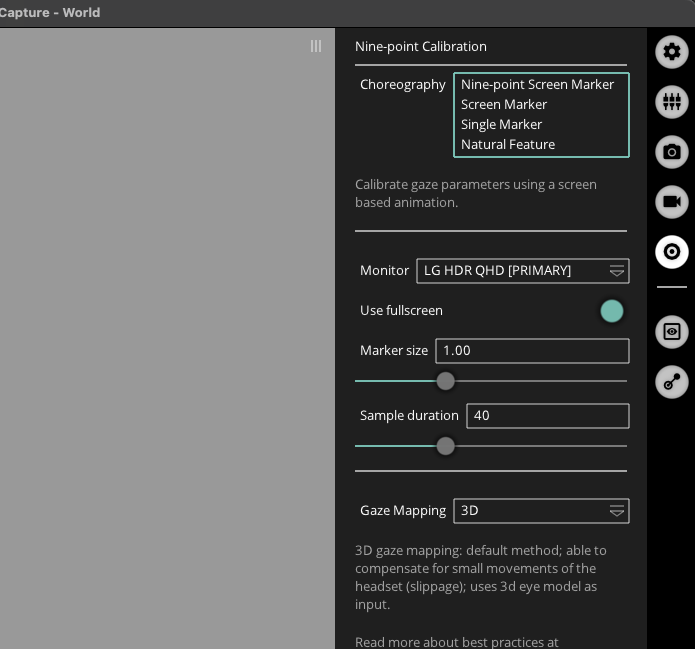
Hi @user-6cf287 ! The offline_data folder contains data that is used to speed up the loading of the recording in Pupil Player. If the folder is not created or only has limited token files, it may take longer for the recording to load in Pupil Player, but it should not cause any issues with playback. However, if you are experiencing issues with Pupil Player not responding when loading a recording with a large offline_data folder, it may be due to the size of the folder or the number of token files. You can try deleting the offline_data folder and see if that resolves the issue.
Hi @user-d407c1 Thanks. I tried to delete the folder and load again and I just saw this error in the console. So it is still not loading and just crashes.
: player - [INFO] video_export.plugins.world_video_exporter: World Video Exporter has been launched. player - [ERROR] launchables.player: Process Player crashed with trace: Traceback (most recent call last): File "launchables\player.py", line 661, in player File "src\pyglui\ui.pyx", line 274, in pyglui.ui.UI.configuration.set File "src\pyglui\ui.pyx", line 266, in pyglui.ui.UI.set_submenu_config File "src\pyglui\menus.pxi", line 774, in pyglui.ui.Scrolling_Menu.configuration.set File "src\pyglui\menus.pxi", line 91, in pyglui.ui.Base_Menu.set_submenu_config File "src\pyglui\menus.pxi", line 552, in pyglui.ui.Growing_Menu.configuration.set File "src\pyglui\menus.pxi", line 91, in pyglui.ui.Base_Menu.set_submenu_config IndexError: pop from empty list
hello,i am using pupil labs core with psychopy . i have done everything according to the instructions but psychopy keeps crashing after validation step and it shows me this error
my psychopy trial structure is shown below
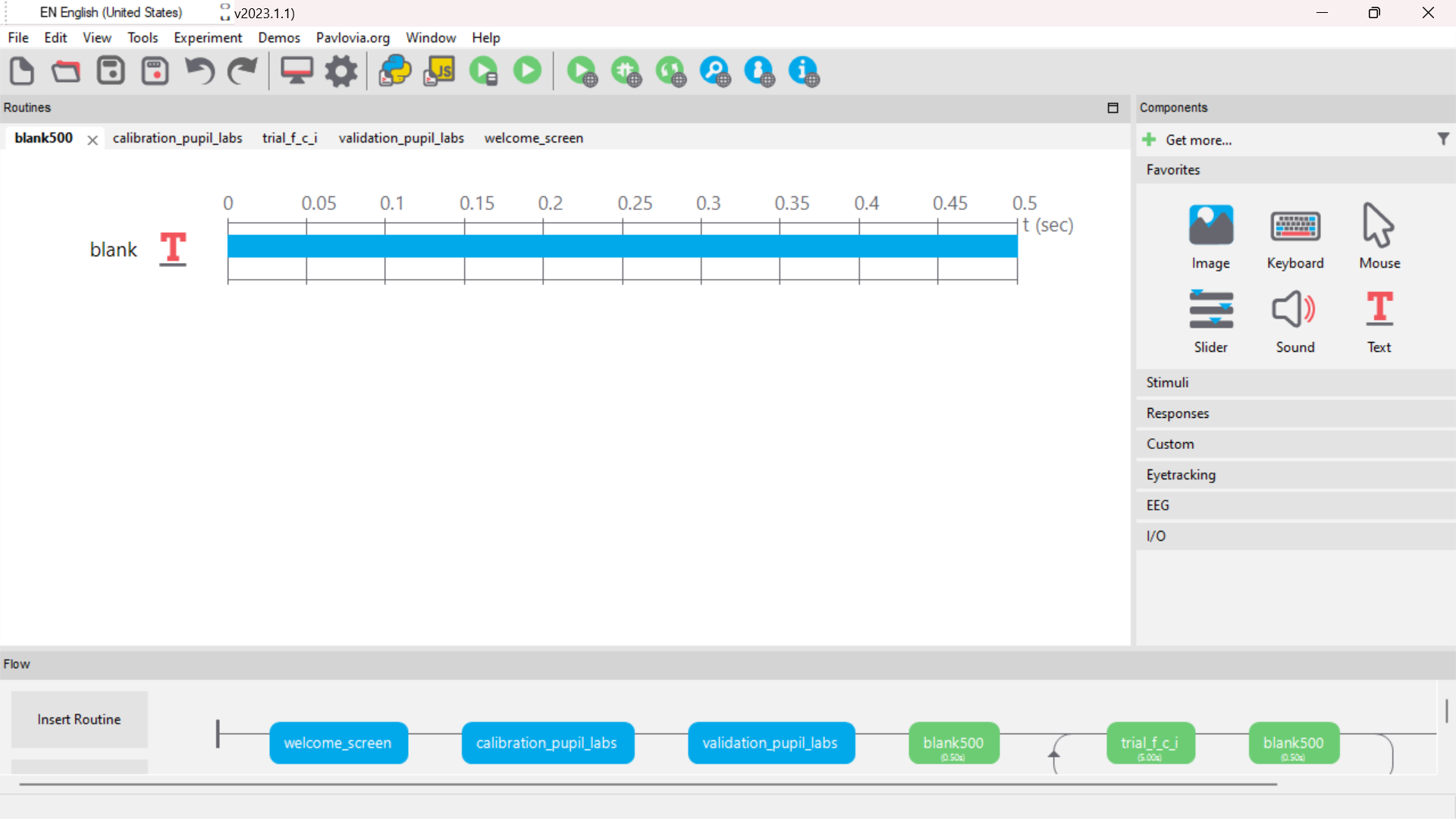
Hi @user-ae76c9 Have you checked the confidence of the data? A binocular gaze datum will only be based on both eyes if they provide a pupil detection with a confidence of 0.6 or higher. Otherwise, the data will be mapped monocularly in which case you can easily filter out the low confidence data.
However, if you want to use only one eye for gaze estimation, you can disable the eye that has poor detection in the Pupil Capture settings. To do this, go to the "General Settings" tab and uncheck the toggle with the eyeID that you want to disable or just close the eye window of the eye that has poor detection. This will prevent that eye from being used for gaze estimation. Keep in mind that using only one eye may reduce the accuracy of the gaze estimation.
Even better, you can record both eyes and then run a monocular post-hoc detection https://docs.pupil-labs.com/core/software/pupil-player/#pupil-data-and-post-hoc-detection
If it is only portion of the recording where you want to filter the data, consider that the exported https://docs.pupil-labs.com/core/software/pupil-player/#pupil-positions-csv contains the eye_id field, which you can use to filter the data
Hello, could you please assist me with an inquiry? I have recently attempted to use a DIY eye tracker with Microsoft HD-6000 and Logitech C525 cameras. Unfortunately, when attempting to run the pupil-3.5, I encountered issues as it was unable to detect the cameras. Despite trying to run the program with administrator privileges, the problem persisted. I can confirm that both cameras are displayed in the system's camera devices under the camera section, and my computer is running on the Windows operating system. Would you be able to provide me with any suggestions on how I can rectify this situation and enable the pupil-3.5 to detect the cameras? Thank you in advance for your assistance.

Hi I am using Pupil mobile app version 0.37.0 on android 11, google pixel 2 phone. I am trying to find a compatible version of pupil capture. What would you guys recommend ? Also what are the step to connect the app to the pupil capture ?