
Hello! I'm using the pupil labs core for a project that heavily depends on the surface tracker plugin. I made a test and in the gaze_on_surface.csv file I've got a row every 0.004s (approx.) leading to a frequency of around 240 Hz. However, if I export the eye videow from the same test, I get it is 120 Hz. Why is there this mismatch? I would assume that the eye videos frequency is the same of the cameras and of the gaze_on_surface file... What am I missing?
Hi @user-4c48eb, thanks for reaching out 🙂 May I know how you're calculating the sampling frequency from the gaze_on_surface.csv file?
Context of Pupil Core's eye cameras: The eye cameras can run up to 200 Hz, but may sometimes record at a lower rate depending on several factors (e.g., eye camera resolution, CPU resources, dropped frames).
The eye cameras are also free-running and pupil data matching is performed to give you the gaze position .csv files.
Hi! I forgot to say that I'm recording and extrapolating the data with the pupil player program. To find the frequency I'm loading the file in a matrix in MATLAB and looking at the gaze_timestamp column (assuming it is in seconds), so I do 1/mean(diff(MyColumn)) and I get a bit less than 240 Hz
The gaze timestamp is indeed in seconds. May I know if you've filtered out rows where the surface was not detected in the data, before calculating the sampling rate?
The data is in the file gaze_on_surface_RX.csv (my surface name is indeed RX) so it should naturally be filtered out. However, in my use case the same surface is displayed several times (I discussed it with your colleague Dom a couple of days ago in this channel) and I am filtering the different occurences using the surface_event file (I have checked there's no accidental surface loss). The only rows I'm leaving out are those due to low confidence but that would lower the frequency. Even if I calculate the frequency in the way I described for the single occurences of the surface I get roughly the same values ranging from 236 to 239 Hz)
Could it be that the cameras ran at 120hz and the pupil data matching algorithm makes monocular gaze alternating each eye? That would explain a weird zig zag I'm seeing in the gaze pattern
Thanks for the clarification. It's possible for a single data point to be matched more than once due to the pupil matching algorithm. You can read more here.
As for the weird zig zag pattern, it could suggest low quality data. It'll be helpful if you could share the particular recording folder so that I can take a look at it. This helps me better understand what's going on with your data. You can send your recording folder to [email removed]
I doubt it's the quality of data since it remains even if I remove the data with confidence lower than 0.9 and - to a lesser extent - even 0.99. I'll send the email right away and attach the image with the zig zag. Thank you for your interest
Hello, could I have confirmation that my email has been received? Thank you!
Anyway to detect the accuracy of all fixations ? Note that we calculated our own fixations based on gaze angular velocity.
Hello! I am conducting an experiment on a table, and sometimes the calibration fails because the glasses obstruct the participants' view. I think it might be a good idea to re-calibrate post hoc. However, I'm not exactly sure how to do this. Ideally, I would like to click on the part where I think the participant is looking, since after calibration I will present different points for participants to focus on. Is that possible? Like in this video: https://www.google.com/search?q=pupil+lab+calibrate+post+hoc&rlz=1C1UEAD_esES1044ES1044&oq=pupil+lab+calibrate+post+hoc&gs_lcrp=EgZjaHJvbWUyBggAEEUYOTIHCAEQIRigATIHCAIQIRigATIHCAMQIRigAdIBCDQ3MjlqMGo3qAIAsAIA&sourceid=chrome&ie=UTF-8#fpstate=ive&vld=cid:8c494d2e,vid:mWyDQHhm7-w,st:0 Thank you!
Hey @user-4514c3, you can enable post-hoc calibration in Pupil Player by clicking the "gaze data" icon, and changing the data source to "post-hoc gaze calibration". You'll need to enable manual edit mode, since it sounds like you want to manually click on certain positions on the scene camera frame for the post-hoc calibration.
Hi! In my study, I am using a few pupil core devices at once and would love for the data to be synchronized - it is essential to correctly match everything between participants. How do I make sure that the time sync plugin works, if I am connecting each core to the mobile device and using Pupil Mobile for data collection?
Hi @user-453f5f ! Kindly note that Pupil Mobile is deprecated and no longer supported, we recommend to use a laptop/SBC unit to make Pupil Core portable. With that said, I recommend reading our best practices for synchronization and the pupil groups documentation for which you will need a host/computer running capture. Let us know if you face any specific issues.
Hello! I am working on the integration of the Pupil Core data and motion capture data. For this, I need to calibrate the two coordinate systems. Can someone guide me on what the coordinate system (origin location and coordinate axes) for the Pupil Core world camera is? Is it the same coordinate system in which the 3D gaze points are expressed? If not, what is the latter coordinate system? Thank you.
Hi @user-272aa9 ! The coordinate systems are defined on the Terminology section of the documentation. Have a look at the different coordinates systems employed and this reference and let us know if you have any further questions.
Yes we have received your email and will follow up shortly!
Oh okay it's just that Gmail was giving me all sorts of errors while sending it so I wasn't sure it actually got through 😆
As I mentioned, calibration sometimes fails. Do you recommend performing two calibrations, one before and one after the experiment? Any recommendations will be of great help to us. Thank you!
Hmm, in this case, I would suggest to record everything, including the calibration targets. Then do one calibration post-hoc. You could later split the analysis into smaller segments after you've done post-hoc calibration on Pupil Player.
Edit: May I know if you're doing some kind of gaze-contingent experiment, where the real-time gaze position is important? -- Because two calibrations would be good in this case.
The documentation says that the gaze_point_3d_x data from the gaze_positions csv is according to the world camera coordinate system. The origin is the centre of the world camera. But, wouldn't this change as we rotate the world camera? If not, what is the origin of the world camera coordinate system? If I were to find this location, what point would I be looking at? Thank you!
Edit: Wouldn't the coordinate system constantly change for the norm_pos_x data in gaze_positions csv as they are the normalised coordinates in the world image frame
Hey @user-272aa9, if I may briefly step in for @user-d407c1 to clarify this.
The world camera's origin doesn't change because the camera position is fixed when you're recording. The contents recorded by the camera changes. Thus, Pupil Core gives you the coordinates of where the gaze is, in relation to the camera position. The coordinates doesn't tell you what the content is.
Thank you so much for your reply. Can you please specify where exactly the origin of the camera would be then? And in what directions the coordinate axes will be? A picture would definitely help if possible.
Also, the norm_pos_x data are the normalised coordinates with respect to the world image frame. So, if I had to find the gaze vector from these I would need to know how far away the world image frame is from the origin (z-distance). How can I find this?
Thank you.
I'm not sure if I understood the questions. I think two different coordinate systems are currently being discussed: the camera's coordinate system (i.e., eye tracker) and the physical coordinate system (i.e., motion capture).
For the camera's coordinate system, the camera's origin as described here refers to the center of the camera. The responses given by my colleague provides you with the images of the coordinate system: https://discord.com/channels/285728493612957698/285728493612957698/1257937112750100551. To re-iterate, the camera's angle and position on the headset doesn't change relative to the wearer when you're recording. Even if the wearer is moving around, the camera's position relative to the wearer is the same. The origin is still the middle of the camera.
Concerning the second question: are you trying to map gaze from the 2D scene camera image to a 3D object in physical space? Perhaps this community GitHub project might point you in the right direction, or maybe the headpose tracker can help you build the 3D environment?
The documentation doesn't give the exact location of the world camera center on the eye tracker. I wanted to know the coordinates of the world camera location with respect. I have attached an image as reference of what I am trying to achieve (https://www.diva-portal.org/smash/get/diva2:1689670/FULLTEXT01.pdf). By using motion trackers I would be able to know the location of the world camera. Thank you
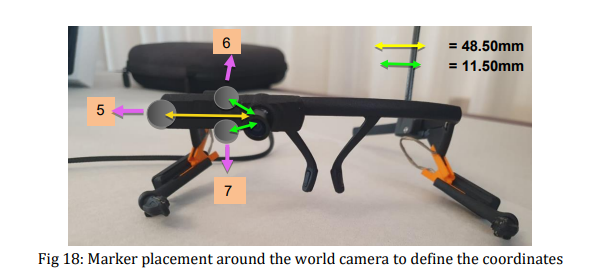
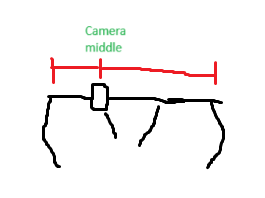
I see. You might need to measure this yourself. We have the width and height dimensions of Pupil Core here. I am guessing you should be able to use the camera lens as the point of reference (e.g., camera middle -- see very bad drawing 😅), then measure the width from one end of Core to the lens, and from the lens to the other end.
You'll also need to measure the camera angle used in your setup.
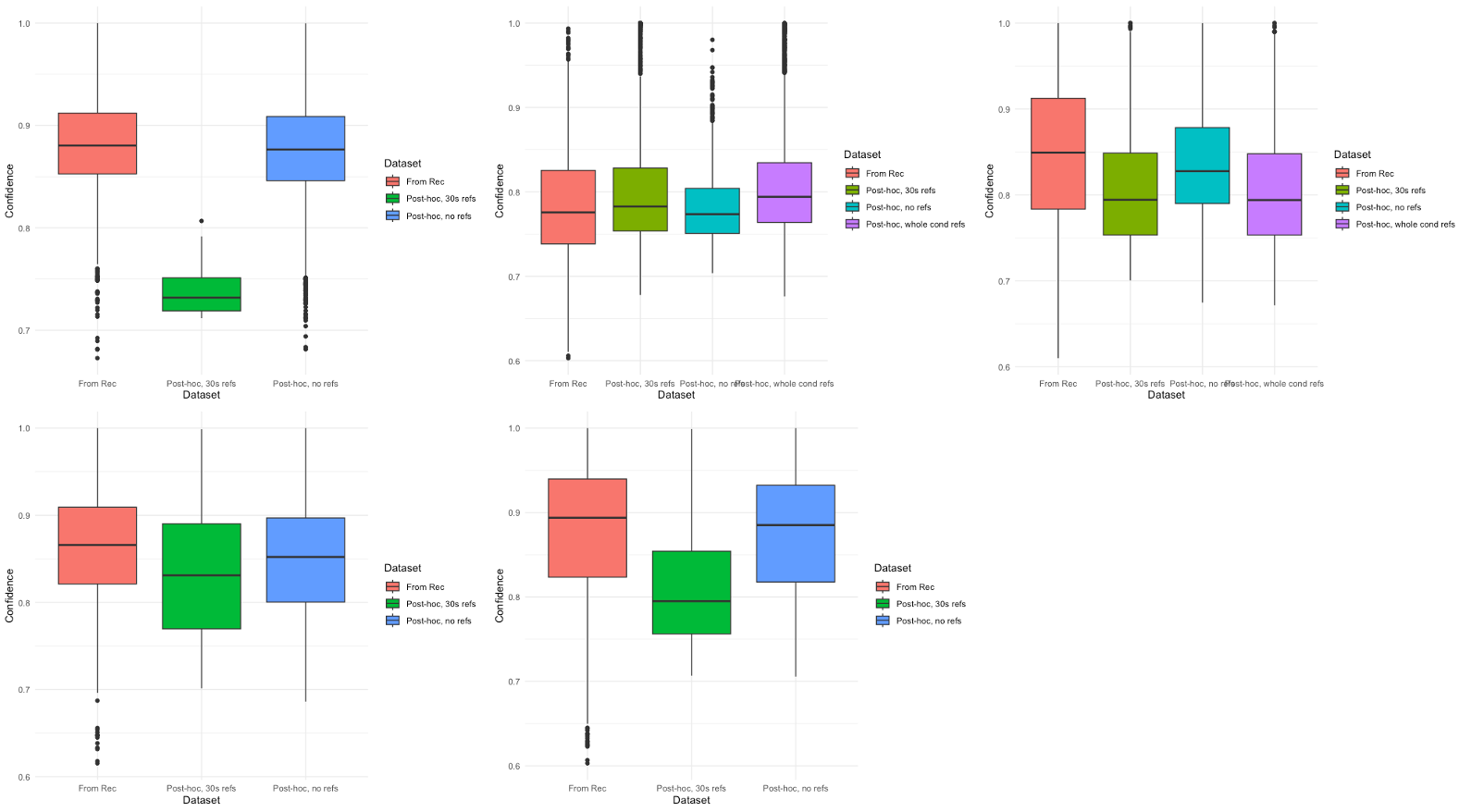
Hello again! We've exported fixation information for three different Player settings: 'from recording' and 'post-hoc calibration' both with and without tagged referents. Post-hoc quantifications (both with and without tagged referents) consistently reduce our fixation confidence (see photo attached, fixations defined as 1.5 deg dispersion, 100ms minimum and 500ms maximum). Is this typical? I assume this means "from recording" calibration is most reliable for our fixation detection? Do you have any idea why this might be the case? Thank you so much!
Can anyone share the guidlines how to run to ETs core on one computer using pupil groups? It is not working for us. Maybe we do sth. incorrectly?
Hey @user-24010f, take a look at this guide on using Pupil Groups. It's important for the computers to be connected to the same network (local networks are the best).
As for the best practices, it depends on your set-up. But we also have this guide that gives you tips on improving data quality.
Can anyone also share the best practises to calibrate simultaniously the kid and the mothet mother?
@user-07e923 can we use pupil groups on one computer? It seems to have problems with working on one computer
All the devices using Pupil Core should have Pupil Groups turned on in Pupil Capture.
We have it on but on one computer.
May I know if you're using multiple Pupil Cores on one computer?
@user-07e923 yes, on one computer
That's not recommended.
To use two or more Pupil Cores simultaneously, you will need two or more separate computers, each running a separate instance of Pupil Capture. Each Pupil Core should be connected to a different computer and all computers should be connected to the same network. The recordings can be simultaneously stopped/started with the Pupil Groups plugin and the timestamps can be synchronized with the Time Sync plugin. It is necessary to use both plugins, otherwise you will encounter discrepancies in timestamps.
And it seems that pupil 2 pupil camptures swaps the cameras between 2 ETs
Hi, I'm working on the same project with @user-24010f so I'm referring to the same problem. Do you know how to connect two computers via the same network? Maybe this is a trival question, but do we need to create some local network?
Yes, you'll need to create a local network. You can use a dedicated router to create a local network. Something that I've used before is to connect each Pupil Core to a separate laptop, then use a phone as a local hotspot (internet not needed), have the laptops connect to the hotspot, then run both devices via Pupil Groups this way.
@user-07e923 we would also to present the film. Shall we use the 3rd vomputer for presentation? What would you recommend?
Hi**@user-5a4bba** ! I understand that the only difference between conditions was whether calibration was done during recording or post-hoc on Pupil Player, right? Are fixations in all three conditions detected using the offline fixation detector on Pupil Player?
Yes, that's right!
Thanks for confirming @user-5a4bba! The difference you see in the fixations' confidence values could be related in differences between calibration accuracies in your tests. Fixations are calculated based on gaze, and gaze confidence is dependent on your calibration and the corresponding accuracy. Therefore, if you compare two calibration procedures (one done during the recording and another one done post-hoc) with different accuracies, then fixation confidence values will also differ. If the calibration during the recording was optimal and you have high confidence data, you can simply use this for the fixation detection.
Thank you for your reply. I wanted to know what is the depth of the origin of the camera center. Also, does needing to measure the camera angle imply that the coordinate system changes as we change the camera angle?
The coordinate system of the camera doesn't change depending on its orientation. However, what's visible in the scene camera video does.
Based on what you've described, it seems like you'd like to find the position of the scene camera sensor with respect to the Pupil Core headset itself, and then relate this to the motion capture space. Is that correct? If so, we don't have that information exactly.
You'll probably need to find a way to measure the scene camera sensor position (and perhaps orientation) relative to the camera housing initially. Note that this is what the marker cluster is shown as being attached to in the image you shared.
On page 17 of that manuscript, it looks like the authors made an approximation of this. That might be good enough. It might be worth reaching out to the authors to check.
Hi Rob, thanks for the quick reply! When starting capture I do not have the right click option to change to dedicated graphics card. 00:02.0 VGA compatible controller: Intel Corporation Skylake GT2 [HD Graphics 520] (rev 07) (prog-if 00 [VGA controller]) DeviceName: Onboard IGD Subsystem: Dell Skylake GT2 [HD Graphics 520] Flags: bus master, fast devsel, latency 0, IRQ 134 Memory at eb000000 (64-bit, non-prefetchable) [size=16M] Memory at a0000000 (64-bit, prefetchable) [size=256M] I/O ports at f000 [size=64] Expansion ROM at 000c0000 [virtual] [disabled] [size=128K] Capabilities: Kernel driver in use: i915 Kernel modules: i915
That is from a dell latitude laptop, nothing special. I was trying out OCR libraries and its enhancements using GPU. The only thing I can imagine, that trying to enhance OCR proceeding times, I might have followed some instruction from Nvidia 😬 .
Hi @user-a79410 , that GPU is fine. At the least, it does not seem like you installed anything from Nvidia that is causing a conflict. It seems instead that you have hit an error that is specific to Ubuntu 22.04 (I am still on Ubuntu 20.04).
Are you using version 3.5.8 of the Pupil software?
Thanks for the good news. And yes, pupil_capture_linux_os_x64_v3.5-8-g0c019f6. So with an earlier version that might vanish? Which would you recommend?
Hi, I wonder if it is capable to control Arduino using serial communication when I press the circular R button on Pupil Capture. Is it rely on Network API?
Goodmorning, I was wondering what was the best method to calibrate the pupil labs core when the subject has to do a walking task looking at targets placed on the floor
Hi @user-a4aa71 , you could print out a few calibration markers and then use them as the features in the Natural Features Calibration Choreography. You would want to do a test and some validation to be sure it is setup right.
I suspect that walking while looking down has a slightly higher chance to lead to headset slippage. In your case, you might want to experiment a bit with some validations over time to see how regularly you should re-calibrate to account for any slippage.
When performing desktop calibration, the screen flickers. Is there a solution? Thanks
Hi @user-4bc389! I have not seen this before. Can you share the specifications of the computer you're running Pupil Capture on?
Thanks for your reply! I've already tried with physical markers .. but what is the difference between doing "single marker" or "natural features" calibration, in terms of accuracy? With the latter I know that you can then do a post-hoc calibration and then get a calibration file to use for subsequent recordings. Is there a more efficient choreography in this case (one specific sequence better than others)? Since the targets are on the floor I oriented the camera so that they fall in the field of view during the test, so is it more appropriate for calibration to be done at different distances? Should the target(s) then be placed on the floor? Thank you very much
Hi @user-a4aa71! Let me step in for @rob briefly.
It depends on your situation. Inherently, neither method is more or less accurate than the other, but they have their pros and cons in terms of how you use them.
Natural Features depends on good communication between the wearer and the operator, since you have to tell the wearer exactly where to look and for how long, and subsequently, on how accurately you click. When using a single marker, you can move the head, e.g. in a spiral pattern. Alternatively, you could move the marker around whilst keeping the head still. It can be helpful to test it on yourself first to understand better what I mean.
Really, the most important thing for all approaches is to cover a similar area of the visual field that you will record in your experiment. You can, for example, place the target(s) on the floor to calibrate in the same context as testing. Just make sure that they are visible in the world camera preview of Pupil Capture when you initiate the calibration.
When you run a calibration, you will get back a calibration accuracy value in Pupil Capture, so whichever calibration method consistently gives better accuracy for your situation (preferably assessed with validations at fixed times during a test run of your experiment) is the one to choose.
In all cases, you can do a post-hoc calibration if needed.
Finally, if you haven't already, I recommend reading the best practices section of the docs.
This is the specification of the computer
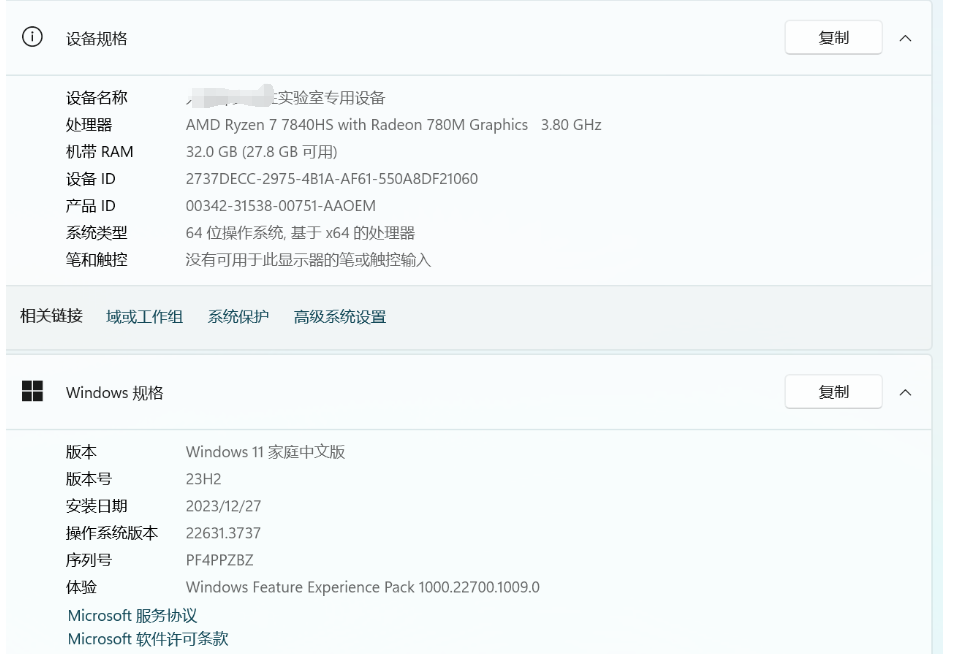
Hi @user-4bc389 ! There are some reports of that specific GPU having flickering issues with driver 23.12.1.
Could you try: A) Updating the GPU drivers B) Changing the screen frame rate to 120Hz
Is the STL file for the Pupil Core frame/headset for sale anywhere? Would be happy to buy if so - Shapeway store seems to be having issues.
Hi Has anyone ever tried to use the video backend with a raspberry pi?
You might want to check out this community repo: https://github.com/Lifestohack/pupil-video-backend?tab=readme-ov-file#pupil-video-backend
I've tried the pupil-video-beckend on a Raspberry Pi in order to stream pupil labs cameras on another PC where pupil capture is opened. I've follow the instructions on github running the raspberrpi.py script. Indicating as device "world" we encounter the error in img below instead indicating "eye0" the connection is set but the video stream does not take place, as you can see in img blow. We also tried to type on the terminal "python main.py -d world -i #### -p 50020 -vs 0", in order to stream the cameras to another computer (not a raspberry) and the only stream we get, also changing the id is the one from the internal webcam. Even in local host the code works, but we always get the internal camera stream, we can't access the pupil labs cameras. Is there something I'm doing wrong?
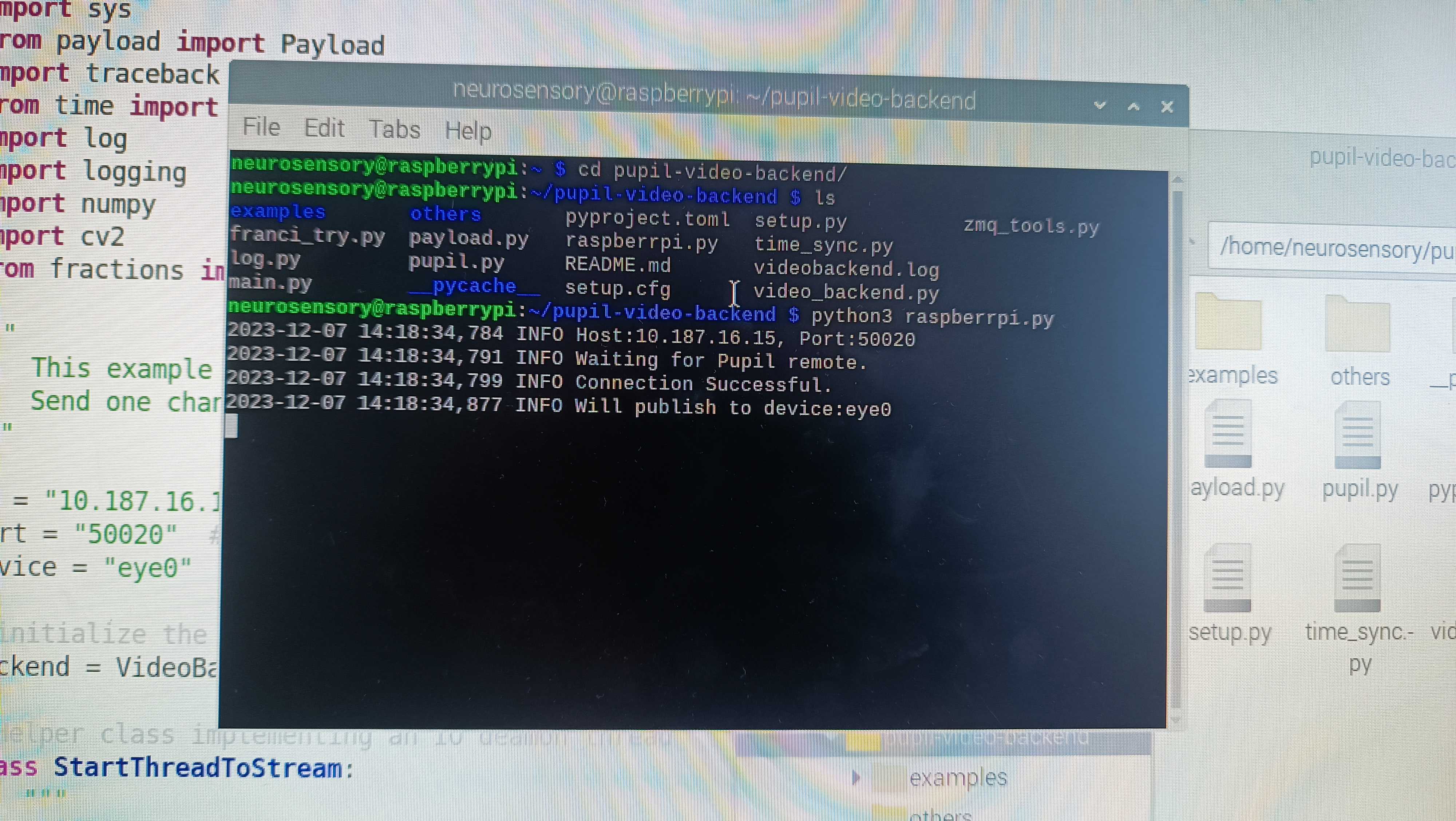
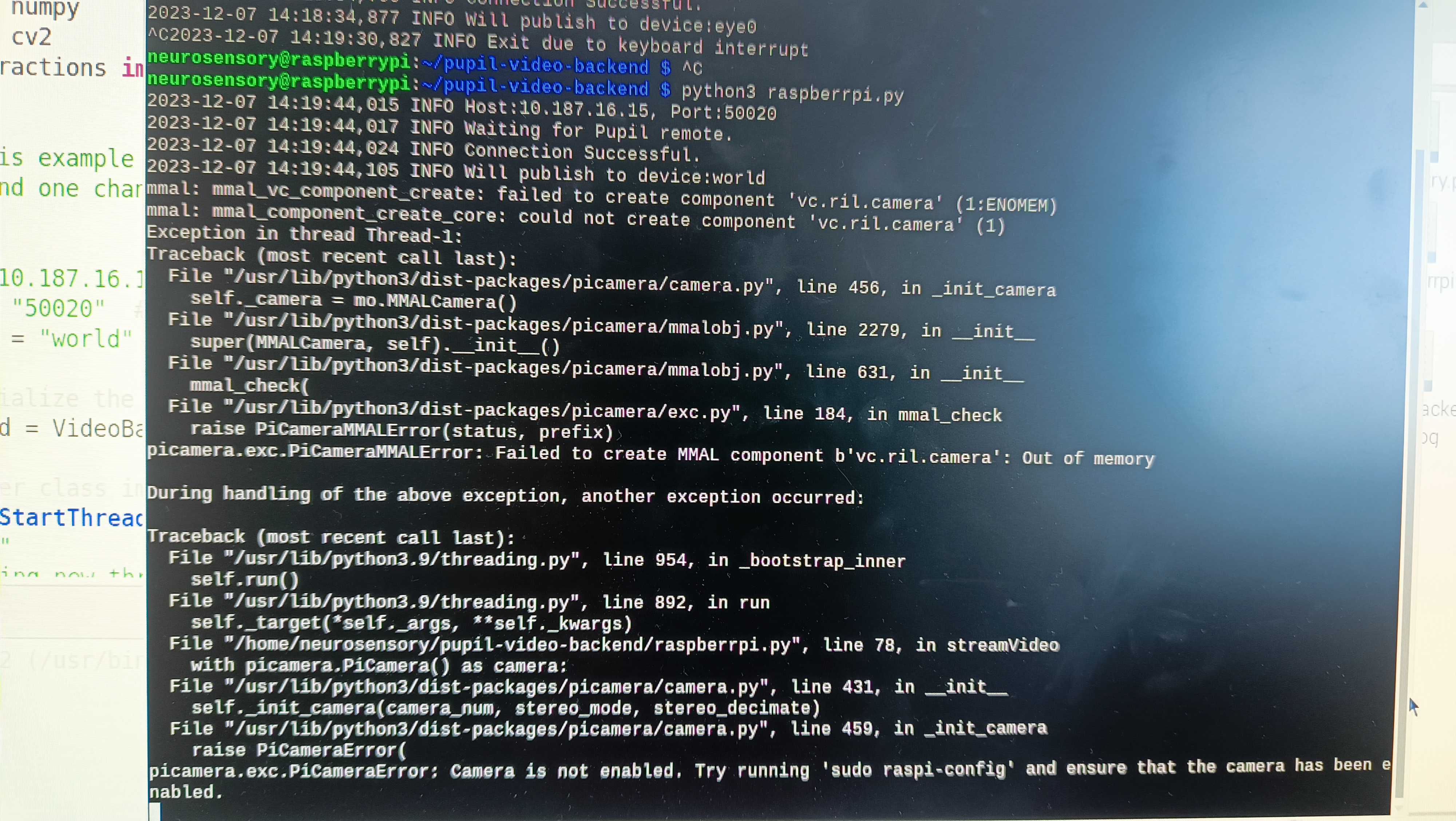
🤔 I'm afraid you'd have to reach out to the author of the repository for help with this - it's a community contributed tool and we've not tried it ourselves - I don't have a good grasp of how it works
ah ok, thank you!
Hi Neil
do you know the email I should write to for information?
Hello! Does the newer PupilCore software provide the two-sphere 3D eye models? (i.e. work published by Kai et al where we can predict corea and eyeball spheres)
Hi @user-c828f5 , do you refer to this article?
Sorry, do you have any advise on the version I should install? Going back to 1.11.4 seems to be a bit outdated.
Hi @user-a79410 , did you receive my DM? You don't need to downgrade.
Hi @user-a79410 , on a second read, I understood your message. You are referring to installing cysignals version 1.11.4 on Ubuntu 22.04 in order to fix the error when running Pupil Capture there, correct?
Version 1.11.4 is the latest stable version of cysignals and I have not seen a v1.11.4 of the Pupil software. Are you referring to a different piece of software when you say "downgrade"?
Is it possible to get status of calibration? We can start it but we can't get info if it's finished and all the results.
Also I wanted to know if it's possible to configure the network data feed from pupil software - for example keep video local and transfer only gaze data via network?
If possible help me with ways to make 3D mapping more accurate. all the calibration procedures with 3d mapping lead to very inaccurate gaze data. 2D is ok
Hello. I'm using Pupil Capture to get pupil data. I wonder if it is possible to achieve pupil data from a single frame and also achieve this frame from related eye camera based on Network API. What should I add in my code? Many thanks for assistance!
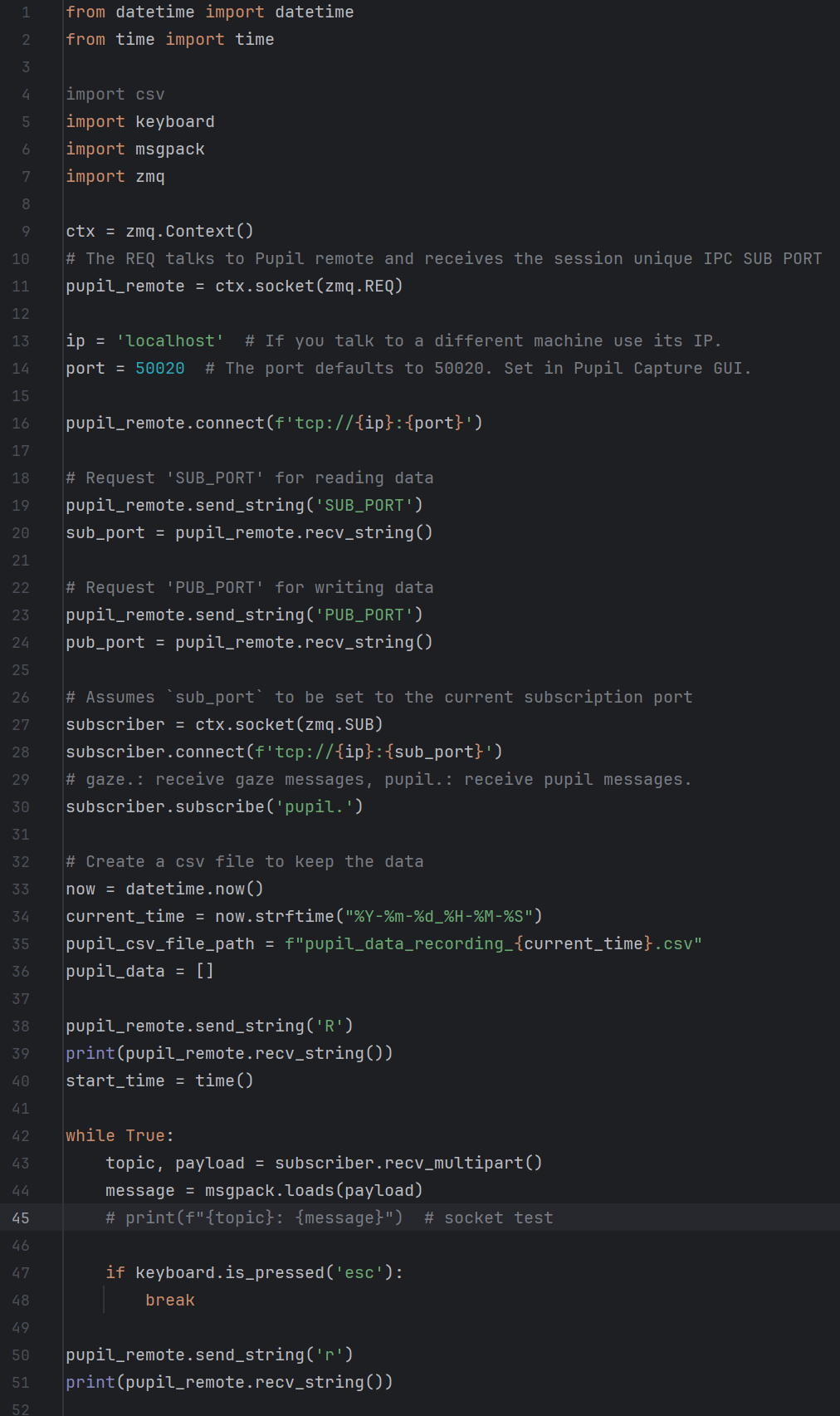
Hi @user-b02f36. The Pupil Helpers Repository has examples that show how to get what you need!
I see.Thank you, Neil! By the way, if I subscribe the frame based on this code, is it possible to subscribe pupil or gaze data at the same time?
Hello! I'm working on my project with PupilCore. I have 2 questions:
Hi @user-23a0f0, thanks for reaching out 🙂 Could you explain a bit more about your test setup and what you're trying to achieve?
For example, are you doing a screen-based task, what do you mean by 2.), etc.? Also, it would be helpful to tell us the confidence values, and whether the eye models are properly calibrated.
for 2.) I'm trying to get the gaze position on display with setup as the picture. I have calibrated it but still cannot achieve optimal accuracy (accuracy is simply a visual check to see if the gaze point is exactly where I am looking). There are different deviations between different positions on the display
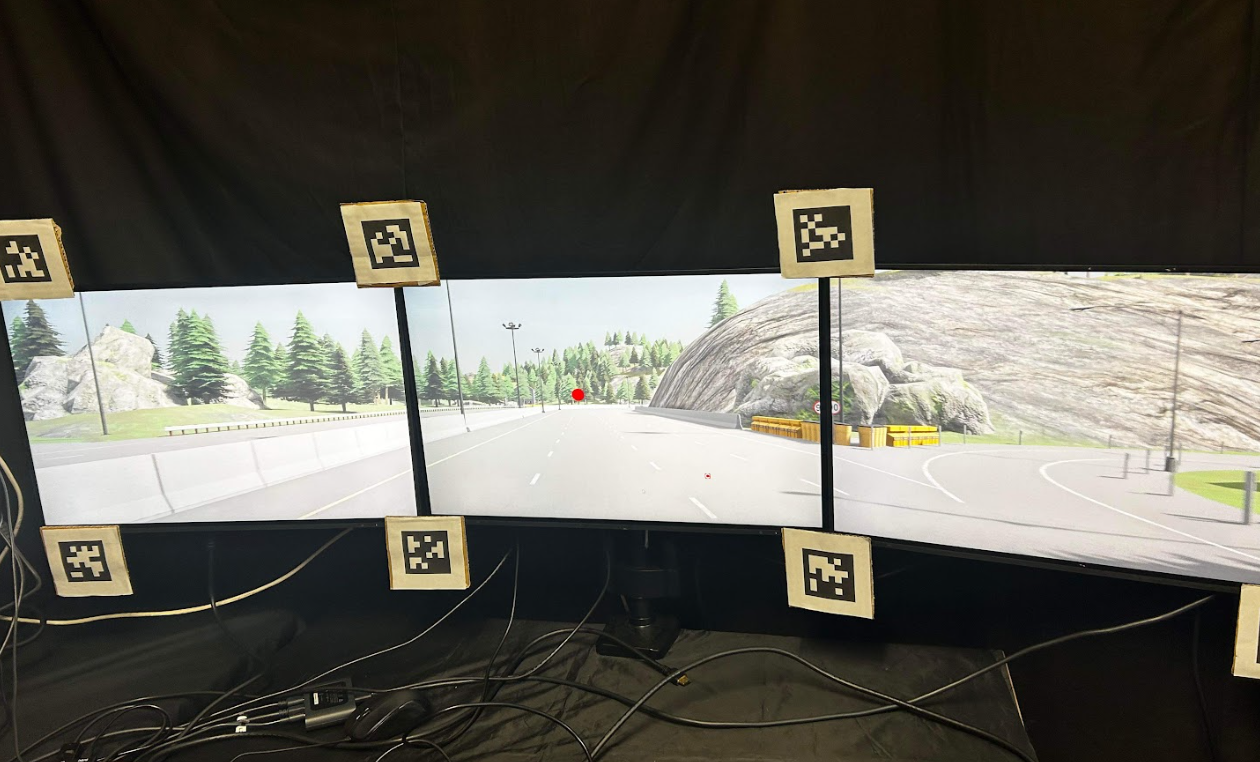
Thanks for the screenshot. It'll be much better if you could provide a sample recording, so that I can give you precise feedback about the issue.
Please send a sample recording folder to [email removed] Please remember to grant permissions for access.
Oh, don't show the link here. It's still a public channel. Please remove it. We've received the link in the email 😅
Ok thank you
Feedback
Hi @user-311764 , I am stepping in briefly for @neil here.
Do you mean can you get the status of the calibration over the Network API?
May I ask why need to configure the network data feed? If you want to configure what is sent over the Network API, then you are free to edit the source code of the Pupil Core tools. Otherwise, there is no setting to change what data is sent over the Network API. Nearly all data is sent by default and you subscribe to the "topics" of interest. ZMQ is extremely efficient and well tested, so you should usually not run into any trouble with the default settings, provided your network is working well and especially if you are running everything on one computer.
Regarding calibration inaccuracy, what is the accuracy value reported by Pupil Capture when you finish a calibration? Have you ensured good pupil detection and a properly fitted the 3D eye model before starting calibration?
Thanks for reply Rob! Sorry for unclear description.
I am a researcher and work with the pupil core and matlab. I basically want to use the pupil core to run matlab scripts/experiments, but currently it doesn't work. Specifically, I want to run the demo before incorporating it into my script to test it as recommended in your guideline. I installed Psychotoolbox, use the matlab(version 2024) demo + api scripts provided online. I receive an errormessage when running the demo script "demo_pupil_labs.m', saying "...failed to connect to [my IP] and some port number i used" (edited). Internet connect is there, I played with proxy ip and proxy host, but it did not change the outcome. Can you help?
Hi @user-311764 , may I first ask if you have tried the default Network API setup over your current WiFi connection? The video frames are sent in compressed MJPEG format by default. Did you change the frame format in Frame Publisher to an uncompressed format?
I think so, but will doublecheck again.
Does BGR in options change the mjpeg to other format? Or frame publisher format change requires diving into source code?
Hi @user-52c68a , do you have Pupil Capture running at the same time? When you say Internet connection, do you have Pupil Capture and Matlab running on two different computers?
Yes, I ran the core and matlab simultaneously on the same computer.
Hi @user-311764 , to your other question, my colleague, @user-d407c1 , has written example code showing how you can check for the calibration.successful notification.
Thanks - I'll look into that
Hi @user-a4aa71 , I'll briefly step in for @neil , if that's alright.
For Github repos, the owner can be found in the top left hand corner of the page. If you click that name, you will be taken to their contact info. That then brought me to their personal webage.
You can also try opening an issue in that Github repo and see if the owner or another maintainer responds.

Thank you!!
Hello! I’m not sure which channel to ask this question so I’m asking here, please let me know if this is the wrong place for this question. So among Neon, Invisible and Core, which one is the best for screen based experiments? Like looking at a moving target or reading texts on the screen
Hi @user-bda2e6, this is quite a difficult question to answer. It highly depends on what you want to achieve with your data analysis.
Let's take moving targets as an example. In this case, you probably want to take into consideration the scene camera on the eye tracker. Are you looking to analyze precise timing of gaze on a target when it is at a specific location? If so, then you probably want to use Core because you can get up to 120 Hz scene camera sampling rate. This would minimize the possible visual distortion (think CRT monitors showing stimuli in a top-to-bottom way). This is also under the assumption that your monitor's refresh rate is less than the scene camera's sampling rate.
But if you're interested in, say, smooth pursuits, then I'd say the eye camera refresh rate is important, because you want to have as much gaze data as possible to compute the pursuit.
It would be more helpful to answer this question if I know precisely what you're looking for and what your set-up is.
Hello. We are currently setting up an EEG experiment that will entail passive movie watching and we are using pupil core to track eye movements and pupil size. We're having an issue while trying to set it up.
When we start the app and plug in pupil core to the computer, the pupil capture for eye 0 and eye 1 load almost immediately, however, the pupil capture for world will not connect. I have attached a picture below of what happens. We have attempted to use it 5 times, and 4/5 times this has happened, but yesterday when testing it the world view did load so we are quite confused as to what could be causing this/how to fix the problem. Thanks in advance.
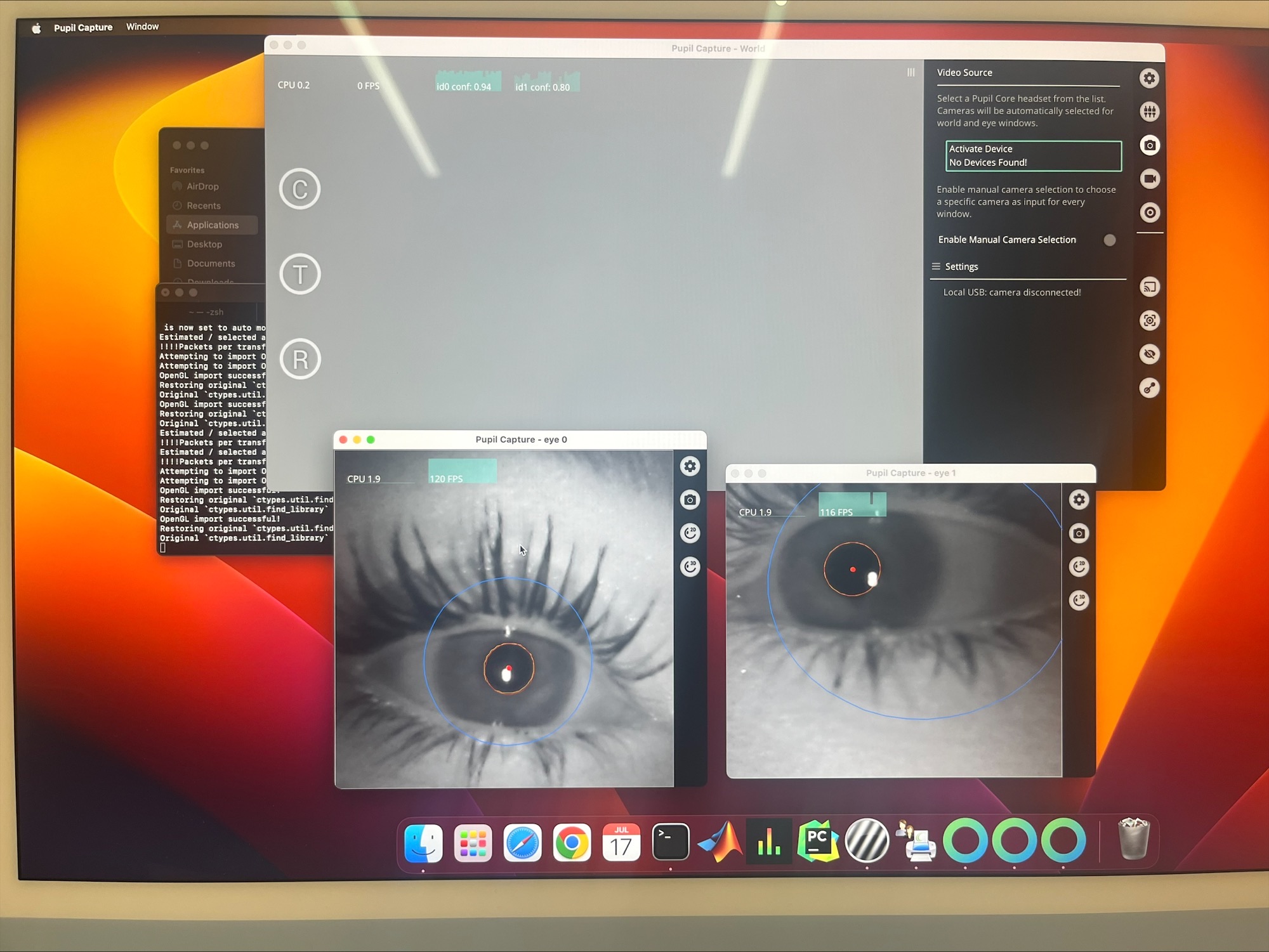
Hi @user-52c68a , that message was directed at a different user. You don’t need to change Frame Publisher settings and you probably do not need to do anything with WiFi.
Rather, it seems the demo you are trying to run is from the realtime-matlab-experiment repository? If so, please note that the code in that repository is for Pupil Invisible, not Pupil Core, and is deprecated.
If you want to control Pupil Core through Matlab, you want to make use of Matlab’s Python interface to load the pyzmq library. Then, you can use ZMQ commands as shown in the Network API docs.
Thanks Rob, I will check that document.
Hello! @user-07e923, thank you so much for the reply! So I guess I care more about the accuracy of the gaze locations on the screen. For example, in a smooth pursuit, I already know the coordinates of the moving target. If I can get an accurate enough gaze location of the eyes, I can do some analysis with the data. Or if I have some text on the screen I can compare the gaze location with the location of the words. My idea is to use the surface marker so that I don’t have to rely too much on the scene camera. In this case do you think Core is better? Thank you!
Well, this depends on what you mean by "accurate enough", along with other factors to consider.
If you want < 1° accuracy, or you're strictly doing screen-based tasks, or you're using a chin rest and you want to limit head movements, then a remote/desktop eye tracker might be more suitable than mobile ones. There's isn't a universal eye tracker that can do everything though. Devices rely on using either sophisticated computer vision techniques, or have super power/expensive hardware in (hopefully) a very small form factor, or both.
Btw, you can use the surface markers on all our products. Also, a lot of (new) users tend to look only at one aspect (e.g., sampling rate, or accuracy), but ignore other things like ease of use, experiment preparation time, learning curve to use the product, etc.
@user-07e923 Thank you for the reply!! I appreciate that a lot. Is it possible to schedule an appointment with the support group to ask about some specific questions?
Sure thing 🙂 Please send an email to [email removed] and we'll continue there.
Hi! I was done with the calibration step and wanted to record fixations next. But it seems like whenever I was recording, the fixations were always outside of the calibrated area even though I was looking only within that area. It seems like the device inaccurately detect my pupils but the calibration done before that showed otherwise. Any suggestions?
Hello, does the core have a CE Certification? Where can I download the certification?
Hi @user-4c48eb, could you contact us via email for this? Thanks 🙂
Should I write to [email removed]
Yes, that would be great.
Thanks Wee!
Do you solve it? How can i find the devices?
Hi @user-311764 , yes, you will then get uncompressed RGB images, where the color channels at each pixel are ordered in the default OpenCV layout of BGR. Considering your constraints, may I ask why you might need this format? The MJPEG images also have RGB channels, just that the data is compressed.
Each option in the Frame Publisher settings is indeed a different format. Do the available options not cover your use case?
Thank you. I'll look into that.
Hello! I am looking to purchase the Pupil Core for my lab. We have used the Pupil Core in the past (~5 years ago), but it appears that model is outdated. Could someone please explain what has changed between the models? Looking at the specifications online, it seems to no longer use a smartphone to collect data. Additionally, if there is a better place to ask these questions, let me know. Thanks.
Hi @user-1793ff! You can still opt for Pupil Core, but indeed its smartphone/mobile version, Pupil Mobile, is deprecated and no longer supported. So, you'd have to connect Pupil Core to a laptop/PC and run its software, Pupil Capture, to collect data. Some users have used a small form factor tablet-style PC in a backpack to make Pupil Core more portable.
If you would like a fully portable system, you could also consider our latest eye tracker, Neon. Neon connects to a phone and allows for long recordings any environment, even with fast, dynamic movement. If you want to learn more about it, please send us an email at [email removed] and we can schedule a demo and Q&A session via video call.
Hi, What should I do if I would like to have a spare set of cables for my pupil core cameras? Many thanks.
Hi @user-52e548 ! You can inquire sales@pupil-labs.com about purchasing additional cables.
Thank you so much!
Hi, I have a problem: I recorded all my data without the time sync plug-in! two eye-trackers were in the same group so they start and end recording at the same time, but time stamps are not same. how i can analyze data to get same time? Is there any post programming I can use to fix this problem? I appreciate your help.
Hi @user-813003 , we removed your messages in the other channels, since this is essentially a request for 👁 core . In the future, you only need to post in one channel.
Just to clarify, the Time Sync plugin does not force the two eyetrackers to record data samples at the exact same time. Rather, it ensures that they are both synchronized to the same master clock, such that all data samples are on the same time axis. For example, when using the Time Sync plugin, then 0 sec, 1 sec, 2 secs etc would have the same meaning and different timepoints would be comparable across data streams from both eyetrackers.
As noted in the Time Sync documentation, without the synchronization, it will not be possible to reliably correlate the data, as there was no master clock reference saved at the time of recording.
Hi, is it possible to retrieve any data if the core was disconnected during a trial? I see some files with .writing extension in the folder.
Hi @user-3f7dc7, thanks for getting in touch 🙂 The .writing extension indicates that the files were still being written. If you've closed Pupil Capture before the writing is completed, then those files can't be recovered.
There might still be a chance to salvage some data. May I ask if you have pupil.pldata in the folder, and that it's a reasonable size (i.e., not 0 Kb or a small file size w.r.t. your recording duration)?
@user-813003 Having said that, my colleagues have clarified that with the Pupil Groups plugin, the two Pupil Cores will start recording at roughly the same time. So, you could potentially transform the timestamps to be approximately comparable. However, since the exact offset between both devices is not known, it is not possible to say how accurate this assumption is.
Hi @user-07e923 Thanks, yes, I do and its about 38 mb in size. I have other files as well which are big enough, but when I rename the extension for say world.mp4.writing to world.mp4 it doesn't play
Thanks for confirming. For your info, renaming the .writing wouldn't work because the file hasn't finished writing.
As for salvaging the data, check out https://discord.com/channels/285728493612957698/285728493612957698/1097858677207212144 -- this gives you an overview to the .pldata and shows you how to extract pupil data from the file. You can do the same to blink.pldata.
This only works if the .pldata have finished writing (i.e., why I asked if the file size is big enough). Please try it out and let us know if you've any questions.
Good morning, I did several custom calibrations (without pupil detection and calculated post-hoc calibration) to compare them. When I do the validation, what does “manual correction” mean? I mean, I get what it means but I don't know where to see the effect of having set an offset in x and y .. thanks for the help
Hi, for my study, which involves participants walking while bimanually carrying an object, I am utilizing a single-marker calibration method (participants hold the paper target at the same distance from them as the object) with the goal of hitting an angular accuracy between 1.5-2.5, as per the recommendation. However, I have two subjects that had angular accuracies of 2.504 and the other at ~2.7, which were honestly the best calibrations I could get from them. For this study, we are classifying gaze via post-hoc video analysis as being allocated at three broad locations: 1) the carried object, 2) the wall (~10m from participant before they start walking), or 3) at the floor. These locations are not marked with targets. Since my subjects are in motion and not looking at small, precise locations (besides the object which is right in front of them), can/should I still use angular accuracies slightly higher than the ideal range?
Hello, I have some problems when I use Pupil Capture. First, is it possible to change Sensor settings and Image post processing in eye camera window of Pupil Capture using python? Second, I recently try to receive scene and eye camera images in real-time from Pupil Capture based on the example named recv_world_video_frames_with_visualization.py in Pupil Helpers Repository, but I cannot control my Arduino UNO R3 at the same time using pyserial library. Both my Arduino and my eye camera are connected to my laptop through USB-A port. Is this problem related to the signaling rates of my USB port?
Hi @user-a4aa71. Manual offset correction can be only applied when using the post-hoc calibration feature. This might help increase your accuracy when the gaze data is skewed in one direction (even though the pupil is detected fine).
Note that this won't change your accuracy if you're just running the offline pupil detection/calibration with default settings, which would be equivalent to your pre-recorded data. See also this relevant message: https://discord.com/channels/285728493612957698/285728493612957698/704259111637876757 You can also refer to our docs: https://docs.pupil-labs.com/core/software/pupil-player/#post-hoc-calibration
You can also check this plugin for manual offset correction for Pupil Core recordings: https://gist.github.com/papr/d3ec18dd40899353bb52b506e3cfb433
Thank you!
Hi @user-d90133, thanks for getting in touch 🙂 We can't evaluate why these two subjects had worse accuracies without seeing the recordings.
However, there are settings that can help with the accuracy. Are you using 2D or 3D gaze estimation pipeline? While 2D gives you the best accuracy, it is more susceptible to slippage, especially when walking is involved. Therefore, while you might get worse accuracy with 3D, it will be more robust. You can check our best practices for more information.
We can't generalize the accuracy you need for your use case. This would depend on your goal and how you justify which values you used in your experiment.
3D calibration
That's great! Then there should be some headset slippage compensation. But if the headset has slipped too much, then this would lead to poorer accuracy.
Sounds good. When re-examining the recordings, it was very clear when the subjects were gazing at the object they were carrying, the wall in front of them, or the floors. Furthermore, they did not appear to be any signs of slippage when I was recording eye movements, or when observing the videos afterward.
Hello, just wandering. Is there an easy way to save the processing parameters of pupil player in an .xml or something? So that a similar configuration is used with another file? By a similar configuration I mean the same activated plugins with their respective thresholds and configurations. Thanks in advance
Hey @user-b3b1d3, may I ask if you're trying to batch process Pupil Core recordings?
Yes, that is exactly what I am doing
Great! Check out https://discord.com/channels/285728493612957698/285728493612957698/1106182244869099520 -- Someone from the Pupil Core community made a batch-export script.
You might need to contact the creator if you've more specific quesitons about how it works or if you need to tinker it.
Ok, thanks for the info. I still want to check the data from each recording with the activated pluggins. Once I have the data preprocessed and checked I start my batch processing looping thorugh all the files exported by player. I will see in more detail the scripts to see if they can help. Thanks!
Hi, I have two recordings of the same task from different subjects. In the first recording I had to define 16 surfaces and I would like to export those definitions to the second recording. I have tried to copy and paste the surface_definitions_v01 but that makes it crash. Is there a way to do it beside defining them in the pupil capture?
Hey @user-4c48eb, may I ask how much RAM do you have on your computer? Your hardware might limit this process or the crash could be caused by not enough computing power/resource. See https://discord.com/channels/285728493612957698/285728493612957698/1248074502517161984
Hi, I have 16GB of RAM. I don't think it is due to hardware as I get a python error in the console. Can I paste it in this chat?
hi,Can pupil core be connected to an Android device?
Hi @user-b69caf , at one time, this was possible. It was called Pupil Mobile. That project has since been deprecated and connecting Pupil Core to an Android device is no longer supported.
These days, you can instead try the following:
May I ask if you already have a Pupil Core?
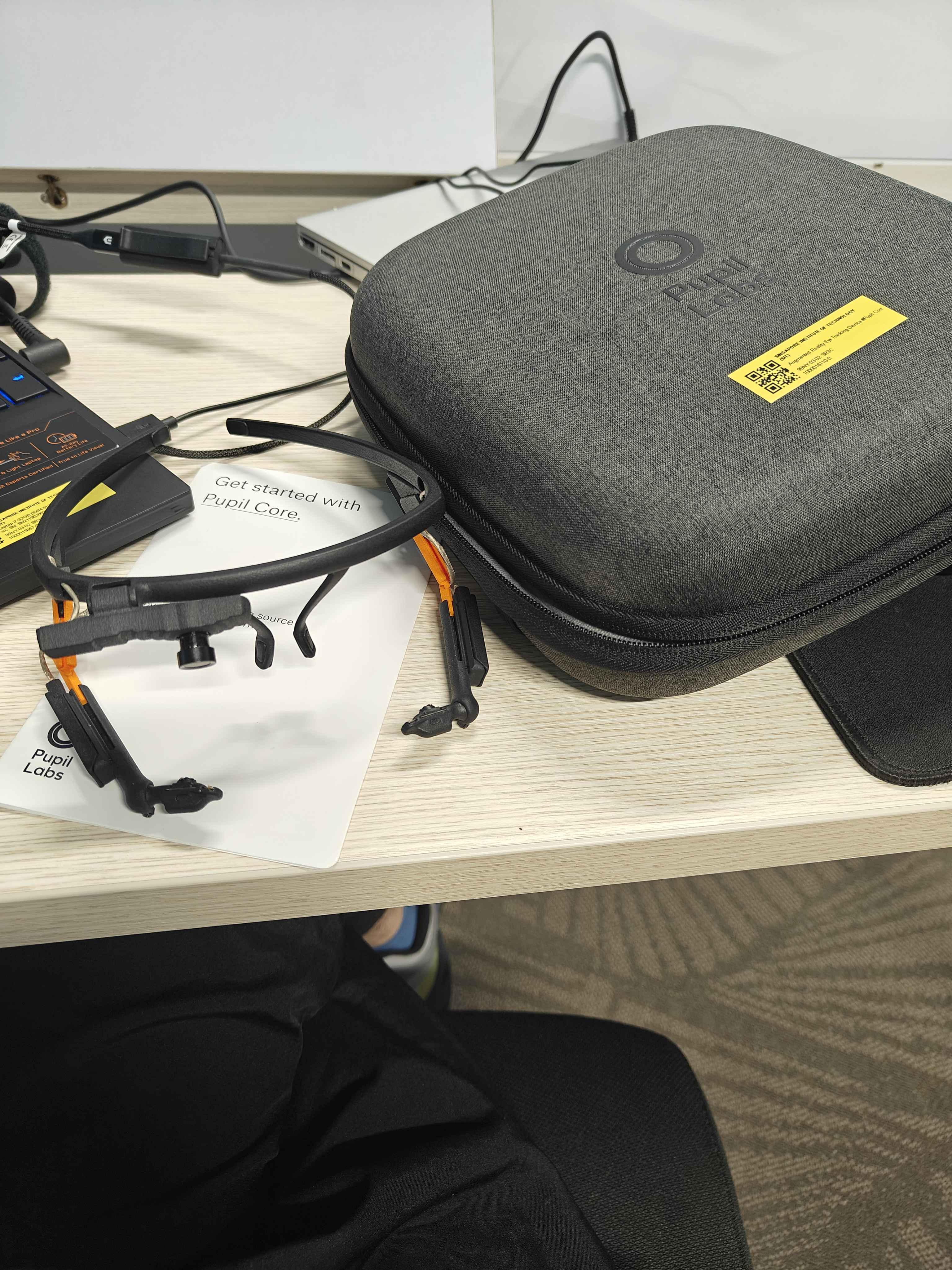
yes,i have
Ok. Then, if you want to use it in a mobile fashion, let us know how those instructions (https://discord.com/channels/285728493612957698/285728493612957698/1265954467279274005) work out for you. You could technically also connect Pupil Core to your laptop and put the laptop in a backpack, but then of course, you have to deal with the heat and weight of the laptop.
I would like to ask, can Pupil Core be used directly with an Android device without connecting to other devices, such as this Android device
@user-b69caf , as mentioned here (https://discord.com/channels/285728493612957698/285728493612957698/1265954467279274005), no, Android is not supported. Please let us know if you have other questions.
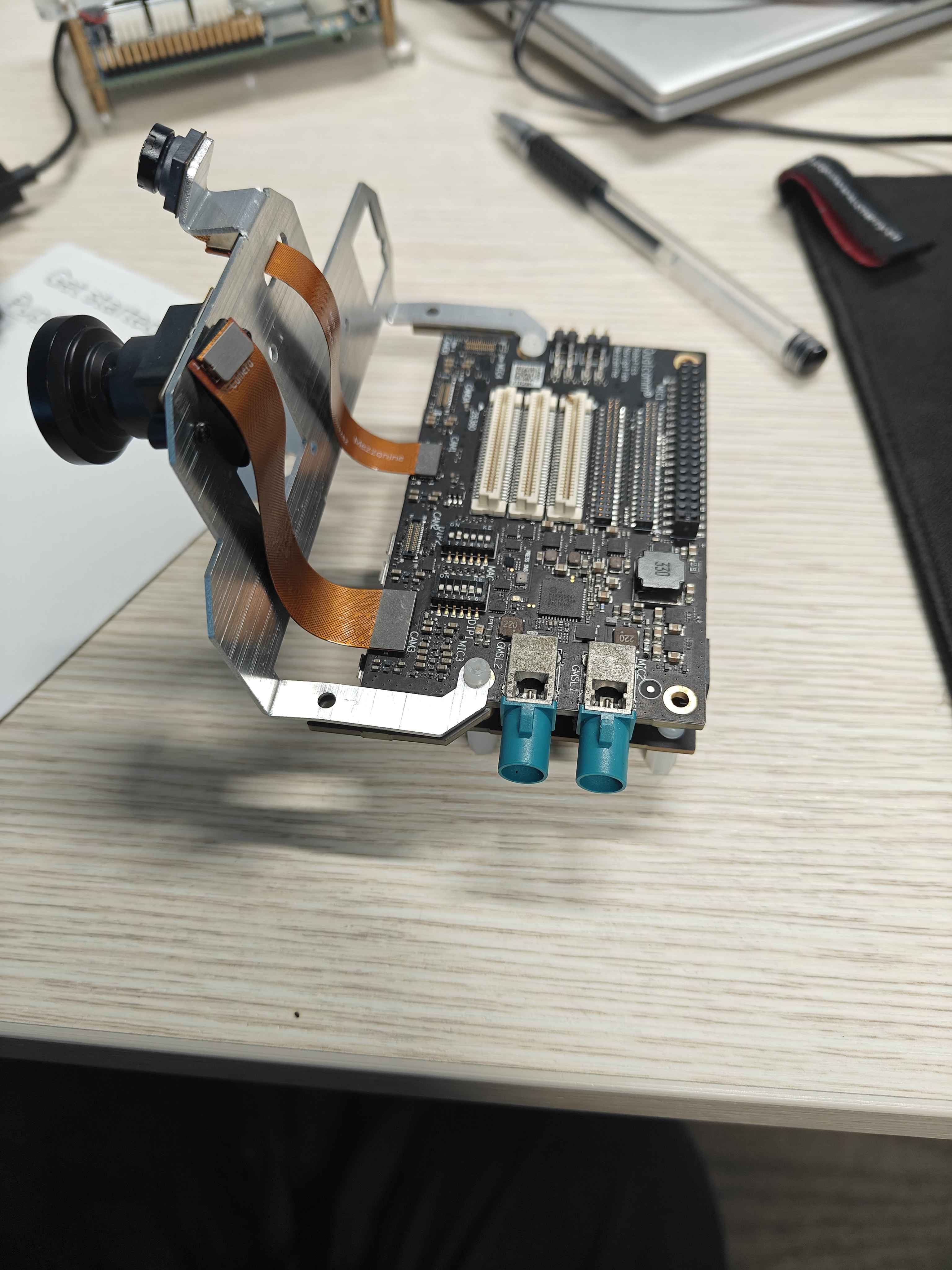
@user-b69caf - out of pure curiosity, what is that?
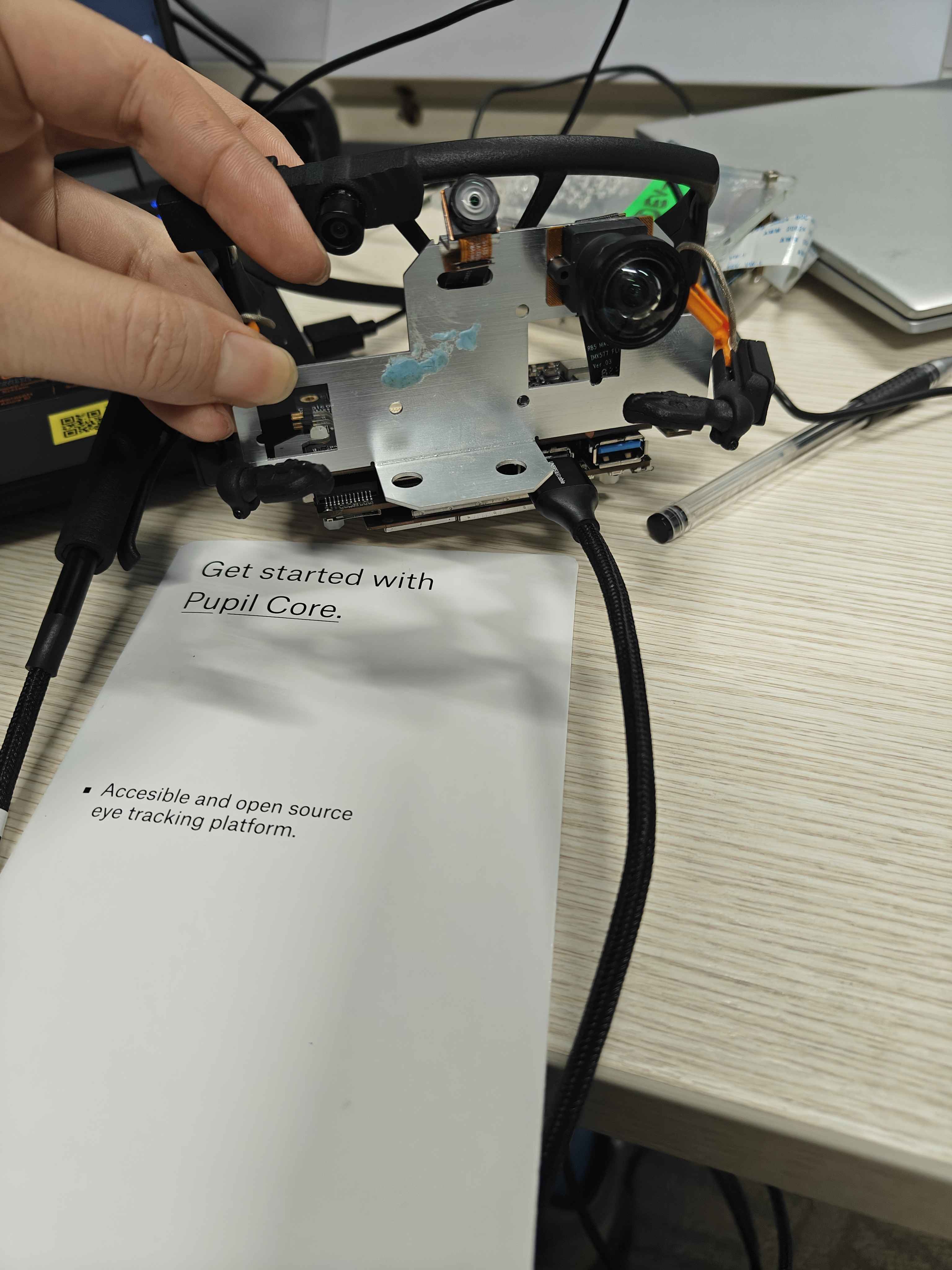
This microcontroller is equipped with the Android system
@user-b69caf , I should mention, though, that you can also control Pupil Core over a network connection using the Network API. It is based on ZMQ.
So, you cannot use the Pupil Core when directly connected to an Android device, but if you use a ZMQ library for Android, then you can receive data from the Pupil Core over the network. If the intention is to be mobile, then you would still need to connect Pupil Core to an SBC or laptop.
Perhaps that info can be helpful here.
@rob Thank you for your suggestion
@dominic Qualcomm® Robotics RB5 Development Kit,https://www.thundercomm.com/product/qualcomm-robotics-rb5-development-kit/
Ah, cool - thanks for sharing! That's an interesting platform. I'd love to hear what your plans are if you're able to share.
Also, it looks like the RB5 has some Linux support, which may expand your software options more than Android
I'm just testing to see if we can integrate eye tracking, gesture recognition, and SLAM into one device
Any particular reason for Android then?
Some of the features I previously worked on were tested on Android
Hello, I have been looking on how make some visualisations with the eye tracking videos I have recorded for a Website Usability study, I have come across PUPIL PLAYER, but i cant seem to to find how to access this, can anyone help please?
Hey @user-3e3f5a, are you using Pupil Core or Pupil Invisible? Also, what kinds of visualization are you looking to make?
Hi @rob yes, I was referring to this article.
Hi @user-c828f5 , then yes, the model described in that article (pye3d) is used in the Pupil software as the default pupil detection pipeline.
The Pupil software, when using the default 3D pupil detection pipeline, outputs the eyeball centers, vectors that correspond to the optical axes, and pupil diameter in millimeters.
While the standard Pupil software does not output information about the cornea, you can adapt pye3d to your analysis pipeline. We provide additional documentation and a Python implementation of the model.
Hello, I would like to create a plugin that allows me to display the calibration marker on the monitor and change in real-time either from slider or with keyboard the size and contrast/color of the marker so that then these parameters are set as marker parameters in the next calibration. Can anyone help me with this? Thank you
Hi @user-a4aa71 ! As a starting point, I would recommend you to have a look at the custom calibrations plugins that have already been built by the community (https://github.com/pupil-labs/pupil-community?tab=readme-ov-file#calibration-choreographies-and-gazers) and the Plugin API documentation.