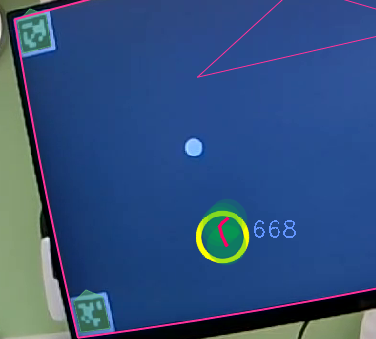
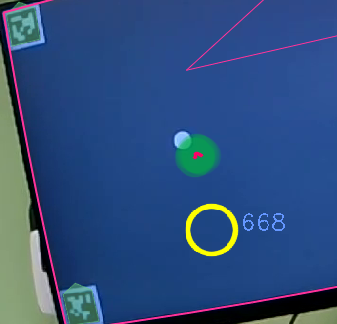
Hello, I had a question about the storage. In my cloud data it says I have a full database of 2 hours, but when I go to delete videos it still continues to tell me that I have full storage and that I need to manage it. I am not sure what is going on.
Hi @user-7e49f7 , have you also deleted these recordings from the Trash? See attached image.
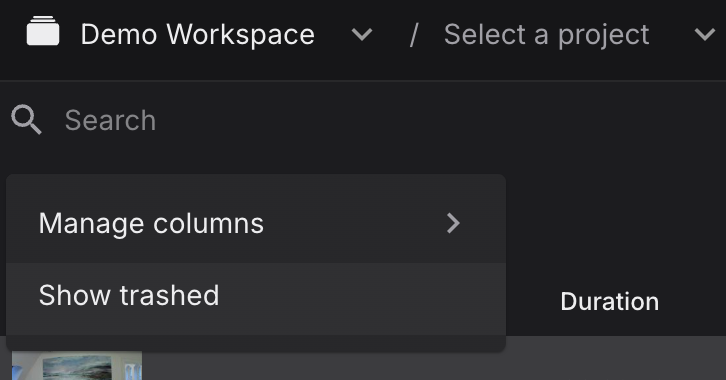
Oh, I see thank you very much!
Are questions about neon player okay here?
Of course!
So I was downloading the video from neon player but I can see that my gaze data is completely empty and I was wondering what could be causing this?
Just to be sure I understand, do you mean "export the video from Neon Player" or "downloading the video for Neon Player"?
I click to the left side of the neon player with the download symbol.
I see. And you are inspecting the gaze_positions.csv file in folders like recording_folder/neon_player/exports/000/?
Yes, I am.
Ok, if you could share the recording with [email removed] then we can take a look. You can put it on Google Drive, for example.
Did you need the video after I downloaded it from neon player?
I mean the original recording that you load into Neon Player, not the exports.
Okay I will do it once I have some better connection
What do I need to do when my reference image gives an error. I tried other images of the environment but none of them is working. Can anyone help me
Hi @user-35255b , apologies, your message feel off our radar.
If you could invite cloud-support@pupil-labs.com to your Workspace, then we can investigate. Please note that then we will be able to see all data in said Workspace until the investigation is complete.
Just shared the video please let me know if there are any issues.
Actually I think I figured out the issue! Thank you for your help!
Hey @user-7e49f7 , thanks. We would need the full recording folder though to investigate, not just the scene camera video.
However, glad to hear that you resolved the issue!
Oh okay sorry about that. I will keep that in mind if any issue arrives!
Hello, we have an offline Windows 10 machine where we installed PsychoPy 2024, but we were unable to install (lots of network errors) the Pupil package using PyPI (https://pypi.org/project/psychopy-eyetracker-pupil-labs/#history). Is there a way to install the pupil lab package without internet access? Also, is there a list of all the necessary dependencies?
Hi @user-f4b730 , it is in principle possible to install Python packages without internet access. However, doing so for PsychoPy's plugin sub-system might require extra steps. The PsychoPy team is better positioned to answer this question and it might be best to check on their community forums .
Hi everyone! I’m working on synchronizing multiple data streams for a recording session, and among those streams I have three Pupil Neon devices. I’m currently using LabRecorder (LSL app) and successfully recording synchronized data from all three Neons into a single XDF file. However, I’d also like to synchronize the data stored on Pupil Cloud for the three devices. I’ve read about lsl-relay, but I’m wondering whether it’s effective when working with three Neon devices simultaneously. Is there a recommended way to handle this kind of multi-device synchronization between LSL recordings and Pupil Cloud data? Thanks a lot for any advice!
Hi @user-b407ae , the lsl-relay is deprecated in favor of the integarted LSL functionality in the Neon Companion app.
If you want to synchronize the Timeseries CSV data from Pupil Cloud, then you only need to send some Events to Neon during the recording, perhaps one every few seconds. These Events will be saved in Neon's recording timeline and LSL's. Then, after you have downloaded the Timeseries CSV data, you simply align the Events with their corresponding entries in the LSL stream and you have synchronized.
Hi @rob
Thanks for the quick reply! Everything’s clear so far. I just have two questions.
In the documentation you shared about device.send_event, I noticed there are three different modes: “Timestamp on arrival,” “With explicit Timestamp,” and “With Manual clock offset correction.” Could you suggest which one would be the best for synchronization? To give you more context: we need to synchronize signals from 3 Neon devices, 3 heart rate straps (Polar H10), and 3 video streams. All signals are sent to a single PC running LSL.
Also, the second link you provided for event synchronization redirects me to the “Connection problem” section instead.
Thanks again for your help!
Hello! I want to export the gaze data (fixations, saccades, blinks, etc.). I have two methods, either using pl-rec-export or from Pupil Cloud. But since Pupil Cloud creates additional grey frames at the beginning and end of the main data, and I don't prefer using it, because later on, I need to extract frames from the original raw video exported from the phone (which does not contain grey frames). When reading the caveats of the pl rec export function, they said: "Fixations and saccades detected locally might vary from those exported from Pupil Cloud. This is due to differences in real-time gaze inference when compared to the full 200 Hz gaze data available in the Cloud." After comparing, I found that the number of fixations and saccades slightly differ, along with their characteristics. My question is: Despite this difference in detection, can I use only data from pl rec export and consider it as reliable 100%? Because my main interest is to keep using the raw video file exported from the phone, not the one with grey frames from Pupil Cloud.
Yes. That's correct. I used this code.
It worked out - I meant to say that the enrichment can detect the tags for some frames, but not for others. So I thought the implementation of the tags should be correct.
Thx a lot. I have invited this account to the workspace! My account is [email removed]
For 3Match and newObject projects, I encountered the issue with the detection of tags for some frames. The program was built in jsPsych with AprilTags.
Hi @user-9a1aed , thanks. May I ask then how you integrated the Python-C++ AprilTag code into the browser's JavaScript environment?
Hi @user-5be4bb , the pl-neon-recording library is now preferred for working with the raw data at the command-line or programmatically, rather than pl-rec-export. You can also use Neon Player to export the raw data to CSV.
The pl-rec-export library was reliable, but on the latest version of the Neon Companion app, fixations and blinks are computed in real-time and saved on the phone. Saccades are taken as the inter-fixation intervals. Aside from that, the pl-neon-recording library exposes a more ergonomic programming interface.
Please note though that gray frames do not interfere with analysis. You can simply skip over them. Otherwise, the Timeseries CSV data is in principle the same data as saved in the Native Recording Data, but in a more user-friendly format, and re-processed at 200Hz.
Ok, I got it. Thanks for the clarification!
Hello, I performed an acquisition with the Pupil Labs Neon. The recording on the cloud is fine, and I downloaded the “Native data recording,” but when I drag the folder into the Neon Player it opens briefly and then the program closes. I tried downloading the folder again, but the same problem persists. Could you tell me why this is happening? Thank you very much!
Hi @user-a4aa71 , could you provide the logs in the neon_player_settings folder? This is found in the user directory of your computer. You can send it via DM, if you prefer.
Thanks, I replied to you in the 'troubleshooting' ticket chat I opened for an issue that might be related to this one
https://discord.com/channels/285728493612957698/733230031228370956/1385099425680064562
Hi Pupil Labs, We're trying out the new GPS app but when we click the white button to start recording, it turns to gray and displays the message "Initializing sensor ..." The message doesn't go away and if we click the recording button again, it displays the filepath where gps csv is stored. All the stored csvs are however blank. We've allowed location and other settings and the phone is connected to internet. What could be going wrong here?
Hi @user-ccf2f6 , great to hear you are using it! How long are you waiting? You may need to wait about 10 seconds for the GPS sensor to fully initialize and start providing data.
I used the library from here to create visual tag patterns that look like AprilTags from this family (AprilTagFamily(tagConfig36h11)). I used the <script [email removed]
Hi @user-9a1aed , thanks, I see. So, that is a Javascript package, rather than the Python-C++ package. That clarifies things. Then, my suspicion is that the code the converts Neon's gaze data to screen-mapped gaze data for your red gaze cursor has a potential error and I would recommend checking there to explain this video (https://discord.com/channels/285728493612957698/1047111711230009405/1387970786844737657).
Regarding your recordings on Pupil Cloud, I see that you change the AprilTags very often, sometimes several times in a few seconds. Please note that this will make it quite difficult to use Marker Mapper optimally. Another way to use it would be showing the same AprilTags for the whole experiment and you send Events to mark the start and end of trials.
Then, you either:
events.csv file to grab data for individual trials and do analysis on that.For the event.csv, is there a way that I could define each trial with a unique name to send to the eye tracker? Currently, it does not indicate the unique trial name. I am using the plEvent component of the pupillab's plugin.
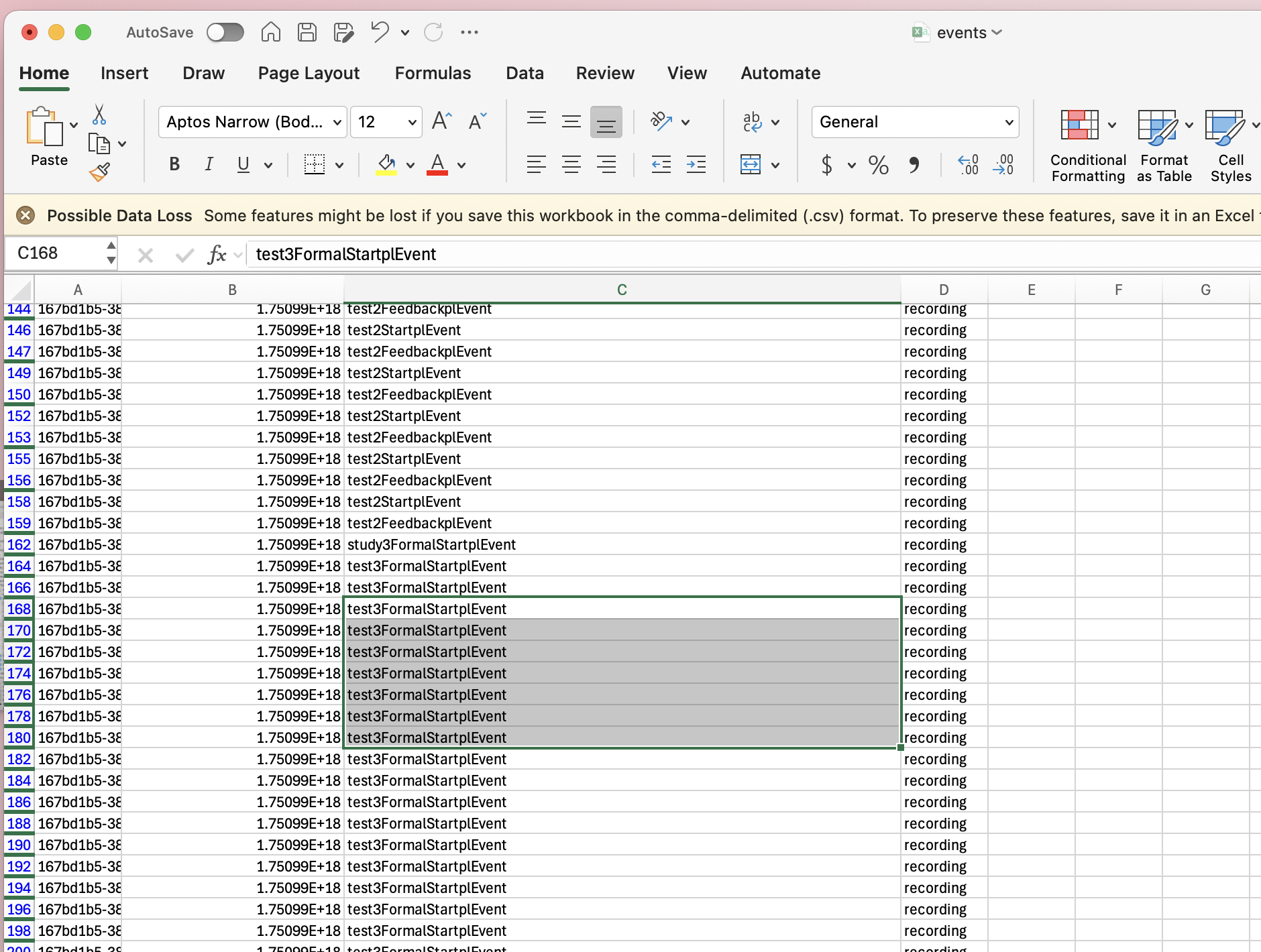
Hi @user-9a1aed , similar to how my colleague @user-d407c1 explained here (https://discord.com/channels/285728493612957698/1047111711230009405/1385566090607984660), this is possible in PsychoPy. It requires the use of their variables and conditions files. Since this is more about creating a custom string in the context of PsychoPy's system and not specific to the Neon PsychoPy plugin, their Support team might be better positioned to help you with this request.
I see. Thx!
Hi, I'm currently trying to enrich my recordings on the Pupil Cloud using a reference image of the environment, but I keep encountering an error that prevents me from proceeding. The error message I receive is: "The enrichment could not be computed based on the selected scanning video and reference image. Please refer to the setup instructions and try again with a different video or image."
All my recordings are successfully uploaded and visible on the Pupil Cloud. I've tried using multiple reference images — including screenshots taken directly from the video and separate photos of the environment — but none of them work. I also attempted the enrichment with different scanning videos and different timestamps within those videos, but the same error keeps appearing. Could you help me?
Hi @user-35255b , please see my message here: https://discord.com/channels/285728493612957698/1047111711230009405/1390102265414815866
For the neon eye-tracker, when the white LED is on, what does it indicate?
I am using the eye-tracker today, and the LED was on. After the recording session, I looked at the recording, and there was no fixation information (red circle) on the video. Does this mean the eye-tracking data is lost?
Hi @user-5b6ea3 , the data might be recoverable, but this a sign of a potential hardware issue with your Neon module. Could you open a Support Ticket in 🛟 troubleshooting ? Thanks.
My tutor Marieke Otterdijk has invited you.
Hi @user-35255b , thanks. The invite seems to not have come through correctly. Can you again send an invite to
cloud-support@pupil-labs.com
? Thanks!
Have you received another invite?
Hi @user-35255b , yes, thanks. It worked now.
Some feedback:
If you still have access to the experiment space, then you can still make a Scanning Recording and upload it to that Workspace.
I recommend double checking the Reference Image Mapper Documentation on this, including the Setup video.
If any of this is unclear, may I ask if you had your free 30-minute Onboarding call?
I’ve waited for upto 2 minutes but the initializing sensor sign doesn’t change
@user-ccf2f6 Can you do the following?
gps_alpha_lab app iconApp infoPermissionsLocation and Notifications panels.Also, if you can send what it says under Not allowed in the App info section, that would be helpful.
Hello! I was hoping to get some advice on how to best use events. Each of my recordings contain 16 events with unique labels to preserve their order over the course of the task (e.g., Event 1, Event 2...). I then run the Reference Image Mapper on the full recording and draw AOIs. My goal is an output file with the fixations to each AOI during each event. However, I noticed the event labels are not included when I download the Reference Image Mapper report. I understand one solution would be to run a separate enrichment for each event, however this would be quite time intensive given the large number of events and recordings. What is the best way to obtain an output file with fixations to the AOIs in each event?
Hi @user-13d297 , sure! All Enriched data is on the same time axis as the rest of Neon's standard data. So, you can still run the Reference Image Mapper on the full recording, if you prefer that approach. Then, use the timestamps in the events.csv file in the Timeseries Data download to filter and choose subsections of the AOI fixation data to analyze or export to a separate file.
This is very helpful, thank you!
Hey you guys! Our lab just got our pair of Neon glasses and we’re testing them out today. We’re super excited about them! Just a quick question: do other people notice that they are a bit hot to the touch after using them for prolonged periods of time? After 20min or so they’re getting pretty warm. We plan to run experiments that are an hour or more. We’re curious about others’ experiences and how they might address this in their labs. Thanks so much!
Hi @user-ffef53 , are you referring to the Neon module or the phone? The module is expected to warm up during normal use and the phone can also warm up. Please see this message for more details, also if you'd like foam pads for your frame: https://discord.com/channels/285728493612957698/1047111711230009405/1383005671611433083
The module. Thanks for clarifying. After an hour of recording it was warm, but maintained that temperature throughout so nothing too crazy. Just wanted to know if it was normal so thanks for your answer!
Hi Rob, thx a lot for your reply. The video captures a PsychoPy program built with the PupilLab's plugin functions. I do not think it has anything to do with the Python-C++ package.
The recordings on Pupil Cloud, yes, the Tags changed very often since participants responded quickly to the visual stimuli. But this program is built with jsPsych, is there a way I can send Events to mark the start of the trials to the Neon eye tracker? If there is, is it possible that you guys have a demo jsPsych program? Thx
Hi @user-9a1aed , do you mean you exported a PsychoJS program from PsychoPy?
I ask because the Python-C++ packages cannot be used with jsPsych.
Nope. It is a standalone jsPsych program. I added the Tags as images into the program around the four corners.
Ok, I ask because previously you said that the video caught a jsPsych program, but you mean that it was rather capturing a PsychoPy program? The distinction is important, because it points to different things that need to be checked -> either your code or the plugin code.
This video captured a PsychoPy program. I built it from the gaze-contigent demo program.
The recordings on Pupil Cloud showing that some of the tags are detected while others are not --> is built using jsPsych.
We do not have demo jsPsych programs, but the principles of Events remain the same. You send them as in an HTTP Post request to the /api/event endpoint of Neon's Real-time API.
Since jsPsych is a Javascript framework, it is quite easy to send HTTP Post requests from there and standard resources can provide the steps.
Hi Rob, I see. Thanks a lot for this. I will send events to resolve the issues with detection of the Tags
Ok, thanks for clarifying. Then, would you be willing to share the psyexp file for that recording with us at [email removed] Because the discrepancy in your video between the gaze circle in the app and the real-time gaze cursor in the PsychoPy program is not expected, unless there was lag or transmission delay.
Thx! I will send the file here
I am connecting the program and the Neon eye tracker using Wifi. Not a hub. Will it cause the delay?
Depends on the WiFi network, but what you showed is also not expected for a standard WiFi connection, if using a dedicated router.
Thank You @dominic , I have few more questions about the offset.
I am running studies where participants do not have to interact through gaze. So, I am planning to just adjust the offset manually after the recording using the Gaze Offset from Neon Player.
Two questions:
Thanks
Hi @user-f4b730 , I'm briefly hopping in for @dominic while he is away.
To answer your questions:
The idea is that ideally, you set it once in the Wearer Profile and then you simply forget about it. You can bring the participant back four months later, load up their Wearer Profile, and the saved Gaze Offset Correction is automatically applied. Making small changes to Gaze Offset Correction every 30 mins might bring minor improvements to accuracy, but it would be significant effort and time investment that I feel can be saved.
Also, since Neon is calibration-free, the need to check "reliability of the calibration" regularly throughout a recording is not really relevant here. One situation might be when the wearer looks all the way downwards and potentially lets the glasses slip far down their nose, such that the eye images are no longer clear, but then placing the glasses correctly on the face again would be the solution.
May I ask what kind of experiment you are doing that requires these kinds of optimizations?
Hello @rob , Yes, Neon is calibration free. however, for both on screen and real life studies, it would be nice to do the following:
While I get the use of the wearer option, I can assure you that spending some time checking each recording is well-spent time and a necessary step to check data quality.
Yes, gaze offset is not a calibration, my bad, but as said above, being able to check say, every 10 minutes (e.g., during a break) that the same offset set at time 0 is still valid would be agreat add ofr the NeonPlayer (like you can add multiple surfaces, you may add multiple offset at different timepoints).
Hi @user-f4b730 , understood.
The check you mention with the spot can certainly be done. Having them look at a spot before the study is actually the recommended way to do Gaze Offset Correction.
To clarify, Neon works on different principles. For many users, the Gaze Offset Correction is not even needed. The sources of error that the Offset corrects are described here (https://discord.com/channels/285728493612957698/1047111711230009405/1283848621648908424).
With respect to drift, Neon does not exhibit that. Drift is relevant for systems that require calibration, whereas Neon makes an independent gaze estimate for each incoming eye image with its calibration-free pipeline.
Lastly, I do not mean to say that checking each recording is ill-advised, only that resetting the Gaze Offset Correction multiple times in a recording is not necessary.
As mentioned, the Gaze Offset Correction is even valid after extended periods of time having not worn the glasses.
Hi @user-b407ae , you are welcome!
If the goal is simply to align the Neon and LSL streams for sync purposes, then you can use the basic Timestamp on arrival method.
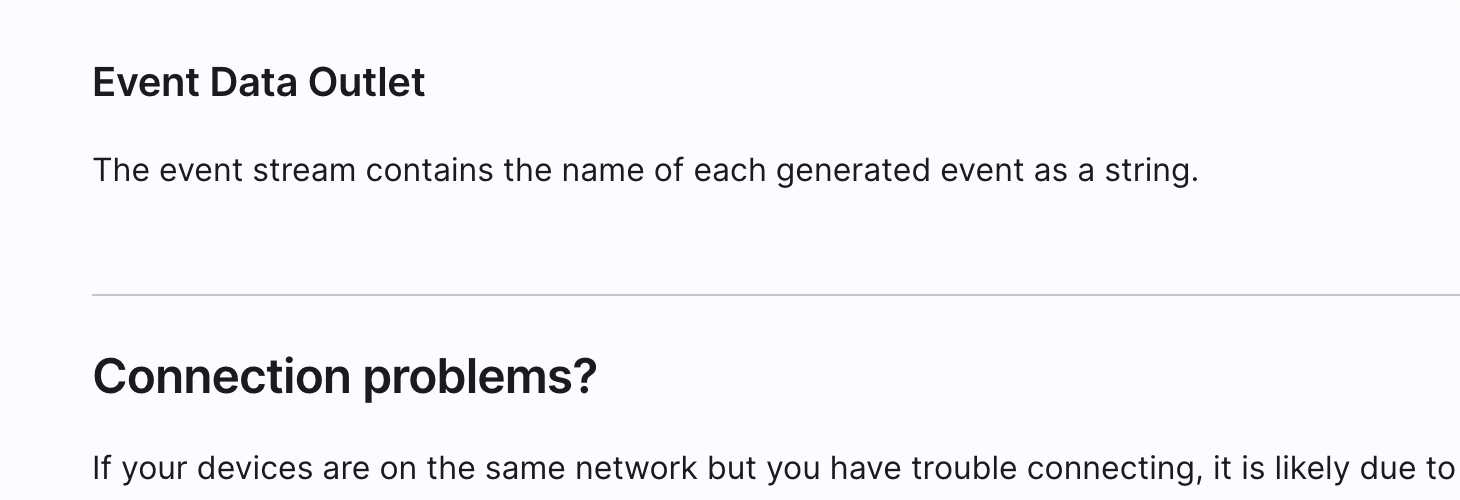
And the second link directs to the Event Data Outlet section of our LSL Integration Documentation. That section is brief and shows at the top of the browser, just above Connection problems? as in the attached image.
Thank you this is very helpful. For the time sync solution, would I have to sent events through Neon? I currently have events/marks sent through LSL from Unity. Would I need to use Neon events to align with the other data (IMU, etc.) though? Also, is there more detailed information about time delays due to software/hardware implementation of LSL? I'm trying to figure out where inaccuracies could occur to make sure I account for them since I need millisecond precision. I'm using LabRecorder to record the data streams.
Hi @user-0e3d8b , you are welcome.
Yes, for this solution, you would have to also send Events to Neon, but you can still send your Unity Events to LSL in addition.
Essentially, for this post-hoc sync, you need common & clear anchor points that are shared between Neon's recording timeline and LSL's timeline. Since Neon's Events are forwarded to LSL, then these serve as said anchor point (provided you tell LabRecorder to save that stream).
With LSL, so long as the hardware manufacturer follows LSL's standard specifications, then, in principle, you don't have to worry about time delays over the network or over other transmission media, nor hardware delays. Each hardware outlet should automatically take into account their individual delays. So, if you use LSL with the default integrations, which should all follow the standards, as well as LabRecorder, the idea is that you are already sycing them with millisecond precision.
It sounds, though, that in your case, you have programmed your own LSL outlet for Unity events?
Ultimately, though, I can only speak for Neon and its LSL integration. For other hardware, I recommend checking with their Support Teams and for LSL specifically, I recommend the LSL Slack channel. One of the LSL maintainers is active there.
Perfect, thank you! Yeah, I have an LSL outlet for Unity events that I also record in LabRecorder so I can align that with the Neon LSL stream. I mainly wanted to check where time delays may arise with Neon and LSL; it sounds like everything would be handled with LSL though. Would there be time delays with the Neon Events before they are sent to LSL?
Hi @user-0e3d8b , all forms of transmission have some time delay, so yes, there is a delay with Neon Events before they are sent to LSL. The amount of delay depends on whether you use Ethernet vs WiFi, and if on WiFi, then the quality of the network. However, if the goal is only to post-hoc sync the Neon and LSL timelines, then this delay is not something you need to correct. You just need common anchor points in both timelines. When the Event arrives at Neon, it is processed, and then, it is properly passed to the LSL integration, which automatically handles sending it further with the appropriate synchronization protocol. This Event will then appear at the same time in both timelines.
Is your goal rather to use Neon Events to mark important moments in time, like the start/end of stimuli? It sounds like you use the Unity Events for that part?
With respect to writing your own Unity-LSL integration, I recommend checking these tutorials, if you have not seen them. On the Unity side, you may actually need to take into account delays in Unity's sub-systems from the time the event is registered to the time it reaches the push_sample call, since you are using those to precisely mark key moments in time.
Hi, I am using QR markers for years, but I was wondering whether it is possible to put the QR markers in the video in pupil cloud after the gaze measurements.
Hi @user-3c26e4 , do you mean edit the videos digitally to post-hoc insert "virtual" QR codes? If so, then this is not possible on Pupil Cloud. The QR codes must be physically present in the scene, at the time of recording.
If you are looking for a markerless approach, then we would recommend the Reference Image Mapper.
Yes, right, it was just a thought. Thank you @rob
In one of our experiments using the pupillabs neon device, when checking the data collected in pupilcloud we observed that sometimes blinks where not detected for some participants while for others there was an ! error and no pupil diameter was calculated...Any ideas of what happened?
Hi @user-11dbde , can you open a Support Ticket in 🛟 troubleshooting ? One of us will respond in the morning.
Hi, at the moment I'm looking to only post-hoc sync the Neon and LSL timelines. Would other use cases be to mark important moments through Neon Events? I'm using Unity to send signals to all connected devices (Raspberry Pi which is connected to an LED for the glasses--but trying to replace this with LSL, motion tracking, FNIRS, etc) in order to be able to post-hoc sync everything. I have taken a look through the tutorials and made the Unity-LSL connection. That's good to know about the delays; I'm still in the process of verifying the integration/precision.
Hi @user-0e3d8b , Neon's Events are versatile. They can be used to:
Hi, We're conducting a study using the Neon eye tracking glasses and are collecting an hours worth of data per participant. However, we've reached the 2-hour Pupil Cloud storage cap and are looking for alternative ways to manage and store our recordings without losing the data we want to analyse. Any suggestions on the best way to mange this issue would be great.
Hi @user-a578d9 , first, note that once you have deleted a recording from your Trash on Pupil Cloud (or it is auto-deleted from Trash after 30 days), then it is permanently removed from Pupil Cloud (it will of course still be available on the phone, provided you did not delete it from there, too). So, if you are unable to obtain an Unlimited Storage Add-on and you will choose your current workflow, then be sure to make local backups, either by downloading the recordings from Pupil Cloud, or exporting the raw data from the phone via USB cable.
Then, with a free account, any time you delete a recording from Pupil Cloud, it frees up the queue for more recordings.
You can also do analysis on the raw data from the phone locally with Neon Player or even load up the raw data into Python with the pl-neon-recording library. Just note that features like Reference Image Mapper and Face Mapper are Pupil Cloud only.
Hello! Just received the neon glasses (very cool), have done a few recordings and it seems well. Unsure if I'm missing something so thought I'd come onto this and asked, but once exported the videos, the pupil-tracker (the lil circle on the screen itself), is no longer there (still on the raw recording on the neon app). Only have played around with the pair for 30mins so still quite new to it!
Hi @user-03b75d , great to hear you are enjoying it!
Your device is working fine and what you report is expected. To get a video with the gaze circle, try the Video Renderer Enrichment of Pupil Cloud or the Video Exporter plugin of Neon Player.
If you have not yet had it, I recommend signing up for your free 30-minute Onboarding call. Just send an email to info@pupil-labs.com with the original Order ID.
ah perfect! Just got into the player now, took me a second to get the recordings into it but it has gone through! Gonna play around with the player now and see what I can discover! Thanks Rob!<3
Hi! I'm trying to download data from the cloud, but I'm experiencing unstable download speeds — they fluctuate a lot (from 0 up to around 65), even though my internet connection is stable. Because of this, the download fails. Could you please help me troubleshoot this or suggest what I can do to fix it?
Thanks in advance!
Hi! I'm trying to download data from the
Hi @rob , thanks again for your helpful input. Do you happen to know how many one-hour recordings the Companion app can store at once? For our workflow, we're planning to hold onto recordings locally and upload them one or two at a time to Pupil Cloud for analysis. Once we've extracted the necessary data, we’d delete each recording to free up space. Any insights on storage limits or best practices would be much appreciated.
Hi @user-a578d9 , you are welcome.
You can see how many hours of phone storage you have left by pressing the Info icon (i) at the top of the Neon Companion app main screen. The total storage depends on the phone, rather than the app.
To clarify, when you say that you plan to hold the recordings locally and upload them individually, do you mean you plan to upload them from a local computer?
Hi Rob, thanks again. Just to clarify—I was referring to storing the recordings on the companion app on the phone, and then uploading them manually to the cloud, one or two at a time, directly from the phone. Essentially, we would turn off the auto upload feature and upload each recording to the cloud manually, whilst using the phone for storage.
Understood. I only wanted to clarify because re-uploading to Pupil Cloud or uploading from anywhere other than the Companion Device is not a supported workflow. This is for data integrity reasons.
Hi everyone,
I'm working on an exploratory study focusing on shopper experience in a supermarket using Pupil neon eye tracking glasses. The goal is to understand attention and engagement patterns (e.g., what products shoppers look at, dwell times, etc.).
However, I don’t have reference images or a static scene to map gaze data onto. The supermarket is a dynamic, complex environment, so traditional surface detection and reference image-based AOIs aren't feasible.
I'd really appreciate help with the following:
How can I analyze gaze data without reference images? Are there best practices for working with raw gaze or world camera video in dynamic environments? What metrics can I extract in this context? For example: heatmaps Fixation durations Dwell time in broad regions (e.g., shelf vs. signage) Gaze distribution over time Any recommended tools or workflows for post-processing or annotating gaze data manually or semi-automatically? If anyone has worked on similar mobile eye-tracking studies in naturalistic settings, I’d love to hear how you approached the analysis.
Thanks in advance!
Hi @user-67b98a! Thanks for your question. Could you elaborate more on which areas of the shopping environment you're investigating? You do mention shelf vs signage. For these, our reference image mapper enrichment will often work well. E.g. check out this supermarket shelving example: https://docs.pupil-labs.com/neon/pupil-cloud/enrichments/reference-image-mapper/#_3-supermarket-shelf
Hi, thank you for the information. The stimulus is dynamic—each participant takes a different route through the supermarket aisles. We conducted the study in two different supermarkets, so scanning videos and using reference images was not a feasible option.
Hey @user-67b98a, I'm a fellow researcher. If you haven't come across them yet, I highly recommend the Fundamentals of Eye Tracking series of papers, written by experts especially for researchers who are just starting out with eye tracking. They write about choosing tools, for example, in this paper: https://link.springer.com/article/10.3758/s13428-024-02529-7 As a relative beginner with eye tracking, I have personally found this series extremely accessible and helpful, so perhaps you will too.
Thank you , i will look into the paper.
Hello Neon Team. Just to now if someone is having problems when dowloading timeseries CSV from neon cloud. I am experimenting really slow donwloads that don´´t come to an end
Hi Team, I received this error when I was using the April tag frame. From the demo program, the experiment is using Height. But for my other program, I use pixels. So I converted the size [w,h] of the tag frame from [2,2] to the window size in pixels [1360,768]. May know if I did the conversion incorrectly to cause this error? thx!
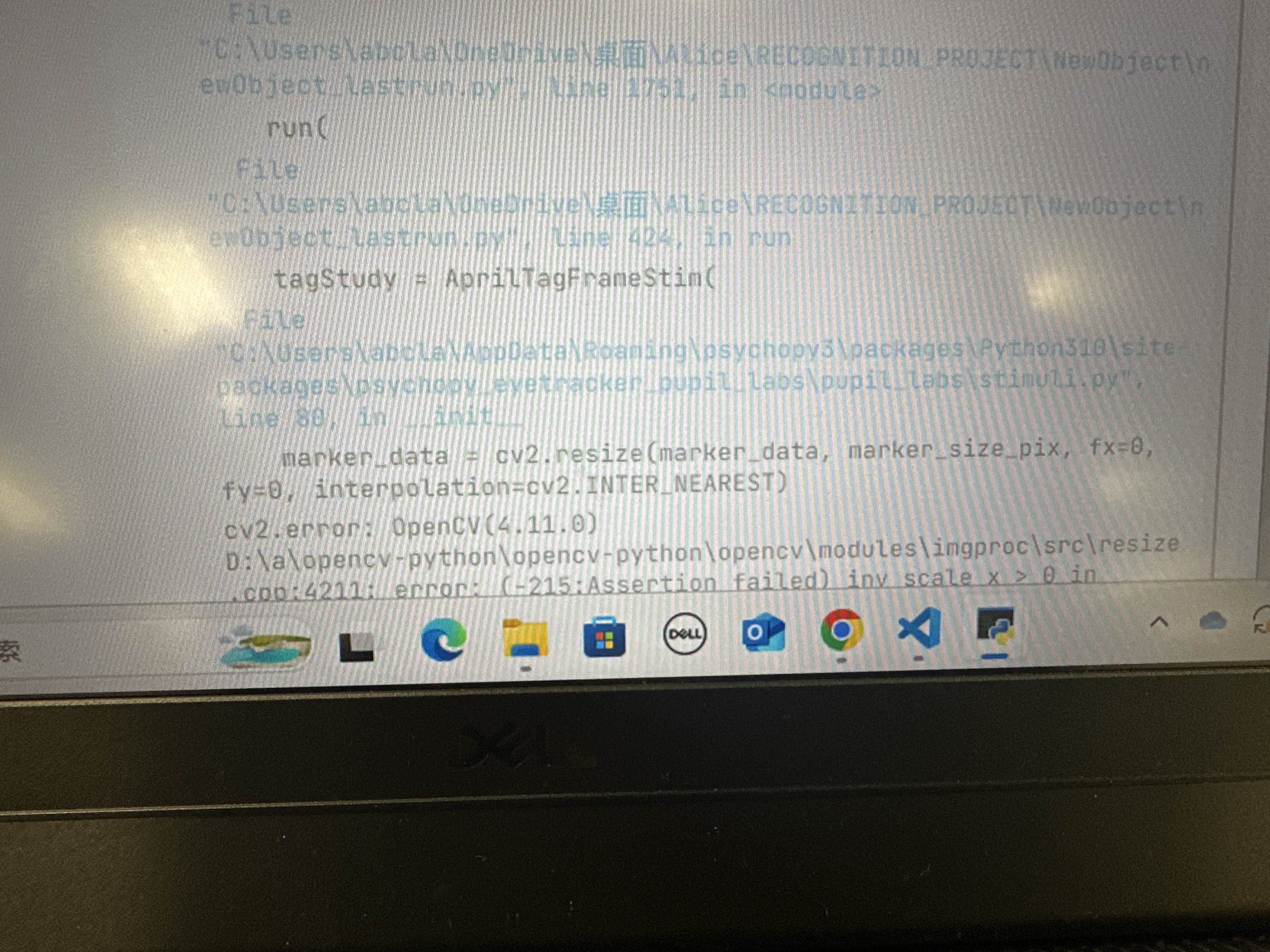
Hi, @user-9a1aed - if your experiment is configured for pixels, I think you should leave the values for size and marker size as-is and instead change the spatial units (for both of those) to "Height"
Hello, I am master student at Ulm university. We are conducting a research. We have one problem. When we are trying to do a enrichment and after when we try to donwload this enriched video. All of the other videos datas are also coming within specific videos excel. We tried to change wearer but didnt work. You can see the screenshot. I would be very happy if you could help us download the data of just the video we selected.
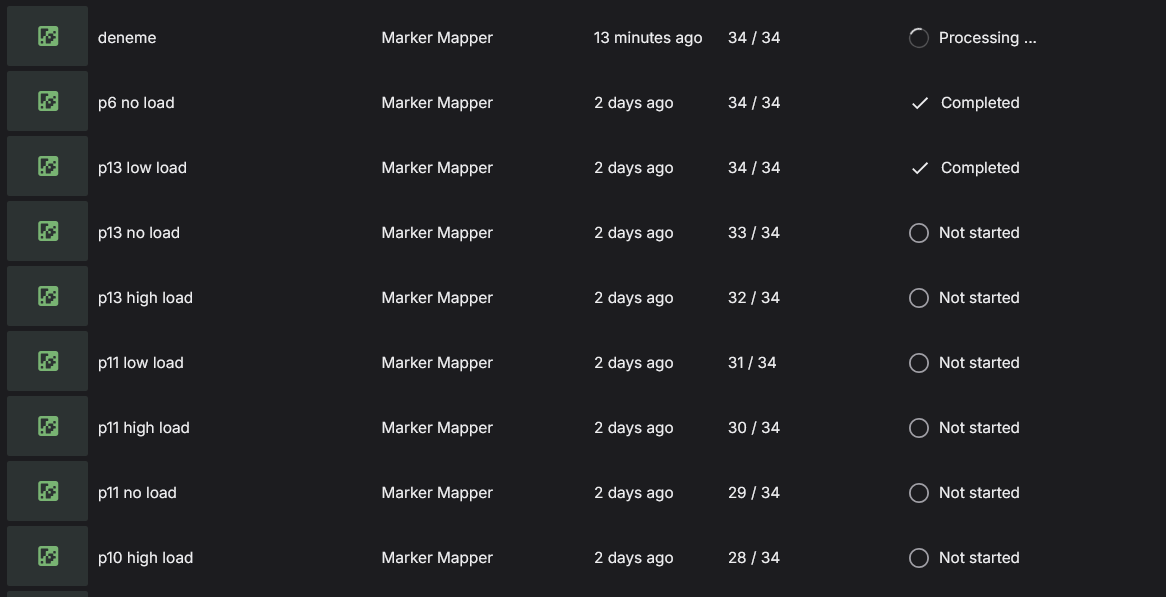
Hi @user-b5b5ba , do I understand correctly that you want to download the Enriched data for just one recording?
yes @rob
I see. To do this:
32/34 or 28/34, etc in the "Recordings" column. In the attached image, I clicked on the 2/2 button.Download button.Note that changing the wearer on the recording will not have any effect in this regard. It would be recommend to revert the selected wearer for that recording to the profile of the person who wore Neon at the time of recording.

@rob it worked thank you so much
Hi @user-67b98a. Thanks for providing more context about your study. I understand that the dynamic nature of navigating a supermarket presents an interesting challenge for analysis.
For future studies, I want to clarify that the Reference Image Mapper in Pupil Cloud is well-suited for such environments. The process involves taking static images + scanning recordings of the areas of interest, for example, specific shelves or even entire aisles. You would then upload these. Pupil Cloud will automatically map gaze data from all participant recordings onto these images whenever a participant views those specific areas, regardless of the route they take through the store. Here's an example of mapping gaze throughout an entire room. The same principles apply, but scaled up to the supermarket. This allows for powerful aggregated analysis across many participants.
Since you have already completed your data collection, the best approach would be to use the Manual Mapper enrichment in Pupil Cloud. This tool allows you to go through your existing recordings and manually define fixations on AOIs. While this is a more hands-on process, it will enable you to perform the analysis on your current dataset.
Thank you, i will try that.
Hello, the following questions appeared during my recording, I would like to ask if my recording record can be found?
Hi there! Our lab just got the Neon glasses and we've been playing around with some mini experiments. I had a few questions for the community:
Thanks in advance for your help!
Hi @user-ffef53 👋 ! Welcome! All of that is already possible, let me clarify some aspects and walk you through the workflows:
Neon Export folder to prevent affecting the normal app's operation, but if you are going to delete the data afterwards is also fine.With the data already on your computer, you have different options to export the relevant CSV files.
You can load your recordings into Neon Player, then, go to the Plugins menu, enable the streams/plugins you want to export (e.g. gaze, pupil size, eyeball position) and click Export to generate the corresponding CSV files.
The general workflow is described here.
Just keep in mind: Only the enabled plugins will be included in the export.
2: Programmatic CSV export
If you're working in Python, and want to programmatically export the data to CSV files, you can leverage our pl-neon-recording library.
Here you can find a full example on how to export the data onto CSV files.
Let us know if you have any questions or get stuck somewhere.
This helps thanks for all the info!
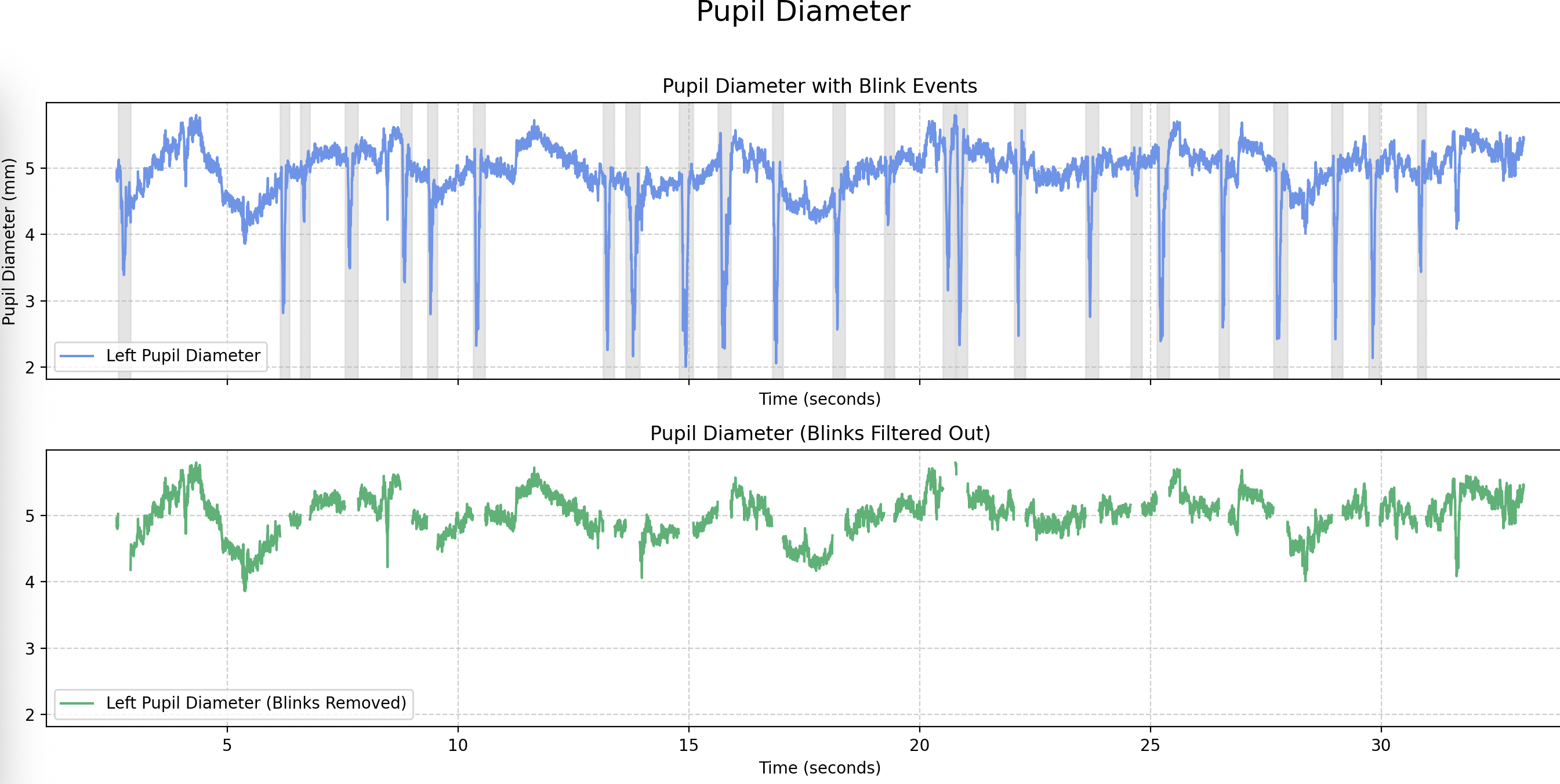
Hello. I am a PhD student collecting data from the Neon glasses in children for a continuous recording of ~20 min. I have plotted the pupil size (collected from the 3d_eye_states.csv file) but am struggling to interpret where the blinks are - I am wondering if you have any advice? (I can send picture of the plot/data if that is helpful - there are many downward spikes, but they vary in their depth and occur at very irregular time periods - so am not sure whether they are blinks or not)
Hi @user-f389a1 👋 ! You can find the blink data in the blinks.csv file.
By default, NeonNet would try to infer pupil size at all times, even during blinks. You'll typically see a rapid drop in pupil size, though it may not reach zero. Gaze data is also still reported during blinks, you can see the signal turn noisy, but we don’t automatically remove it.
This is intentional, so that you have full control over how you define a blink. For example, you might prefer to base it on a different eyelid aperture rather than rely on a hard cutoff. Lemme know if you need help filtering them out or plotting them!
Hi Miguel - thanks for your reply! I have found the blinks.csv file. Some more information about how to plot them (as well as filtering them out) would be really helpful (as I am not sure where to start at the moment!)
May I ask how you're analyzing the data? Any programming language you are familiar with?
Conceptually, if you’re working with the timeseries format, you’ll want to load both the 3d_eye_states.csv and blinks.csv files.
timestamp [ns] column from 3d_eye_states.csvstart timestamp [ns] / end timestamp [ns] columns from blinks.csvTo remove blink periods from your analysis, you'd filter out all rows in 3d_eye_states.csv where the timestamp falls between the start and end times of any blink.
I am using Python to analyse the data. And that's really helpful. Is there a good way to visualise the labelled blinks?
Hi Miguel - apologies I have a second question - would you advise filtering out the blinks or interpolating the data? (and if interpolating - what is the best way to do so)
Here you have a snippet that exemplifies that, plotting blinks over the left pupil size timeseries and filtering out sections of blinks from a folder containing those CSV files.
Whether to interpolate or not, is a decision that you would need to make based on your experiment needs and requirements.
Thank you very much - this has worked for me and has solved my issue:)
Hello! I am a Phd student and our lab currently owns a pupil core and currently looking into upgrading to a Pupil Neon. My current concerns are as follows:
Hi, @user-d2bc2a! Thanks for Considering Neon. To answer your questions
Hi, I was able to start playing around with the CSVs I exported and just noticed that my fixations csv is empty! Its strange because I have a saccade csv. Both are supposed to be generated together from the plugins menu in the Neon Player. The video is about an hour so I'm certain I have fixation events in the recording, but I think something is happening upon export that's stopping the fixations from being loaded into a csv separately. Please advise. Thanks! (Edit: to add, even with new recordings when I try to export fixations it doesn't work. In the player it says there are no fixations available when I try to click through them)
Hi @user-ffef53 👋 ! May I ask what version of Neon Player you're using, and which version of the Companion App was used to record the session?
Alternatively, if it's easier, feel free to share the info.json file from the recording — that should give us the details we need.
I should have the most up to date of both because we just received the device a few weeks ago. I just tried again on a new, much shorter recording and it worked, but for the longer ones its not working so maybe its a bug?
I think the processing just takes much longer, but maybe there's a way to optimize it that im missing?
Thanks for your quick reply! Fixations in the latest version of the app are computed directly on the device, as long as you have “Compute fixations” enabled in the Companion App settings.
That means Neon Player shouldn't take long to load them, since it doesn’t need to process them post-hoc.
Could you double-check that you’re using Neon Player 5.x?
Hi PupilCloud Team, could you let me know the dimensions of the red circle indicating gaze in the cloud - either in pixel or field of view (degrees)? Thanks!
Hi @user-037674 ! the Gaze overlay radius employed in Cloud with Neon is 45px but it scales with the video canvas.
Hello! I work for a market research company, and in a project with Neon glasses we are having problems with two videos loading in the cloud, it says "processing", but they don't load, these videos can be played on the mobile. Do you know what I can do?
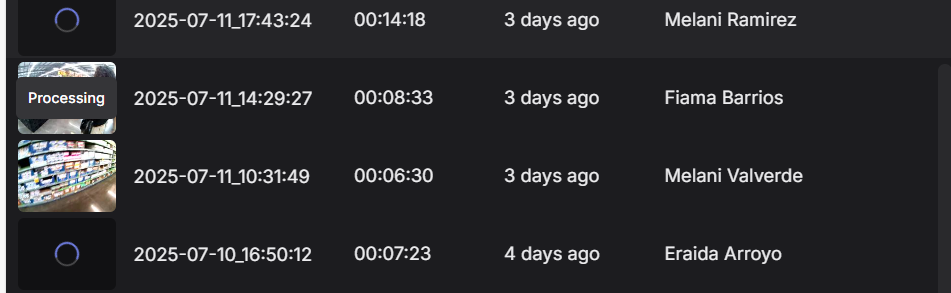
Hi @user-33b314 , we also received your email and followed up there.
Hi, I must answer some questions to the "Datenschutzbeauftragte" (information security officer?) concerning the videos of the Iris/pupil. could they be identified to a special person? is the video "safe" - in aspects of the data-security and re-identification of a person? Is there any information about this issue? Maybe I could link to a document? Is it possible to remove the eyes-video without loosing information? Thanks in advance!
Hi @user-a5d1a8 , could you send an email to info@pupil-labs.com with this request? Then, we can provide you with the relevant Documentation.
Briefly:
ello everyone,
I recently used the Neon to record multiple videos. When I checked the cloud later, I noticed that six of the videos were not uploaded. I tried to upload them manually, but after a few seconds, the upload fails each time.
Is there any way to successfully upload these videos to the cloud?
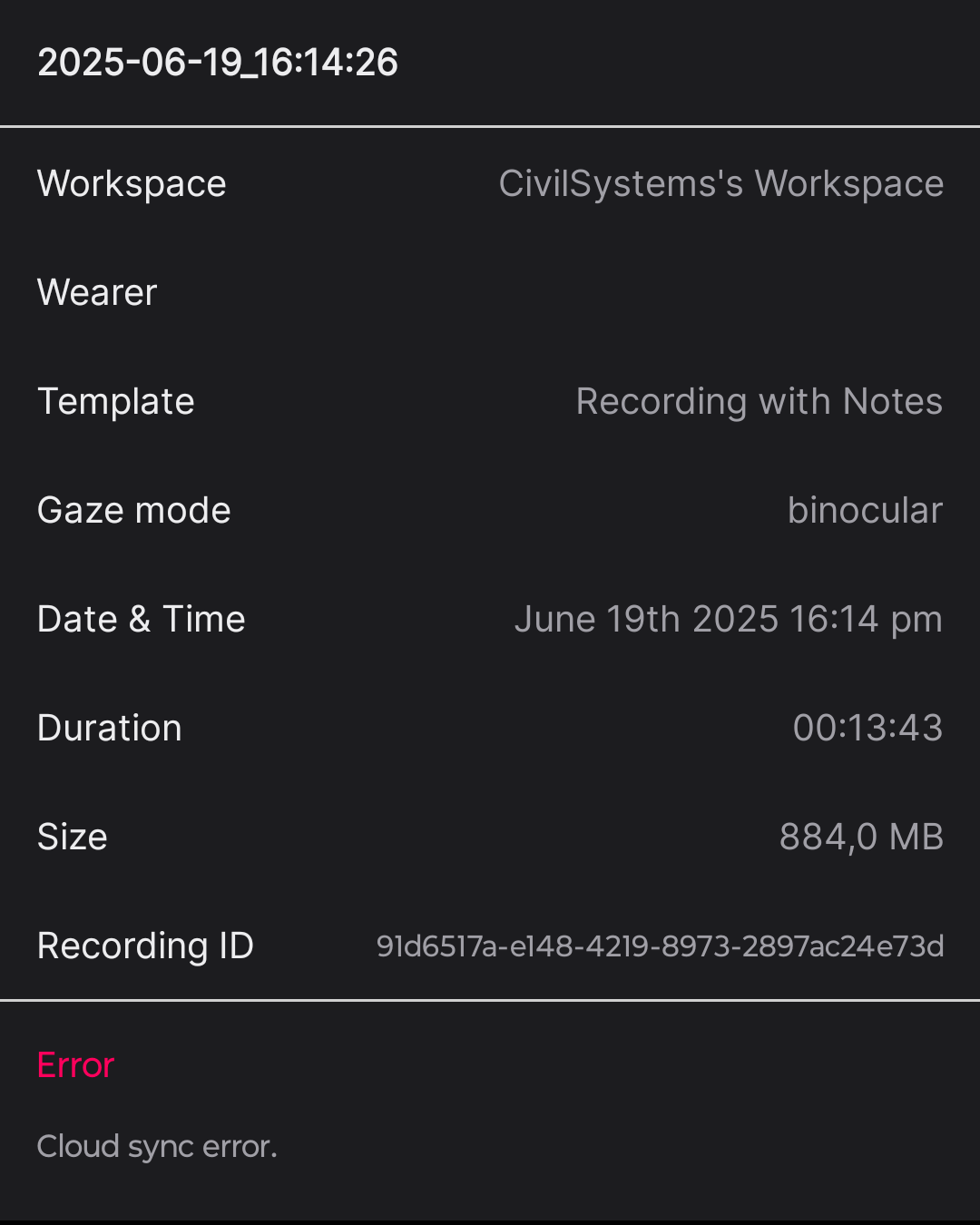
Hi @user-878a5a , we also received your email and followed up there.
Hi Dom, I have some questions for Neon: (1) is this eye tracker able to totally eliminate the impacts of long eyelashes? (2) is the angle of the world camera adjustable?
I am using Psychopy 2025.1.1 for an eye tracking experiment with videos. I have downloaded the Pupil Labs Plugin. In settings, I select Pupil Labs (Neon) but it does not allow me to Modify the IP address and port. I don't see those options in the dropdown.
Hi @user-1a3091 , that version of PsychoPy is still in beta and with that version, the PsychoPy team has made changes to the plugin system that are not yet accommodated. It would be recommended to use the latest stable PsychoPy, v2024.2.4.
Note that when switching versions, you may want to first clear PsychoPy's cache of the plugin, as follows for Windows:
psychopy3 folder in %APPDATA% (just copy-paste that into Windows Explorer).On Linux and MacOS, the .psychopy3 (note the dot, .) folder is found in the user's home directory and the process is otherwise the same.
same problem with that version, so I installed a newer one.
Ok. At the least, in the meantime, I would recommend downgrading, as we have not updated our plugin to accommodate v2025.1.1 yet, so it will not work as expected there.
Regarding your request about IP/Port, we will look into it today.
Hi, has anyone been able to synch fNIRS aurora lsl triggers and the neon recording? My triggers arent showing up for the neon recording
Hi @user-21cddf , are you already using Neon's LSL integration and the standard LSL LabRecorder app?
And also, does PupilLab have any devices that can output the gaze data in real time? So that we can combine the gaze data with other real time processing code?
Yes! We have a fully-featured Realtime API for Neon that can do all of this and more. Check it out here: https://docs.pupil-labs.com/neon/real-time-api/#real-time-api
Hello. I am trying to connect monitor my data collection in real-time with the neon monitor app, but the link, http://neon.local:8080/, doesn't seem to be working. Both my companion device and my computer are connected to the same network. Could I get help troubleshooting?
Hi @user-6eef09! Could you describe the network you're trying to use? Also, have you already seen the troubleshooting steps oulined here? https://docs.pupil-labs.com/neon/data-collection/monitor-app/#connection-problems
Hello, I’m currently trying out the Pupil Labs Neon our research unit recently bought. I appear to have some problems with local streaming, that is, syncing my computer with the Neon.
I am currently on PsychoPy trying out your Builder demo, gaze_contingent_demo.psyexp. While I can get it to run when using MouseGaze as the eyetracker device, I am unable to do so using the Pupil Labs (Neon) plugin. I’ve done the following troubleshooting steps:
Tldr; I would just like to try out the demo but unfortunately, it doesn’t work with my eyetracker. Is there any additional steps that I’m supposed to take?
Hi @user-30f8d5 , what kind of network are you using? Is it university WiFi?
Hi @rob I am at home, using a home wifi. I believe it is a wifi 6
Ok, could you also try with the hotspot of your personal cellphone? This will help clarify if it is a configuration issue with your router. See these Troubleshooting steps for more details. Let us know the result and we can help further.
Hi @rob , thanks for the quick reply. So my mobile hotspot did nothing to change it. I do realise that trying to access Neon Monitor via the URL, neon.local:8080 or the IP address provided on the Companion, results in some extremely slow lag, if not just screen freezing.
I’ve tried running dns-sd -B _services._dns-sd._udp via MacBook Terminal, and I couldn’t find anything related to the eyetracker. I do agree with you that it may be a router issue but my wifi and hotspot does allow for mDNS and UDP traffic. Any idea what I can do next?
Could you open a Support Ticket in 🛟 troubleshooting ? Thanks
there is a problem with the installation of the plugin. In the settings list only Pupil Labs appears but not Pupil Labs (Neon).
Hi, @user-1a3091 - be sure to completely delete the pyschopy3 folder as @rob had mentioned earlier. It really is a crucial step
yes I did it... and I tried in PIP console of Psychopy 2024.2.4 pip install --force-reinstall --no-cache-dir psychopy-eyetracker-pupil-labs
If you open your PsychoPy preferences, do you see the plugin in the list of startup plugins?
Yes I can see it in preferences - startup plugins but it is not appearing in the list of downloaded packages. Pupil Labs plugin it's visibly installed in Plugins list...
PsychoPy's package management is a bit quirky. It's seen quite a lot of significant changes over the past year or so. I can try to replicate your problem on my end - what operating system are you using? If Windows, are you using the PsychoPy installer on their website?
Hi @neil! I did try the troubleshooting steps. Both devices are connected on my university's wifi. Is that what you were asking?
Hi @user-6eef09 , briefly hopping in for @neil . Please note that University WiFi is not recommended. The activity of many other users can interfere and there are usually restrictions that can block proper functioning of Neon. A dedicated, local router is recommended.
Hello everyone, I’m having trouble uploading 7 videos to Pupil Cloud from the phone, as the uploads keep failing. I can extract the videos from the phone, so I was wondering if it’s possible to upload them to Pupil Cloud directly from a computer. This seems like my best option, since I’ve already contacted Pupil Labs support and fixing the issue on the phone appears to be difficult.
Hi @user-878a5a , the team is aware of and handling your issue. We should have an answer to your email by Monday.
Please note that uploading to Pupil Cloud from a computer is not a supported workflow, but we will resolve the issue for you.
Hi, yes. It is working when we run other experiment (without neon) with other applications like psychopy but if we send triggers directly from aurora to the neon glasses it doesnt work. Thats why i am wondering about connection with the aurora app specifically if that makes sense
Hi @user-21cddf , Neon's "triggers" are known as Events and are accepted at the HTTP endpoint, /api/event. If the Aurora team has not programmed their trigger system to send an Event to Neon in that format, then their team would need to add that functionality to their device.
However, since you are using LSL and presumably LabRecorder, you already collect Aurora's triggers together with your Neon data in the final XDF file, all synchronized.
Was the expectation that LabRecorder would forward Aurora's triggers to Neon's Events timeline?
Thank you Rob, the deadline for my master thesis is in 30 days, so you can understand the pressure I am in right now.
Hi @user-878a5a , fully understood! I will relay this to the team. We can continue communication via email.
Hi @user-878a5a , we responded to your email. We can follow-up there.
@rob Yes. We have now managed to make it work for one pair of neon glasses, but the experiment involves 2 pair of glasses recording at the same time. The api only seems to recognize one pair at a time
Hi @user-21cddf , can you describe your setup in more detail? It sounds like you rather receive Aurora‘s triggers programmatically and then convert those to Neon‘s Events in your own Python code?
Yes. It recognizes the keyboard inputs from aurora and sends the event to the neon. But it only recognizes one pair of glasses (labeled as -1) at a time, could i send you our code?
Hi everyone, I have a very simple Python script that remotely controls the start and stop of recordings. The code uses these two functions: recording_id = device.recording_start() and device.recording_stop_and_save(). I connect my PC and the smartphone connected to the NEON to my phone's hotspot (the code searches the device by IP). The problem is that sometimes (very often actually) I get this error --> Error: Python Error: DeviceError: (400, 'Cannot stop recording, not recording') etc ... I noticed that if I keep sending start and stop commands, the recordings either don't get saved or are corrupted (they contain no video of the scene), even though no error appears in the Python console. Moreover, after this error occurs, it's impossible to get valid recordings anymore—I had to reboot the device. How can I solve this issue? Next time I run experiments, I will make sure to use a router, but is this a connection problem or is it caused by something else? I have already used my phone's hotspot, and with the Pupil Labs Core I have never had this problem. Thank you very much.
Hi, does anyone know of any publications or code bases that focus on gaze contingent research with multiple neon devices?
Hi @user-a4aa71 , this is not a connection issue. May I ask if your code also uses device.close() at the end of each session, and whenever it is quit, including when it is quit by Ctrl+C?
my code is this one, very simple... (I'm using it with the streaming part commented)
my code is this one, very simple... (I'm
Hey guys. I may be doing things a bit unconventionally, but rather than having to load each of my recordings in neon player prior to analysis, I wrote a python script that will open up the .raw and .time files from all my exported recordings and spit out csvs for the data I need.
I have everything working for basic eye state and gaze data, but I am having trouble figuring out what the columns correspond to in the "fixations ps1.raw" file. It looks like there's 15 columns, but I am not sure whats what. Can someone with insider knowledge on this let me know the column names?
Hi @user-d086cf , you can save a lot of time by using our free & open-source Python library, pl-neon-recording. It does all this and more for you already and its code self-documents the structure of the binary files, such as the fixations files.
You may want to reference this example for exporting the data to CSV format.
Good afternoon, Quick question about wireless charging — we’re going to be doing several back-to-back hours of recordings using the Neon glasses, and I wanted to ask whether a wireless charger would work effectively with the companion phone while it's connected to the glasses. Has anyone tested this setup? Also, if you’ve got any recommendations for reliable Qi wireless chargers that have worked well with the phone and Neon during long sessions, I’d really appreciate it.
Hi @user-a578d9 👋 ! Whether wireless charging works depends on the companion device. Both the Samsung S25 and Moto Edge 40 Pro support Qi wireless charging.
Just a heads-up: they don’t attach magnetically, and wireless charging is generally less efficient, with the handicap that it tends to warm up the phone.
While this is not an official recommendation. I’ve been using a previous version of this, it helps keep things cool while charging 😉
Thank you for your help!
Good evening, I ran into an issue when trying to time-align my cloud exports with my xdf data when recording using the LabRecorder. As we were able to find a neon lsl stream that was coming from the mobile device connected to the glasses directly, we did not record using the lsl_relay on a
separate laptop (how we did it before the app update). Now, after just recording using the stream coming directly from the neon phone, I am unable to time-sync gaze events using the lsl_relay_time_alignment. Is there another way to time-sync the streams without using the lsl_relay on a separate laptop? I could not find information on this topic in the Pupil Labs Companion LSL Relay documentation. This is the error message: WARNING Session id missing! Skipping incompatible Pupil Companion stream xdf_cloud_time_sync.py:107
[{'acquisition': [{'manufacturer': ['Pupil Labs'], 'model': ['Neon'], 'session_id': []}], 'channels': [{'channel': [{'label': ['Event'], 'format': ['string']}]}]}]
ERROR Could not extract any time alignments for [this is my path here]. No valid Pupil Companion event streams found!
Hi, @user-e0a71c - yes, the LSL Relay app is a solution provided for our older eyetracker (Pupil Invisible), but it worked for Neon as well until we integrated the LSL outlet directly in the companion app, so you're correct to avoid the LSL Relay with Neon.
To sync data between LabRecorder XDF data and a Neon Recording, you just need one or more Events that have been recorded in both. Then you can simply examine the timestamps of the same event recorded in both systems to compute the offset. A quick search of this discord server should turn up a few different conversations on this exact topic
Thank you for the quick reply. The app does not send regular events like the relay did, right? Is there any way to align the data without events, e.g. cross-correlation? We have a few datasets at the moment without any events because of the switch from relay to the app-based solution.
The app should send recording.begin and recording.end events (you'll want to start your LabRecorder session before your Neon recording is started and end your LabRecorder session after the Neon recording is stopped). Additionally, all of the events that you add (e.g., through the realtime api, monitor app, etc) will appear in both the Neon recording and the LSL stream.
I don't personally have experience aligning data using just the data, I'm afraid
Thanks again for your answer! Just from a scientific perspective: Could there be someone I can have a chat with regarding the syncing issue? I see that gaze data recorded in the xdf is different from what the cloud gaze output (making cross-correlation a difficult topic). I would be interested in why that is and what possibilites there are to use a data-driven syncing approach.
Good morning! We are seeing some calibration issues in our setup. Person is sitting in front of a 27" (non-curved) screen with a distance of around 40 centimeters. Calibration routine is executed by displaying fixation points at the corners of the screen, asking person to look at it, and correcting mismatch on the phone (following https://docs.pupil-labs.com/neon/data-collection/offset-correction/).
Is this a problematic distance/setup for good calibration?
Hi @user-4b18ca 👋 Just to clarify, Gaze Offset is different from a traditional calibration.
On a traditional calibrated eye-tracker, you would look at different targets while the eyes are recorded. Then, a regression is built from detected features on the eye images (like dark pupil, Purkinje image, etc) and the location of the target in the scene camera or the screen. Such that you can estimate where the person looks, based on the location of these features on the eye images.
This is a bit frail, as if the person / headset moves the relationship can break. Neon, breaks with this paradigm, it uses a deep learning-based model (NeonNet) that does not require this step, it was trained on a large and diverse dataset, so it doesn’t require user-specific calibration. In other words, you can take the glasses off and put them back on, and you’ll continue receiving valid gaze data.
Although this deep learning approach has been trained with a vast amount of data, different faces, eyes, etc. For a small subset of participants, accuracy may be slightly off, in those cases, you can apply a gaze offset correction, which is a simple ** linear correction across the entire visual field**.
As reported in our whitepaper, average gaze accuracy is 1.8° across a 60°×35° field of view. With an offset applied, this can improve to around 1.3°.
Because the correction is global, applying it multiple times (e.g., at different screen corners) just overwrites the previous offset, it’s not cumulative or spatially adaptive. So it does not make sense to apply it on multiple points.
You might now be wondering:
Does accuracy decrease in the periphery? Yes. That’s also reported in the whitepaper.
Can I apply a non-linear correction? This has come up before, here’s a discussion that might help: https://discord.com/channels/285728493612957698/1047111711230009405/1281140902760550430
Hi @user-e0a71c! May I ask if you can elaborate on what you mean by the gaze data recorded in the .xdf file is different from Cloud gaze?
Hey @neil, I work in Matlab and import the lsl-data using load_xdf. In Matlab, I get a structure called lsl_streams.neon companion_neon gaze with data with two data channels and a time_series channel indicating the lsl-times with a sampling rate of 200 Hz (x and y data). Then, I import the timeseries data I exported from pupil cloud (gaze.csv) with 200 Hz according to the technical specifications of the device. As both have the same srate and most probably the same data for x- and y- coordinates, I try to find overlapping data-segments using a cross-correlation on the velocity or the first derivative of the x- and y-vectors. As of now, my cross-correlational approach does not produce sufficient results, but I wondered whether it is due to the data being inherently diffferent by further processing that happens on the cloud or whether I need to improve the function.
Dear Miguel, thank you, I'll read whitepaper and discussion that you linked. I'm sure it will help me understand the issue. Meanwhile one of my students is trying a posteriori calibration that accounts for the strong barrel distortion. Since we asked all participants to look at corner points at the beginning of every recording, we might have some luck there.
NeonNet already accounts for the radial / "barrel" distortion that you see. The gaze signal is given in the distorted space. But here you can see how to undistort both the scene camera and the gaze signal.
Hey I had this problem too! Did they give any more info? We discovered that it was our office's network's security measures blocking us. We decided to just use a wireless router and make a separate network which works, but then we can't simultaneously use the internet. Would be great to hear another solution on this
Hi @user-ffef53 - Please see my colleague's response: https://discord.com/channels/285728493612957698/1047111711230009405/1395820254973919422
[email removed] I work in Matlab and import
Oh my bad, the response got buried! I guess our approach was the right one. Are there any other recommendations to get around network restrictions if we want internet access still?
If you wanted to use your office network, it would be a case of liaising with your network admin to allow MDNS and UDP traffic
Hi @user-ffef53 , an additional tip, building on @neil 's answer:
You can also connect the router's Internet port via Ethernet cable to a socket in your lab. Then, Neon and the PC would still communicate locally over mDNS/UDP and both devices would have internet access. This would mean the IT department does not need to change firewall settings, but you should still check with your IT department if this is allowed. You might need to at least register the MAC address of the phone first. At some institutions, you simply need to fill out a form to get approval.
If doing so, you may still want to make them aware that Neon will present itself to the network via mDNS, but if that is indeed blocked by the University's firewall, then it should in principle only communicate via UDP locally with your PC in this arrangement.
Yeah so I think there's some larger security restrictions at play that make this difficult to do in our offices. I'll talk this over with my team and try again. But before I was using the wireless router and had my PC and companion device connected to it so the Monitor would work. However for whatever reason I had the ethernet cable connected to the PC and the wifi wouldn't work. I think its because it can't be on two networks at once, but not sure how to get around it. If we come up with a solution, I will message should it be useful to someone. For now im thinking of a work around by downloading all of our experiment somehow
Hi @user-ffef53 , I see. I rather meant the following:
So, no cable from PC to the router. Although, I would expect the Ethernet cable approach you tried to also work.
Note that you should also be able to instruct your Operating System to use the WiFi connection, even when an Ethernet cable is plugged into the machine. However, if not, then the above approach should work.
Hi 🙂 I have a couple of questions, some may be a bit silly but I want to make sure I am doing the correct thing. Thank you in advance. If I download the Timeseries CSV and Scene Video are the video and gaze data undistorted, I mean, are they already corrected for lens distortions? From what I see in the videos, they are not. So, I am following the Undistort Video and Gaze Data tutorial (https://docs.pupil-labs.com/alpha-lab/undistort/). What data should I be using for this (Timeseries CSV and Scene Video or Native Recording Data)? Also I am a bit confused about what timestamps of every world video frame means in the context of the world_timestamps.csv? Could you please elaborate.
Hi @user-cc6fe4 , not silly! This space is for such questions.
May I first ask why you need to undistort the data? Knowing that, I can better assist, as the distorted data are fine for a variety of use cases.
With respect to the scene camera timestamps, could you clarify a bit more what is confusing? Briefly, they are the time at which each scene camera frame was taken, specified in nanoseconds. You can directly compare them to the timestamps for Neon's gaze, IMU, etc data.
What is the easiest way to calculate convergence from the eye state data?
Hi @user-539d55 , may I first ask, what is the end goal or what will be the application?
The end goal is to examine convergence differences between novice and experts in a medical/surgical setting.
Hi @user-539d55 , there is the typical convergence formula makes some assumptions to apply trigonometry, but let me confer with my colleagues on Monday about any other methods that are available and update you then.
Hi another question here: in the Neon Player is there a way to adjust the offset at varying times and apply it to only a select portion of the video? In our experiments we will have participants looking at a table and later at a screen. The screen gazepoints seem right on the mark, but on the table when the participants are looking down it is a bit inaccurate and could use the offset. Thanks!
Hi @user-ffef53 , the Gaze Offset Correction applies for a whole recording. You could technically set the trim points in Neon Player to only export a subsection and then apply a separate Gaze Offset Correctlon for the export of each trim. However, may I ask if they are moving their heads to get a good view of the table or are they rather looking far down, such that gaze is towards the bottom edge of the scene camera video?
In our experiment they are working with legos on a table and looking down, but I think its dependent on the person how much they move their head. We discovered we could get the undistorted image by using opencv and manipulating the images with the API. We're unsure if this would resolve our issue of requiring an offset for when they're looking down at the table. Can we expect this to more accurately display the gazepoints than the fish-eye view you see from the raw video (meaning show the gaze circle over the correct point on the table as it already does when the wearer is looking up at the screen)? We're also wondering: how are gazepoints calculated? Understanding this will help us to make adjustments via the code. Let me know if you have more questions that I can help clarify. We appreciate your speedy responses!
Hi @user-ffef53 , distortion does not change the relationship between the point of gaze and the objects in the scene camera image. It is independent of gaze accuracy and independent of Gaze Offset Correction. You should not need to undistort the images for your purposes.
Gaze is estimated by NeonNet, Neon's deep-learning powered pipeline. Before writing code to modify the gaze signal, it should be noted that all eyetracking systems show decreases in accuracy in the periphery. You can see how it was assessed for Neon across the Field of View in the associated Accuracy Test Report.
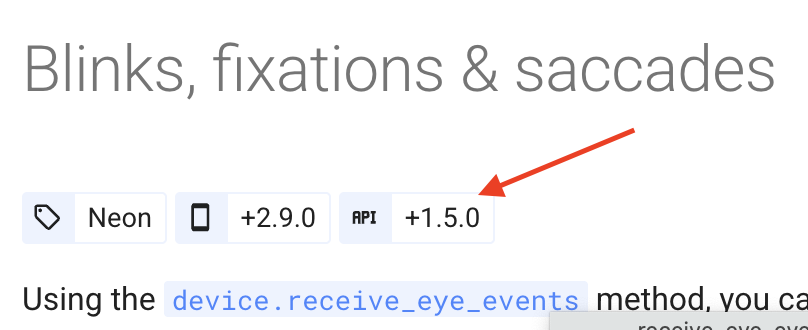
Hello, one of my students tried this script: https://pupil-labs.github.io/pl-realtime-api/dev/methods/simple/streaming/eye-events/ from the simple API but the .receive_eye_events() method does not exist on the device object. In contrast, it works with the async API version. Does the previous code need to be modified in some way? Thank you very much!
Hi @user-a4aa71 , are they on the latest version of the Python Real-time API? They may need to upgrade it in their virtual environment:
pip install --upgrade pupil-labs-realtime-api
OK thanks, it worked! Maybe it would be useful to add a note on the page suggesting an upgrade! Thanks a lot
Hi @user-a4aa71 , thanks for the feedback! If it helps, the required Python API version is listed under the title of each feature.
Oh sorry, i didn't notice that! Thank you very much! I have another question: when exporting the recordings from the phone and transferring them to the PC to view them in the Neon Player, the 3D data appear empty. Am I doing something wrong in this case as well? Actually, the recordings that have been uploaded to the cloud are fine, but we’ve run out of cloud space, so we transfer them directly to the PC via USB
@user-a4aa71 Is Compute eye state enabled in the Neon Companion app settings?
yep
Can you open a Support Ticket in 🛟 troubleshooting ? Thanks!
ok.. Isn't it perhaps necessary for the data to be uploaded to the cloud to be somehow "processed" in order to extract the 3D data? I’m asking to understand how the device works
If you have Compute eye state enabled, then that means the Neon Companion app is computing the 3D Eye State data in real-time, at the moment of the recording. That data will be saved on the phone. If uploaded to Pupil Cloud, that data is re-processed at 200Hz.
To clarify, all of Neon's Data Streams are computed & available in real-time on the latest version of the app, provided you have the relevant settings enabled (which is the default).
Hi - I'm trying to figure out the precise timing differences between the source neon phone and the client, in order to eventually estimate what the jitter and offsets we can expect when compared to EEG data. I've been looking at the packets over wireshark and am a bit confused. 1 - eye gaze data should be 77 bytes when gaze and eyestate are included, but the closest packets I can find have an 88 byte payload? 2 - Theres an RSTP packet that described data from /?camera=gaze?audioenable=on. Aren't the eye camera stream under /?camera=eyes ? What is that stream describing? 3 - Similarly, what are the /trackID=0 rtsp streams? 4 - There are a bunch of payloads of 200 bytes that wireshark can only identify as udp or unknown rtcp version. Are there any filters/decode as options that would help me analyze this data better? Thanks!
Hi @user-a84f25 , for your case, there's no need to go so deeply into the packets, although cool to see it!
For example, we already offer methods for precisely estimating the time difference between the Companion Device and the client. And, we have Lab Streaming Layer support directly integrated into the Neon Companion app.
Or, is it rather that you are implementing your own Real-time API integration in another language?
Also, is the timestamp returned by the API as the time the data was taken just the timestamp on the RTP packet?
Unfortunately, we are not using LSL, but some custom thing. We have our own master clock running a ptp server, and an IRIG clock signal gets sent directly into the EEG stream. I am going to change the android phones NTP server to our clock server through adb. and our client computer is running a high time accuracy linux kernel also using the same clock. I'm trying to figure out if the timestamps in the datastream are when the data was taken/computed, or the time on the NTP stamp when the packet actually got sent to the client computer.
I see, cool setup. Have you seen our guide on syncing via NTP? You should get very good time sync when paired with Linux. If it helps, our tests showed no difference when doing the NTP sync via GUI settings or via adb.
The timestamps are when the data was obtained by the sensor on the Companion Device, neither when it was sent to nor received by the client computer.
Thanks! I'm a little confused though, because the code for RTSPData and GazeData/EyestateGazeData seems to unpack all the variables from the packet in the realtime API, and then just grab the timestamp from _WallclockRTSPReader? Additionally, receivegazeData lists the number of bytes in the packet, and the number doesn't add up to include the timestamp? for example, just GazeData is said to be 9 bytes = x (4), y(4), and worn (1). The timestamp doesn;t seem to come from the payload in the packet?
I see. So, this is not specific to our API, but are rather general principles of the RTSP/RTP/RTCP specification:
aiortsp package, which our Python client depends upon. The aiortsp package depends on the dpkt package, which does the actual parsing.aiortsp/dpkt, our implementation extracts them to a separate field on a RTSPData class. This is done to simplify some of the overall implementation of the clientreceive_gaze_data function only needs to compare the length of the gaze data payload, because that is a factor that distinguishes the gaze datum types. It can ignore the timestamp field at that stage._WallclockRTSPReader. Again, the actual handling of the packet reception happens within the aiortsp library, which depends on the dpkt package to do the parsing work.However, just to be clear, all of these implementation details are independent of the meaning and handling of the timestamps:
receive_gaze_datum indicate when the sensor acquired the given datum.Thanks for the clarification! The reason I was turning to looking at the packets is because when I wrote a python script to compare the timestamps on the sensor data to the client ingestion time, and compared that to the estimated offset and roundtrip times provided by the timeestimate function, I get close matches for the time offset seen when comparing ingestion time and sensor times for the gaze data (they are like 10 ms more), but the video data seems to be off by like 80 ms. This made me think there was some parsing delay in my python code (even using the async library), so I wanted to compare the times to when the packets were actually received by the computer. So is the timestamp of the sensor data also embedded in the payload of the RTP packet, or is the time attached to the RTP packet just the time the sensor took the data? I'm really sorry for my confusion
No problem.
Time offset is the offset between the time reported by the clock of Neon and the clock of your computer. It is independent of and not related to transmission + processing latency, which is what it sounds like you are measuring.
Are you looking to do something like real-time gaze contigent experiments or do you just need the data to be synced for post-hoc analysis, after an experimental session is completed?
Also, I'm not sure I understand the difference between:
Could you clarify further?
Sure sorry for the confusion. This is mostly for post hoc analysis - aligning the neon data with an EEG or maybe other signals that are also synced via PTP. Ultimately I want to know the offset between the sensor clock and the computer/client clock. I know you provide that through the TimeEstimator class, but I'm essentially trying to self verify it as well. From what I understand, there are a couple of times to consider: the time the sensor took the data, the time the data is sent, and the time the data is received. From what you are saying, the time the sensor took the data is in the payload of the RTP packet, separate from the timestamp on the RTP packet (which is when the data was sent?). The time that the computer received the data should optimally be half the roundtrip time, which in my current setup should be < .5 ms according to your API. But there is probably some latency/processing which happens (ideally a smaller amount in the time wireshark received the packet compared to the python API). That latency (based on the time that wireshark received the packets, and the time on the RTP packet, and assuming a clock of 90000 which is in the RTSP description) is currently 2 - 5 ms. I'd like to be able to compare the time the sensor actually took the data to these other timestamps. But I don;'t know how to parse the RTP payloads. Through wireshark I have payloads that are 89 bytes, which matches up with the description of EyestateEyelidGazeData. But that doesn't include a timestamp in it? So is the timestamp on the RTP packet the time the sensor took the data? I.e. there is no difference between the time the sensor took the data, and the time on the RTP packet (not the payload of the packet)?
Sure sorry for the confusion. This is
Thanks for this more in depth answer. Perhaps others in the community have more to share about dealing with gazepoint accuracy in the periphery? Because our participants are looking down at the table for portions of the experiment we’d love to know how we can better handle the gaze offset.
If you could share a recording with us at [email removed] then we could provide some direct feedback. You can put it on a file sharing service, such as Google Drive.
Hi Team, I am not sure what's going on here. This recording has been uploading for quite a while already. ID: bf342863-0439-4edb-88fb-5edcb73c00e3
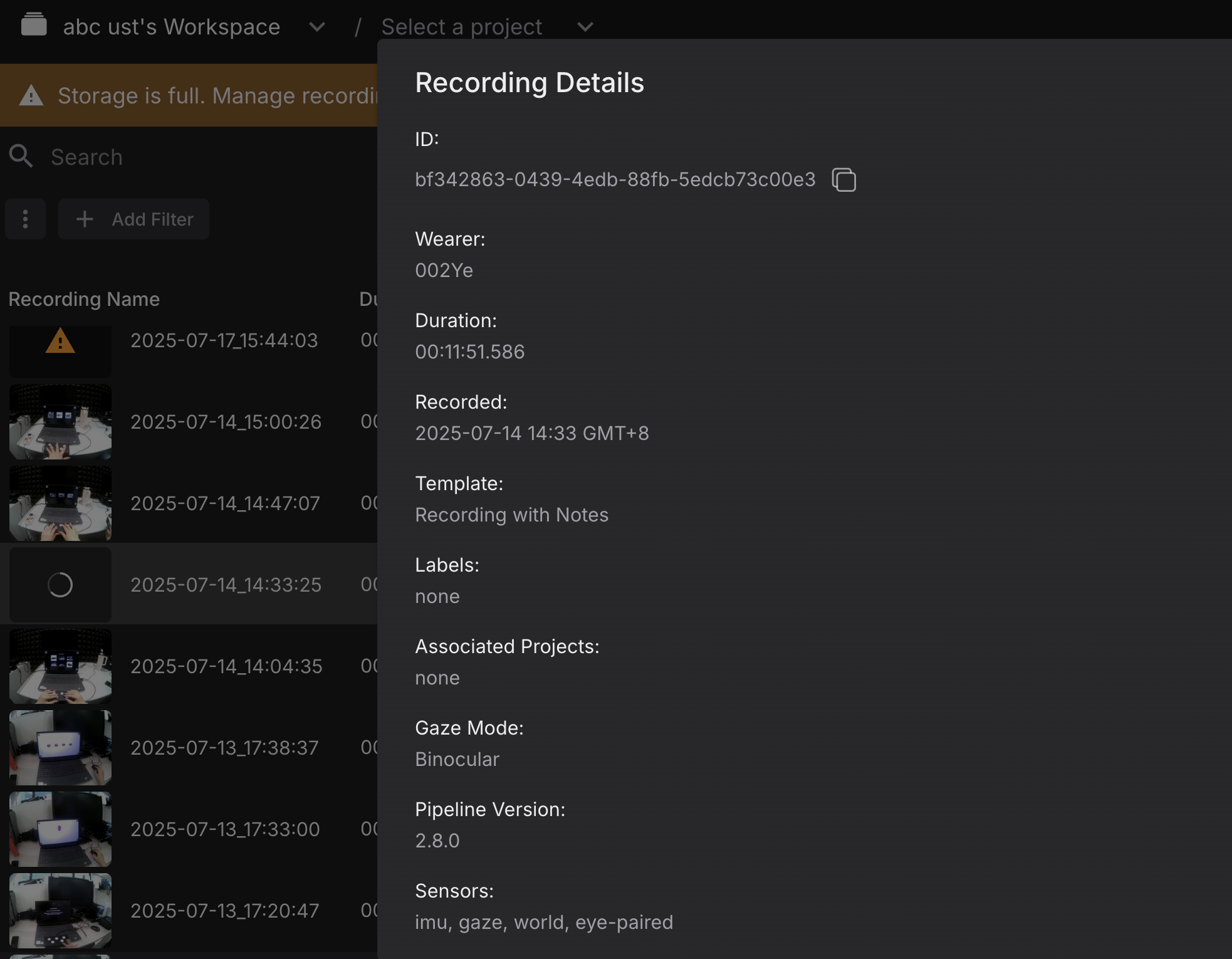
Also, it says the cloud storage is full. If I deleted my cloud recordings, is it going to help? Or do I have to purchase additional storage?
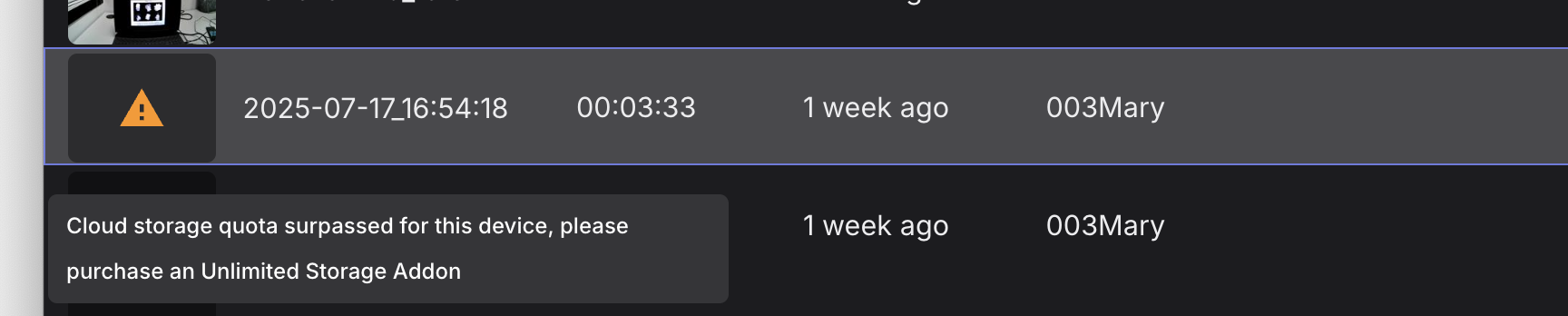
Hi @user-9a1aed , for the recording that is uploading, could you go to the Recordings panel in the Neon Companion app and use the menu to Pause uploading and then wait a few seconds before clicking the Upload button?
For the recording with the "quota surpassed" message, that is unrelated to the upload process. To work with that recording, you either need to activate an Unlimited Add-on or delete some recordings from Pupil Cloud to free up the quota. Please note that when you delete a recording, that will permanently delete it from Pupil Cloud, so be sure to have a local backup.
Hi Miguel - I have decided to interpolate blinks. I am wondering if you have any suggestions for packages/functions which work reliably with pupil labs / neon data?
Hi Team! Not sure if this topic has been touched on before here but I was wondering if there is a way to perform the same processing that is done in cloud on data that has been downloaded as native/raw data from a phone but has been deleted from the phone and is now only available on a computer? I am noticing that for 3 donwloaded recordings I am missing the data from the cloud but I have set up my analysis pipeline in a way that uses the fixations.csv and world_timestamps.csv files from the timeseries download. The neon player allows me to export a file that is also called fixations.csv, i assume this is the same as the one from the cloud agorithm. Can I somehow also create the world_timestamps.csv with the neon player? I only find a world_timestamps.npy and world_lookup.npy but these do not seem to be on the same scale as the world_timestamps.csv. Thanks!
Hi @user-898b32 , Neon Player's CSV formats match with Pupil Cloud's.
To get the world_timestamps.csv file, make sure to also activate the World Video Exporter plugin.
You can also use pl-neon-recording's CSV export script.
thank you!
Hello 👋 New here. Not sure if this has been discussed, but can the Neon receive TTL pulses? Currently, trying to synchronise their data with intracranial EEG data, and couldn't find guides online. (P.S. Successfully followed this guide with my experiment: https://github.com/pupil-labs/pl-neon-matlab/blob/main/track-your-experiment-progress-using-events.md) Thank you in advance.
Neon doesn't receive analog TTL signals. But it has a real-time API that can send/receive software events over a local network. That said, often the easiest way to sync Neon with EEG equipment is via our Lab Streaming Layer integration, if your EEG device supports that.
Thank you, Neil, this is helpful! Will take a look.
[email removed] , there is the typical
Hi, sorry I am having the following error on the screen: May I know why this error happens and if anyone knows a possible solution? Thank you
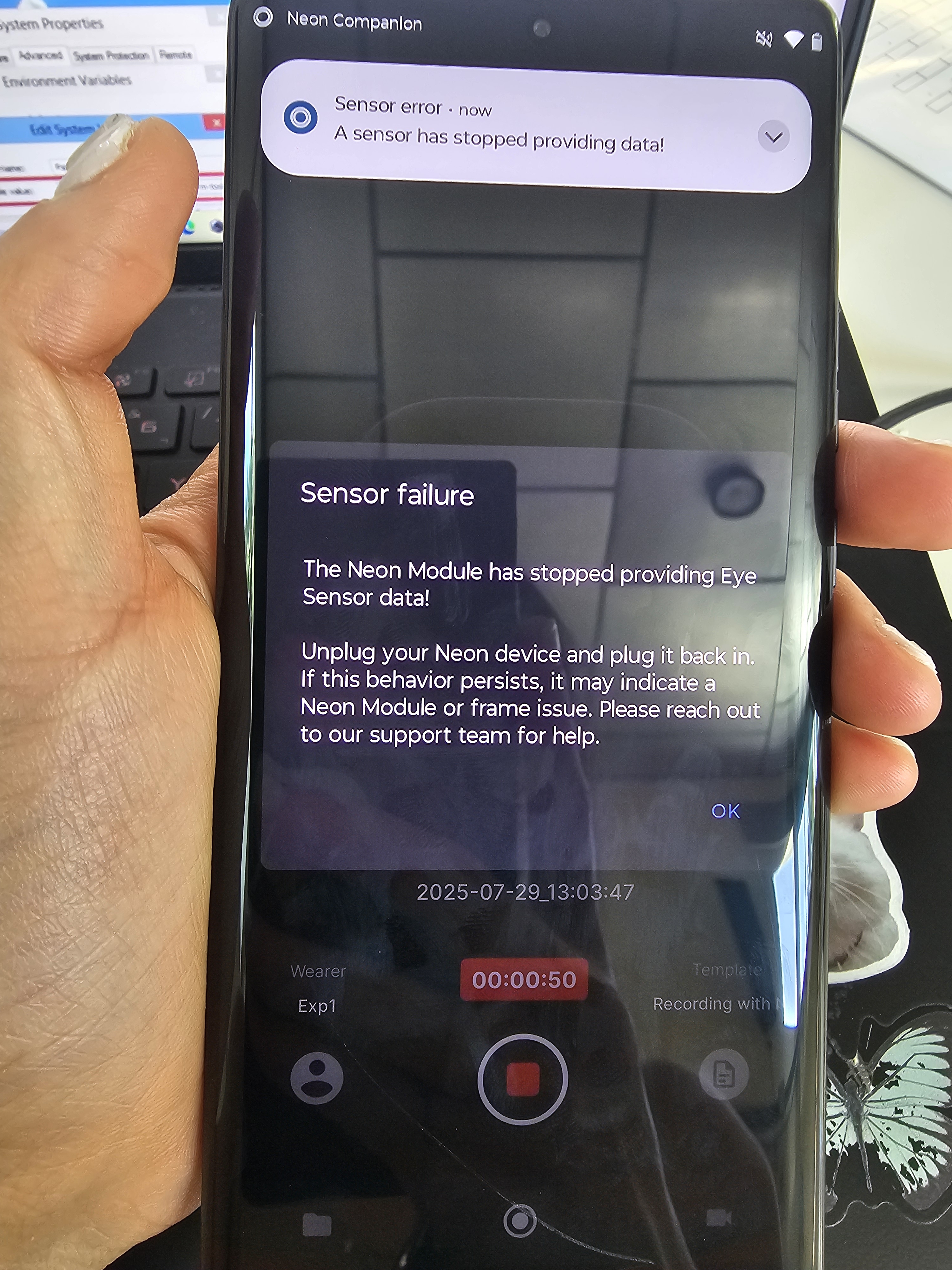
Hi @user-ffc52e , I see you already opened a Support Ticket and are being helped. Thanks!
I tried unpluging it and plug it in back again all morning, but keeps having this error
Hello, I have a question, as shown in the picture is the frame of neon, the temples and frame are separated, on the model do they have a link structure, or do I need to link myself. Thank you so much.
Hi @user-5a90f3, have you modified the CAD file after it was loaded into your software? It should look something like in the attached image when loaded. The CAD model is provided as reference geometry, to serve as a starting point for prototyping your own custom frames. When you say “link structure”, do you mean something in the CAD software that virtually assigns the temples to the front of the frames?
Hi @user-5a90f3 , some more info from the team:
Hi Team, on the Pupil Cloud are we able to set the number of fixations we want to be plotted on the gaze plot? Initially when we ran it through the google collab workbook we were able to select the number of fixations to be plotted. is that option not available anymore?
Hi @user-37a2bd , may I ask which notebook you are referring to?
Hi, all--Has anyone recorded an individual with infantile nystagmus syndrome (a.k.a. congenital nystagmus) with the Neon? A head-mounted tracker with a wide gaze angle operating range would be really useful but it would be nice to see a sample of a recording before asking my department to get one. Thanks!
Hi, I am working with data collected with Pupil Neon and have computed enrichments using PupilCloud to record fixations on AOI. I noticed that my fixations include cases of duration <100ms. I understand that 100-200ms is the treshold for the actual definition of fixation (from your online documentation). So I was wondering how others have dealt with this and whether a simple filter would suffice to clean my data, or whether I am missing something else in the settings of how raw data is used to extract fixation (if so, should I work in PupilPlayer instead before downloading my data / computing enrichments)?
Hi @user-7413e1 👋 Just a quick note, I think there might be some confusion between Pupil Core and Neon.
For Neon, fixation and saccade data are available via the fixations stream which is now computed in realtime too. You can also find more detail in the fixation's detector whitepaper (PDF) where you can find a table noting that the minimum fixation duration for Neon is 70 ms.
OK, thank you. Even considering the 70ms treshold my question stands, as I have fixation recorded of the duration of as little ast30 ms
Is this on the fixations.csv from the TimeSeries or somewhere else?
This is in the fixations.csv file and the aoi_fixations.csv file downloaded from the enrichment (marker mapper)
That makes sense, fixations in Marker Mapper require two things:
If the surface isn’t detected in a given scene camera frame, due to motion blur, occlusion, or markers being out of view, the mapping can break. As a result, a fixation might not be mapped at all, or only partially.
The ~30 ms you're seeing is quite close to the scene camera’s sampling rate. This could mean that in the following frame, the surface wasn’t detected or the fixation no longer landed on it, so it broke.
You can still recover the full fixation duration by using the recording ID and fixation ID to look it up in the timeseries data.
Ok, thank you for clarifying!
In relation to this, I have another question (apologise if I missed this info somewhere): I have at the moment two fixations.csv files for each subject (recording): one from the 'raw' data (before enrichment) and one from the marker-mapper enrichment. These files seem to have different value in them. Why is that the case?
Hi team, I'm running into some issues with the companion app and was hoping to get some insight: 1. When I start a recording, the duration shown is the time from button press, but it doesn't match the duration of scene capture. For example, a 9s recording will capture 3s of video. 2. The app becomes unresponsive randomly and will get rid of 1-3 of the previous recordings. I am using the Motorola edge 40 pro and I am trying to record 3sec clips back to back, but the cameras activation has been a various times, so I record 8sec and trim afterward. I would appreciate an help
Hi @user-7b0de7 , may I first ask why you make such short recordings? Is there a reason to not make one long recording and use Events to mark moments of interest?
Hi @rob . We need each moment of interest to be a separate recording
Ok, I ask because Neon is not designed to be used in this way, which is leading to some of the issues you are experiencing. I can clarify, but to best help you, is it because you need to analyze each trial separately? If not, would slicing the recording into separate small videos post-hoc, after the experiment, be sufficient?
To clarify, if you need to analyze each trial separately, Events are what enable that. You can mark the start and end of each trial programmatically, and afterwards, you can extract subsets of the data by indexing these Events, effectively achieving the same result as taking many short recordings.
Hi everyone! I could use some help with a couple of issues I’m having with my Pupil Neon glasses.
Connecting Pupil Neon to desktop software: I’ve used the glasses successfully with Pupil Cloud, but now I want to connect them to the desktop apps (like Pupil Service, Pupil Player, or Pupil Capture). I’m not sure how to do it, and I haven’t found clear instructions. Has anyone here managed to set it up? Any steps or tips would be appreciated!
Blink detection not working on Pupil Cloud: Even though calibration works fine, blinks are not being detected or logged on Pupil Cloud. Is there something I’m missing or need to activate?
Reference Image Mapper not detecting reference image: I’m also trying to use the Reference Image Mapper to track when a participant looks at a product image, but it doesn’t seem to detect the reference image during playback. Any idea why it might not be working or how to troubleshoot it?
Hi @user-241e99 , it is currently after hours for us, but has your group already had its free 30-minute Onboarding call? We can cover these and more questions a bit more efficiently that way. Then, you can also show us your Reference Image for direct feedback.
Also, to clarify the Pupil Capture/Player/Service software is for our original eyetracker, Pupil Core. With Neon, you connect to it from a computer via the Real-time API or Neon Monitor. Or, are you rather aiming to analyze data on your computer?
Hello?
Hi Team, I am processing a few sessions of neon data locally (v4.8 player and running offline fixation detection since the data are collected with v2.8 companion app).
I noticed that fixation accuracy is heavily influenced by blinking in many cases. In the linked example, it seems like fixation is assigned based on the instantaneous gaze positions post-blink (note these gaze are marked as "blink" by the blink detector), while the more accurate position (with gaze stable for >500ms) is higher above.
Is there a way to customize the algorithm such that fixation estimation ignores the initial post-blink gazes? Or register these as two separate events?