
Hi @user-f0ea5b , would you be able to provide some more details? That would help us provide better recommendations:
Hi, I am new to the Neon glasses, so a little help would be appreciated! When generating scan path I realized all recordings in the project would be automatically included (e.g., the videos of all different wearers). Is there a way to control this where I can select a certain recording? Or do I have to create each project separately?
Hi @user-94700a , you can change the recordings that are used for the Scanpath by clicking Edit next to X/Y Recordings in the left hand bar of the Visualization editor.
Otherwise, have you or your group already had your free 30-minute onboarding call?
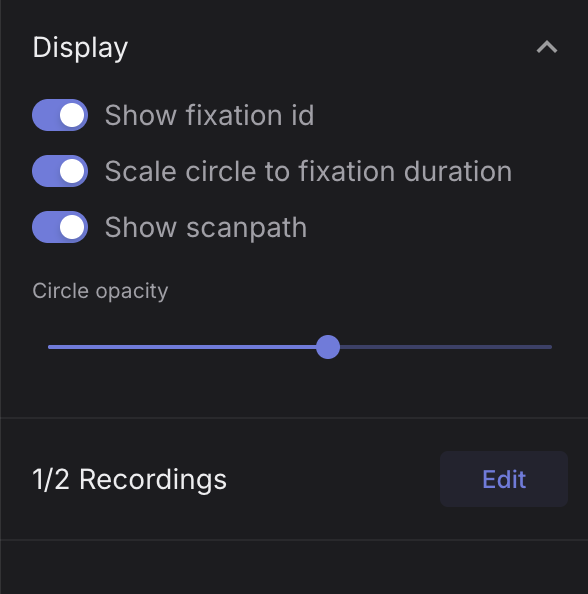
Oh, I see the problem! I tried to select the recordings in enrichment instead of the visualization section. Thank you for the help! 🙂
Hello @rob, I sent you some DMs as I attached images from my MSc work that I do not want to share in a public forum.
Hi @user-f0ea5b , understood. No need to share any photos here. But, if possible, could you repost the text of the question here? We typically keep such discussions to the main channel here, rather than DM. We can start a thread, if you like.
Hello @rob Rob, I used the pl-neon-recording library and adjusted it a little bit to run my analysis natively. I set up my python script using Opencv to customize everything to my liking. I sanity checked using the neon player provided in the pupil cloud as well and I am attaching some images to show you what I am looking at. This is at 18 seconds into the recording where I have paused the player to show the frame at which the baseball is hitting the wall which corresponds to the audio wav showing the impact. However, as the recording progresses there is a systematic delay in the audio compared to the scene camera This is at after 9 minutes and I attached the frame at which the ball impacts the wall for the thump sound. The audio is now several frames late. The data I provided in the Neon server is consistent with what I see in the cloud player and it makes it difficult to get the onset timing for the sound of the ball launching out of the pitching machine. I am using an esp32c3 with a break beam to send a signal to the neon with timestamps but it only records the ball pre launch, not the exact exit. To test for the synchronization separately I setup a python script to play a sound at 1khz and send a timestamped signal to the Neon to get the exact timestamps for the audio event as well as the audio recording on the pupil. It showed the same pattern and the regression indicated that the drift is variable with each recording with the audio falling behind 24ms/min to 36ms/min during the recordings. I did this 10 times to get a good sample and using a drift adjustment of 28ms/min gets me within 1 frame of the event when using the audio to mark onset consistently. The way your script works in that it uses the first loud event to sync the audio to a frame timestamp but then plays the audio at a fixed rate suggests to me that the audio is not tied to the POV camera pick up in the hardware.
Hi @user-f0ea5b , thanks for the details. This is helpful.
May I first ask if you have your modifications of pl-neon-recording uploaded somewhere? To clarify, OpenCV does not process the video or audio streams of Neon's MP4's correctly. It is rather recommended to use pyav with the hardware timestamps saved within Neon's Native Recording Data, which pl-neon-recording is already designed to use & handle.
May I also ask which script is playing the audio at a fixed rate? Can you send a link to it?
Hello @rob Rob, I used both approaches to get the audio aligned and I did use the pyav as was recommended which decreased the offset slightly.
From what I can tell it is your script, the pl-neon-recording library which treats the audio sampling rate as a fixed value # Calculate the sample timestamp using the reference timestamp samples_after_reference = loudest_sample_idx - ts_lookup[lookup_idx, 0] loudest_time = reference_ts + (samples_after_reference / recording.audio.rate) * 1e9
From what I can tell the recording.audio.rate comes from the AVCodecContext.sample_rate in PyAV. So the neon is passing on the intended sampling rate statically which is assumed to be the ground truth for the sampling rate rather than accounting for variable sampling rate. This leads the audio to drift over time as there are probably either dropped samples or the audio is not actually recording at the fixed sampling rate expected by PyAV (which makes sense because even minor differences will lead to major shifts at a 44.1k SR).
If you can look at the screenshots I DMed for reference it makes clear that it is not from my script as the pupil cloud has those same drifts which become very apparent at 10 min recording length.
Understood. I just want to be sure first that your script is working as intended so that there is no potential for additional discrepancies, since that script is the main element you use for analysis.
I assume then you mean the find_clap.py script? I wanted to be sure that we were speaking about the same script, as it does not play audio, but I see now what you mean.
I need to step out now and it is currently after-hours for the team, but I will aim to have a response for you later today or early tomorrow.
Hello @rob, I am adding a link to my function load_audio https://github.com/KlausErikAlexander/Pupil-Audio-Call/new/main. Yes, I am talking about the find_clap script.
Dear all, today we were noticing that some batches of recordings were silently failing. The light on the glasses were turned on and after ending the recording we got the notification that it was saved; there was no sign of failure. However, the records on the phone and in the cloud show a duration but 0MB of video data. Selecting the records on the cloud interface returns an Internal Server Error and Recording - ID Does Not Contain Scene Camera Details. After restarting the app it still did not work but rebooting the phone made it function again. Is there any way to recover that videos?
Hi @user-ecd7e7 👋 ! Sorry to hear that. Unfortunately, if the recordings show a duration but contain 0 MB of scene video data, there is typically no way to recover the missing video afterwards, as it was never properly written to storage.
A few questions that would help narrow this down:
To streamline our responses could you also please open a ticket in 🛟 troubleshooting and share the answers there along with the serial number of the device/module, affected recording IDs, Companion App version and the phone model.
In the meantime, could you try the following:
The symptoms you describe can sometimes occur when the app loses access to required permissions.
Hello! Is it possible to attach multiple google accounts if we purchase the unlimited cloud plan for pupil cloud? Or would we always have to login with one gmail account (i.e., the lab gmail we bought the unlimited cloud plan for)?
Hi @user-dbcae8 👋 ! Yes, that's absolutely possible. To ensure that all users benefit from the Unlimited Analysis Plan, the account that owns the plan (for example, your lab account) should be the one creating and managing the workspaces.
Once the workspace has been created, you can invite other users to it. Those users can then log into the Companion App with their own accounts, select the shared workspace, and any recordings uploaded there (with a linked device) will benefit from the Unlimited Plan associated with that workspace.
You can find more details here: https://docs.pupil-labs.com/neon/pupil-cloud/plans/#sharing-your-plan-s-benefits
Hi all. I have one question regarding the pupil dilation. Can we extract pupil dilation from Neon eye tarcker? how? and if we have some trial how can we marke the starting and ending of ech trial? Thank you very much
Hi @user-a9f703 👋! Yes, Neon can provide pupil size data. To record it, make sure Compute Eye State is enabled in the Companion App. If enabled the device will compute it in realtime. The eye state stream includes pupil size in millimeters, eyelid aperture, and eyeball position, with pupil size corrected for gaze angle.
You can access this data in several ways depending on your workflow:
Realtime: stream it directly from the Companion Device to your computer via the Realtime API, see here.
Post hoc: the eye-state stream is included in the time-series download from Pupil Cloud. If you're using Neon Player, simply enable the Eye State plugin in the sidebar and export the data from there.
In realtime streaming from the Companion Device to your computer.
Posthoc, that stream would be on the timeseries download in Cloud under the 3d_eye_states.csv, or if using Neon Player enable the Eye State plugin on the sidebar and export the data.
Programmatically: you can also access the stream through pl-neon-recording.
As for marking trials, yes, you can use events to mark the start and end of each trial. Events can be created during recording or added afterward, depending on your workflow, see https://docs.pupil-labs.com/neon/data-collection/events/#creating-events PS you can also add them in Neon Player.
Thank you very much for your clear explanation. I will try them 👍
[email removed] Ehinger , I am hopping in
Build software better, together
Hi!
I am using the variables from eye csv 'axis right x', y and z. I will use it for a science paper and would like to know
Thanks!
Hi @user-b55ba6 , if I remember correctly, you already have contact with my colleague, @nadia .
To answer your first question, the optical axis values are estimated by NeonNet, which is not publicly available, so we cannot provide further details about how they are computed.
With respect to your second question, it is first useful to clarify that the 3D eyestate estimates are rigorous. They are based on a few different streams of research and are based on currently known principles of the human eye. These measurements represent our current state of the art in ML-based as well as model-based methods.
For instance, pupil diameter is another component of the eyestate estimates. In short, Neon’s measurements accurately and robustly quantify pupil size in a person-specific manner, and are consistent with a personalised, realistic model of ocular geometry and optics. Among other features, the measurements take into account refraction occurring at corneal interfaces. Neon can be used to investigate cognitive load and the pupillary light reflex, and has been shown to as capable of classifying cognitive states. You can learn more about Neon’s pupillometry here.
Thanks Rob for the response.
I am specifically interested in understanding how accurate is the alignment of the optic axis with respect to the IMU axis.
Any other insights are welcome. Thanks
The eyestate measurements are made more accurate by setting the Inter-Eye Distance in each participant's Wearer Profile, so this would be a source of noise, if relevant to you. For instance, it is set to the adult human average by default, but children have smaller IEDs than adults.
Hi @user-b55ba6 , yes, the eyestate measures are in the scene camera coordinate system, but the optical axes will of course constantly move as the wearer moves their eyes. So, although there is an alignment between the scene camera axis and the IMU's heading, their is no "constant alignment" between the optical axis and the IMU's heading.
But perhaps I misunderstood the question. To help clarify, are you trying to study something like the vestibulo-ocular reflex (VOR)?
Regarding changing the IED for a recording post-hoc, this is currently not possible.
Also, be sure to check out our IMU Transformations guide. We already have a function to convert eyestate to the IMU coordinate system.
Yes. I am interested in something like VOR. If i see the optic axis is rotating upwards (pure pitch) . How sure can I be of how it is rotating with respect to the IMU signals.
If you just want to compare the physical rotation of the eye with respect to physical rotation of the head, then you technically don't even need them in the same coordinate system (although it does make interpretation easier). Since all data from Neon is timestamped by the same high precision clock, you can just convert the Cartesian representation of the optical axes to spherical coordinates and plot the pitch values for each eye and the pitch values from the IMU on the same time axis, especially since they share the same x-axis. There is also a function for that in the IMU Transformations guide.
However, I get the feeling that your question might be a bit deeper than that? Are you asking how can you know if the eye rotated with respect to the IMU because of a conscious, deliberate action on the part of the wearer or because of unconcious signals that stabilize the eye during gait?
My question is about the precision of the optical axis variable. If the optic axis in world camera coordinates is precise, and I know the world camera to IMU transformation, I should not expect much biases in my measures.
It influences my theoretical question. As an example. At frame f I see the head rotates vertically 10 degrees, and the eye optic axis rotates 9 and a bit tilted with respect to the vertical axes. Was this imperfect gaze stabilization? I just want to have an idea of how much i can trust the optic axes measures, not to extract wrong conclusions.
My question is about the precision of
How accurate is the positioning of the line of sight?
Hi @user-d50457, are you referring to the gaze calculation? Neon provides an accuracy of on average 1.3 degrees across the population. You can take a look at our whitepaper to see how we benchmarked the system.
I know this is a trivial question but how do I delete project in Pupil Cloud? I can't find the button deleting the project anywhere 😂
Oh nevermind, found it!
Hello all, just a quick one. We're trialling the neon and have been provided with a Samsung S25 running the companion app but it doesn't seem like the connection to neon.local:8080 functions when connecting from a PC connected to the phones own hotspot. Connecting via IP does work but this seems to change when the phone is restarted so would be better to get dns working. It seems android hotspot doesn't support mdns which is the cause, is this common? Connecting both the glasses and laptop to a iPhone hotspot does work.
Hi @user-b25435 , is it satisfactory for now to use the hotspot of a separate phone? I will give another test of this here on Monday and will talk with the team if I am able to replicate.
Hi @user-b25435 , I spoke with the team and there is actually a way to do this.
That should do what you want.
Hello! I have a question about aligning Neon data from Pupil Cloud with the LSL data. I think I have to write code to shift one recording relative to the other based on events that are generated and appear in both. But I want to make sure there aren't any tools that already exist.
I have:
I'd like to read both into MATLAB/Octave and create a time time series for the LSL data that uses the Neon timer, or vice versa. From what I've read, none of the existing tools are appropriate for this use case.
My understanding is:
lsl_relay was for Pupil Invisible as I understand it; there aren't any lsl.time_sync.* events for the Neonpl-neon-matlab package is for either real-time connecting to a Neon device or analyzing Pupil Cloud recordings, but not time shift for LSL vs Pupil CloudIf I have to write my own code, I plan to look at common events in Pupil Cloud and LSL files and calculate the linear regression (intercept/offset and slope). i.e., make my own time_alignment_parameters.json file that matches the concept of lsl_relay (See https://pupil-invisible-lsl-relay.readthedocs.io/en/stable/guides/time_alignment.html).
Related: Does it make sense for the Neon LSL stream to actually send the Neon time as its own variable instead of letting it get consumed and removed from the LSL recording? if this is the timestamp that Pupil Cloud uses, it seems that it would make the alignment much easier.
Thanks - yes we can use this work around for the time being.
Hi @user-b25435 , I tested here and there is a way you can do this. Please see my new message here: https://discord.com/channels/285728493612957698/1047111711230009405/1516052069583294485
Hi @user-4029c9 !
You are correct that we do not have a MATLAB toolbox/package for reading the Native Recording Data, but if you are using Pupil Cloud, then you can download the Timeseries CSV files, which are straightforward to open and process in MATLAB. Their formats are documented here.
You are also correct that lsl_relay was for Pupil Invisible and that the pl-neon-matlab package is a wrapper of Neon's Real-time API.
And yes, your plan is essentially what we recommend when you want to put all of Neon's data on the LSL timeline:
Neon Events stream and properly converted to LSL's timeline.Experience says that you probably only need to apply an offset, but you can apply a linear regression, if you wish.
With respect to sending Neon native timestamps as part of the LSL stream, this is not a conventional practice in LSL (e.g., see their recommended Gaze Metadata structure here), but there is nothing preventing that. Feel free to add it as a 💡 feature-requests and we can also raise it with the relevant team.
Lastly, to clarify, the timestamps collected by Neon during the recording (the timestamps in the Native Recording Data) and the timestamps used when analyzing the data on Pupil Cloud are exactly the same, to ensure consistency.
Hi @rob !
I'm glad that what you just documented agrees with my understanding. Thanks for clarifying that the timestamps in the native recording and in Pupil Cloud are the same.
I went ahead and developed some Python code to analyze the common events in the downloaded Pupil Cloud data and the LSL data. You're right in that it was purely a time shift (as expected).
Hi, Rob. Occasionally, I deleted the data in the cloud. Is there any possibility of recovering them?
@user-ee74ae Do you still have the recordings on the phone or did you make any local backups? When you say "deleted", do you mean you permanently deleted them from the Trash in Pupil Cloud?
Deleted on the phone only
But there are also disappear from the Cloud
They should not be deleted from Pupil Cloud if you only deleted them from the phone.
I think only one. My college, not me. But when I discovered that the data had been deleted on the phone, we checked in the cloud, and they were not there, only an empty folder, red it seems, and without data
Rob, can you tell me where the trash is in the Cloud? We can not find it. And I sent the request to info@pupil-labs.com
You can find the instructions in my message here: https://discord.com/channels/285728493612957698/1513623247248294058/1513623632272691321 And, thanks. We will reach out to you tomorrow.
Thank you very much!
Hi, just a question regarding the referemce image mapper: should the scanning recording be recorded while wearing the glasses or while simply holding the glasses? Thank you
Hi @user-21cddf , it is easiest while holding the glasses. You can find a video with an explanation and examples here.
Thanks Rob
Hello. Up until about two weeks ago, I had been running pupil-labs-realtime-api through the matlab python integration and everything was working perfectly. However, now, when I run my code, I am getting new errors and Matlab is crashing when it tries to connect to my Neon devices. I tried updating the realtime-api and updating python. I also ran on Matlab 2024 vs. Matlab 2026, and there were no changes. Regardless of what matlab version I run, the following occurs:
If I run python version 3.9: Searching for device... Device found! Raw gaze data has unexpected length: [email removed] \x00>\xa37\xb7>!\x80\x00\x00\x00\x00\x00\x00\x00\x00\x00D0\xf3\nC\xeb\xc8\x19Dr\x19\xeeC\xe3\x99\xbf', timestamp_unix_seconds=1781036248.4618437) Traceback (most recent call last): File "/Users/brainlab/Library/Python/3.9/lib/python/site-packages/pupil_labs/realtime_api/streaming/gaze.py", line 240, in receive cls = data_class_by_raw_len[len(data.raw)] KeyError: 105
if I run any version of python higher: matlab crashes. I will send a screenshot of the crash report below:
Hi @user-87d763 , you need to update the copy of the Pupil Labs Real-time API Python package that your copy of MATLAB is loading.
What does pyenv return in MATLAB?


i would appreciate any help in getting my devices back up and running!
Also, that version of MATLAB can run a much higher version of Python, but since you are on Apple Silicon, you need to make sure that it is an ARM copy of Python. It would be recommended to use a newer version of Python, such as 3.12, as 3.9 has already reached end of life.
yes i updated the copy of the real-time-api package
do you want the pyenv for the updated python or for python 3.9
Hi there, I was wondering is neon net hardware or software? I'm reading about neons integration with products and I'm a little confused if the product is the neural network or the sensor hardware + neural network.
Hi @user-8f6642 👋 ! We typically refer to Neon as the whole product/package, including the hardware (module, frame and companion device) and the software ecosystem. Neonnet on the other hand is the machine learning approach powering the gaze, pupil size and eye state estimations based on the eye images.
Typically you can integrate Neon anywhere with the different frames options we offer or building a custom one. If you are aiming to move away from that form factor or deeply integrate it on a different product, have a look at the integration page, there we offer different ways including adapting Neonnet to your own hardware.
Hi there, I was wondering if I can use Neon in totally dark environment. I know the eye camera definitely works, how about the scene camera? Thanks!
Hi @user-5fc788 , the scene camera needs light to form an image. That is, it is not an infrared or night vision camera. If you want to use a third-party camera with good night time properties, then be sure to check out our Map Gaze Onto an Alternative Egocentric Video guide.
Hi everyone, I do have recordings done with neon trackers, downloaded to my local pc from pupilcloud. I was wondering whether there is a way to take short clips of the scene video by using neon player (or a specific version of it which has this feature)? unfortunately the original recordings are deleted from my cloud account due to storage management.
Hi @user-0f82bc, if you have downloaded your recordings in Native Recording Format you can load them into Neon Player. From there you can use for example the Video Exporter Plugin to export your recording with a gaze overlay. To create shorter clips, you can adjust the export time-window.
Hi all. The Neon app shows that my data is uploaded in pupil cloud but I can not see them in the pupil cloud. Should I do something more in order to see the uploaded videos?
I have found that I have to enter the key to get cloud plan. How can I get the key. Should I pay for that to get the key?
Hi @user-a9f703, first of all, you can upload data also without a Cloud Plan - this becomes relevant only if you want to increase your Active Analysis Window.
For now, can you make sure that you are looking at the correct workspace, i.e. the one indicated in the Companion App?
Next, please try a hard refresh: Cmd + Shift + R (Mac) or Ctrl + Shift + R (Windows)
Let me know if you are still not able to see your recordings.
Hi. Thank you very much for your response. I am in the same workspace. I trie to refresh it but I still can not see the uploaded videos.
If I do not have cloud plan. I can not use the pupil could for defining my markers and exporitng pupil dilation data ?
I can see the videos now. I had to refresh 3 times in order to see the videos
Glad to hear that the issue is resolved. To answer your other question, you can absolutely define events and export your data also with the free tier of Pupil Cloud. You have an Active Analysis Window of 2 hours, meaning that you can process two hours worth of recorded data at a time.
Thank you very much for your help. Is this 2 hours for each data? It means that I can do the free analysis if my data for each participant is less than 2 hours?
This refers to the total duration of recorded data from the same device (by serial number). You can see more details on this here: https://pupil-labs.com/products/cloud/pricing#qna
Thank you. So there is no way to get the pupil data based on our markers without buying the this plan?
Yes, you can do that with the free tier. You can place your events, download your data, and delete the recordings from Pupil Cloud after you have downloaded them, so that the next recordings become available.
One tip: Be sure to also download the Native Recording Data format, which allows you to also use the offline Neon Player afterwards.
Finally, just to clarify two points regarding the free tier usage of Pupil Cloud:
Thank you very much for your complete explanation. It is really useful. I though that it is not managable with free trial. I will try it out. Each single video for me is around 30 minutes.
Happy to help! Let us know if you have any other questions
I have a quick question regarding Pupil Cloud, in case I missed any related feature. When AOI was involved, it seemed the output I could generate using the cloud was mainly AOI heatmap (fixation duration, etc.).
I am interested the gaze fixation order itself, and would like to learn which gaze belonged to which AOI segment. Does Pupil Cloud support this kind of feature? Or is it a better approach to write the code to parse the output csv file and visualize myself?
Hi @user-94700a 👋 ! In Cloud we also offer scan-paths that display your fixations in order over the reference image. However, if you are looking for AOIs order, there is not directly something like that in Cloud, but you can use the Cloud API and run the following snippet to obtain a timeline. https://gist.github.com/mikelgg93/cdb8b59b71c0b89c811410be2ffd2eab
Oh got it, thank you!
Actually, I have another follow-up question! When I went over the mapping algorithms and the manuals of Pupil Cloud, what I understood was that the reference image had to be 'static.' I am trying to experiment with a screen interface that is manipulatable by user's interactions such as mouse-clicking--that is, the reference image's size coordinates will stay the same, but the subtle details of the image will be changed. (that is, dynamic reference image)
Does Pupil Lab support a dynamic reference image of this kind, somehow?
Hi @user-94700a , the Reference Image and Auto Image Mappers can handle a certain amount of motion/dynamics in the region of the Reference Image. So long as you enough static context around the screen, then that is sufficient. For example, check out the Map Gaze Onto Dynamic Screen Content Alpha Lab guide. It should be what you are looking for.
Yes, I had tried out and the mapping worked great! I was wondering if the 'reference image' could be dynamic, but after I go through the link's content, it looks like I may be able to simply use the video recording for mapping. Thank you so much for the guidance!
It is not possible to upload a "dynamic" Reference Image or a Reference Video to Pupil Cloud. Rather, you use those Enrichments to map gaze onto a Reference Image of the screen. Then, knowing how gaze projects onto the screen (i.e., the output of the Enrichment), you can afterwards map the gaze onto a video, which is what the tool in that guide demonstrates.
Hi @rob, thanks for the quick reply. In our experiment, the room is in complete darkness. The Neon scene camera will record a black image with no visible features. Since the Egocentric Video Mapper relies on matching motion patterns between the two cameras for synchronization, will it still work if one of the videos is entirely black? Is there a recommended workaround for this scenario?
Hi @user-5fc788 , right, thanks for catching that. Will you be studying scotopic vision?
In any case, if you can rigidly attach Neon and the third-party camera to a common mount, such that their relative positions & orientations do not change, then you can do what is called a mount calibration. This would provide a transformation from the Neon scene camera coordinate system to that of the third-party camera. It is not an eyetracking calibration; you technically only need to do it one time for the mount (i.e., you don't need to do it for every participant) and you present some targets. If you look at the targets and know the positions of the targets in 3D space, as well as their pixel positions in the third-party camera image, then you can use a function like solvePnP from OpenCV to calculate the transformation between the two cameras.
hello, I am new to pupil labs and I was just wondering in the saccade output file is there a way for "peak velocity" to be in degrees per second rather than pixels per second? I am trying to plot a main sequence graph for a simple saccade test.

Hi @user-f6c3df , this is in the plans, but there is no concrete deadline yet. Are you doing a seated task with a chin rest or a task where individuals are walking around outside?
I am just doing a seated task with a chin rest
pretty simple task with just horizontal saccades
In that case, you can do the following:
Our pl-neon-recording library can be helpful here.
To clarify, Neon's fixation and saccade detectors are designed to also account for when people are walking around and moving their heads, so such a method will not apply outside of seated or chinrest situations.
sounds good thanks a lot!
Thanks! We are studying depth perception, not scotopic vision per se, so pupil size is less of a concern for us. Our main need is to accurately determine the depth of the 3D gaze point, i.e. the physical distance from the observer to the point in the scene where the participant is looking, ideally by combining Neon’s gaze direction with ArUco marker-based plane detection in a dark room. The mount calibration approach you described sounds like a good fit. Could you advise on what kind of third-party IR camera would work well for this setup, and whether there are any existing Neon-compatible mounts we could build on?
@user-5fc788 I see. In that case, an IR camera might not be the correct choice, as they will not discriminate the black-and-white squares of the tags. It might be better to use a camera with nighttime capabilities. Whether that will be sufficient will need to be tested.
While we do not have any cameras to recommend, you can at least reference the open-source CAD geometry of the Just act natural frame when constructing a mount.
Hi all. Is there any guideline about how to use pupil cloud. I made my markers but I do not know how I can export pupil dilation based on that markers? Thank you very much
Hi @user-a9f703 , when you say "markers", do you mean Events?
Yes, exactly, I meant events
Thanks. When you download raw data from Pupil Cloud, it is not currently possible to export sub-sections of that raw data. Rather, you get the full data with an accompanying Events file. You can then open the data in your analysis environment of choice and using the Events timestamps, you can filter and get the pupil diameter data for the sub-section you want to study.
If you download the Native Recording Data, then our pl-neon-recording library would be helpful here.
Or, have I misunderstood and you have run an Enrichment with Enrichment Sections?
So I am using the free version of pupil cloud. I made my events but I do not know how to export my data to run my analysis. I want to run my analysis in MATLAB or R. I did not see any option to downlaod or export the data with events in pupil cloud area
There is no difference in terms of a Free account or an Unlimited Plan here, unless you have gone over the 2 hour quota and the recordings are inaccessible. Otherwise, the functionality is the same.
Simply right-click the recording and go to Download. Then, choose Timeseries CSV.
Thank you for your help. There are 3 kind of options for downloading . I tried 3 of them and I can not see any file called timeseries among the files but there is timestamps.
Hi. I have a quick question. Is it possible to set the markers via a TCP socket? So far, we have been setting them via the web viewer, but we would like to automate the process. To do this, we would also need to be able to set different markers when recording is in progress. If so, what would the contents of the appropriate packages need to look like?
Hi @user-574716 👋 ! Have you seen https://pupil-labs.github.io/pl-realtime-api/dev/methods/simple/remote-control/#save-events ?
Hi @user-d407c1. Thanks for the link and the quick reply. We'll try that out!
I was trying to run the mapping, and I have a quick follow-up question. Currently, the manual states that this feature works with the Reference Image Mapper. Does it also supported using Auto Image Mapper too, although it is a beta version? My recordings have been working alright with the AIM, but been failing with the RIM. So I wondered if I could use AIM instead as an alternative.
Hi @user-94700a 👋 ! Yes, the codebase in that Alpha Lab article is a bit outdated now, but the underlying principles still apply. In particular, you would get from the enrichment the mapped gaze and fixation data onto the reference image from Auto Image Mapper (AIM).
Once you grab that image, you would like to select the screen corners within that reference image and compute a homography to transform gaze coordinates from the reference image space into the screen space. So the workflow remains valid even if some implementation details may require updating.
We may refresh that Alpha Lab article if time allows, no compromise though. If this is something you need in the short term and would like us to prioritize updating, you may also want to explore our support and consultancy packages.
hello I was wondering with pupil labs is there a way to get the UTC time as shown in the image above?

Hi @user-f6c3df , our software does not output in this format, but you can use the datetime functions in Python (or similar functions in any other programming/analysis environment) to convert to ISO format. Just be careful of the timezone if you try to change to anything other than UTC.
May I ask why you need it in this format?
Hello. I have a question about purchasing product. If we purchase the Pupil Labs Neon product, how long would it take for us to receive it? The delivery address is in Seoul, South Korea. Thank you.
Hi @user-31caf5 👋 ! For lead times, please reach out to sales@pupil-labs.com
Hello! Is anyone else seeing this?

It is allowing me to download the data, but I am unsure if they are going to be ok
Hi @user-26a09c 👋 ! Since you already openned a ticket we will follow up there.
Hi, we need to replace our companion devices (OnePlus 8t). I saw that the app supports the Samsung S25 line. Will Neon also work witch newer Samsung devices like 26 lineup or (what will be real convenient) on any folding or flip samsung phone?
Hi @user-ca32af , we have not tested Samsung S26, nor any of the flip phones. Of the Samsung phones, we currently support the Samsung S25. You can find the full listed of supported Companion Devices and Android versions here.
When I use the neon monitor in a browser it constantly displays "Connect Neon to your Companion Device", even if it is connected and displayed as such in the neon companion app. Is this expected, or what should be displayed there? It obviously can't display the scene camera, as the non-xr version does.
Hi @user-d1f142 , I have moved your message to the 👓 neon channel. May I first clarify what is meant by "it can't display the scene camera, as the neon-xr version does"?
I wrote "as the non-xr version does". This is a neon xr device where it doesn't work.
I see. When Neon is placed in a Quest 3 or Pico 4 mount, the scene camera is disabled, since it is not used in that context and to save energy. As such, there will be no video feed to send to Neon Monitor in that situation. Rather, the comparable tool for XR is neon-vr-recorder. Please let me know if I have misunderstood!
I was talking about the monitor that shows up when you use neon.local:8080. What is expected to be displayed there, if the device is a neon xr? Is the "connect neon to your companion device" an indication of anything being wrong?
Ah, yes, that was understood. In a Neon XR system, that is not an indication of anything being wrong. Rather, nothing is expected to show up in Neon Monitor in that case, since the scene camera is blocked by the VR headset and thus we disable it in that context. In other words, there is no feed for it to provide to Neon Monitor. Are you searching for a way to view a real-time display of what the person is seeing in VR?
No, of course I don't expect to see the VR environment there, as I said in my initial quote. It's just that the message "Connect Neon to your companion device" along with a diagram of it being disconnected seems to imply that something is not working. I would have expected to see something there, e.g. raw coordinates, or a status message. My real trouble is somewhere else (not my code, so need to investigate further), but I thought investigating further there doesn't make sense if I'm not sure that the basic connection works as intended.
Hello - any insight into why my recordings might not be syncing with the cloud? I am connected to the internet but they dont seem to be pushing through.

Hi @user-87d763 👋 ! Could you please open a ticket at 🛟 troubleshooting , and let us know the email account, Companion Device model (phone), and which type of network are you using?
Hello everyone,
I am working with Pupil Cloud and the Reference Image Mapper enrichment. I have two recordings: one shorter than 3 minutes and one longer than 3 minutes. I read in the Pupil Labs documentation that it should be possible to trim a video in order to use it for enrichment: https://docs.pupil-labs.com/core/software/pupil-player/. However, when I try to use Pupil Player, the system tells me that the recording is from an older version. For this reason, I trimmed the recording using Neon Player instead. My question is: is it possible to upload the trimmed world video file and use it for the Reference Image Mapper enrichment in Pupil Cloud? If so, what is the correct workflow?
Any guidance would be very helpful. Thank you in advance! Gabriele
Hi @user-76a6ff 👋🏻 it is not possible to upload a recording back to Pupil Cloud after it has been opened in Neon Player.
May I ask whether the recording longer than 3 minutes is the one you would like to use as the scanning recording for the Reference Image Mapper enrichment? If not, you can limit the portion of the recording used for the enrichment by leveraging Events. Events can either be added manually after the recording or inserted programmatically in real time during data collection.
Once the events are available in Pupil Cloud, you can use them to define the temporal selection for the enrichment. This way, the enrichment will run only on the section of the recording included within the selected events, without requiring you to trim the recording itself.
Hi @eleonora .Thank you for your quick reply. Yes, the recording longer than 3 minutes is the one we would like to use as the scanning recording for the Reference Image Mapper Enrichment. Therefore, it seems that it is not possible to use it directly for the enrichment process..
Unfortunately, it is not possible to trim a scanning recording within Pupil Cloud. Therefore, I would recommend either recording a new scanning recording that stays within the 3-minute duration limit, or evaluating whether the Auto Image Mapper enrichment could work for your use case.
Auto Image Mapper provides gaze and fixation mapping onto a reference image, similarly to Reference Image Mapper, but without requiring a separate scanning recording. Depending on your setup and analysis goals, it may be a suitable alternative.
Ok, thank you for the clarification.I tried both Reference Image Mapper (RIM) and Auto Image Mapper (AIM). With RIM, the enrichment worked, but the percentage of locations found was quite low, ranging approximately between 2% and 20%. With AIM, instead, the system was not able to find eye-fixation locations on the reference image.
Ok, thank you for the clarification.I
Dear Pupil Labs community, I have a pupillometry experiment with 2 colored image conditions. I want to measure image luminance of all of my images to: 1) check if there are significant luminance differences between my 2 conditions and 2) be able to account for luminance in my analyses to ensure that any pupil size differences * condition are not due to luminance differences. I have tried measuring luminance with GIMP and in MATLAB, but I am not getting convergent results and struggling to find what the gold standard approach would be in vision research. I also posted my question in a PsychoPy forum but have not yet received any answers https://discourse.psychopy.org/t/measuring-and-controlling-image-luminance/47338 Thanks a lot!!
Hi @user-b71b46 , I previously worked in color vision, so some tips from my experience:
May I ask what kind of monitor you used?
Hi Rob, thanks for your response! I am using Augmented Reality (Magic Leap Glasses) therefore, it is a little tricky to use a photometer to measure the luminance...
Hi @user-b71b46 , that does make it trickier. You may want to reach out to the Magic Leap team then. I am quite certain they have a department that handles these topics. To clarify, we will be unable to assist with Magic Leap devices.
Note that then you will also need to take into account the luminance of the surrounding environment that was seen through the glasses, if you were using them in AR mode. If so, I presume images of the environment were taken with Magic Leap's forward facing camera, so you will also want to ask them if it was color calibrated and if they could provide that data (e.g., the spectral response curves of the image sensor).
Thank you! I also have other experiments where the stimuli will be presented in 2D (monitor undecided). Therefore, from what you're saying there is no "easier" way of extracting luminance without using the photometer?
Sometimes the manufacturers of monitor's provide part of the data to answer this question in their tech sheets, but just as often, they do not provide it. So, it is common practice in the field to use a photometer to measure it for controlling stimuli.
If you want to save some cost and DIY, then for your purposes, you could probably be fine with a microcontroller and something like a TLS2520.
However, if the luminance of the surrounding environment was always constant across all conditions, then you can use the standard pupillometry practice of subtracting out a baseline measure of pupil diameter and normalizing the data. But, if you want to know the exact luminance of the stimuli, then the Magic Leap team will need to assist on that part.
I have already done a baseline-correction and, for my Magic Leap experiment (3D), used their luminance values to check for changes in room lighting but I still want to make sure that If I see a difference between my 2 data conditions it is due to the nature of the stimuli and not because there are overall group differences in their luminance values that may be driving the pupil changes.
Ah, in that case, then you are already most of the way there. Then, it sounds like their team will probably be in a good position to provide you with the colorimetric properties of their XR display for your purposes.
Great!! Do you have any papers that are good tutorials to follow? I am completely new to the field. Thanks very much for the help!
Hello, we are having issues with the unlimited analysis cloud plan we purchased. As you can see in the first screenshot, it shows that the unlimited cloud plan has been activated. However, the notification at the top won't go away and we also can't access any of our data still under the workspace. I have also added a collaborator to the luke chang workspace, which is what the cloud plan is registered under, but the collaborators can't seem to see any of the 'active cloud plans' either to add additional devices.


Hi @user-dbcae8 , thanks for sending the screenshots. You need to also link your Device(s) to the plan. Instructions are here.
Hello, I am experiencing an issue where the recording cuts out. If it is a 5 minute video there might be 1 or 2 events where there is no video. Attached is a screenshot of an example video. Any ideas on what might be causing this? I was recording baseball players in a batting cage.

Hi @user-487cf7 👋 ! Those gaps do look consistent with a camera or cable disconnect. That said, could you kindly open a 🛟 troubleshooting ticket and and share the affected recording ID there? That will allow us to perform a more thorough investigation of the recording and verify whether the gaps are indeed caused by intermittent hardware connectivity or something else in the recording pipeline.
Hello, sorry, how do I download the scene video with gaze overlaid on it?
Hi @user-ebd8d5 👋 ! Are you using Pupil Cloud?
Yes, I have downloaded both the native data format and timeseries+video (I just need it for presentation purposes, sorry)
In that case, you would need to create a project (if you haven't do so before), add the recordings you want to render to that project and on the visualizations tab create a Video Renderer
Have a look also at the onboarding video if you wonder how to create a project.
Thank you
Hello, we have successfully linked the two devices (pictured in screenshot) to the unlimited account. I have also added collaborators to LC's workspace. Collaborator "MY" has accepted the collaboration and can see LC's workspace.
Prior to us purchasing the unlimited account, MY had already collected data using two of the devices we have recently registered. However, even after inviting her as a collaborator, she still can't view any of her videos. When she also navigates to 'account settings' and selects 'devices' nothing shows up under devices or cloud plans on her invited workspace. We were under the impression that if the collaborator invited you to the workspace, you should have full access to the plan.
‘MY’ is also able to access ‘LC' workspace. However, she cannot see the activated devices under LC’s workspace. When she tried to add devices manually with serial numbers for both her account and LC’s workspace, she saw the ‘device added’ notice, but still no devices were activated.
TL;DR -- we've added collaborators to the workspace account that has unlimited access, but the collaborators can't access any of their videos that should be available and seem to not have access to the unlimited plan.
Hi @user-dbcae8 , is Menghan's Workspace owned by Menghan or owned by Luke?
They have been deleted, thank you for the advice. menghan's workspace is owned by menghan but that email address has also been added as a collaborator by luke. additionally, another menghan workspace has been created by the luke account, but we are encountering the same issue on the workspace that was created by luke for menghan.
Also, you should probably delete those images and remove full names from your message. They share the private details of others.
Hi @user-dbcae8 , you are welcome and thanks. Just to clarify:
In the instance where Menghan uploaded to one of Luke's Workspaces, was Menghan using a Device linked to Luke's Plan?
Hello! okay thanks, understood. I believe the only problem we need to solve right now is figuring out how to transfer all the recordings that were recorded on a former workspace to this new workspace that was created by Luke's unlimited plan now. The issue is that we have a lot of recordings on menghan's workspace (former account) but we can't view any of them because it was a workspace that was created before Menghan was added as a collaborator to the unlimited plan workspace. Is there any way to do this?
Hi, I am trying to add enrichments to 3 different projects and download their data. All of them had been processing for about 8 hours, so I tried deleting and redoing them one at a time. Still none of them will finish processing. I have not had this issue before when adding the same enrichment areas to other projects. Does anyone know what's going on? Thanks
Hi @user-635737, could you please try a hard refresh: Cmd + Shift + R (Mac) or Ctrl + Shift + R (Windows) and check if the status updates?
If not, please create a ticket in our 🛟 troubleshooting channel, sharing the enrichment IDs, and we'll assist you there in a private chat!
Hi everyone, recently I asked about how to export a short clip from a recording on neon player; and i was told to use the export window utility. However, what I noticed that (at least for the version 6.0.11), when I annotate a raw recording and create events; and then load that recording to the neon player; the export window stream still stay but the handlers on each side are no longer available for me to adjust the window size. Could this be a bug or sth wrong with what I do
Hi @user-0f82bc 👋 ! It is a bug, and the desktop team is aware. We will work on a fix, in the meantime, zooming in and out on the timeline typically resolves that. Let us know if it is not the case.
One additional thing, if you have events on your timeline, note that you can try right-clicking on any event to set it as start/end trimming events.
It is possible to transfer Menghan's Workspace to Luke's account. If you would like to initiate that process, please send an email to info@pupil-labs.com and a member of the team will reach out to you in the morning.
thanks so much!
Hey! I'm following this guide: https://docs.pupil-labs.com/alpha-lab/map-your-gaze-to-a-2d-screen/
I'm having a problem with the Reference Image Mapper. It either returns an error or keeps running indefinitely.
Here's what I have: a scanning recording, a recording of the experiment, a reference image.
Do you have any idea what might be causing this issue?

Hi @user-12efb7 👋 ! We are currently experiencing high demand on our servers, enrichment jobs are being queued. As a result, you may notice a short delay before your enrichments are processed.
There's nothing you need to do on your end, jobs are safely queued and will be processed automatically as soon as server capacity becomes available. Please give 24h to ensure it runs.
Hi, I also would like to ask about enrichments processing during this week. Apparently there is server traffic right now and this causes delay of enrichment processing. On my side, couple of marker mapper processes haven't even started yet since 4,5 days ago, and this is problem (Enrichment status doesn't change from Processing with loading animation, and each recording is still on the status of Not started). Do you have estimation of time to solve this enrichment process traffic? And does the recording time relate to how long does enrichment it take?
Hi @user-c529ed 👋. Thanks for the report, and apologies for the extra delay on normal processing times. Indeed, we have experienced unprecedented workload in Pupil Cloud recently. The team have allocated more compute to clear the backlog so it should be finished soon. If not, or you think your enrichment is affected by another issue, please open a ticket in 🛟 troubleshooting and share the enrichment ID. Thanks for you understanding.
Hi, I am using the simple real-time api - getting garbled eye camera images especially (it seems) around the time of rapid eye movements or blinks - otherwise looking reasonable. I am using PyAv now - avoid cv2, and tried saving without compression, still happens. Also tried copying frames before sending off to a queue of its own. It seems that it is arrivign over the network in this state. Looks fine afaik on the phone itself. I have several other processes going at the same time, but this is running in its own process. Any advice/tips ?
Hi @user-b49db3 , we will be able to provide a more detailed response when we return to work on Monday, but may I ask:
To clarify, a recording on the phone is for high fidelity data collection and you can stream and record at the same time with no problems.
HI Rob, thankyou. I am running using a local router. Strongly influenced by convenience. In previous work we saved what we wanted (primarily gaze but also eye camera) in a centralized directory (also scene now) - along with other data from other devices, and this seemed to work OK for our purposes - and corruption didnt seem to be prevalent. It seems to have become an issue recently. I was considering programmatic stop-start recording triggered by the experiment. If we could get data off the phone post-hoc without having to interact directly with it - I think that would be OK - and actually more complete. Perhaps the answer is Pupil Cloud? If eye camera needs to be lower then OK - but would ideally still want gaze at 200fps (or more than 30fps).. I hope this makes sense.
Hi @user-b49db3 👋! Miguel here, stepping in for @rob .
As Rob mentioned, if possible, the most robust workflow is to record locally on the Companion Device and use the Realtime API mainly for monitoring/interaction. That gives you the highest-fidelity data, and you can still stream while recording.
Today, you can record until the device storage is nearly full and then offload the recordings manually. If you want to avoid interacting with the device at all, one option is to install an SSH server on the Companion Device and rsync the Neon recording folder. Note, this isn’t an officially supported workflow, and care should be taken not to copy files that are still being written.
Alternatively, you can use Pupil Cloud as you mentioned, and probably the easiest path, you let the Companion Device upload the recordings, then download them from Cloud. It gives you a backup, plus if the effective gaze sampling rate drops below 160 Hz during recording, Cloud can reprocess/densify the recording to recover a 200 Hz gaze stream where possible.
That said, with a dedicated router you should generally be able to stream gaze at ~200 Hz and save it. If you’re seeing corrupted frames, there may still be a network issue or some processing step blocking a thread on your pipeline and causing frame drops.
Firstly, is the router running on 2.4 GHz or 5 GHz?
Secondly, if you haven’t already, I’d recommend decoupling the steps as much as possible: first test receiving and displaying the stream only, and you can check if it works as expected. Then separately write frames into a memory buffer, and have another process handle muxing/writing to video. That should help identify whether the issue is happening during transmission, buffering, or encoding/writing.
Thankyou. Yes it is 5 Ghz. I had jumped into someone else's code - so it may be that I need to look at the issue step-by-step i.e., decoupling.
Let us know if you need anything while at this
Hello! I am having issues setting up a couple Neon glasses with their conpmanion devices. Specifically, one of the phones doesn't seem to be recording the video, there is only a blank gray screen when I look at the saved recording in Pupil Cloud.
The orange message might help provide context. As well as the little camera icon on the botton right in the app does not appear to be on. I went into the phone settings to see if I could fix it in there but everything seems fine on that end.


Hi @user-048a04 👋. Thanks for sharing the screenshot. We'll need to collect some more information to debug this. Please open a ticket in 🛟 troubleshooting and follow the instructions there 🙂
Hi @user-d407c1 and @rob
I have a few questions regarding the Neon Tracker. To provide some context, I am working in a Magnetic Shielded Room (MSR) with a neuroimaging system, and we are currently characterizing the electromagnetic noise produced by the Neon Tracker. Based on our measurements, the RGB (world) camera appears to be the primary contributor to the noise observed in our neuroimaging system.
I was hoping you could help clarify a few points:
Hardware customization: Is it possible to customize the Neon hardware for specific applications? In our case, we do not require the microphone or the RGB (world) camera, so we are interested in whether these components can be disabled or omitted.
Hardware design: If hardware customization is not available, is the bare-metal hardware design open source? If so, could you point me to the hardware schematics and bill of materials (BOM)?
76 Hz spectral peak: We observed a distinct peak at approximately 76 Hz in the power spectrum when the Neon API is running. Interestingly, this peak disappears when the device is connected via USB but the API is not active. Do you have any insight into what this 76 Hz peak might correspond to? Specifically, which hardware components or electronics are powered on or become active once the API is opened?
Thank you for your time and any insights you can provide.
Another followup question, Is the Quest 3 system have eye tracker with no world camera? Thank you!
Hi @user-55220f 👋 I've moved your message to the appropriate channel ( 👓 neon ).
A few comments that may help clarify things:
First, I'm actually a bit surprised that the RGB camera appears to be the dominant source of interference. Given your setup, I would have expected the IMU, particularly the magnetometer, to have a larger impact, although that will ultimately depend on what exactly your neuroimaging system is sensitive to.
Regarding the hardware, the Neon module itself cannot be customized by removing components such as the microphone or the RGB camera. If you're looking for a more tailored integration, I'd recommend having a look at our Integrators website.
Regarding the Bare Metal version, "Bare Metal" refers to the PCB that interfaces between the Neon module and the Companion Device. All frame variants include this PCB. We do provide the frame geometries if you'd like to design your own mount, but the module itself (including its electronics and sensors) is not open source and its hardware cannot be modified.
Regarding the ~76 Hz peak, could you let us know which Realtime API example or streams you were running? With the Realtime API, you can selectively enable only the streams you need. For example, if you only subscribe to gaze data, the scene camera is not streamed and should remain inactive.
Finally, regarding the Quest 3: yes, the Quest 3 frame disables the scene camera by default, since it would be blocked by default.
Hi, I would like to create a reference image mapper enrichment on one trial of one recording just to try (this would be about 1.5 minute long). However, the full recording is way longer and when I try to run the enrichment I receive an error as recordings cannot be more than 3 minutes long. How can I select just the section I am interested in? I have already selected the section from the timespamps of interest in the dropdown menu. The problem is in the 'Scanning recoridng' section where it asks to select a recording
Hi @user-7413e1 👋 ! Unfortunately, no, you can't crop sections from a regular recording and use them as a scanning recording.
The scanning recording itself needs to be a dedicated recording of less than 3 minutes. Once you've created the scan, you can then add any number of regular recordings to be analyzed against it.
The reason is that the scanning recording is specifically used to build a 3D representation of the environment (or reference image) in space. That 3D model is then used to localize the camera and map gaze throughout the subsequent recordings.
You can read more about it here: https://docs.pupil-labs.com/neon/pupil-cloud/enrichments/reference-image-mapper/