
Hi, I am new to the platform and am trying to export data through pupil player, the data give me a file named "pupil_gaze_positions_info.txt", in which we have pupil_positions.csv with description. However, i cannot find it in my exported formats?
Hi, this is a bug in Pupil Player. The file should not be listed there. Pupil Invisible is not able to generate pupillometry data and will not export the corresponding file.
And welcome to the community 👋
Can you please advise on this.
Ok - what about the blinking?
Blinks for Pupil Invisible recordings are provided by Pupil Cloud. Pupil Player uses "confidence" for blink detection. "confidence" is a metric that is only available for Pupil Core recordings. Therefore, blink detection is not available for Invisible recordings in Pupil Player
Thanks for your message
and what is the method to get the pupil diameter from the recordings of invisible?
Please see this message https://discord.com/channels/285728493612957698/633564003846717444/1006088659654684673
Oh, this is a shame. So, there is no way to get it
Correct
if we have used app to record the data - then we cannot get the blink data as well.
All you get is the gaze position
If you used the Companion app to record the data you can get blink data if you upload and process the recording in Pupil Cloud.
how can you get it - can you provide me the steps.
when i upload the raw that on pupil player
and download it, it does give me blink.csv in the export
Just to clarify, are you aware of the differences Pupil Cloud and Pupil Player?
no - can you please tell me
Check out https://docs.pupil-labs.com/invisible/getting-started/understand-the-ecosystem/#pupil-cloud
I have been on this page but the information is not quite clear. I go to the pupil cloud and i can see all my recordings
Great! Just select the recordings that you want the CSV data for, right-click, and go to Download->Download Recording(s). For more information on the available data see https://docs.pupil-labs.com/invisible/explainers/data-streams/
From there on, i am stuck and cannot see how to get the csv files.
Ah - i was downloading the raw data
Yeah, the raw data is necessary to open the recording in Player. But that is not necessary if you just want the CSV data 🙂
this is quite unclear - implicitly i would feel with the word raw - you think oh csv are inside this
BTW - i still feel, the eye videos can give as PD values
We have tried. Due to the camera angles, 2d pupil detection is not stable enough to build good pye3d models 😕
is there a way to program them using py3d
Ah, i think using existing libraries like media pipe may be useful to compute it
i can try and will update
if i find success here
We are back in action !!! Muchas gracias !!!
Hi! We are using the Pupil Invisible glasses in a project that needs to be able to get as much data as possible to analyze it from an emotional standpoint. One of the key methods to see intensity of emotional sensation is with pupil dilation. Is there a way to get any sort of data regarding pupil dilation with the Pupil invisible glasses? Thanks a lot!
Hi @user-6dfe62! Unfortunately, Pupil Invisible does not provide pupillometry data. The eye cameras are located so far off to the side that a lot of the time the pupil is not visible at all in the image, so the available data streams are limited to gaze, fixations and blinks. To measure the pupil diameter you'd have to use Pupil Core.
Hi everyone! I have a question. I am running a code that requires receiving video frames from the glasses constantly and with a constant frequency. I figured there's a different time interval between every frame I'm receiving and it's sometimes up to 20 seconds which causes problem. So I changed the router and used another one that doesn't have internet connection and it works perfectly, without any delay and the frames are received with a constant frequency. Do you think internet connection and the changes in the traffic might have caused that?
Depending on the usage (e.g. public university router), it can very well happen that the available bandwidth varies. Whether the router has an internet connection or not does not matter.
Thanks for your response. I used a home router and disconnected all devices but one. Do you think bandwidth varies in this case as well?
Are you using the phone close to it? And are you moving around during the recording?
The only other issue might be that the router is low quality and is just not able to maintain the bandwidth
No the phone is far from the router and I wasn’t moving either.
But is there a wall in between? Otherwise 10 meters is fairly close.
Not too far, about 10 meters away.
Yes there’s a wall
It might have an influence on the bandwidth
That was it! Thank you
Hello Good time I am very happy to meet your product Unfortunately, I don't have access to purchase glasses, but I want to have the software codes and work on the codes Can anyone help me in this way, what should I do? Can I use product codes without glasses?
Hi @user-9e82f7 👋
There are a number of ways that you can get a "hands on" with data. For example, you might want to check out the Demo Workspace.
There you can explore demo data made with Pupil Invisible in an art gallery. You can run enrichments and even download data for further exploration.
Hi
Does anyone know the Gaze Accuracy for Pupil Invisible? For Pupil Core it is Accuracy=0.60°, Precision=0.02, but I couldn't find the corresponding information in the Tech Specs for Pupil Invisible.
Hi! We are interested in comparing two conditions for our experiment. One metric is wether participants looked more at the "centre" or more in the peripheral areas. Is there a way to get this metric with the invisible glasses? I was thinking of marking areas of interest for both the "centre" and the peripheral areas, and then compare number of fixations etc. Would this be an appropriate way, or is there an easier one? Best 🙂
Hi @user-ace7a4 ! You could use Fiducial Markers and the Marker Mapper Enrichment in Pupil Cloud to define Surfaces/AOIs in the center, and another for the periphery: https://docs.pupil-labs.com/invisible/explainers/enrichments/#marker-mapper At least three markers would need to be visible to the scene camera throughout your recordings for this. You can then export gaze and fixations in Surface coordinates from Pupil Cloud. If you could describe your task and set-up in a bit more detail, there may be other tools which could help!
Hi @user-4414c2 ! Gaze accuracy, averaged over the whole Field of View (FoV), in various lighting conditions, for diverse eye appearances, and during movements of the headset, has been measured to be within ~5° with a precision of 0.1° In the center of the FoV however, typically accuracy will be higher than this; ~2.5° or less.
Thank you very much!!
Hi richard! This would be an option I guess. I will task to my supervisor if this could be implemented. So defining ROI's via opencv is not the "best" way to handle the issue? I mean, I had issues with opencv while trying it out in the meanwhile anyway, but still. Regarding the experiment: Our task is basically, that we want to compare gaze behavior in two different conditions. The participant will (probably) sit in front of a wall, do a certain task and then another task. We expect the behavior gaze, fixations etc. to differ between both conditions. To be more precise: In condition 1 we expect the gaze to be more focused around the central view, while in condition 2 we expect the gaze to be more focused around the periphery. Hence we need some sort of way to get the metrics for "both" areas. I hope this makes things more clear !:)
Ok, thanks for clarifying. Then in this case, as it sounds like your set-up is more stable with static features you want to map gaze to, then the Reference Image Mapper Enrichment may be more appropriate: https://docs.pupil-labs.com/invisible/explainers/enrichments/#reference-image-mapper You can experiment with this and download recordings directly from the Demo Workspace in Pupil Cloud: https://cloud.pupil-labs.com/workspace/78cddeee-772e-4e54-9963-1cc2f62825f9/recordings and follow this guide to defining AOIs using OpenCV, and extracting metrics using the data: https://pupil-labs.com/blog/news/demo-workspace-walkthrough-part2/ Note that Reference Image Mapper needs sufficient visual features in the environment and associated reference image for mapping gaze data.
Thanks! But what if the space infront of the participants would just be a blank white wall? Would this still work out then?
No, without visual features, at least surrounding the wall, the algorithm driving reference image mapper would not have sufficient information build up a 3D model of the environment and perform automatic gaze mapping. If your participants are sitting still in front of the wall and not moving their head, simply using gaze data in scene camera coordinates may be sufficient.
I was thinking that maybe the marker mapper enrichment could achieve the same thing, or would there be a disadvantage?
quick question, can I control Invisible recordings using Pupil capture and my task written in PsychoPy?
Not with Capture, but you can call the realtime api from PsychoPy, e.g. to start and stop the recording
and can I send and receive annotations?
ah guess not, sending and receiving annotations is only a Pupil Capture thing right?
You can send events with the new realtime api, too. They will be saved within the invisible recording
can you please guide me to the new api that you mean? any links on how to do this?
thanks Pablo!
Hi Invisible Team - question in the image here about our pupil invisible camera connection problems
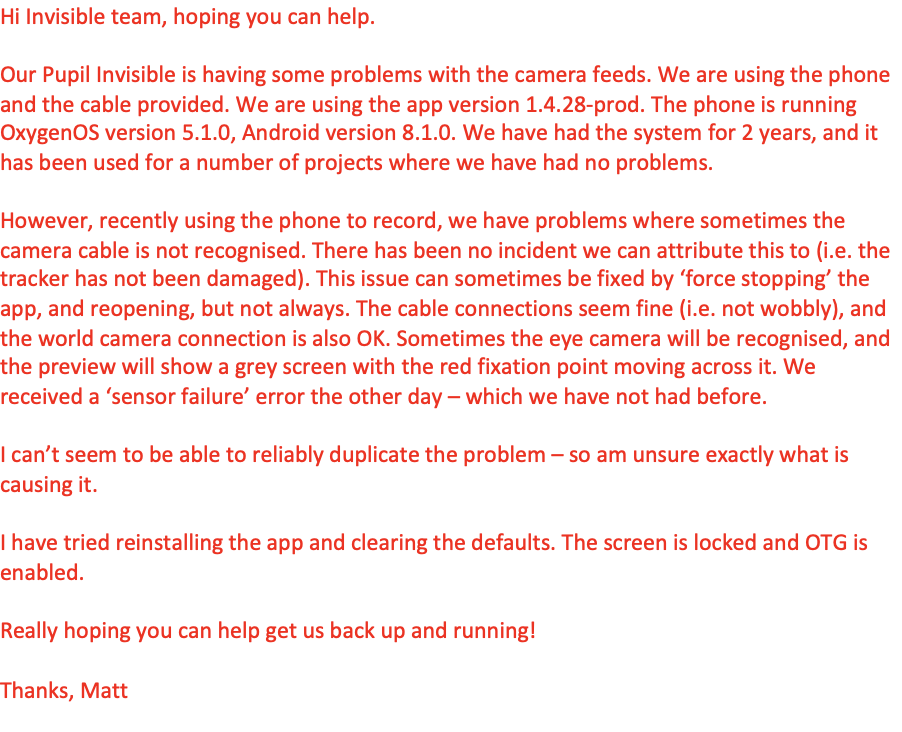
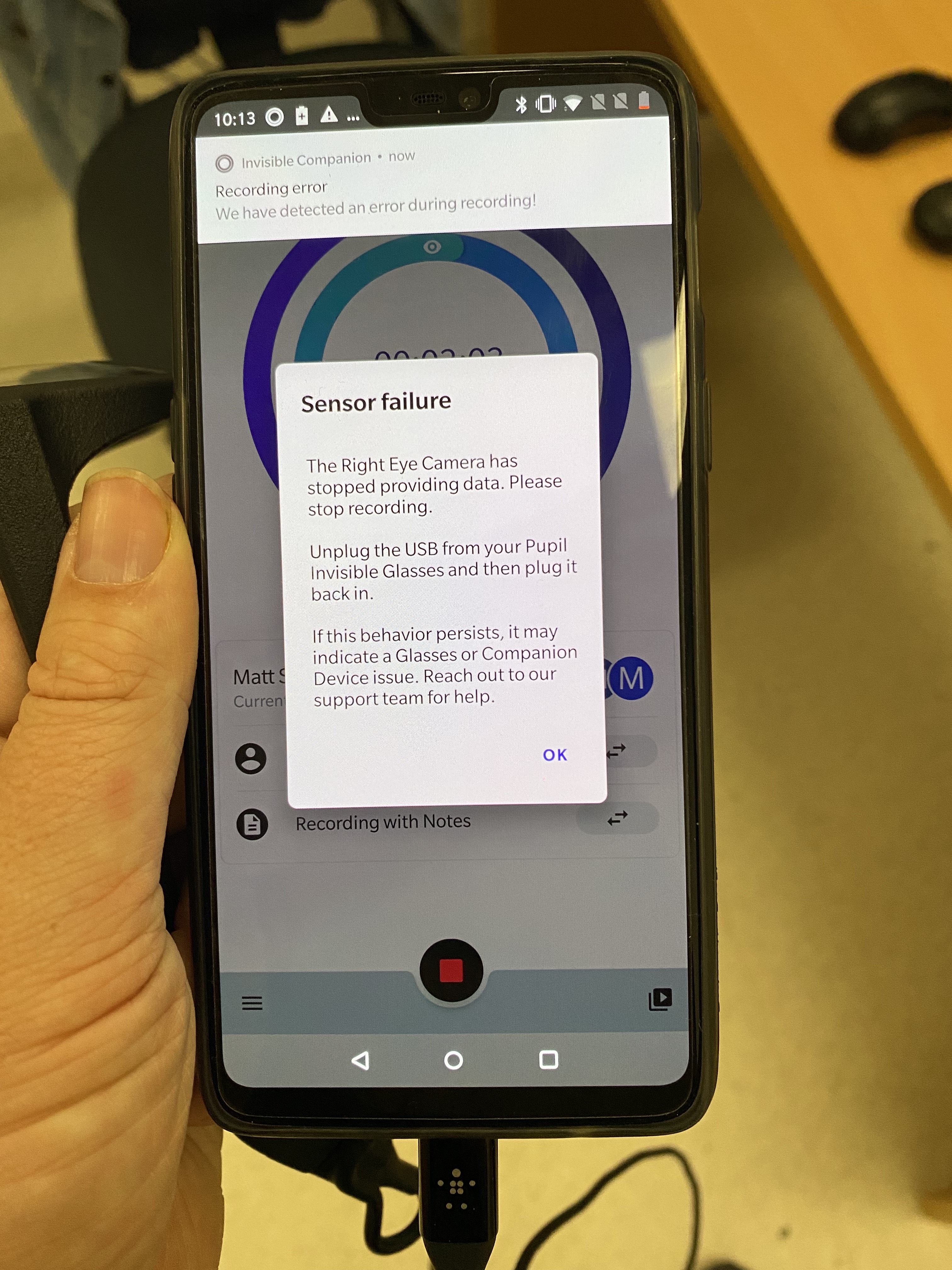
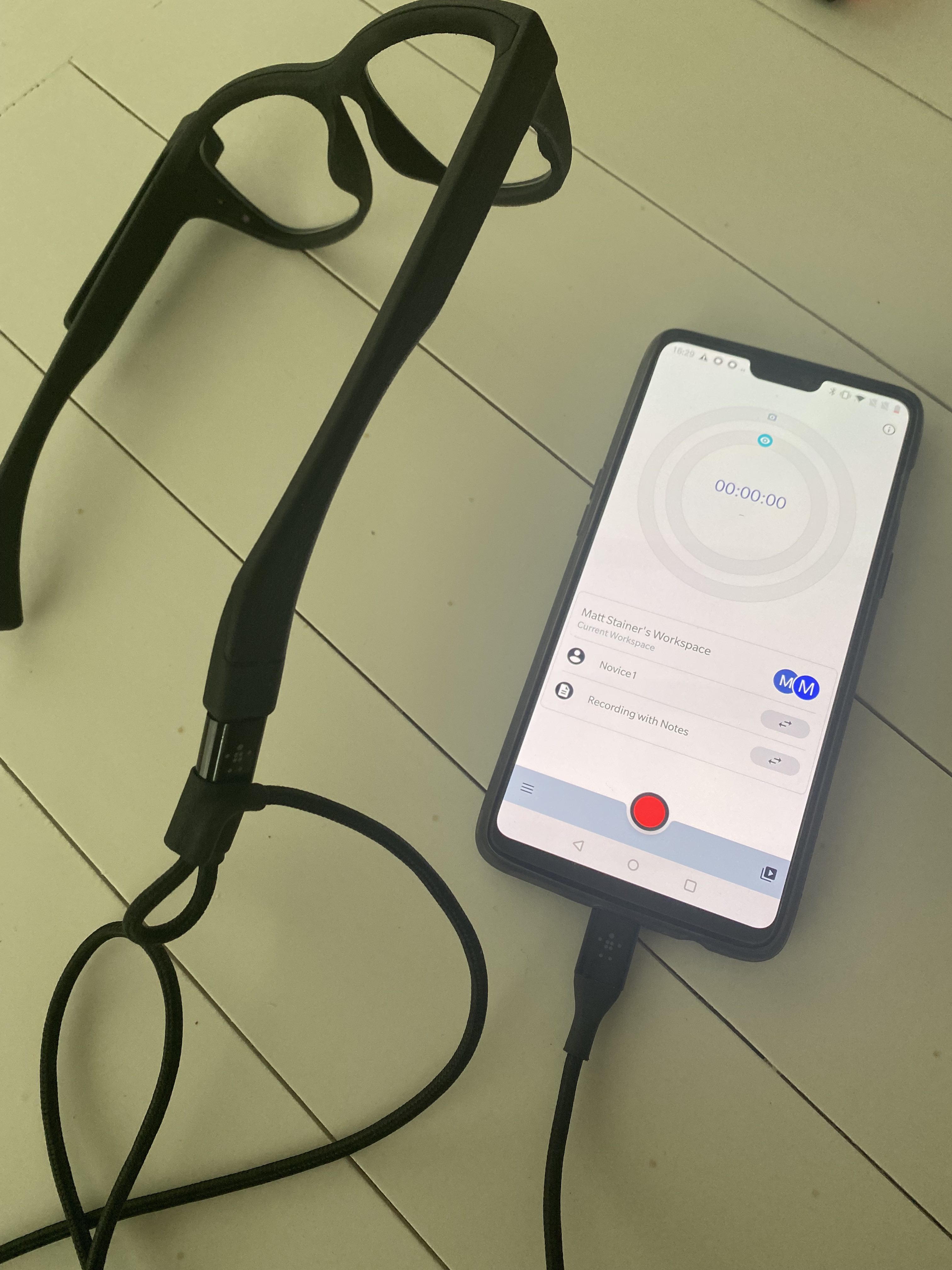
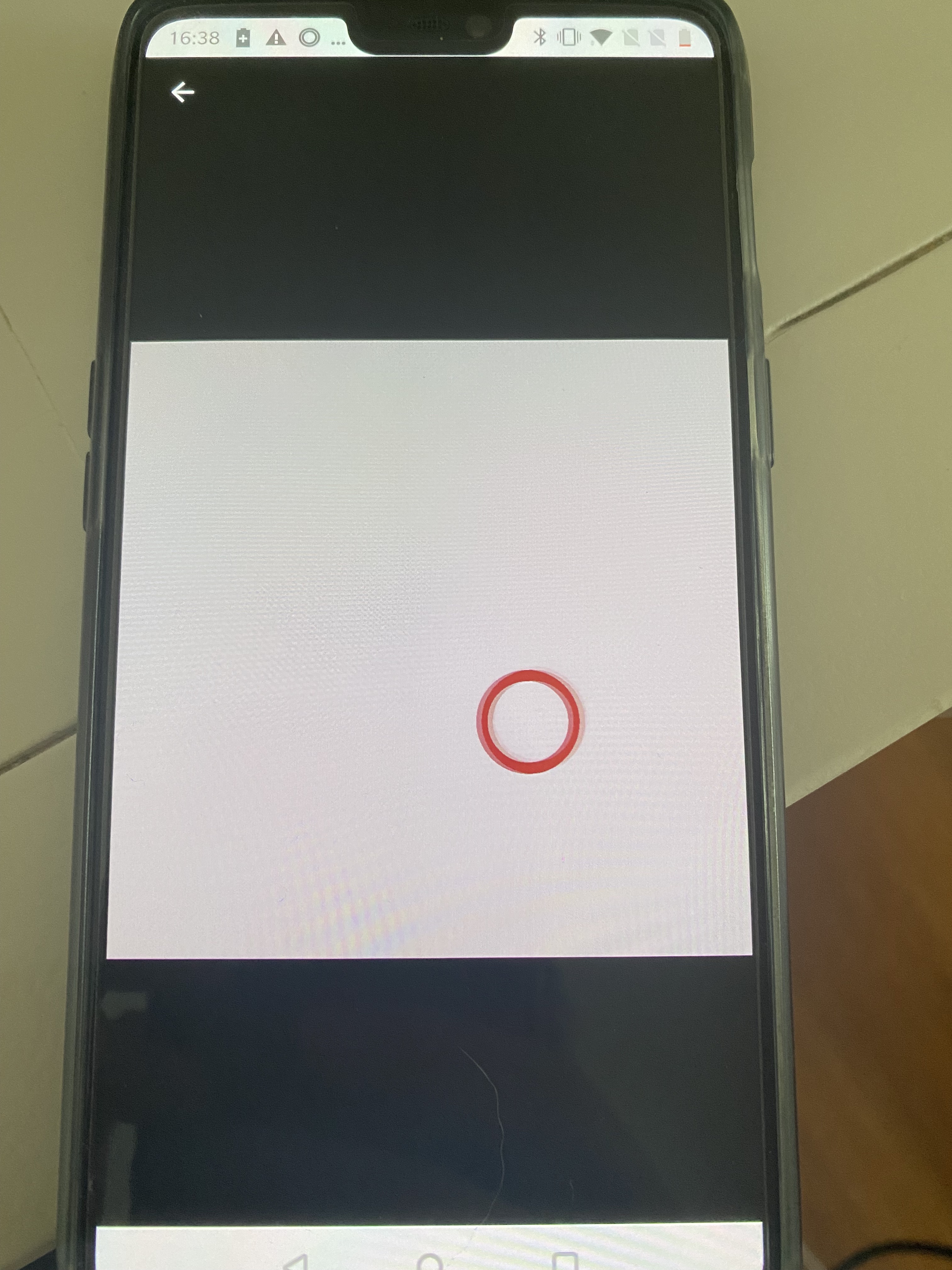
Please contact info@pupil-labs.com in this regard, if you have not already
will do - thanks
Unfortunately we cannot assume a stationary head position in our paradigm, hence using the coordinates would probably not be the best. So then our best bet would be to use the marker mapper enrichment?
It depends how much you want to automate. If your recordings are not too long it may be feasible to simply manually annotate recordings with Events, when gaze is in the center/periphery.
Thats also a good idea, I will think about it. Thank you very much!
Is it possible to somehow integrate the head movement measurements (IMU) into gaze and thus use the coordinate system for the calculations? Since the head movements will not be stationary but rather dynamic, we were thinking of a way to account for the head movements and still be able to use the coordinate system. This way we could use use continuous measures and not binary (gaze centered/gaze peripheral)
Hi @user-ace7a4. Would you be able to elaborate a bit on what your experimental task actually is? How do you define centred vs periphery? Is that relative to some earth-fixed object (e.g. looking at the centre of a painting vs the edges) or relative to the participants own field of view (e.g. they could have their head orientated arbitrarily, like looking into the sky, and you're comparing central vs peripheral gaze angles)?
Hi Neil. Sure! Central and peripheral is defined relative to the field of view of the participant. Basically, when people are doing more introspective activity, the gaze tends to be more peripheral than central (so the participants are more "looking away" to reduce cognitive load) , rather when doing extrospective tasks. This has been done a lot with stationary eye trackers, where centre and periphery are obviously defined. Since we are allowing head movements, this is a bit different. The paradigm itself does not exist 100%. But what we are trying to measure is, whether participants look "more away from their central view" in a certain condition. We figured that maybe we could also account head movements to indicate this certain behaviour. Hence my question, if the IMU could be used as a measurement for the head movements made? Maybe indicated by pitch and roll? I hope this makes things more clear. Thank you a lot, your support is really great!
Hi! This might be a bit of a dumb question but i'm having a hard time figuring out how to download recordings from Pupil cloud. Is there any website I could visit that would give me a solid tutorial on the basics of using Pupil Clouds (such as downloading recordings hahaha) ?
Hi @user-6dfe62 👋. Check out the Pupil Invisible + Cloud documentation: https://docs.pupil-labs.com/invisible/ Note that to download a recording, you can right-click on it in Drive view and you'll see the download option 🙂
Hi, how are you I came to Germany from Mongolia and wrote an e-mail to get acquaint with your company and products, but I can't get in touch. What shoud i do?
replied in 👁 core
Mail sent
email received, thanks.
Thanks for clarifying! It sounds like the standard gaze signal (2D gaze coordinates in scene camera space) would be sufficient. Since Pupil Invisible is a head-worn eye tracker, the FoV of the scene camera is typically fairly congruent with the wearer's head orientation: https://docs.pupil-labs.com/invisible/explainers/data-streams/#gaze As such, you should be able to determine whether the wearer is looking centrally or peripherally regardless of head position in space.
This makes a lot of sense! Thank you very much!
Hello, I get the following error when trying to run any of the realtime api examples:
RuntimeError: asyncio.run() cannot be called from a running event loop
Any ideas what's going on?
Hi! Are you running the code from within a ipython/jupyter notebook?
No, using spyder
Ok, that should be equivalent. See the tutorial on using nest_asyncio https://docs.pupil-labs.com/invisible/how-tos/integrate-with-the-real-time-api/introduction/#using-the-client-library
I'm not sure if the network allows MDNS or UPD traffic. So I tried this with mobile hotspot:
Still no joy. Am I missing something?
Hi where do i find the software for the analysis of pupils invisible videos?
Hi @user-e91538! You can use Pupil Cloud for free to securely upload, store and enrich your Pupil Invisible recordings. Check out this getting start guide: https://docs.pupil-labs.com/invisible/getting-started/first-recording.html If you cannot use Pupil Cloud you can also work with the recorded data in our desktop software, Pupil Player, which you can download for free from here: https://docs.pupil-labs.com/core/
Are you hosting the hotspot on the companion device?
The companion device does not have cellular
No, a different phone
so your client and companion phone are both connected to the hotspot? Are you able to ping the ip address?
Yes. I can ping it, but not able to connect
please try force restarting the app
Just tried, still get this error
  File "/Users/jtm545/opt/anaconda3/envs/nvsbl/lib/python3.10/site-packages/aiohttp/connector.py", line 986, in _wrap_create_connection
    return await self._loop.create_connection(*args, **kwargs)  # type: ignore[return-value]  # noqa
  File "/Users/jtm545/opt/anaconda3/envs/nvsbl/lib/python3.10/asyncio/base_events.py", line 1064, in create_connection
    raise exceptions[0]
  File "/Users/jtm545/opt/anaconda3/envs/nvsbl/lib/python3.10/asyncio/base_events.py", line 1049, in create_connection
    sock = await self._connect_sock(
  File "/Users/jtm545/opt/anaconda3/envs/nvsbl/lib/python3.10/asyncio/base_events.py", line 960, in _connect_sock
    await self.sock_connect(sock, address)
  File "/Users/jtm545/opt/anaconda3/envs/nvsbl/lib/python3.10/asyncio/selector_events.py", line 499, in sock_connect
    return await fut
  File "/Users/jtm545/opt/anaconda3/envs/nvsbl/lib/python3.10/asyncio/selector_events.py", line 534, in _sock_connect_cb
    raise OSError(err, f'Connect call failed {address}')
ConnectionRefusedError: [Errno 61] Connect call failed ('172.20.10.1', 8080)```check out the app's streaming menu. Which address and port does it list?
Where is the streaming menu?
Ah, you might be using an out-dated app version. Please ensure it is up-to-date and try again.
I've updated the app. I'm using the correct ip and port, but it still won't connect
Does the streaming menu entry show when tapping on the menu item in the bottom left of the main view?
Same error as above
yes
Which ip and port does it display?
10.240.187.105:8080
Can you ping and connect to that address?
Any idea why this ip addr is different from the one you were trying to use?
Could be that I changed to the eduroam network when I updated the app
Make sure to force restart the app after changing networks
Thanks, looks like I was able to connect when both are connected to my personal hotspot. Guessing this is probably to do with the MDNS / UPD thing on eduroam? Is there any easy way around this?
mdns is only required for auto-discovery which you are not using if you connect to the ip directly. Just connecting to the api does not require udp either (uses http over tcp). So if this does not work, my guess is that eduroam inhibts connections between devices for security reasons. And there would be no way around that. Remember, using a dedicated network has the additional benefit what the bandwidth is less likely to vary during streaming.
Hi, there. for technical regulation reasons, pupil companion device(onePlus 8T) cannot connect WIFI directly, so connect using a usb ethernet adaptor. After recoding the camera data, we can play the data on the pupil companion device, but we cannot upload the data to Pupil Cloud. we checked the companion app settings(Pupil Cloud upload is enabled), and tried logging out of the app and back in.
is there any options/limitations for Pupil Cloud data uploading in pupil companion app?
Hi! Do I understand correctly that you are trying to upload the recordings via the ethernet connection? Can you open the browser on your companion device and open https://api.cloud.pupil-labs.com/ Does this web page load for you?
thanks for reply 😀 yes. I'm trying to upload the recordings via the ethernet connection. (I'll try tmr..)
I tried just now. I can browse the pupil cloud api page, and operate the apis on my companion device. Can we upload the local recording data on my companion device to the pupilcloud using pupil cloud api? (the local recording data on my companion device cannot upload the pupilcloud automatically.)
Could you please reach out to info@pupil-labs.com and let us know your account's email address? This would allow us to check on our side.
is there an way to decrease the delay that occurs between the mobile phone and our laptop when using the pupil invisible monitor? It seems like the mobile phone is always 5-10 seconds ahead of the laptop. This delay is not constant though, meaning it is sometimes 5, sometimes 7 seconds ahead, which makes marking time critically events difficult. Is this due to the network used?
5-10 seconds is an unexpectedly long delay... Are you using the monitor web app or the legacy desktop application?
I am using the monitor web app
Ok, great 🙂 And which browser are you using? You are probably seeing the delay due to poor wifi bandwidth. Can you move the device closer to the router?
We are using firefox! Unfortunately i cannot move the device closer to the router
There is a known issue with firefox where playback will drop frames and perform poorly in general. Please try out a different browser like chrome. The web app should show a corresponding warning when the page opens
Seems like this works better, thanks!
Hi! I am trying to categorize head movement on the bases of the gyroscope data. But it seems like the length (time) of the gyroscope data and the video/recording data is different. Is there an offset between the start of the recording and the start of the data collection of the gyroscope?
Hi @user-d38c38! The different sensors initialize at different speeds when starting a recording, which leads to slightly different recording start times for every sensor. The maximum difference should never be more than a couple of seconds at most. The time when the recording start command was issues by the user is saved in the info.json file.
Hello, when I try to run the example code for the realtime API the terminal just hangs and nothing happens. Is a particular version of OpenCV required?
Or do you mean crash by hang? In that case what is the error message?
I don't think this issue is related to Opencv. It is more likely that you are not receiving any data.
Ah OK. I was able to get the data in a different context, but with demos its just prints:
Looking for the next best device... Connecting to Device(ip=192.168.1.7, port=8080, dns=pi.local.)...
And hangs there, with Ctrl+c not working
Sounds like it is not connecting at all 🤔
Hmmm, but it gets past a system exit clause that checks if device is None. Could be something simple... I'll have another go tomorrow. Thanks
When I try and run this example:
A Python application launches but says it is not responding. The streaming example (without opencv) works. Have you encountered this issue before? I'm using opencv 4.5.5 installed via conda, on M1 macOS 12.5
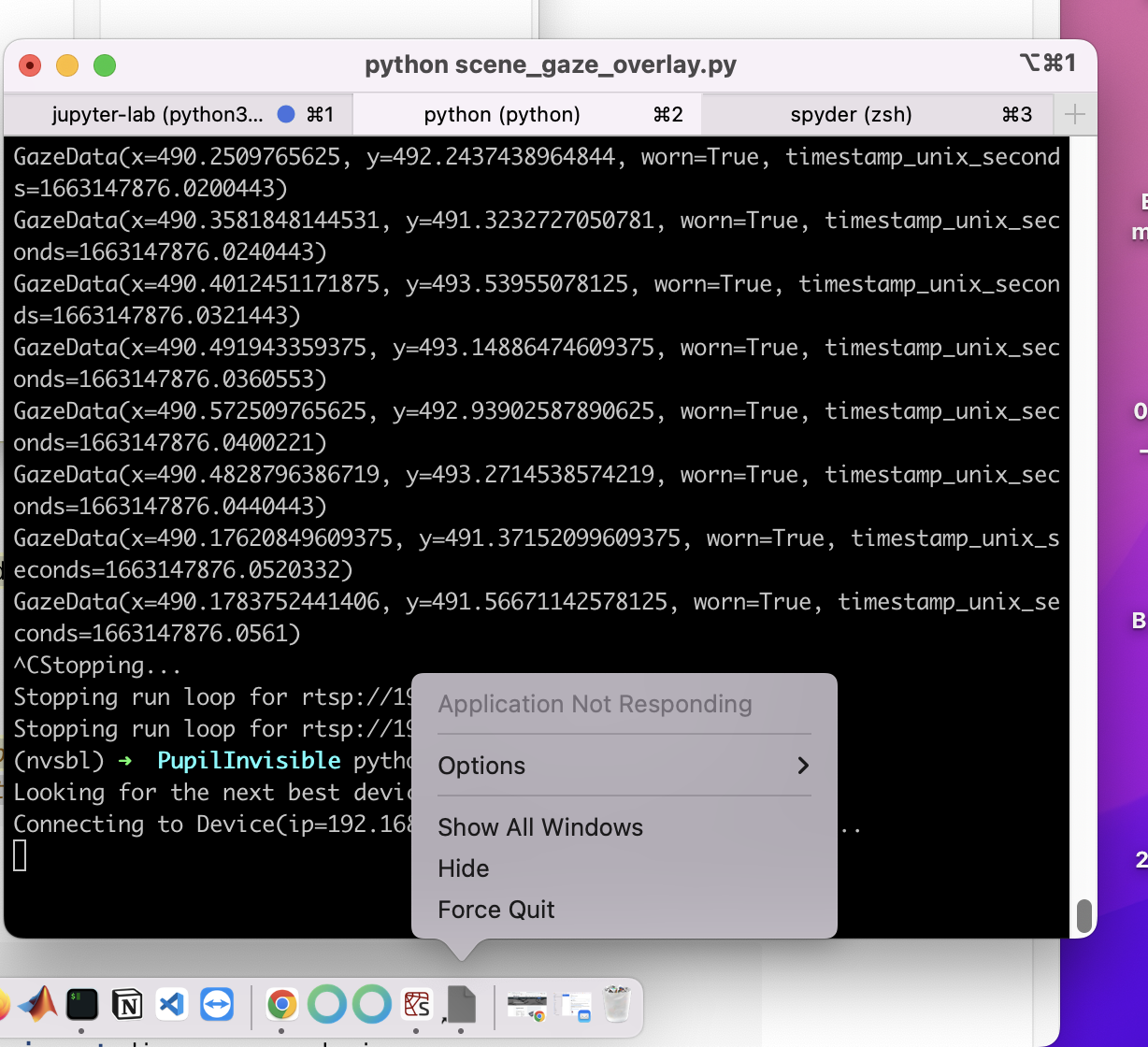
Must have been the conda opencv. I installed opencv-python via pip and now the demos work!
Just run into another issue. Pupil Capture crashed and will not force quit after using the invisible preview plugin
Thank you! Is there a file in which the starting times for the sensors are saved?
Each sensor has its own timestamp file. The first timestamp corresponds to the sensor starting time
We also need the exact starting point of the video in world time, not the time of the command when the recording was issued. Is there a way to find that starting point or maybe it is in a file already?
If you download the data in CSV format, there will be a timestamp column in every corresponding file. The first timestamp is the respective recording start. For the world video there is an extra world_tinestamps.csv file.
In regards to matching sensor timestamps with world video frames, consider this guide: https://docs.pupil-labs.com/invisible/how-tos/advanced-analysis/syncing-sensors/
im having some trouble adding people to my workspace in pupil cloud, does everyone need an account specifically with pupil labs? the person im sharing with has a .edu email address and can't seem to sign up with it
Hi! One does need a Pupil Cloud account to join a workspace. edu emails should work. Which part of the process is the person having trouble with?
When running the realtime API code that is provided on your website, I always get the error "pupil_labs.realtime_api.device.DeviceError: (400, 'Already recording!')" although the eye-tracker is in fact not recording anything. I am very confused about this, since it worked yesterday flawless, but now I cant seem to execute the script.
The app might be in an unexpected state. Please forse restart the app and try again.
worked! thanks
Hi! When I try to plot the gaze from raw data in the image, it's different compared to the gaze that I see in the video from Cloud, can someone explain me why the gaze is not the same?? Thank you!!
Also, I'd like to know how to download a video with some enrichments done, because I have try to download a video with gaze enrichment but I can't
Hello! I am trying to use the raw data exporter of the Pupil Cloud. I want to get the fixation.csv. But when I downloaded it, the output is nothing. Can you help me with this issue? Thank you in advance.
Hey, what do you mean by nothing? That there is no download at all? Or that all files are present but the fixation file?
Hi! What do you use to extract the frames from the downloaded video?
I’m using cv2 to extract the frames from raw video
Just to clarify: You have created a gaze overlay enrichment and can't download it?
Yes
No. I can download the folder. But there is one file in the folder. The file named as “info.json”. No other files at all.
Can you specify if you are initiating the download via the drive view, selecting a recording, and then downloading via the context menu, or if you created a raw data enrichment that you download from the enrichment view?
ok, then this is the issue. OpenCV is known to be unreliable re extracting frames. Use pyav instead https://github.com/pupil-labs/pupil-tutorials/blob/master/09_frame_identification.ipynb
That is not the problem, I can extract the frames. The point is that, when I plot the gaze in the video from 'gaze.csv', the gaze that I see it's not the same that the gaze that I see in the video in Pupil Cloud, and I don't know what is the problem
Have your run/calculated the enrichment (play button on the right)? If have done so, you might need to reload the page to download the enrichment. If you have done that and it is still not working, I would like to ask for your permission to investigate the issue in more detail.
I got it!!
The issue with OpenCV is that it often skips frames in the video without telling you. I.e. if you e.g. read the first 500 frames of the video with OpenCV, the last frame OpenCV returns may well be the 520th frame because it skipped frames in between a couple times.
Assuming you do all the timestamp matching with the gaze data correct, you would still get mismatches because of this.
I see, thank you for that unknown information!
As additional references you can check the PyAV code at the end of this guide on reading and writing video https://docs.pupil-labs.com/invisible/how-tos/advanced-analysis/intrinsics/
And in case it's relevant, this is a guide on the required timestamp matching: https://docs.pupil-labs.com/invisible/how-tos/advanced-analysis/syncing-sensors/
Thank you for all the information!!
Happy to help
Hey, @marc made me aware that this issue might be caused by using Safari https://docs.pupil-labs.com/invisible/troubleshooting/#my-enrichment-download-contains-only-an-info-json-file-and-nothing-else
Thanks! The issue solved! I really appreciate!
Now I'm using pyav to read the frames of the raw video and when I plot the gaze still not the same that Pupil Cloud video, I have try to synchronize each frame with the gaze data using the timestamp but there is not matches between the 'gaze.csv' timestamp and 'world_timestamp' timestamp.
Hi @user-b28eb5 👋 This is because the scene camera samples at 30Hz and the eye cameras at 200Hz. Take a look at the Sync with External Sensors guide that Marc referred you to above for a solution to this!
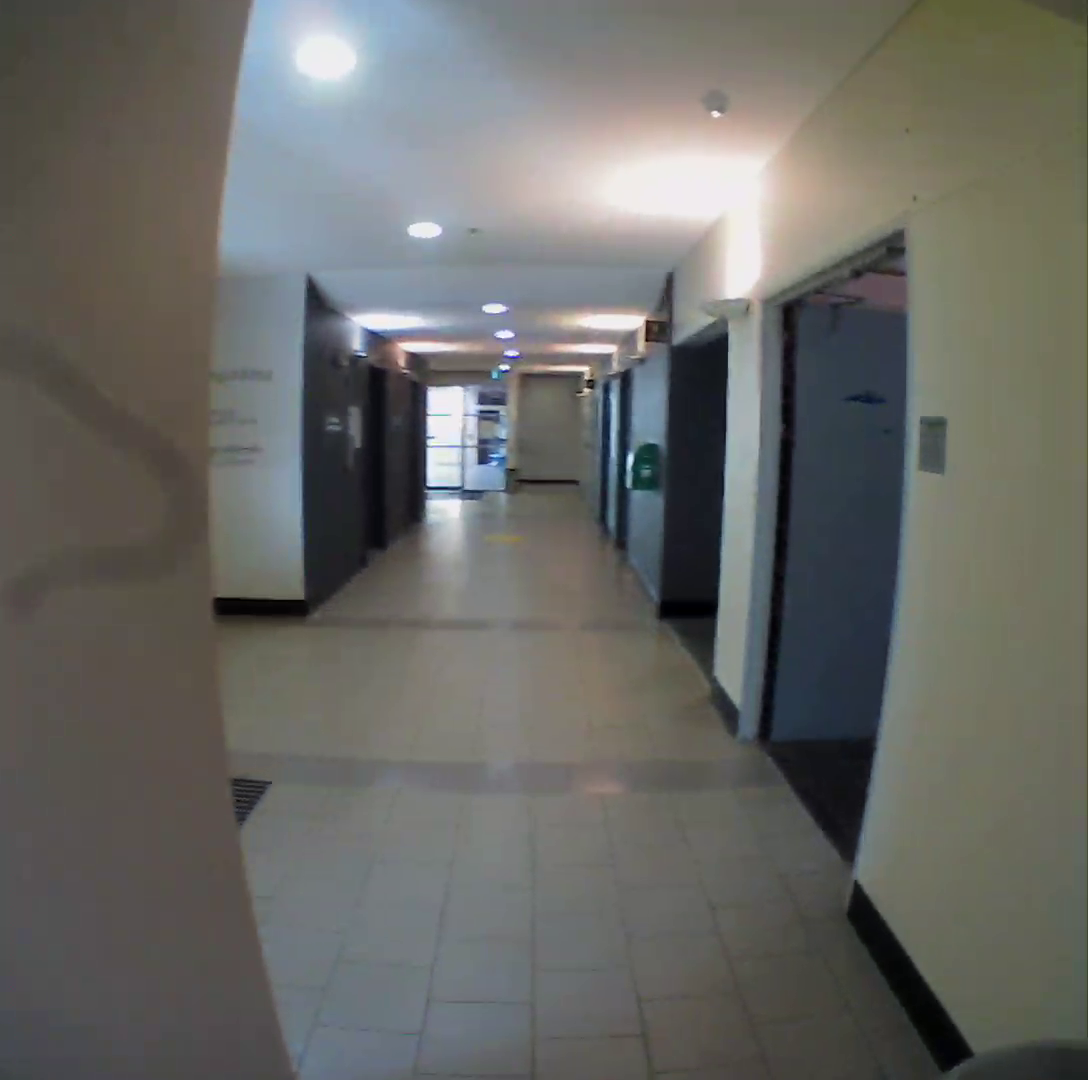
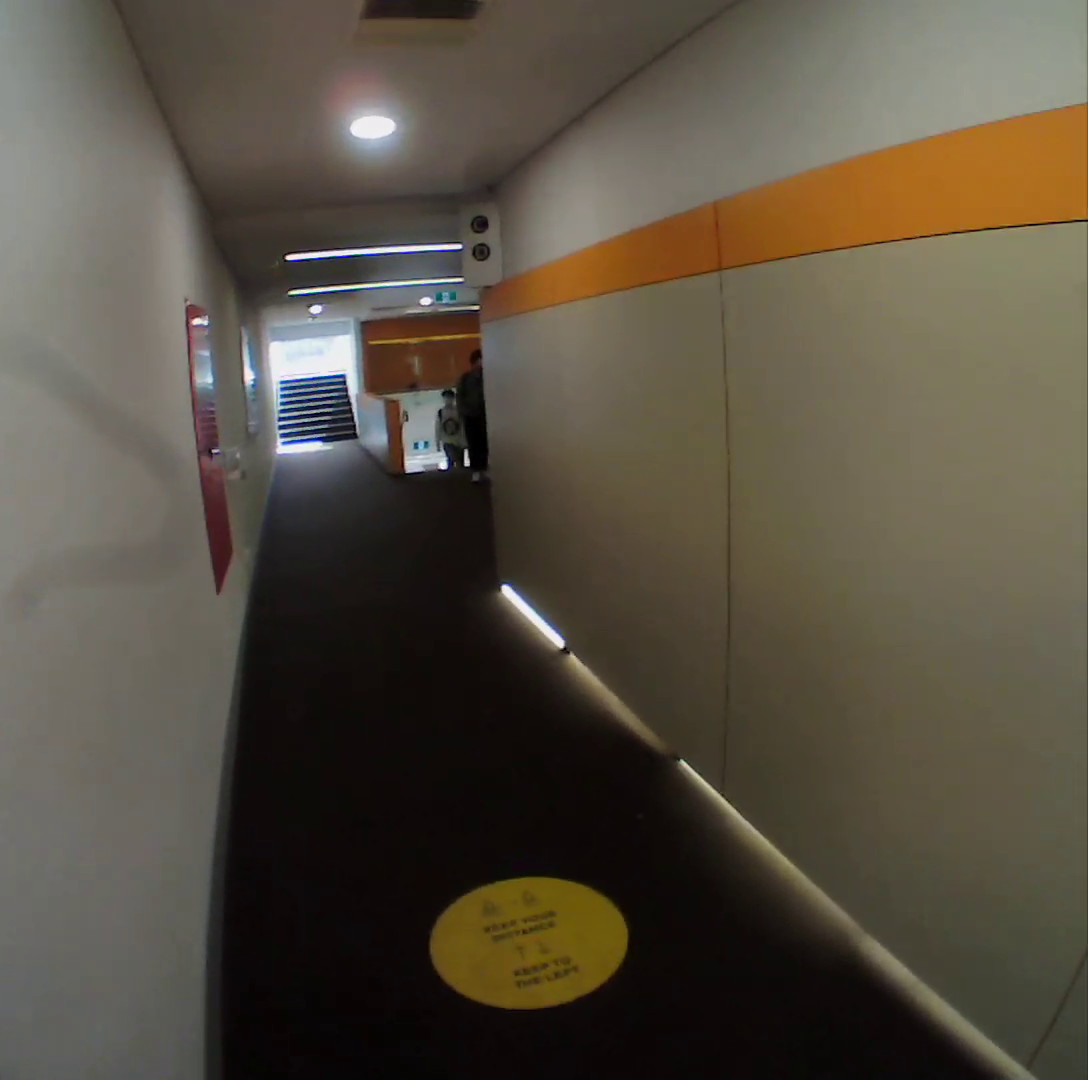
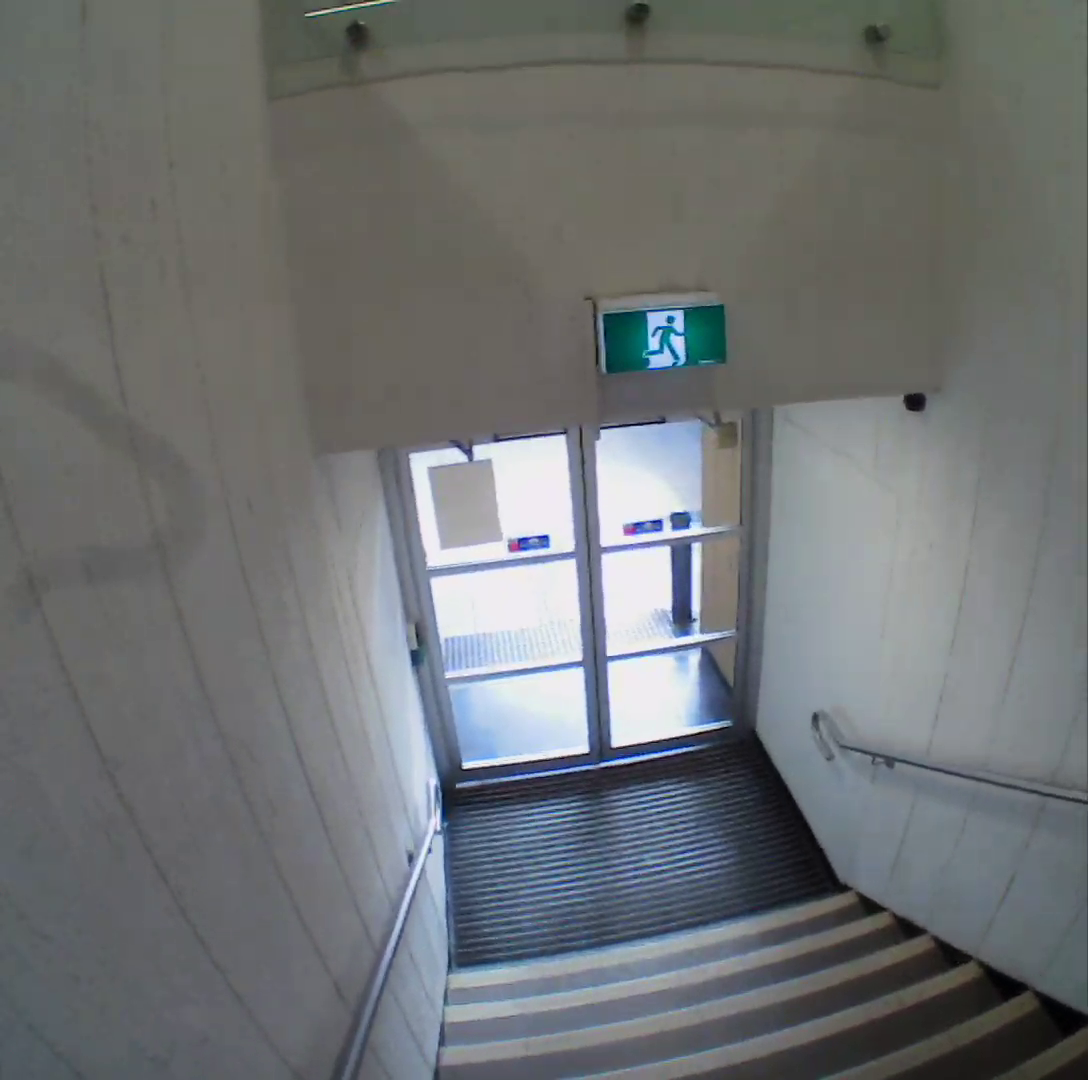
Hi there, we are currently using the pupil invisible eye tracker for our experiment. Recently, a small blurry line has appeared on the left side of all of our recordings. It has moved slightly from the centre of the screen to the left of the screen, so it doesn't appear to be a scratch. We were wondering if you have seen this before/have any suggestions for how to get rid of this? Thank you - I will post some photos of the line below.
Please contact info@pupil-labs.com with these images and the scene camera serial number
Hi! Does the world time index use the system/network time of the mobile phone?
Hi, Pupil Invisible timestamps are nanoseconds since Unix epoch. That corresponds to your system time at UTC+0
Hi, I am having issues connecting via the real-time-api. We have two devices, one of them works (OnePlus 8T, Android 11, Oxygen OS 11.0.6.9 KB05BA), I get the connection (using a MacBook with Python 3.8) and can start an stop recordings etc when I connect with the known IP. Autodiscover does not work (although connected via hotspot to the OnePlus), but i am fine with the IP method. However, the other device (OnePlus8, Android 11, Oxygen 11.0.7.7.IN21BA) does not connect, although I do the same things as for the other device. I also tried to use the working device as the hotspot for connecting the other one, this also does not work. Here is the error message when trying to connect via the IP method:
Hey, as a first step, please make sure that the phone is running the latest app version
Can you clarify which device you have been using as the hotspot host?
second device (OnePlus 8) does not work no matter what I try, using just this one and the controling Macbook in a wifi network, or using the phone as hub or the computer as hub
My guess is that you are running an out-dated app version that does not offer the network api yet 🙂
first device always works
i cant seem to update, the google play stroe displays "something went wrong"
Maybe a restart could fix the issue? Can you quickly check which app version is installed? Then I can verify if the app is indeed out-dated or not.
i restarted the phone, tapping update button in google play store for the companion app has no effect
App says its version 1.3.1-prod, Commspec version v4
You will need v1.4.14 or higher 🙂
will an update affect recordings on the device?
There has been a change to the on-device recording location. It might be necessary to import the recordings after the upgrade. If that is the case, the app should tell you and offer the option to do so.
The recordings won't be affected otherwise
any other way to update? a link to a pkg file?
ok, found the issue, a different account was logged into play store, it works now with the updated app, thank you!
Hi! We were in the middle of a session with the invisible when the scene camera stopped giving video. Normally this is caused by a disconnected camera, but it will not reconnect. We then realized that neither the eye camera nor the scene camera were working. Are their any fixes we may have missed? How should we proceed?
Hi, sounds like an issue with the cable. Have you been using the cable that came with the Invisible glasses or a different one? In any case, can you please try a different cable and check if this resolves the issue?
Thanks for getting back to me. We tried with a USB-C cable from a macbook, but still no success.
Hi, I would like to know if there is any way to synchronize the video from two different glasses
Hi there, what is the best way to simultaneously begin the recording of two pupil invisible devices? The Pupil Monitor's page says you can remotely control all your Pupil Invisible devices, but doesn't explicitly mention how/if you can start two recording on two devices simultaneously. The real time API documentation does mention how to connect to multiple devices, but only seems to mention how to record on one device. Is there anything else to be aware of? Thanks
Once you are connected to multiple devices, just send the "start recording" command to each of them. A perfectly synchronized start is not achievable since the sensors have different warm up times. You will need to use the recorded timestamps to align the recordings post-hoc.
@user-b28eb5 @user-3437df See this guide regarding syncing multiple data streams that have Unix timestamps https://docs.pupil-labs.com/invisible/how-tos/advanced-analysis/syncing-sensors/#sync-with-external-sensors
Thanks @papr As a follow up, because the timestamps of each frame from two pupil invisible cameras don't necessarily line up, and we want to line up two videos frame by frame (or as close as possible), what is the best way to do this?
I'm not entirely sure how to apply the sync with external sensors information here, because there are two series of timestamps we want to synchronize, not just map one series of video frames to the other
Please contact info@pupil-labs.com in this regard
I reached out and will see what they say. Is there a specific power reading for the cable? We were hoping to buy a new one today to try that out.
I would create an artificial time series with evenly sampled timestamps and use that as a reference. In other words, mapping the two real timestamps to the artificial one
Could you clarify what "evenly sampled timestamps" mean? One possible method we thought of was coalescing both series of timestamps but I'm not sure if that's what you're alluding to
Instead of merging the two series (which is also a valid approach), I am suggesting creating a new time series (without data points, just timestamps) at a fixed sampling rate (e.g. 30Hz) and then for each timestamp, finding the closest frame from each of the other two time series (videos). Is this clearer?
Yes it is. Thank you!
Hi Pupil team, we are having a bit of trouble using our Core set. We keep getting the error "eye disconnected," where the eye video freezes. Is this a hardware issue? Or could there be a software component? For context, we are using Pupil Mobile as well as Pupil Capture to record data.
Apologies, wrong thread!
Hi, is there a way to use just the IP address to connect/record etc. with the async API? This method is documented for the simple API and works. The asnyc code examples, however, all rely on auto-detection. The thing is, auto-detect only works in my setting if I create an additional local network hub (although all devices are already within a local enterprise wifi network). It would be easier if it just works within the larger network. I can do that with the simple API, but my script relies on the async API.
The async api also supports manual address selection. I can look up an example later
that would be great, thanks!
Instead of calling:
with Device.from_discovered_device(dev_info) as device:
  pass
you can call
with Device("<ip address>", 8080) as device:
  pass
Hi! Is there any possibility to get the audio from the glasses directly or from the real-time api?
No, streaming audio is currently not possible.
Hey all! Two quick questions, I just got a pair of invisibles and I’m gearing up to run a research study.
I noticed on the “data streams” section of the “explainer” tab on the website that “The blink rate and blink duration are however also correlated with cognitive processes, which makes it an interesting physiological signal”. Does anyone know what cognitive processes are linked to blinking, and are there any academic/research publications that I can use to justify such a metric in my analysis?
I’ve looked at Blickshift and iMotions for data analysis via .csv, but I’m not able to afford either option and would prefer quantitative analysis via Python. Has anyone had any substantial success with this DIY Python method?
See also, section 3.2.4 of the following for blink rate rabbit hole to follow 🙂 https://www.mdpi.com/1424-8220/21/13/4289/htm
Thanks for the links @user-df1f44!
@user-cd03b7 The vast majority of our customers use Python (or Matlab, Excel etc) for their analysis, so this path is common. Do you have more concrete questions on how to approach this?
https://docs.pupil-labs.com/invisible/reference/export-formats.html there is no 'scene-camera.json' in the file that was downloaded from pupil cloud
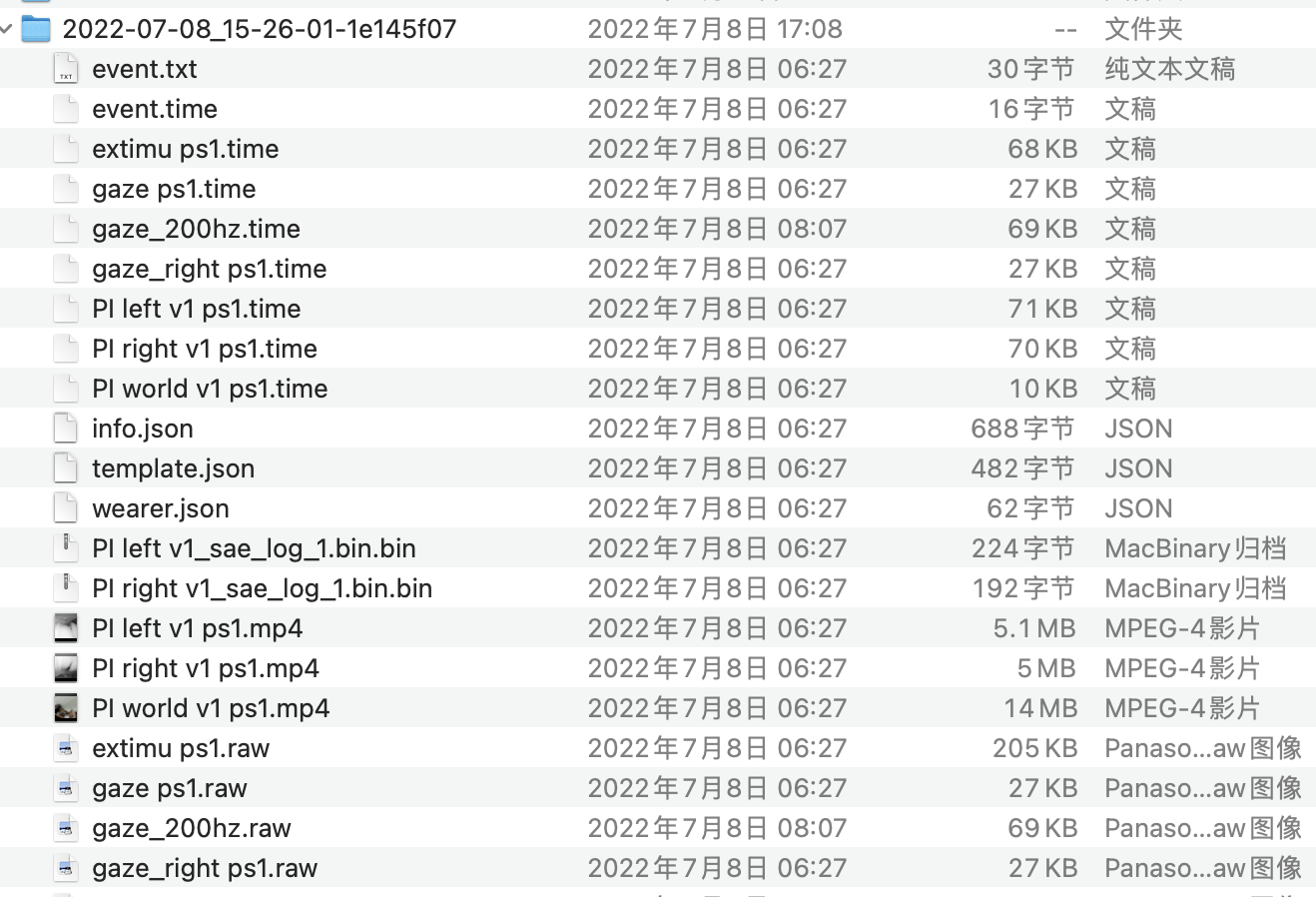
Hi @user-7e5889! The export format you a re referring to is that of the Raw Data Export enrichment, which corresponds to the download you would receive when selecting Downloads -> Timeseries Data + Scene Video in drive view. The Pupil Player format is different and not recommended for direct use.
I download the on you noted but there is still no 'scene-camera.json'

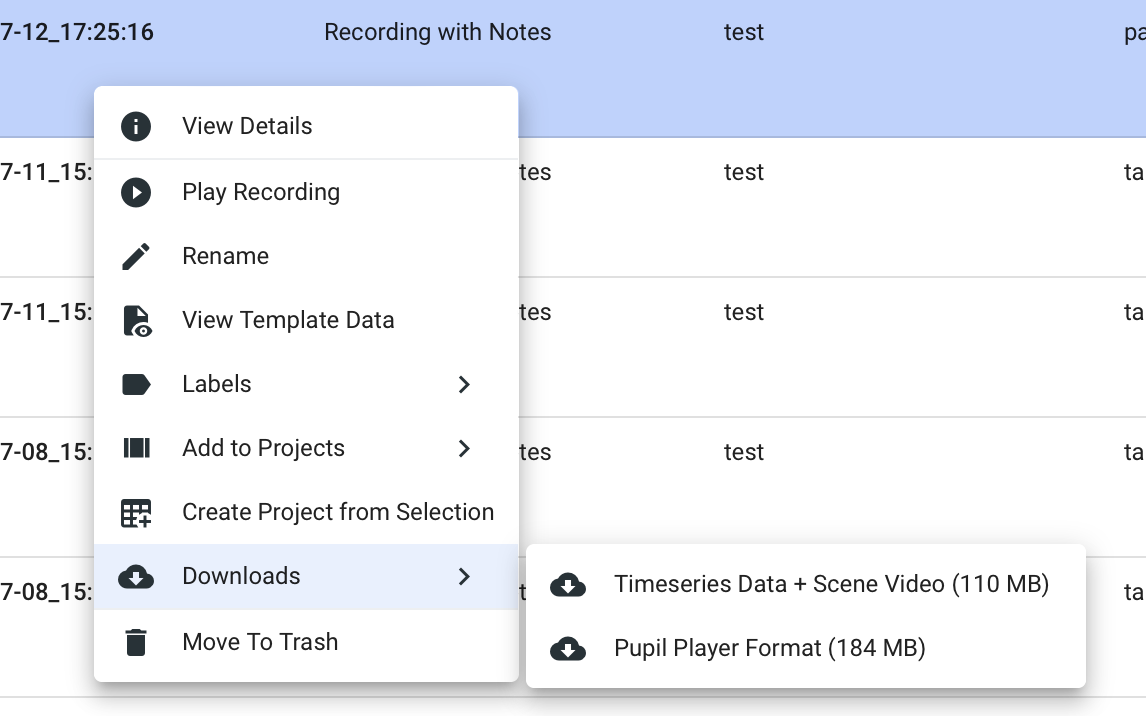

That is odd! Could you share a screenshot of all the files that are included in the download?
I tried it again and it worked though I don't know why! thank you!
I installed your API and I can import pupil_labs successfully but I cant import pupil_labs.camera

This is an error in the example code, apologies. The code is not making use of this import and you can simply remove this import statement to follow along the how to guide.
Th camera matrix seems not accurate enough. Why is your example so successful?
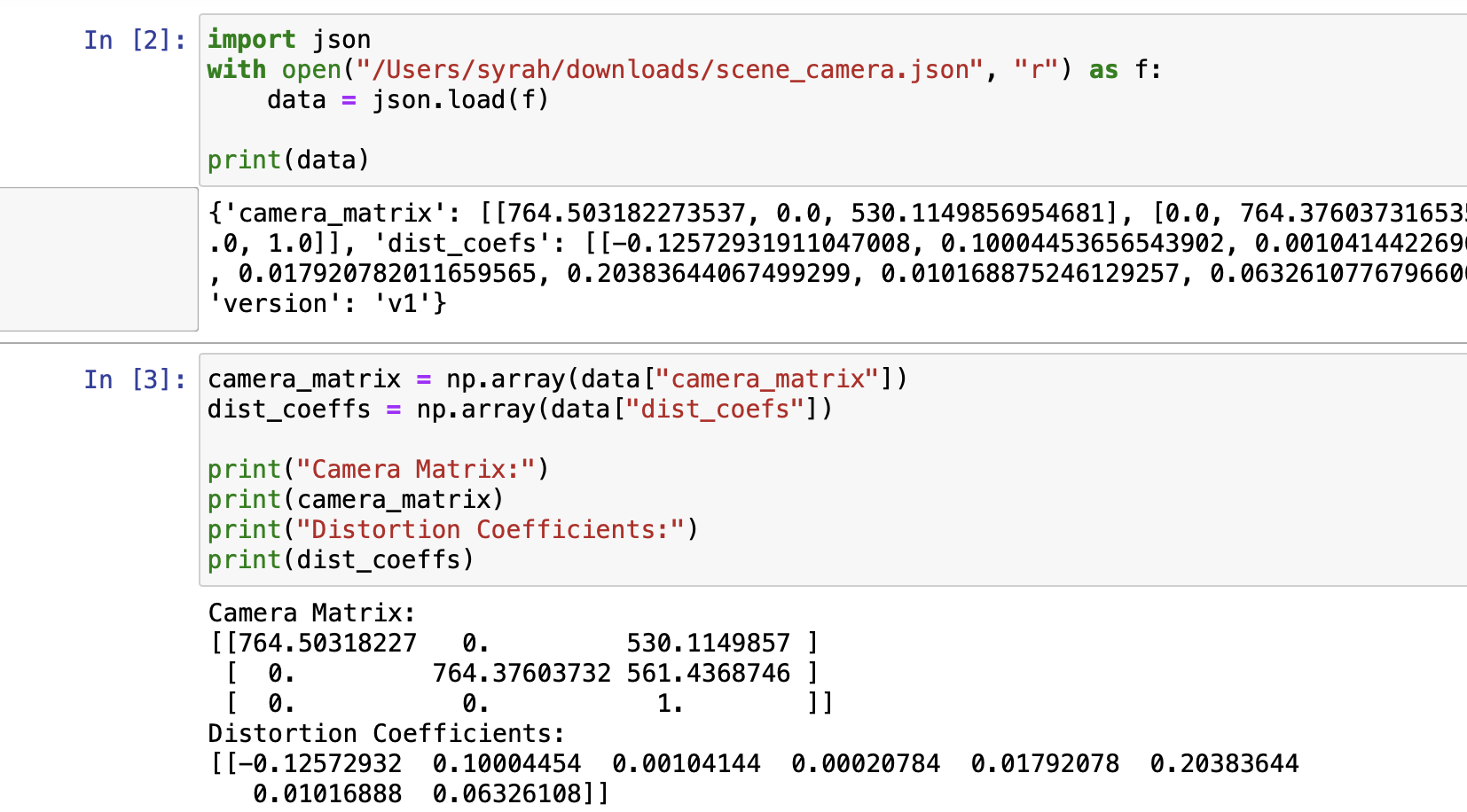
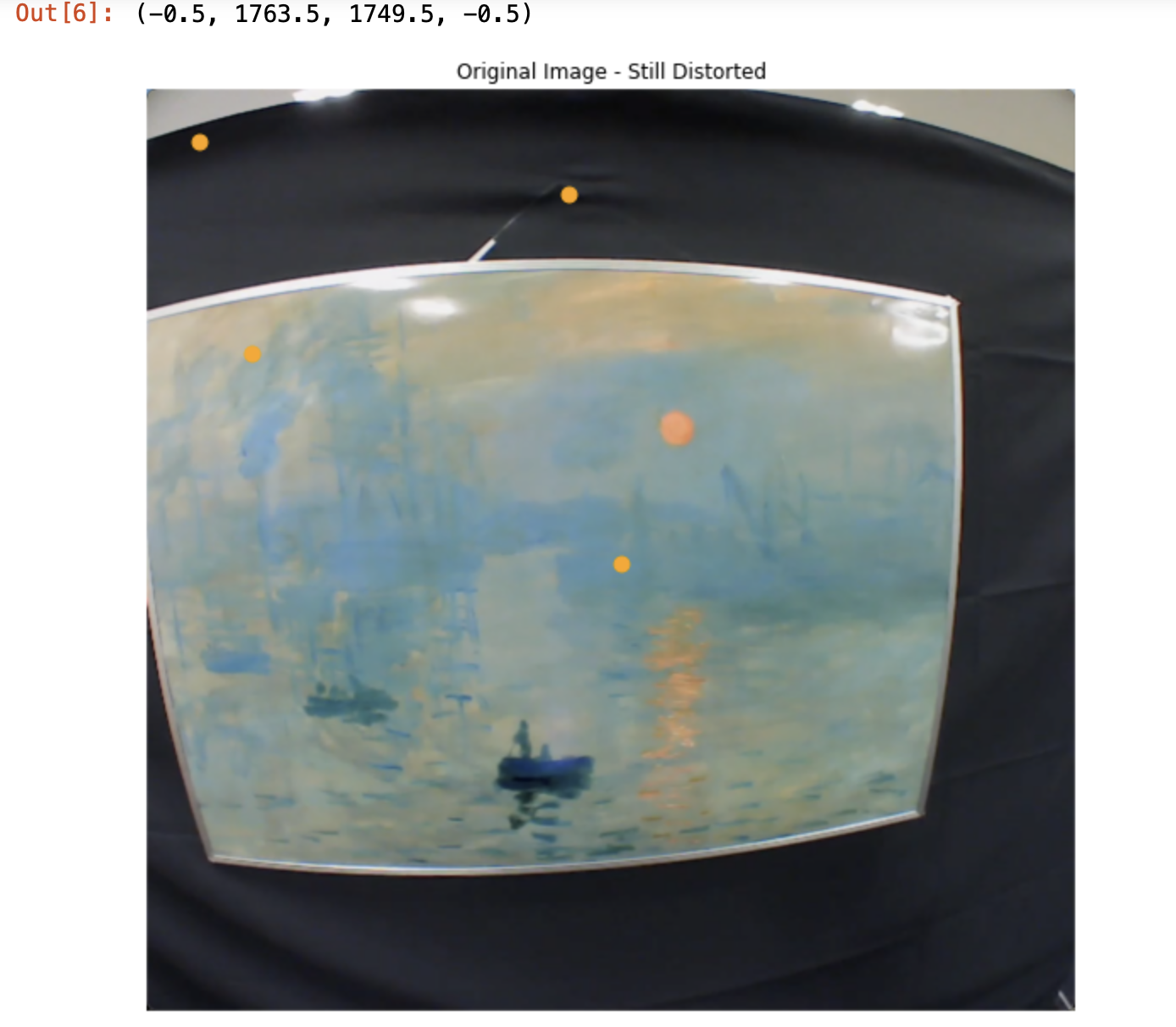
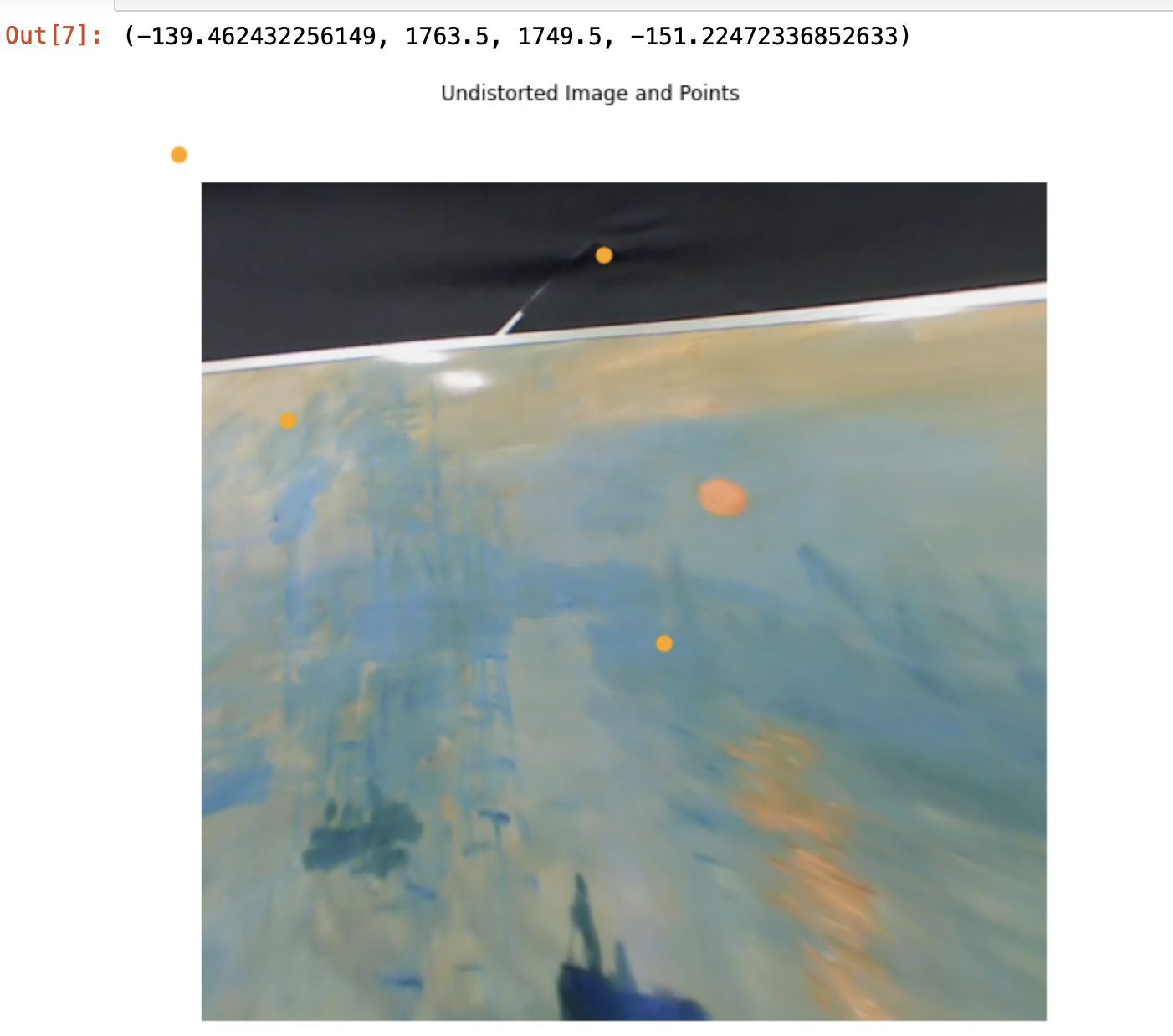
@user-7e5889 Given only the images and not the code it is a bit difficult to say what you are doing exactly. But the output [6] suggests that your are applying the undistortion to an image of resolution 1764x1750 pixels. This is not the resolution of the scene camera, which is 1088x1080 pixels.
Applying the undistortion as in the guide only works if you use original video frames at the corresponding resolution. How did you obtain the example frame you have been using here?
thank you very much!!! seems successful when I use the original frame of the video instead of the screenshot
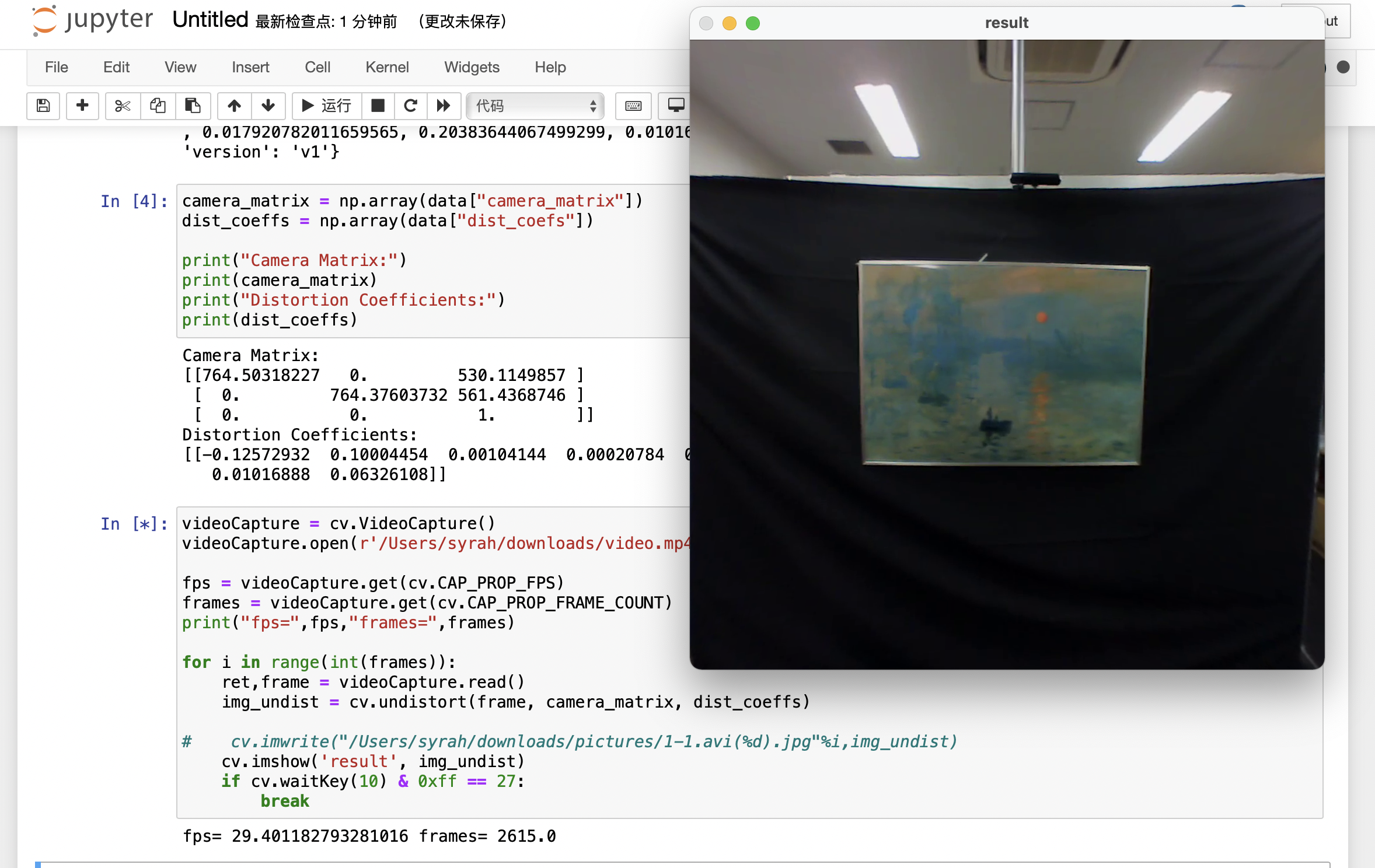
I copied the code from https://docs.pupil-labs.com/invisible/how-tos/integrate-with-the-real-time-api/introduction/ but there is no such attribute.
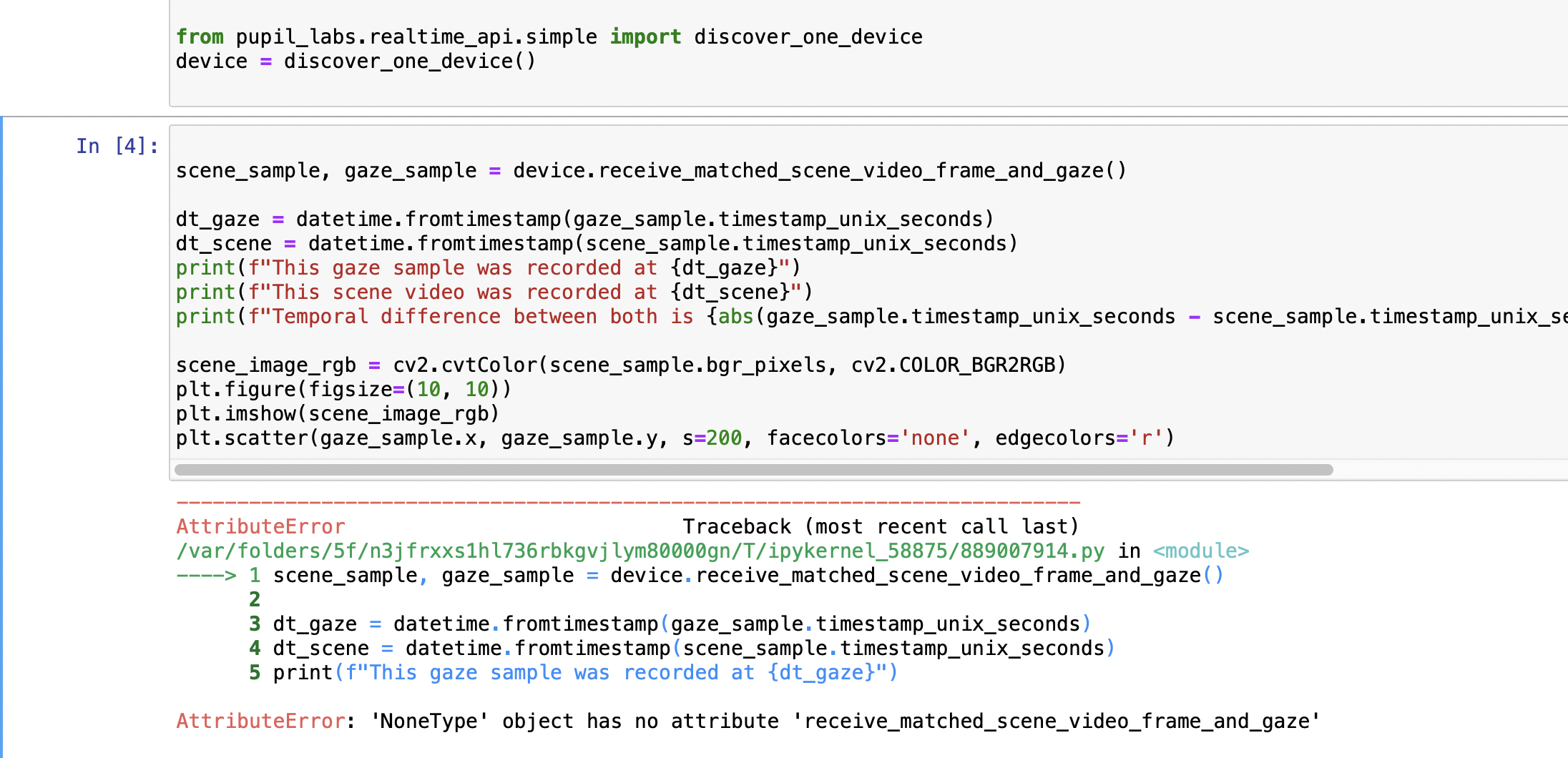
Is there any solution? Thanks
device is None, meaning no device was discovered
Hi, I am trying to detect two glasses with Real Time api but it only detects one of them, any advice?? Thank you!!
Please make sure that both are running the latest version of the app.
Hi. I used ip address and port for the device finding but it still gives me error of Device object has no attribute '_event_manager'. Any hints on how to solve this would be helpful. Thanks
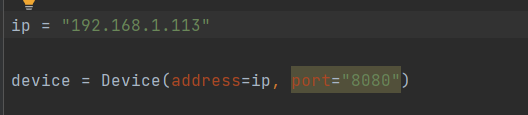
Hi, it is likely that you are using an out of date app. Please make sure you are running the latest version.
The lasted version is running in both phones, but I can only detect one
I tried to connect to the device but it cannot successfully run. I am quite sure that the IP is right
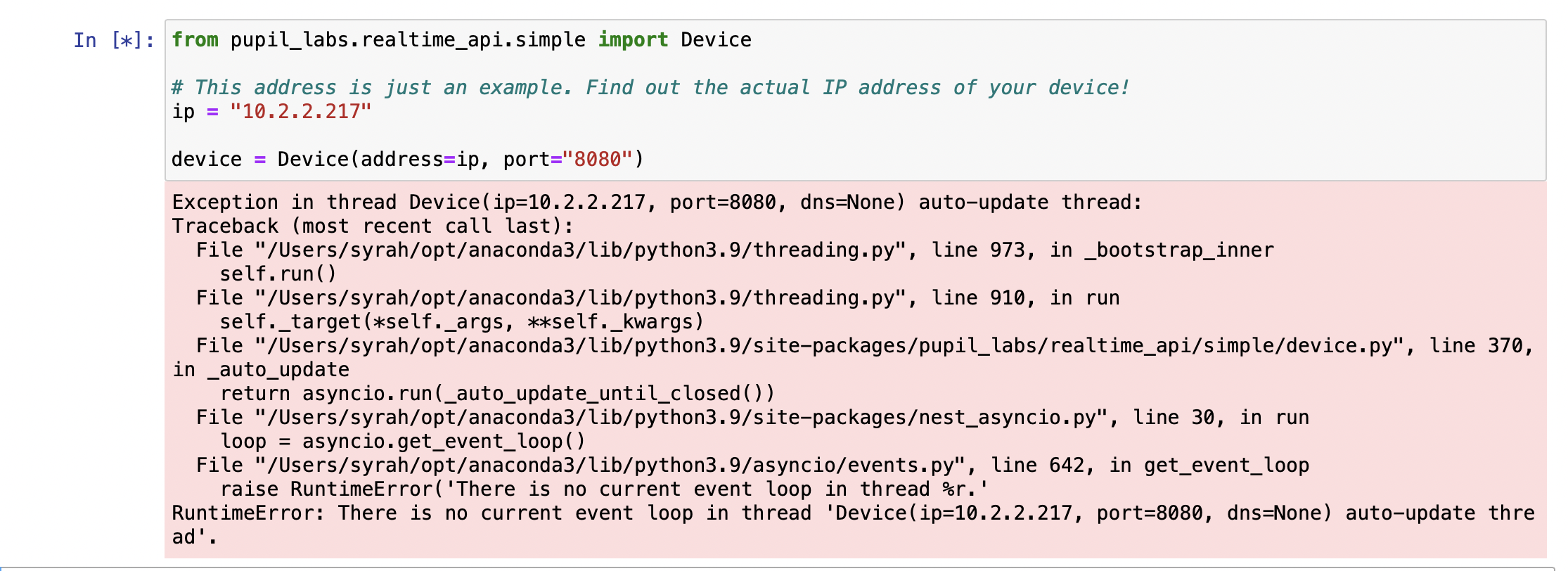
Which Companion app version are you using?
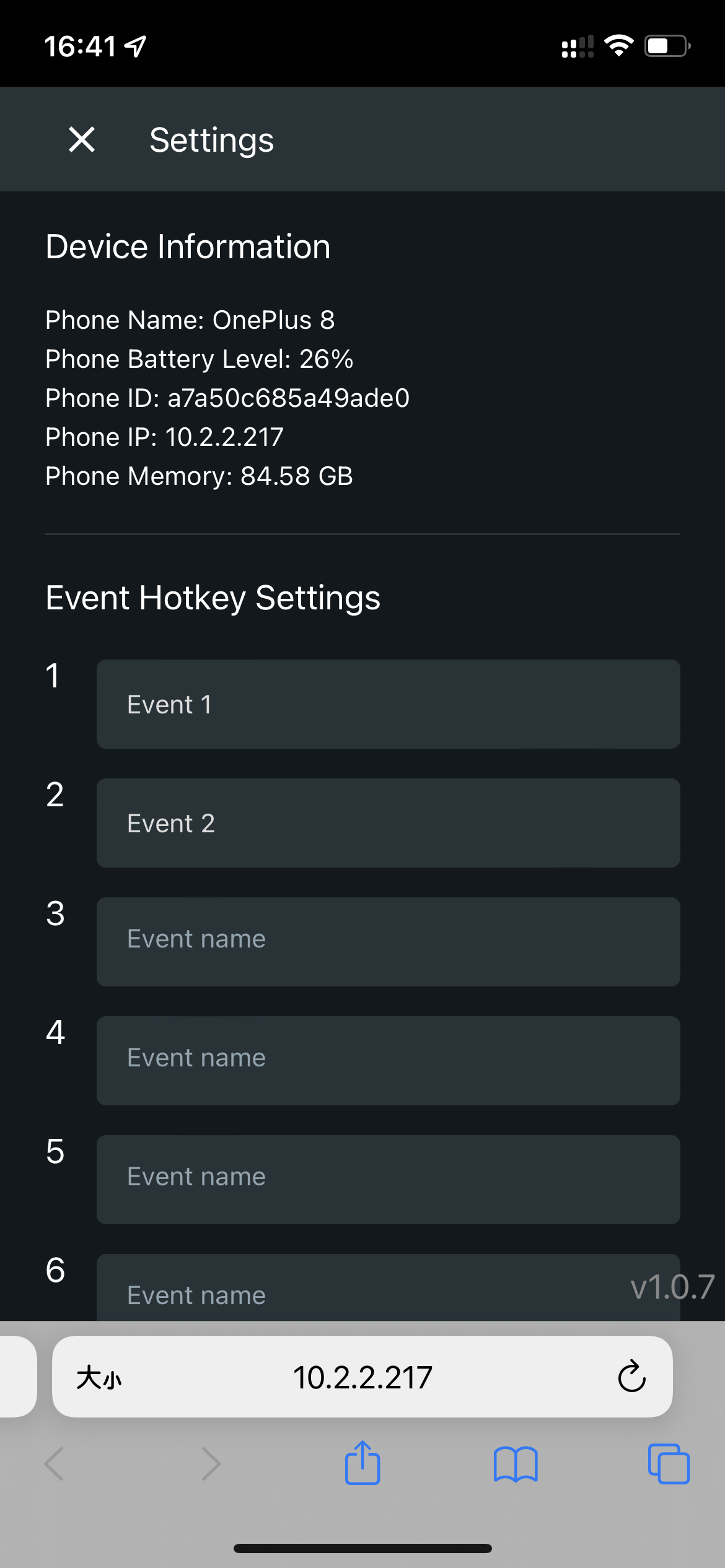
And can you open the web monitor on the PC that is running the notebook, too?
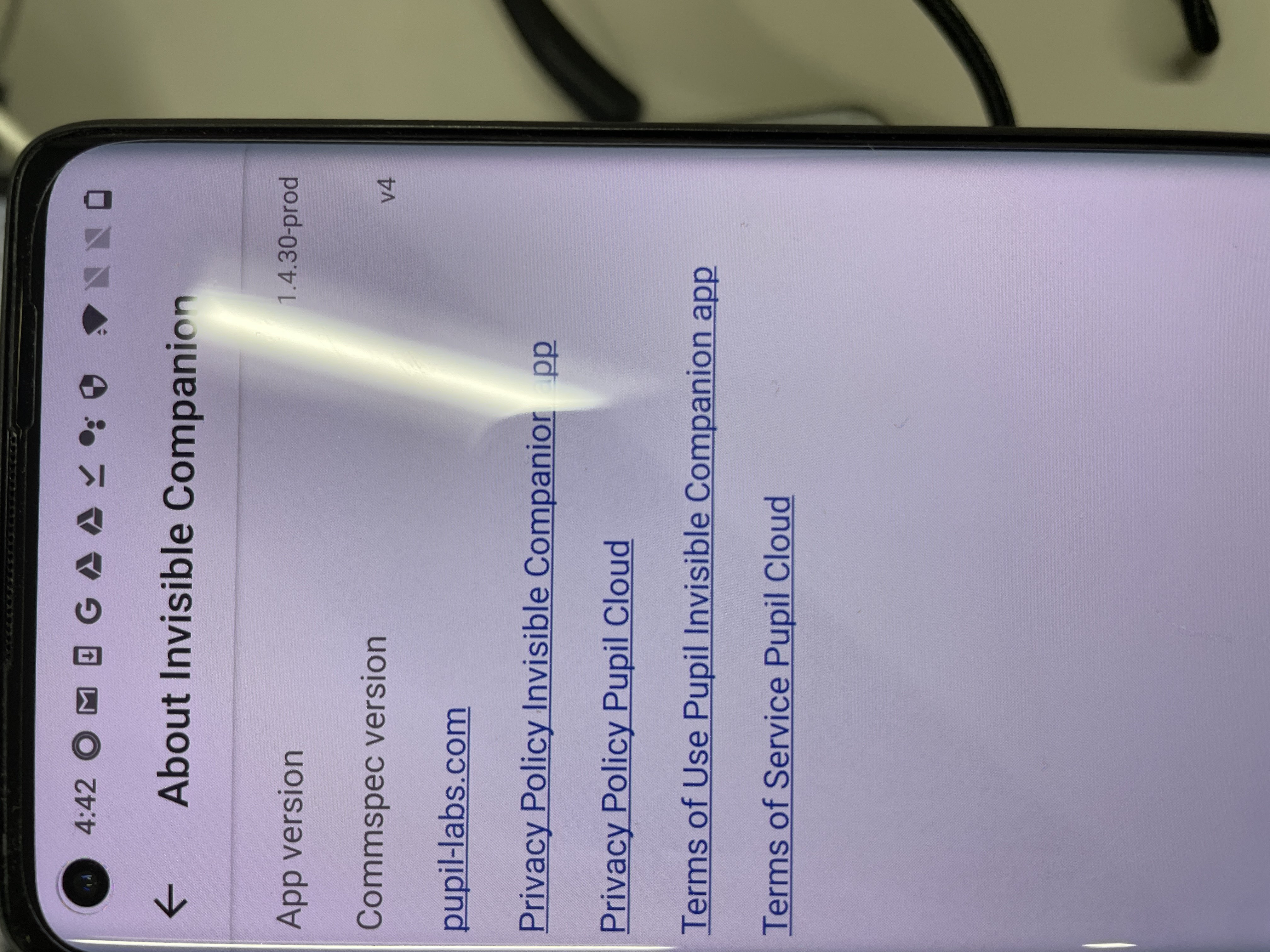
OK, thank you. Does the web monitor app preview gaze and video correctly?
yes
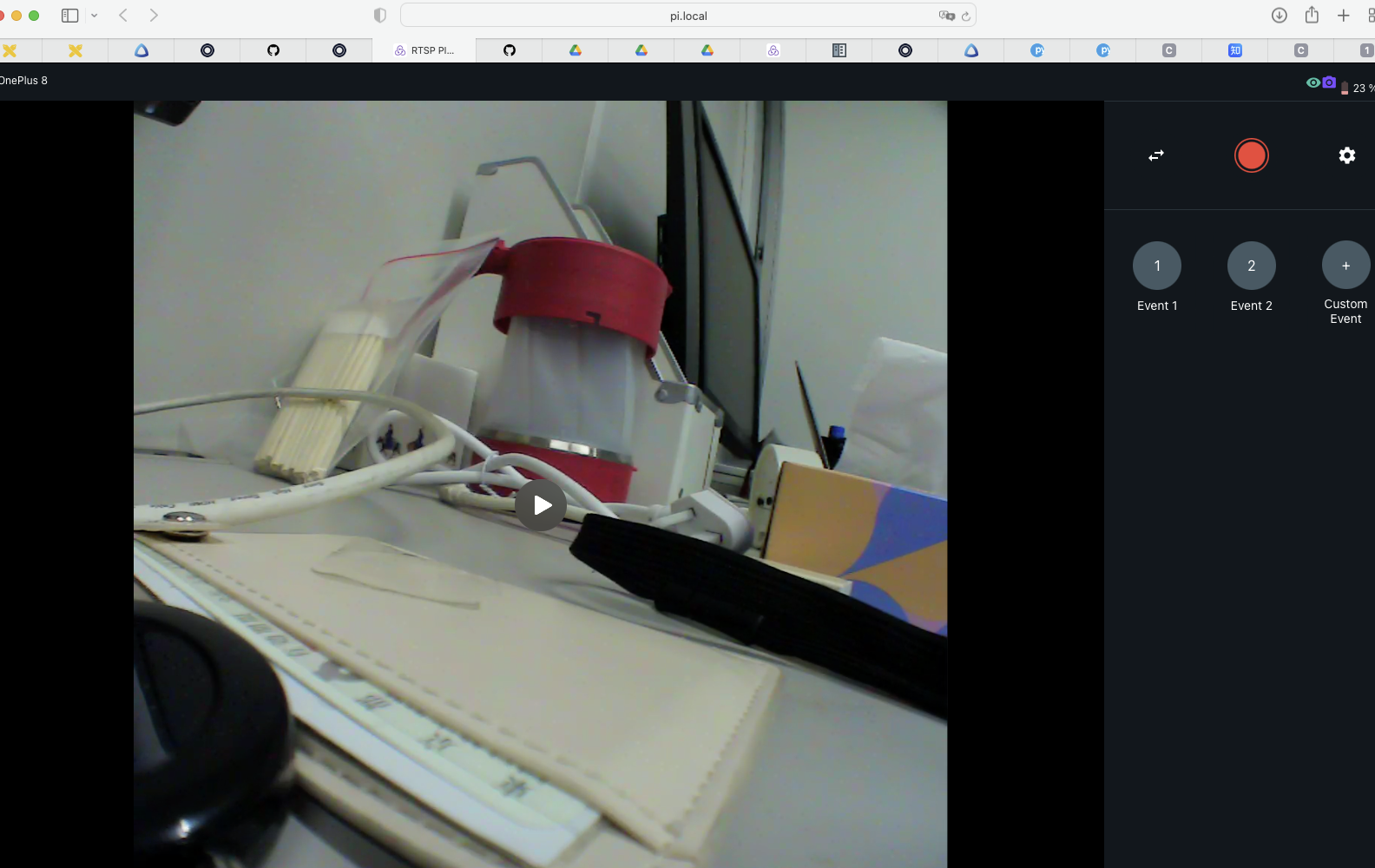
And do you get the same error if you use pi.local instead of the ip address?
no, it is quite successful when I use pi.local. But I want to use the real-time API so I have to connect it
The error seems to be related to using nest_asyncio. This module is just a work around to make the realtime api work within notebooks. Could you please try run the code as an external Python script instead?
seems same
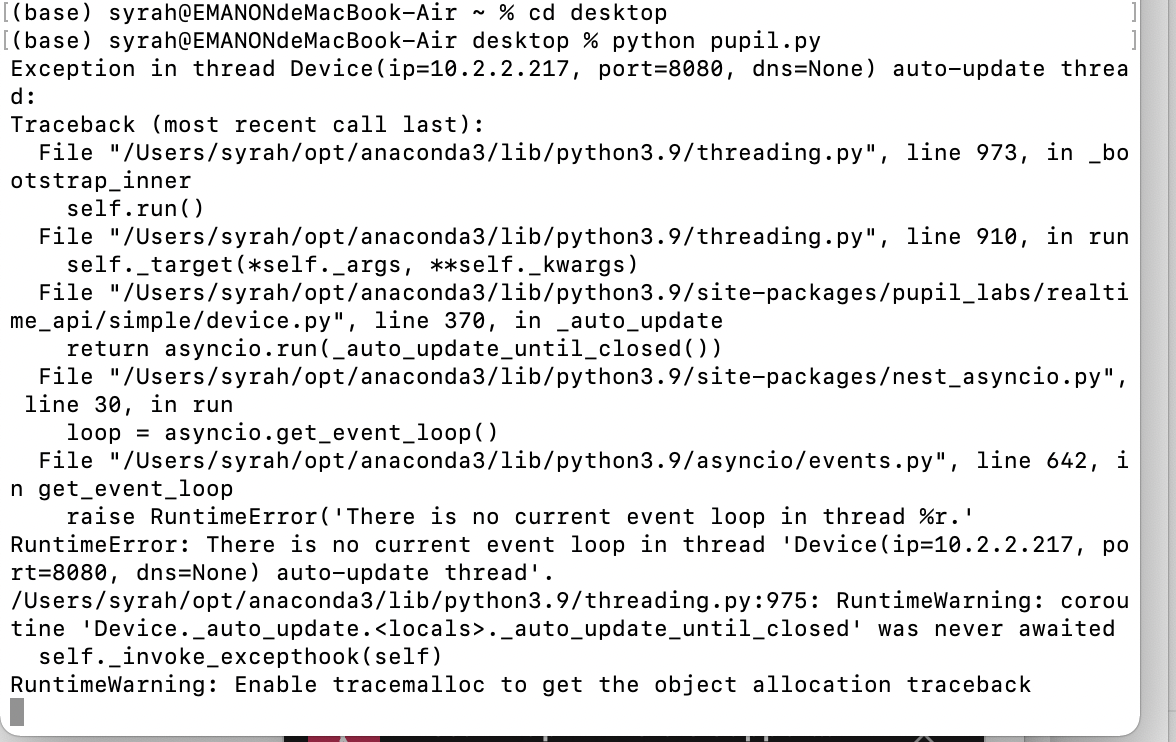
Please do not import/use nest_asyncio in the external script
it worked thank you
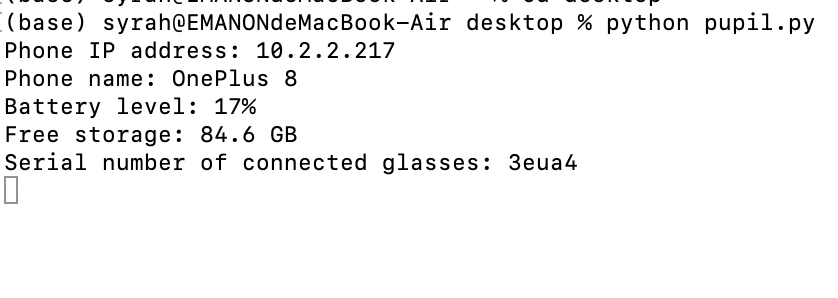
I can't successfully display plt by running this code copied from https://docs.pupil-labs.com/invisible/how-tos/integrate-with-the-real-time-api/introduction/. I wonder whether this variable is a string of data or a single data, if it is a string of data, I can't use plt.imshow to show the animation, I need to import matplotlib.animation
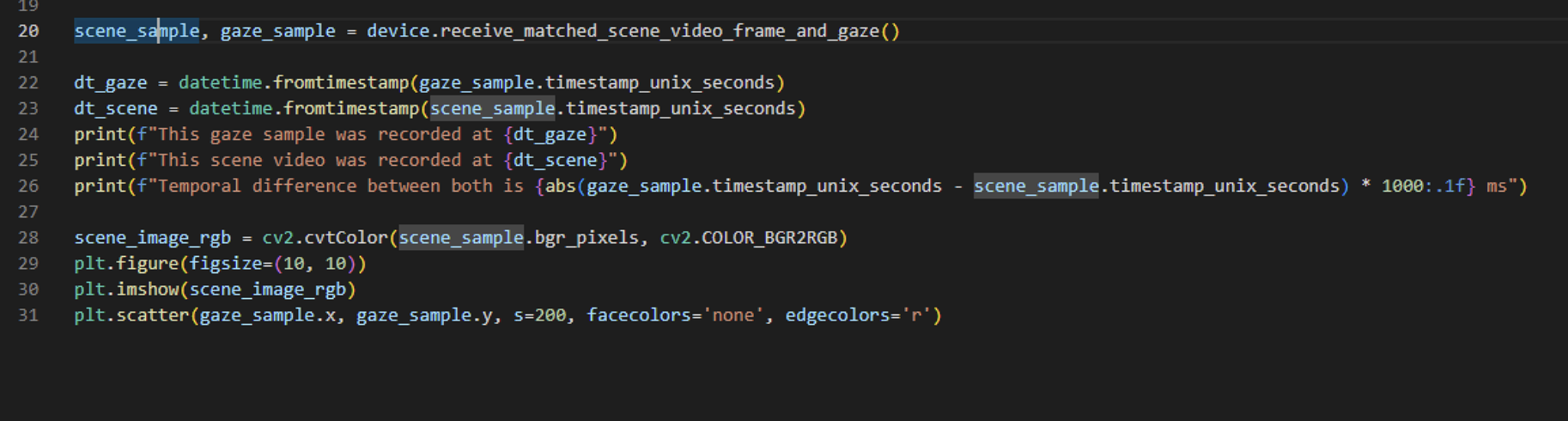
When running it outside a notebook, you will need to add plt.show() at the end
thank you
I saw a video using apriltags to convert to the aoi coordinate system, but I can't find it, is there a related video or code?
Thank you, the link shows that there must be at least 3 tags in the field of view, so for example, if there are only three tags in the red box of the screenshot in a certain video frame, is it possible to identify successfully?
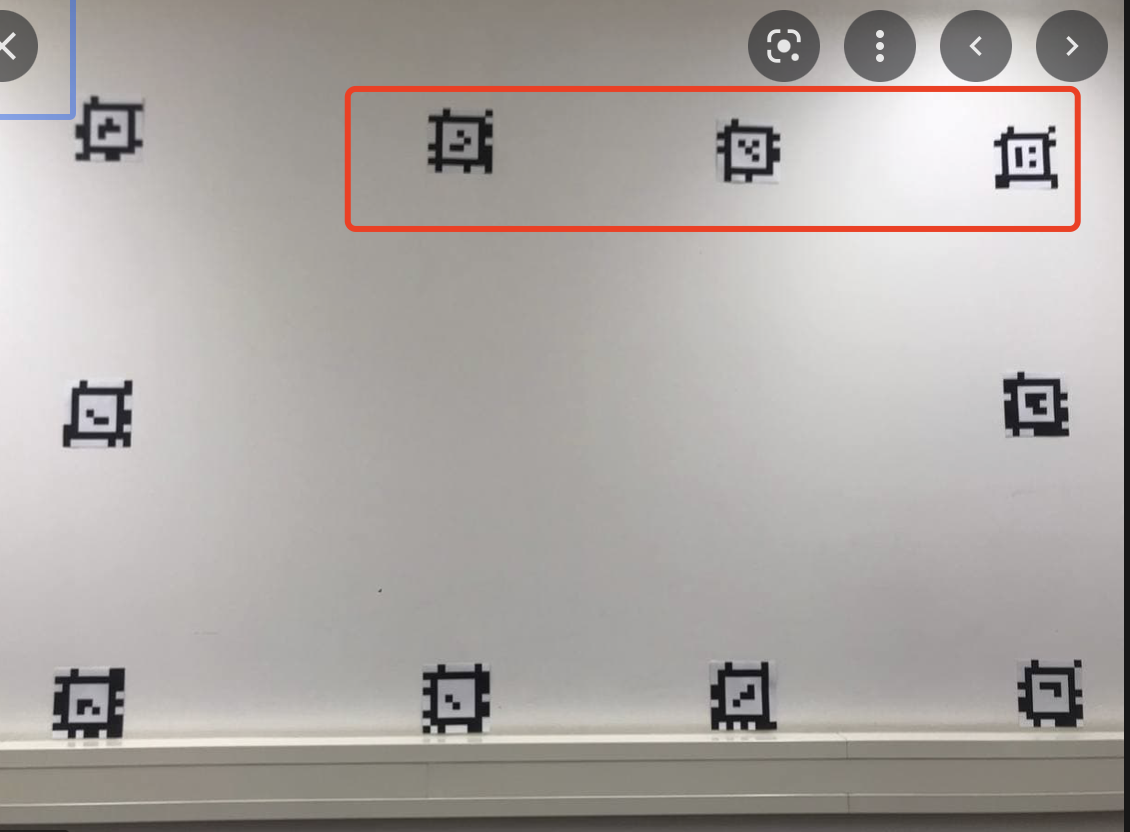
The estimate would probably be less reliable than if the 4 corners were visible, but yes. Note, that this type of markers are not supported. You will need tag36h11 Apriltag markers as linked in the documentation.
Hello everyone, I am a research scholar at IIT Kanpur.
We are planning to purchase one pupil invisible glasses for our research work. Please can any one from pupil invisible side,let me know about the standard certification, followed by pupil invisible.
Hi @user-787054 👋. Pupil Invisible has passed both CE/FCC testing and is CE/FCC marked
Hi, I'm new to using pupil invisible and I have some questions that I would like to solve, if possible! The data that I had in the pupil cloud and that are part of my study (fixations, duration of fixations) have changed! Is it possible for this to happen? Has there been any change in the logarithms?
Hi! The algorithms have not changed. I saw that you have also reached out via email. I will follow up with some debugging questions there.
Will you consider installing cameras on both sides of the pupil invisible to form a binocular image so that users can better analyze data related to depth and distance?
No, this is not something we currently have on the roadmap. Alternatives like replacing the scene camera module with a pre-made RGB-D camera module might be more feasible, but it is not something we are currently planning to add.
Thank you for the answer! Looking forward to it!
Hi everyone, we are just getting started with a couple of your device for our research work, and I am in the process of creating the control software using the API. I would like to use C++ for it, and was wondering if you could point me in the right direction?
Hello - is it possible to directly stream gaze video data over rtsp? I notice there is an rtsp url in the device sensors at rtsp://pi.local:8086/?camera=gaze.
I have no trouble streaming the world camera at rtsp://pi.local:8086/?camera=world - but with the gaze stream I either get no frames or a codec error
Streaming eye video is on the roadmap for the real-time API but is not yet supported. You could use the the legacy NDSI to stream eye video though. The two APIs can also be run in parallel. See here for details: https://docs.pupil-labs.com/invisible/how-tos/integrate-with-the-real-time-api/legacy-api.html
rtsp://pi.local:8086/?camera=gaze is a stream of x/y values. It uses a custom rtp package format. You can read about it here https://pupil-labs-realtime-api.readthedocs.io/en/stable/guides/under-the-hood.html#decoding-gaze-data
Hi @user-d23b52! Using C++ is in principle possible, but you'd be required to write your own client (we only provide the Python one). Reproducing the HTTP functionality should be easy. Receiving video frames should also be following standard RTSP procedures, but receiving gaze and timestamps properly requires some customization.
You could use the implementation of the Python client as a template together with its documentation: https://pupil-labs-realtime-api.readthedocs.io/en/stable/guides/under-the-hood.html
"stream gaze video data" is a bit ambiguous. If you meant "stream eye video data" follow my answer, if you meant "stream gaze (point) data" follow papr's! 😄
Yes, my post was mostly meant as a clarification as to what is being streamed and why it is causing a decoding error 🙂
yes apologies, I meant stream eye video data
I notice that the NDSI protocol ends up creating 0MQ SUB sockets for different data streams
Are the corresponding PUB sockets running from the companion app? And is it possible to directly create a SUB in a different application to bind to that PUB?
Yes, the Companion app implements a NDSI host, binding the PUB socket within the app.
Hi Was there a solution to this? after searching the forum i can't seem to find any other mention of calibration issues with the pupil labs invisible. My issue is that the gaze overlay circle seems offset to the left. Are there any tips or tricks to help this? i cant seem to find any relevant settings to change?
Hi, I would like to know if I can change the name of a recording using Real-Time API before save it in the cloud
No, this is currently not possible. The name is generated based on the naming scheme in the selected template, and template answers are currently not settable via the real-time API.
Hi @user-6826a6! The issue you refer too was solved in email in the end and was due to a corrupted camera intrinsics file. Unless in your case the gaze circle is stuck in very corner of the image, it is not the same issue. Could you share an example screenshot demonstrating the offset? An offset to the left could be a parallax error, which happens when the subject looks at targets at <1 meter distance. You can use the offset correction to fix this, see this message: https://discordapp.com/channels/285728493612957698/633564003846717444/999986149378506832
Hi, is it possible to re-import a recording to the companion? It was deleted accidentally within the app, but we had exported it before and would now like to have it back in the app. Is such a reimport possible?
And a related question: is it possible to have the fixations analysed in pupil cloud without uploading the world video? We have privacy concerns because faces are visible in the video. Since face blurring is not yet available in the companion app, we would need an interim solution, e.g. either not uploading the video, or some kind of reimport of a modified version of the world video (e.g. face blurring performed outside the companion app).