
Hi @user-e91538! You can find the details about the calculation of fixations and blinks in our fixation detector and blink detector whitepapers.
I would like to know how long is the delay between sending a command and the start of recording when controlling Pupil Invisible via API ? Assuming that there is a time difference of about 1 second between the clocks of the computer that sends the command and the cell phone that receives the command, is the timestamp recorded in 'events.csv' downloaded from Pupil Cloud using the time of the cell phone or the time of the computer that sends the command?
How @user-7e5889! It depends on how you use our API. For example, you can opt to send a string, and the event will be timestamped on the phone. Alternatively, you can send a timestamp from your computer. There are some code snippets that show how in this section of the docs.
Important notes: The accuracy of the first option is bound by network latency, whilst the second is bound by any temporal offset between your computer and phone clocks. Luckily, there are methods to measure and account for these factors. Recommend reading our docs on achieving a super precise time sync!
We are having trouble calibrating/finding instructions on calibrating the invisible PupilLab glasses. Can anyone help? 📣
Hi there,
I'm confused... I’m trying to write a program allowing to impose an image on the worldcam recording of the invisble or neon (post processing) that depends on the gaze. I’ve used the snippit code provided to read the raw data. Somehow I experience large differences when comparing the snippit using gaze ps1.raw and the csv coordinates provided after pupil player export. I was hoping to use the raw data since it does not a timely export. I thought it used to work fine, but now it does not... Or is there any way where you can run the command using python to obtain the gaze and imu file?
Hi @user-e40297 ! Pupil Player does transform the timestamps to Pupil Time , this is a legacy conversion such that remained compatible with Pupil Core.
You may want to use pl-rec-export , a CLI utility that exports raw data into CSV files keeping the structure and timestamps as Cloud does (not converting them). It also allows you to get blinks and fixations offline.
Finally, this code shows an example of how you can work with both.
In that case, the override flag basically make some conversions to be compatible with the data from Pupil Player format.
Hi @user-e91538 👋. The Invisible system doesn't have a calibration procedure in the conventional sense, but it does have an offset correction feature. You can read more about that, and how to use it, in this section of the docs
Thank you, @neil ! Very helpful.
Hi @user-1af4b6 ! Apologies for the delay in answering and happy new year! To pass them, you need to use the --corners_screen argument in the CLI.
Points are defined as a dictionary, you can see here .
I am not sure if I used this feature only while writing/testing the scripts or if it is finally implemented, but it should be trivial to add this. You can save args.corners_screen as a file after defining it and add a loading function.
This library is due to a refactor, but I can add this loading/saving step if you do not know how to.
Thanks! I'll look into it
Hello. I have conducted a study with pupil invisible glasses. The participants were sitting in a simulator and completing a excavation simulated task. I have 3 AOIs in my experiment and when I export the enrichment data I notice that a lot of data is missing. This is an example with raw fixation data merged with the 3 AOI data in one file (n/a are missing values) The missing data also does not match in between AOIs, meaning that one data referring to a fixation is present while another is missing completely.

To be noted is that I am using the marker mapper enrichment to define AOI

Is it possible to have a better data export?
HI @user-5fb5a4 ! Would you mind sharing whether you created the enrichment and then added recording to that project? Also could you share the enrichment ID such that we can further investigate?
Hello. I created the enrichments after adding the recordings
Hi @user-5fb5a4 ! Few things regarding the marker mapper enrichments that you shared. There is indeed missing data due to markers not being detected/recognised during some of the fixations/ parts of recordings. Therefore if there is no surface is normal to not get a surface coordinate.
Currently NaNs are not ignored or replaced by empty strings, moving forward we are changing it such that gaze.csv shows an empty string if there are NaN values on the gaze coordinates, and we will skip the row in the fixations.csv if the fixation coordinates are both empty, to match the format.
What it means for you? Simply ensure that the markers are properly recognised (eg. good illumination, size and avoid motion blur) and consider NaNs as if the markers are not recognised. So, for example in your fixation ID 104, screenis recognised, and the fixation falls in the screensurface, but the controls surface is not found.
40f0b276-d7ce-45a6-85f3-c7f7a87dd5ad
62f70e95-e5fa-41ab-905e-b0cc12f63aab
d3abd7dc-4ada-4f47-b1c7-102c86f6a13d
Hello, I have a question about cloud upload. Is there any expected delay between upload time and the data shows up in cloud? Today, I uploaded data but can't see it yet in cloud.
Hi @user-22adbc 👋🏽 ! I have some follow-up questions:
@nadia Yes, Yes, and No. Interestingly, Everything looks fine, and videos uploaded in 2023-12-25_14:23:32 looks just fine.
Do I understand correctly that the recordings do not appear as upload in the App? In that case, please follow the steps below:
@nadia , It looks properly uploaded in the app, but not see in the cloud.
Thanks for clarifying! I saw your DM - I'll reply there to request the recording IDs!
Hello! Using the Invisible model for wayfinding and signage research, I often find that the gaze point will disappear for a second or two throughout the video recordings, anyway we can avoid this from happening?
Gi @user-14536d ! Does it occur in Cloud or also in the phone? Could it be that you are observing blinks? Kindly note, that we have now a little eye icon next to blinks that will toggle on/off gaze visualisation during blinks.

Hello Miguel! thank you for your feedback, it is more clear now. I also noticed that sometimes the detection of the fixation overlap even if the surfaces don't (e.g. I get 'true' in screen and wheel ). I guess that is a matter of precision and how close the surfaces I designed are. Do you think those can be improved?
One potential source of error is if there are duplicate Apriltag markers. Worth checking that you are not using duplicated markers in your environment.
Also, if at least 2 markers are not detected, the surface definition can be "jumpy", and this may happen, so placing more markers around to make the detection more robust is a good idea as well.
Hi! I am running experiments with four pairs of Pupil Invisible glasses and I have managed to remote control one pair of glasses with the Pupil Invisible Monitor. I was wondering if it is somehow possible to remote control all pairs of glasses with the same computer?
Hi @user-2251c4! While it is possible to run multiple instances of the Monitor App (one per device) in different tabs and control them, each tab has access to only one device at a time (you can swap them, but not trigger them from the same tab). Also, I would not recommend this if you have a weak wifi.
The best way you can achieve this, is programmatically using the realtime API.
@user-2251c4 kindly note, I have edited my response, to be more precise
Hi all, I am using Pupil Invisible, is it possible to do Apriltags detection offline locally? I know currently the process is to upload the data to PupilCloud but I sometimes need to do some post corrections on the gaze data and for Pupil Cloud I cannot do it so am exploring ways to do correction offline on raw data and then run apriltag detection to map the data to the relative coordinates to the surface.
It's possible to work with AprilTag markers locally. One way is with Pupil Player, our free desktop software. Look at the 'Surface Tracker' plugin.
You can also do a post-hoc offset correction with Player, but you'll need to add a new plugin to enable this. The process of adding plugins is a bit involved, but manageable for most users. You can download the plugin from this GitHub gist. This section of the docs outlines how to add plugins.
One thing to bear in mind: Pupil Player does not compute Fixations for Invisible.
We used the Pupils Invisible in an urban setting; having participants standing for several minutes at different public squares; now we’d like to analyze were the participants have been looking at during the time standing in the public space (cars; pedestrians; buildings; green areas; etc.). I am wondering what the easiest approach to gather these data would be and would be very happy to get some insights on that.
Hi @user-e91538 👋🏽 ! Have you checked our Pupil Cloud enrichments ? They allow you to map gaze and fixations onto static features of the environment (see our Reference Image Mapper enrichment ) or on people's faces appearing on the scene (see our Face Mapper enrichment ). I also recommend having a look at our Alpha Lab guides that might be useful for your use case.
Hi! I'm working on combining the Invisible with a position tracker to calculate a full eye-gaze vector in 3D space. For this, I would need the yaw & pitch rotations for the eyes, idealy for each eye but combined is also okay. How do you suggest I go about this? Can I reliably convert the gaze x & y coordinates I get though the streaming API into a yaw & pitch, or are there better ways?
Hi @user-9894cd ! Are you looking for a realtime solution or does it work posthoc? And are Azimuth and Elevation what you are looking for?
Hi, i am trying to create a programm by which i start recording by "space" key and stop it by "x" key. Starting the recording works well, but stopping doesnt. Whenever i press "x" the pygame window is not responding anymore, i can't exit the programm without restarting the Kernel and the recording on invisible companion also isn't stopped.
The only problem VS Code shows to me is: Import "pupil_labs.realtime_api.simple" could not be resolved and Import "psychopy" could not be resolved
I have no problem connecting to the device though to start, just the opposite to stop.
Can send the code too, if that helps
i noticed i generally have the problem that after 4 seconds the recording was started the program is stuck on "not responding" and any key i press kills the program so i have to restart the kernel to end it
Hi @user-5ab4f5 ! Without having a look at the code is a bit hard to provide more specific feedback but did you check the async version of our API? It allows for non-blocking operations, enabling concurrent execution, while non-async code executes sequentially and can block on IO-bound or long-running operations.
Also note that to start & stop recordings you could simply do POST request to the endpoint.
like this:
url = "YOUR_IP:8080/api/recording:start"
response = requests.post(url)
This was basically my code. @user-d407c1 Do you see anything off about it? Otherwhise i'll just try to reqrite it with the information you have given me and hope it works out
Hi @user-5ab4f5! On a quick look, you call to nest_asyncio() which suggest that you are using asynchronous operations, but then you are using the simple realtime API rather than the async version, and I do not see any async operations. Is this intended?
Why don't you try a simple code that starts the rec, sleeps 2sec , sends an event and then stops, save and finish? This way you can deduct whether the issue lays on your code from the realtime api or elsewhere.
Hi, When I tried to run the script on my home wifi, the device connected and worked as it should. But when I try to connect the wifi at my friend's house (Maayan) or to a hot-spot from my phone - it doesn't work and there is no connection to the device. On the other hand, when Maayan connects to the device from the wifi in her house, it does work for her.
** It is important to note that I made sure that the computer (which I ran the script) and the mobile device were on the same wifi.
# Look for devices. Returns as soon as it has found the first device.
    print("Looking for the next best device...")
    device = discover_one_device(max_search_duration_seconds=15)
    if device is None:
        print("No device found.")
        raise SystemExit(-1)

The output: No device found. ```Hi @user-af52b9 👋. You might want to double-check there are no firewalls blocking the connections on those networks.
Hello! Is there a field or article where I can learn in detail about pupillary data concepts, such as azimuth angle? I am trying to better understand exactly which data these concepts correspond to. If you have any information on this and can help, I would be very happy.
Hi @user-228c95 ! There is no pupillary data with Pupil Invisible, would you mind confirming that this is the eye tracker that you are using? Regarding azimuth and elevation, you can find some information here
Hello. When downloading the raw data from the cloud is there also a file with saccade data? I see fixation, gaze, and blinks data but not saccades
Hi @user-5fb5a4 👋🏽 ! Saccade data is not provided as a separate file yet. However, we are planning to add this information to our cloud download soon, but we don't have a concrete release date for that just yet.
In the meantime, please note that within Pupil Cloud there is a fixation detector. If you have an experimental setup that does not produce smooth pursuit movements, one could consider saccades as the inter-fixation interval (or gaps) between fixations. Using the available data you could calculate saccade amplitudes and velocities.
hello, thank you for the response. What would happen in the case there are actually smooth pursuit movements? I guess that they are just counted as fixations by the algorithm
Our fixation algorithm detects fixations, but not smooth pursuit movements. See also this relevant post: https://discord.com/channels/285728493612957698/633564003846717444/1013737914015952978
Is someone from the sales team available ?
Hi @user-c20bf6 ! You can direct your sales queries to sales@pupil-labs.com
Thanks
Hi, can you send an example of the proper way to insert the corners through the CMD?
Hi @user-1af4b6 ! I had a look at it, and it seems I did not properly implemented this function.
I have pushed a change that should allow you to pass the corners of the screen.
If you installed it from pip, please first uninstall it:
pip uninstall pupil-labs-dynamic-rim
Then install it from the repo:
pip install git+https://github.com/pupil-labs/dynamic-rim-module.git
And then you should be able to pass them as :
pl-dynamic-rim --corners_screen "[(250,462),(393,2362),(3393,568),(3275,2281)]"
HI @user-d407c1 We only see the gaze point disappear in the Cloud (it remains constant when viewing through the app on the phone. We see it disappear even when the Blinks are turned off when viewing on Pupil Cloud - any idea what it might be?
Hi @user-14536d ! Could you please invite me to the workspace , such that I can have a look? and share the ID of the recording?
Hi, we've been thinking of using the invisible for a simulation drive study, but have strict restrictions about cloud data. Is there a way to directly integrate data from the capture in iMotions and then export it with the other sensors? As opposed to post-importing it to iMotions and linking it to the sensors? We currently have the invisible set available, but are open to other models if it's better. Thanks for the info!
HI @user-dce61b 👋. Local transfer of recordings from our Companion App to iMotions software should be possible, i.e. there's no strict requirement to upload them to Pupil Cloud beforehand. The iMotions documentation covers this in more detail 🙂.
Hello, I am event-tagging some of my videos recorded with Invisible on Pupil Cloud, but when I seek the video using the playhead, I keep getting this error message, and the video stops buffering, I have to refresh the page, after which it works for two or three 'seeks', before the error message reappears again, and the whole cycle repeats. As a result it's impossible to do the tagging efficiently.


I can confirm that this is only happening to one particular video in my project - other videos don't seem to have this problem. Can anyone give some pointers on how this can be overcome?
Hey @user-e65190 👋. That's definitely not expected! Is this still happening with your recording? If so, can you please forward the recording ID to [email removed] To find the ID, right-click on the recording and select 'View recording information'.
Hi there. I am using the real-time API. I am trying to get the eyes video frame using device.receive_eyes_video_frame(). While I can get the scene video frame and gaze data, this does not return anything. Do you know why this could be?
HI @user-00729e ! Eye videos streaming through the realtime API is only supported for Neon.
In Pupil Invisible, the eye cameras are positioned on the side and they are normally of not much use other than for our network. Since the view of the eyes is quite lateral it is hard to get meaningful information from that view, and for this reason, the streaming of eye videos for Pupil Invisible was never migrated to the new realtime API.
That said, if you want to obtain eye images (although they might not be of much use as I mentioned), you can still use the legacy API
Thank you for your reply. I want to save the eye video frames to check if one of the eyes is closed. Can you tell nem what is the eye video sensor name in the legacy API? I could not find it. 🙂
They should be as described there "PI left v1" and "PI right v1". When running the snippet provided all sensors available should be shown in SENSORS
This works! Thank you so much.
when trying to create a reference image - what does "form not ready" mean regarding the recording?
Hi @user-91d7b2 ! This usually means that you tried clicking on run but either the name of the enrichment, or any of the required fields (scanning recording, reference image,...) was not ready. Were you able to create it? Or do you need assistance with ?
Unfortunately not - it says "not computed" - is that something I just wait a little for?
Hi, I'm currently trying to use "pl-dynamic-rim" on one of my videos and I get the error: No valid gaze data in RIM gaze data for recording ID 39cf919f-1785-403c-9b04-371a79ed2dbb
This issue seems to persist with another video as well, resulting in two corrupted videos out of a total of five. I have attached the gaze data (reference image) file for your reference.
In that gaze file that you shared, you have the answer. There are no gaze points on the reference image for that recording.
If you filter by recording id equal to that one, and the gaze detected on the reference image is equal to true, you will see there is no data.
What it means?
If you inspect the recording on the Cloud and you find that the reference image is found and you gazed upon, but the download says otherwise please let us know.
In the recording it seems that I did look at the screen, how can I check if the reference image is found? I can get the heatmap of it
Currently, the only way to inspect it is to A) look at the csv data or B) to see if there is a point cloud while you are gazing at it. In the upcoming release of the Cloud, you will have a progress bar for the enrichment that shows you (when the reference image has been localised).
Heatmaps use aggregated data. In the next update, you will also be able to filter which recordings contribute to a heatmap. But for now, it could be that other recordings contributed, and this specific one did not.
There is a point when I gaze at it, and I did look at the image at least once in the video... So how can I fix it? or avoid it in the next recordings?
Even though you gaze at the reference image mapper, it can be that the reference image was not detected in that instance. I see that you shared the rec. by email, so I will have a look and come back to you.
In the meantime, I recommend that you look at the best practices for the reference image mapper and how to validate the gaze mapping if you have not.
I had a look, and one reason why it might have failed to map the monitor, is the choice of the reference image.
Try to make a picture that includes more space around the monitor.
The reference image mapper works by identifying certain points in the image, locating those on the scanning video then, building a geometrical model and attempting to fit it on the other recordings.
If there are not enough features to be matched between the video and the image, it will not find the image within the recording. From the image that you shared, features can only be withdrawn from the wallpaper, and on that recording, the wallpaper is not even visible; thus, it fails to match them.
See the screenshot below, how many points are obtained from the surroundings of the monitor.
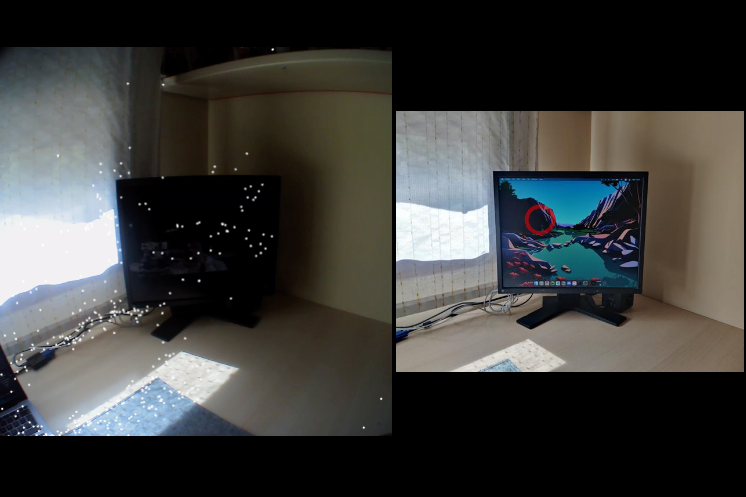
Hi @user-91d7b2 ! Could please indicate the steps you follow? eg. Create Enrichment - Reference Image Mapper - Place a name for the enrichment - Select scanning recording - Upload reference image and click Run ?
Can you confirm it started after you clicked on run? Alternatively, you can invite me to your workspace to have a look.
Thank you, I'll check that! I have another question - is it ok to take a video with one eye closed or will it create problems with the data of the video?
@user-1af4b6 Invisible uses both eye images to estimate the gaze position, if you squint or occlude one eye, you most probably end with a jittery signal. Do you need monocular eye data?
Hi, There is a problem using reference image mapper, it always shows 'running' and I have waited for more than 20 min, the video is very short (30 seconds). Could you tell me what's wrong?

Hi @user-cc9ad6 👋🏽 ! This error is likely the consequence of a poor scanning recording. A good scanning recording needs to record the object of interest from all possible angles and from all distances a subject may view it. I highly recommend checking our scanning recording best practices. https://docs.pupil-labs.com/neon/pupil-cloud/enrichments/reference-image-mapper/#scanning-best-practices
In the end, it reports there is an error. Could you tell me how to fix it?

Thanks for replying. I tried to make high quality recordings and did the reference image mapper more than 10 times, it still fails. Another thing is the new instruction in the new version really confuse me. In the old version, firstly, we should click a video(file1) recorded by glasses and in which record your gaze, secondly we upload reference image(file2) and scanning recording (file3) to create a 3d model , then we can map the gaze form video(file1) to your image(file2). but in the new version, there is no step to choose video(file1). maybe my understanding is wrong?
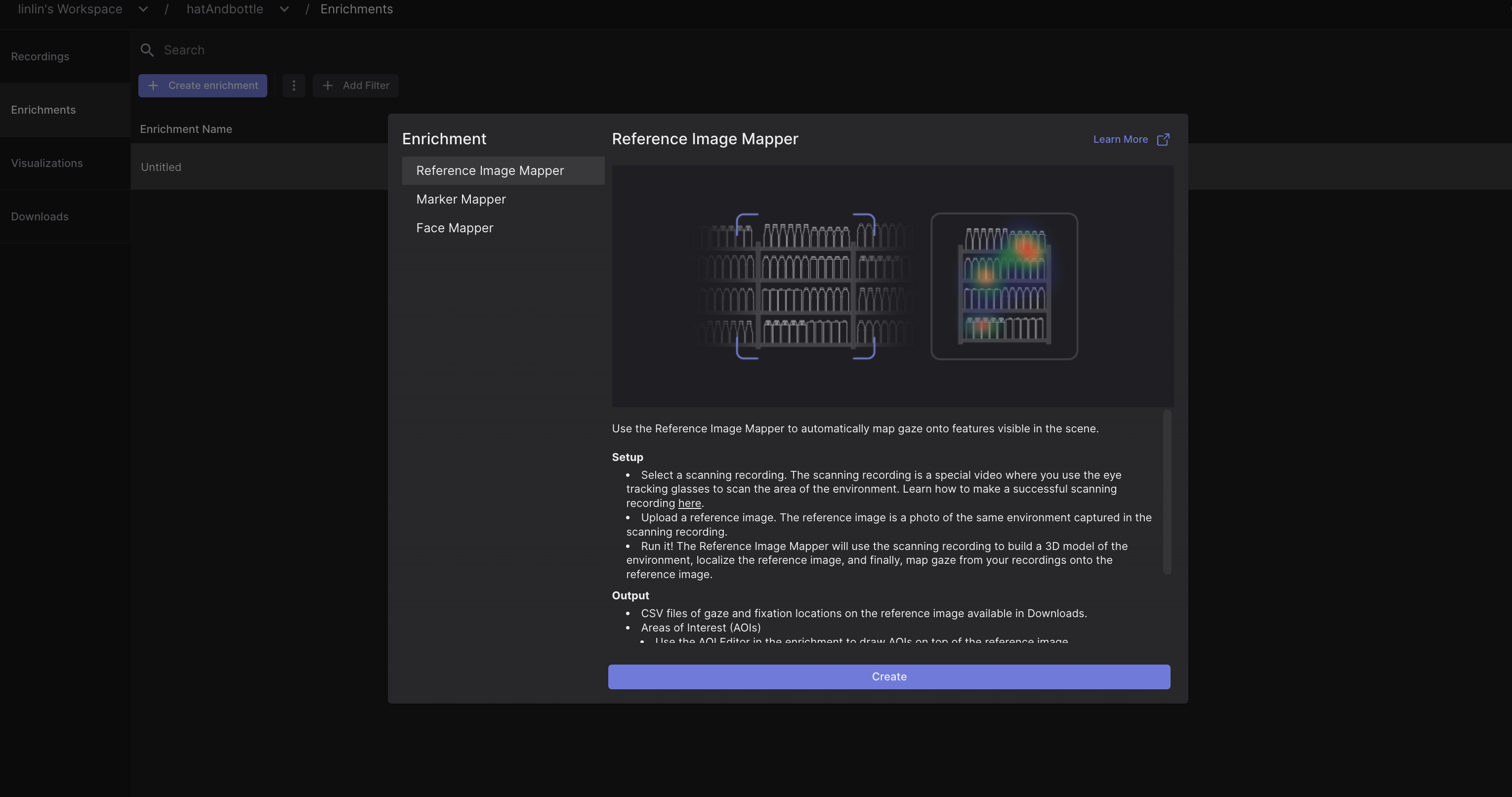
Sorry for the confusion @user-cc9ad6 - the new view on Cloud appears because we released new (and very exciting!) features today (see the announcement here).
With the new update you should be able to follow the same actions to run and complete your recording. In the image you shared, please click Create - this should bring you to the same view as in the previous Cloud version where you'll have to upload your reference image and select your scanning recording.
Regarding the issues you encounter with your Reference Image Mapper enrichments, would you mind inviting me to your workspace so that I can review the recordings and provide better feedback [email removed]
Yes i will invite you to the workplace. How do i do that?
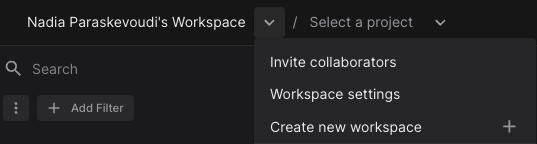
Hi @user-91d7b2 - you can invite other people to your workspace by selecting Workspace Settings (see image attached), click on Members and type in the email of the person you'd like to invite to your workspace. Please note that you can assign different roles (see also our docs). I hope this helps!
You can invite me, as my colleague mentioned https://discord.com/channels/285728493612957698/633564003846717444/1199767303949135894.
Hey everyone. I am new to eye-tracking and Pupil labs. I have an idea for an upcoming thesis topic. We have the Pupil Invisible glasses in our lab. I would like to extract the pupil diameter as part of my data. However, as per the documentation, Invisible does not collect PD data directly. Does anyone know a way where it can be obtained from a video recording?
Hi @user-8db87d 👋. Pupil Invisible does not provide data for pupillometry. The eye cameras are off-axis and for some gaze angles, the pupils of the wearer aren't even visible. This is not a problem for gaze estimation as higher-level features in the eye images are leveraged by the neural network. However, it does make it difficult to do pupillometry robustly.
Hi, I am also new user of invisible, and would like to ask about the meaning of each word of fixations excel file.
Hi, @user-5d2994 - welcome to the community! You can find descriptions of different fields in our online documentation. Let us know if you have other questions 🙂
What is the meaning of "azimuth[deg]" ,"elevation[deg]" ?
If there is any instruction documents which mentioning aobut this, please let me know.
Thank you Dom. I appreciate it. Then, these degrees are from observer's eye point, not from previous fixation to next fixation, am I right?
The azimuth and elevation are the positions of that specific fixation given in degrees, like the image attached here.
The origin point (observer in the image) is the scene camera rather than the eye point, and the "star" would be the fixation point.
Hope this clarifies it.

Thank you @neil . Would you suggest to shift to Pupil Core for pupillometry then?
If your lab already has a Pupil Core device, then that's definitely a possibility. However, if you're considering purchasing a new system, we'd recommend Neon as it offers a more robust and user-friendly solution for pupillometry measurements. You can find more details and specifications here: https://pupil-labs.com/products/neon
Hi @marc , Could you please tell me which adapter I should use to be able to charge the OnePlus while I am measuring the gaze behavior with Invisible? I would nee d a Usb-c to 2 Usb-C adapter I guess, but what about the transfer rate? Thanks in advance.
Hi @user-cc9ad6! the scanning recording is a normal recording made with the glasses, the difference is that you do not need to be wearing them, it has to be under 3 min and it is not used for the metrics. You can read more here
I have invited you to my Workspace. And my problem is that: Now I want to map gaze from a video (which the view just move a little) onto a static image. According to the instruction, the scanning recording need to scan the view from different distance and angles. and it seems the Could only map the gaze on image from the scanning recording, instead of normal videos recorded by the glasses, right? By the way, I use pupil invisible, not Neon. does it matter?
Hi @user-cc9ad6 - I'm looking right now at your workspace, and specifically project test1 - Your enrichments indeed failed there, because as far as I can see there's only one recording which is the eye tracking recording of the wearer looking at the robot. However, there is no scanning recording in this project. Instead you have used your "main" eye tracking recording as scanning recording but this wasn't optimal, as the scene was not scanned from all possible angles/distances for building the 3D model required for the Reference Image Mapper to work.
On the other hand, your first project handAndbottle looks fine - the enrichment was computed successfully and you can see that the gaze was mapped from the gaze video onto the image (please make sure to select the gaze video instead of scanning video on the toggle above the preview when looking at the enrichment output).
Hi Nadia, Thanks a lot for your work. But I don't know how to select the gaze video instead of scanning video on the toggle above the preview when looking at the enrichment output. You mean in the visualization? In visualization, it shows we can select video but I couldn't find a button to that (see the pictures). Another thing is could you help me look at the 'robot2' project? I really want to map gaze from gaze video onto image by using a image and scan recording. But it seems I couldn't.
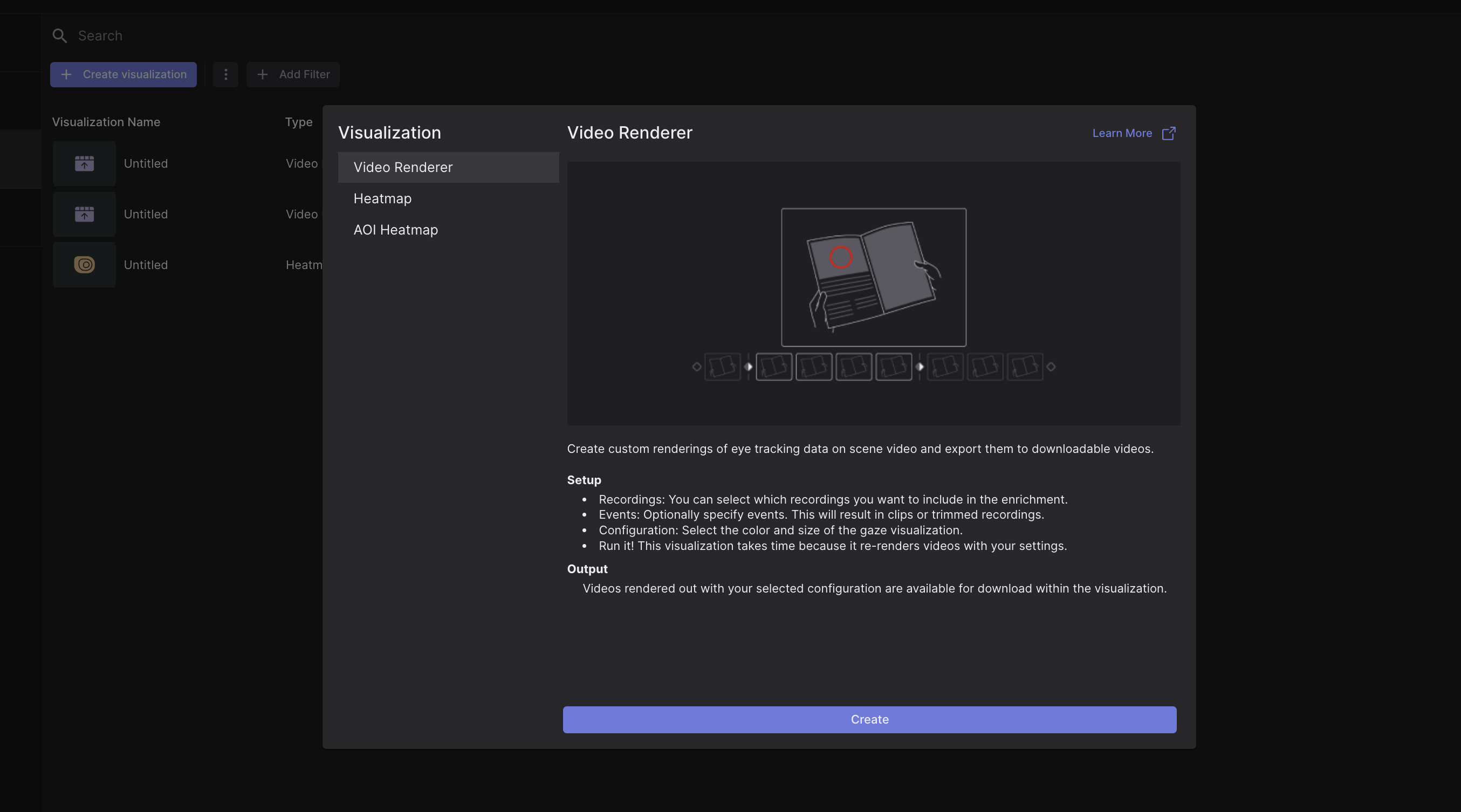
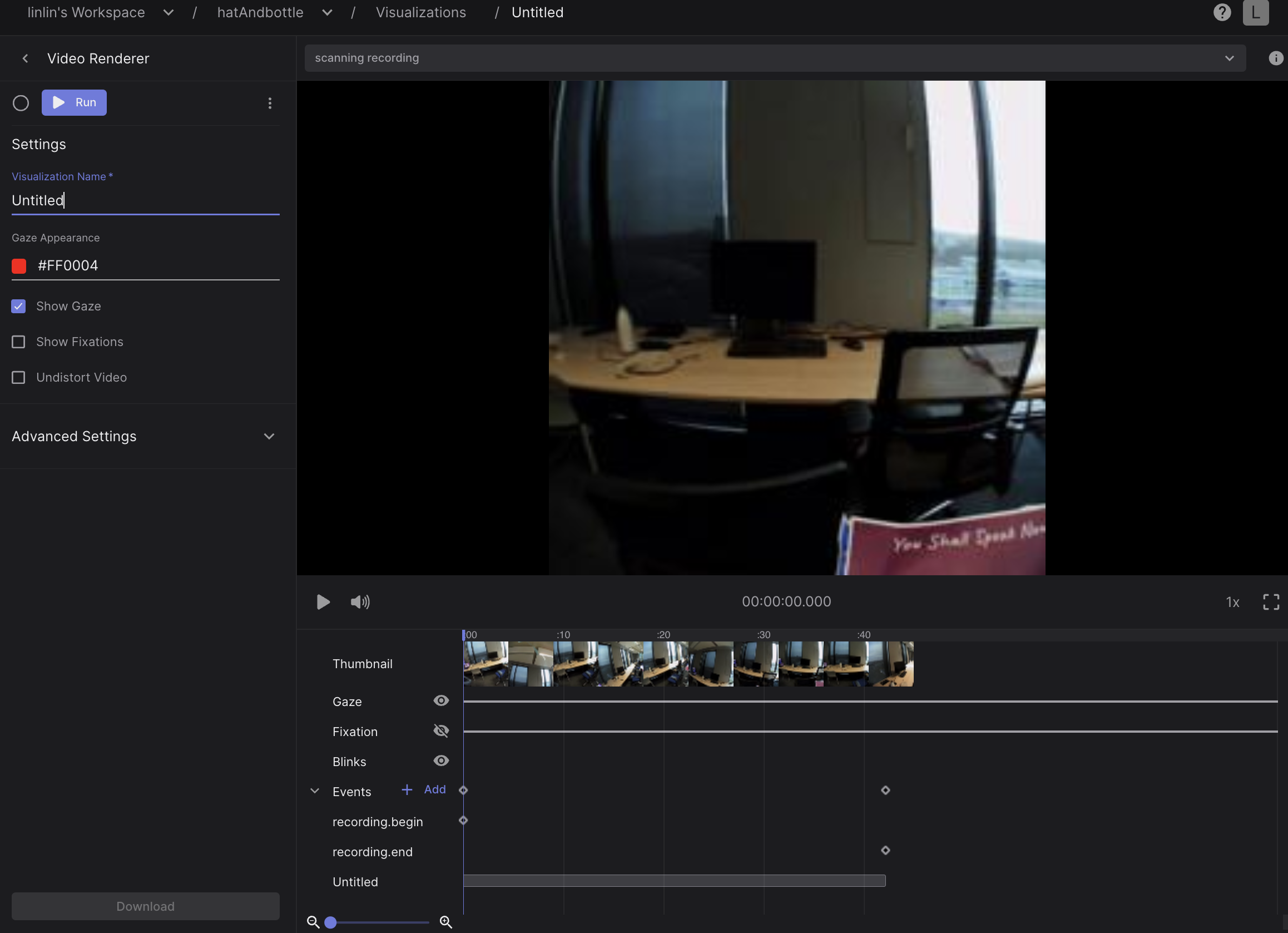
Sorry for the confusion @user-cc9ad6 - let me clarify. You can select the gaze video instead of the scan video as I show in this video. Your enrichment is still processing though, so the mapping won't be visible until the enrichment is done.
But as you can see, differ to the scan recording, in the gaze video, the view just moves a little, instead of including all distance and angles, that's why I always failed before. Does that mean I can't use this mapper in this kind of video?
@user-cc9ad6 the eye tracking recording (= the recording that you make while wearing the glasses) doesn't have to capture the scene from all possible angles. The scanning recording (= the recording that you make while holding the glasses in your hand) needs to capture the area of interest from all possible angles and distances. Can you please clarify if the gaze video in your project was made with you wearing the glasses while looking at the robot?
Yes, I do that according to the instruction. the 'scan recording' is made by holding eye tracker glasses whereas 'gaze video' is made by wearing the eye tracker glasses
@user-cc9ad6thanks for clarifying. Let me summarize here a few points that I hope will be helpful:
Regarding to the previous point, only the scanning recording needs to scan the area of interest from different angles and distances. The gaze video (ie. eye tracking recording of you wearing the glasses) does not have to do that.
The reason why your previous enrichments did not work was that for example in project test1, you only had one video (so the scanning recording was missing). To run a Reference Image Mapper enrichment, you need to add the scanning recording (i.e., recording while holding glasses in hand and scanning) and the eye-tracking recording (recording while wearing glasses and looking around) to the same project.
Another important point is that your gaze estimate in the gaze video looks quite noisy. I loaded your recording to Pupil Player where one can see the eye overlay and indeed it seems that one of the two eye cameras is covered by hair (?), making it difficult to get a good view of the eye (see attached). Note that Pupil Invisible provides binocular gaze estimation - therefore, if one of the eyes is not clearly visible, the gaze estimation is jittery and noisy.
Thanks a lot! Now it is quite clear. I am very appreciated for your solution and patient explanation!!! That's so helpful for me.
I'm happy to hear that this helped 🙂 If you have any more questions, just let us know!
Hi, I'm trying to use the enrichments,. I uploaded the reference image, the scanning recording, I chose the events where I want the enrichment but after minutes of waiting the system gives me an error....I can't understand where I'm wrong
....this is the situation

Hi @user-e91538! Would you mind sharing the details of the error? Based on the image you shared, it seems that the enrichment is still running, but I can't see any errors
here is the last error I got from the enrichmet I posted before
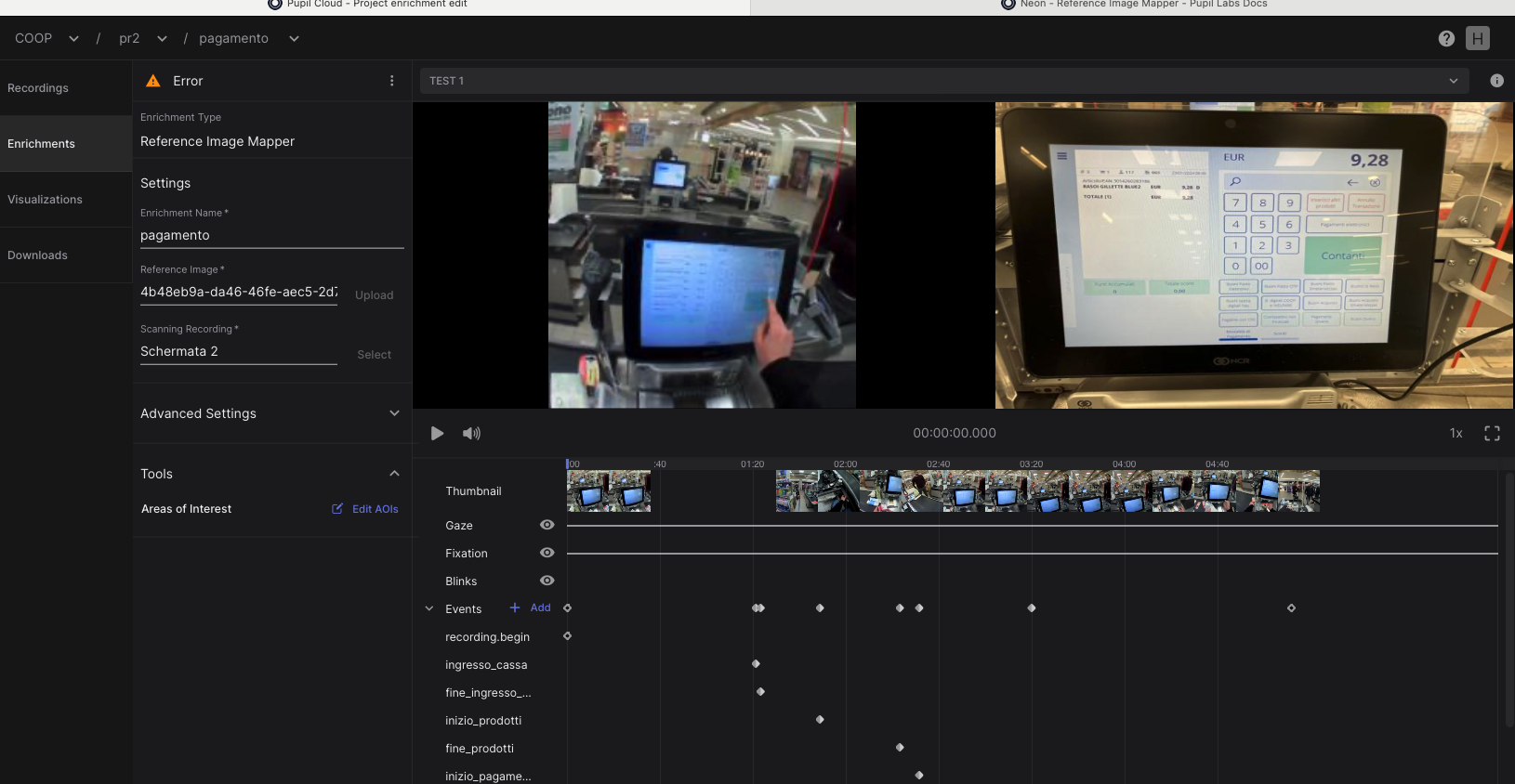
just seen...the text of te error is: Error: The enrichment could not be computed based on the selected scanning video and reference image. Please refer to the setup instructions and try again with a different video or image.
no particular message....the little wheel on the top left keeps on spinning around and after many minutes (maybe 15) it stops and I see the word Error

@user-e91538 thanks for sharing more details about the error. This error is likely the consequence of a poor scanning recording and/or a suboptimal reference image. A good scanning recording needs to record the object of interest (in this case the painting) from all possible angles and from all distances a subject may view it. I highly recommend checking our scanning recording best practices. https://docs.pupil-labs.com/neon/pupil-cloud/enrichments/reference-image-mapper/#scanning-best-practices
thanks for your reply and suggestion.....I'll try with new scanning recordings
Hi there, Again the same problem, but now using pupil cloud. When i look at one of the movies, the movie is mirrored (you can for instance see this from the letters of signs) I'm we can also download the pupil player format. But still are struggling with the alignment of the pupil download and the pupilplayer format. I don't know where to start. Making a scatter plot between both x-axes provides a cloud Is the first sample different (pupilplayer format provides x and y coordinate, wheres cloud seems to start after a few seconds)
Hope you can shed some light
Hi @user-e40297 ! That is strange, wouldn't you have a cv2.flip() in your code? do you see this in Cloud too? If so, could you share the ID of the mirrored recording?
Regarding Pupil Player with Pupil Invisible recordings, there are several things that you have to consider.
I) Recordings need to be downloaded in Pupil Player Format (which is the native recording data) or exported directly from the phone.
II) This native recording format has gaze at a sampling rate of appr. 120Hz, as estimated in real-time on the Companion Device.
III) Recordings in Cloud are reprocessed to get you gaze data at 200Hz, since the cameras always record at that sampling rate and you get that data in the csv files.
IV) When loading this native data on Pupil Player, you would still have the sampling rate of the native recording, unless downloaded from Cloud. Furthermore, the recording is transformed to a format similar to Pupil Core (time is changed to Pupil time) and also the grey frames from the beginning are removed. You can see more here.
When looking again at the source, it is not mirrored. As said I'm confused... Maybe I'm just mistaking.
I'm trying to calculate it to the worldcam times... For the downloaded format from the cloud I used the time stamps of the worldcam
For the pupil player format I'm using the index of the worldcam.
I'm taking the average
I am not sure I am following up on what you intend to do. Do you simply want to compare Pupil Player vs what you get from Cloud? Or something else? As I mentioned, there are some transformations when loading the recording into Pupil Player, which would make a frame-frame comparison a bit trickier.
Please let me know how can assist you
I'm trying to place an image over the worldvideo. The location of the image is gaze dependent. In order to do so, as a first step, I'm trying to determine if the gaze as calculated from the excel is identical to what I see happening in Cloud/pupilplayer. Somewhere I'm making an error
Have a look at this snippet to render over the scene camera using gaze. https://discord.com/channels/285728493612957698/1047111711230009405/1187427456534196364
Hi Nadia, Could you tell me how to get the gaze position on the image after using Reference Image mapper. Now I can only get the gaze position on original video, not image.
Hi @user-cc9ad6! Just to clarify, do you mean you'd like to export a video of the static reference image and the gaze points overlayed on the image? If so, this is not offered directly through Cloud.
However, you get all the csv files with gaze/fixation data along with the reference image within the Reference Image Mapper export, so you could create your own rendering to achieve that.
In case it's helpful, I encourage you to have a look at this tutorial that generates a scanpath on the reference image based on the fixation csv file.