
Okay thanks for confirming. Yes, that makes sense. Good luck with your project!
Many thanks for your explanation and wishes, @neil 🙂
Would anyone have any suggestion on a good filter to add on top of the real-time data achieved by the camera headset to clean out the data completely and not affect the speed drastically?
Can you elaborate a little on what you mean by "clean out the data completely"?
Hi, I'm planning to use this wonderful open source pupil labs to make a project about a pair of robotic eyes mimic my eye movement. Can you recommend a video tutorial for noobs? :)))
Hey @user-591935 👋. We don't have a full-blown video tutorial for noobs. But we do have a lot of documentation w. video snippets scattered here and there. Could you elaborate a bit more on your project, e.g. what equipment you have, what's the protocol going to look like etc. And we can try to point you in the right direction!
Thank you
Hi, @user-e1f92a - it looks like you're running from source - we recommend that you run a release version instead. If you need to run from source, you probably need to check the version of Python is installed in that virtual environment
@dominic Python Version is 3.7.16 : )
Are you able to run the release version?
@dominic Do I have to download the release version again?
It looks like you're running from source. The official releases for Windows are bundled up with an installer. You can download it here: https://pupil-labs.com/products/core/
Thank you : )
Hey Dom, Basically remove outliers and artifacts in the data. When you have a saccade, the gaze point moves from one fixation to another. During that motion, sometimes the datapoint may glitch due to a false reading and looking at from a visual standpoint, you have a nice clean straight line movement then a sudden jump then back to nice smooth movement. That sudden jump is what I would like to filter out.
I don't personally have experience with that, but maybe someone else here can point you to a filter they've had good success with in that context. Otherwise you might be able to find something useful in the various publications that have made use of Pupil Labs products in the past. Have a look here: https://pupil-labs.com/publications/
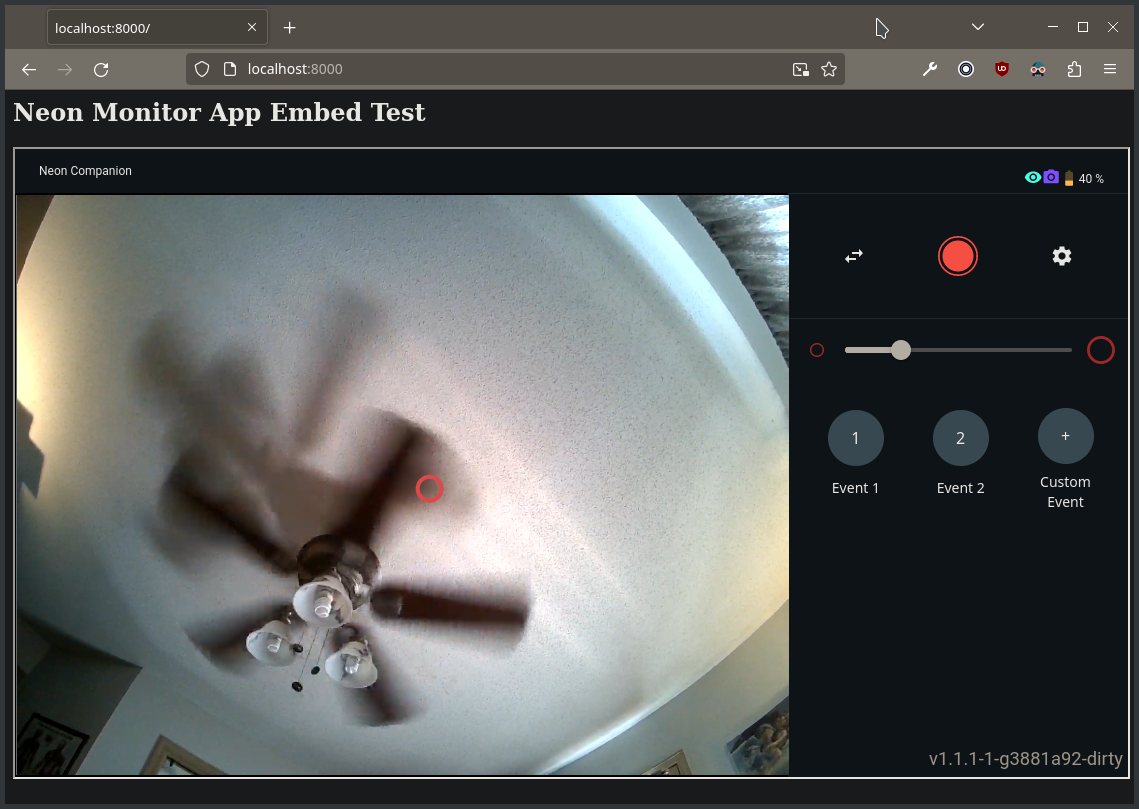
Hello group! Has anyone here had success in inserting the video feed of the Neon into a webpage? For live streaming?
Hey! Do you mean streaming over an internet connection, or just over a local network? The monitor app can handle the latter: https://docs.pupil-labs.com/neon/getting-started/understand-the-ecosystem/#neon-monitor
Neil, great to hear! I will put this to the test. Second to that is to embed the http://neon.local:8080/ inside another webpage or a unity3d app. This is where we are getting stuck...
Embedding that page in an iframe works fine on the local network
To embed the video in a Unity app, you'll need a C# library to digest the RTSP video feed. IIRC, @user-8e415a was trying to use SharpRTSP (https://github.com/ngraziano/SharpRTSP) for this purpose, though I'm not sure how that's going for them
I managed to get SharpRTSP into Unity, and it let me create a .h264 file from the video, but not display it in the app.
Ah, I see SharpRTSP only handles transport. So @user-2f2524, you'd need something else to decode the frames before being able to render them to the screen. Thanks, @user-8e415a!
@user-8e415a @dominic thanks guys! Will work on it!
Let us know how you get along 🙂
Hello! I have a question about Pupil Capture softwear functions. I want to use Pupil Core at night, but I don't have experience the softwear night settings. Could you help me, which settings are the most optimal at night?
Hi, @user-e91538 👋🏽 - the pupil cameras have IR illuminators, so they'll work just fine in a dark environment, but for the scene camera you'll probably want to adjust the exposure settings and potentially some of the post-processing settings settings as well to improve the image.
@dominic I have tried to set up the companion phone as a hotspot and my python application code in my windows was not able to find the device from either through you simple api example or the async api example.
Are you using Neon?
Yes
In the app at the top-left, there's a button that reads "Stream" - click on that. If appears to be loading, then you probably won't be able to connect until its done. If it isn't spinning and you see a QR code, but still can't connect, then you will probably have to connect using the IP address listed on that screen instead of autodiscovery
I clicked the "Stream" button, what does that do? Do I need to attempt to search for the device from my python code at same time? The loading has taken a while? Am I supposed to get a QR code and IP address when the spinning is finished?
Essentially it starts a service that announces to other devices on the network that it is available. It usually happens right away though. You might try force-stopping the app and restarting it.
To do that, long-press on the app icon and select "App Info". Then select "Force Stop".
Ok, just to clarify, I have setup the companion phone as a hotspot, and my computer is connected to the hotspot to both access the glass but also to access the Internet provided by the mobile network on the phone. Well, I have forced stop the app and start it again, but it's still pending.
If you go to the device settings (pull down the notification drawer, click on the nut icon), then select "About Device", then "Status", do you see an IP address there?
Yes, there's an IP on that menu and I used that to connect phone but poped up the following error
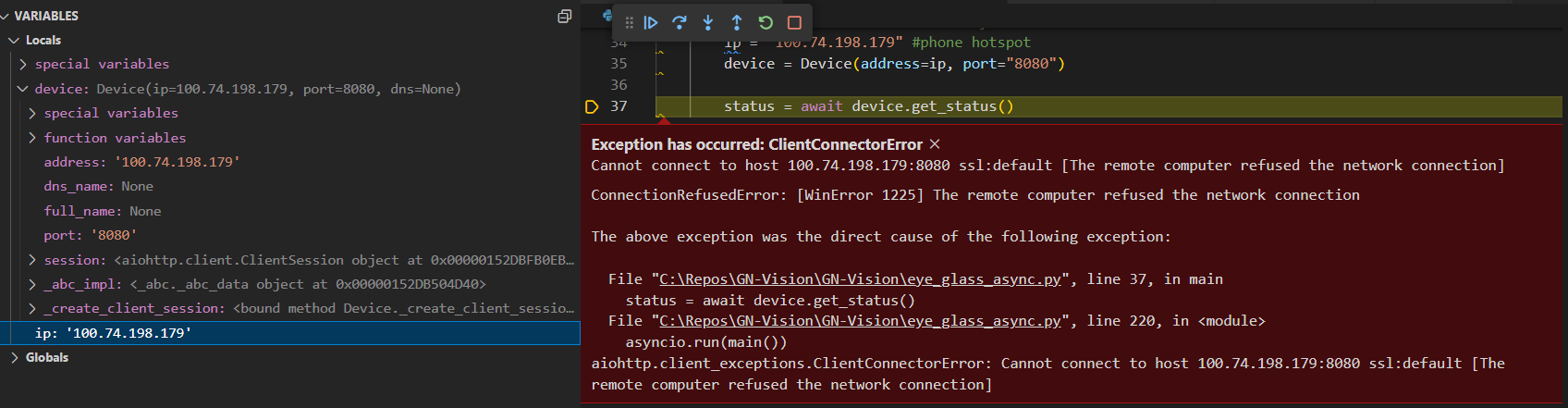
port should probably be numeric instead of a string, but that's probably not the issue. Let me check with colleagues for any advice
Hey, @user-854e02 - so we don't actually recommend that you use the companion device as a hotspot while recording/streaming, as it requires resources that will likely effect the performance of your recording and/or stream.
Having said that, this will technically work, but you will need to find the companion device's local IP address. Since it's not displaying in the usual places, you can get it from the PC that's connected. Open a terminal and use the following command:
ipconfigip routeroute -n get defaultYou're looking for the default gateway IP. It will probably look something like 192.168.xxx.xxx. Again though, we don't actually recommend this for performance reasons
Ok, the primiary reason that I want to use it as hotspot is because the realtime is quite lagging, regardless if I use the simple api or asychronous api. My code is based on Scene camera video with overlayed eyes video and gaze circle example in the simple api and Scene Camera Video With Overlayed Gaze in the asyc api. The lagging is probably 2-3 seconds by rough esitmation.
That's definitely atypical. On my network (with a dated and somewhat cheap wifi router), there's almost no perceivable lag. Maybe tens of milliseconds. Can you share your code?
I run the raw code, apart from hardcoded the ip on line 27-28. This is the example of Scene Camera Video With Overlayed Gaze from the asyc api.
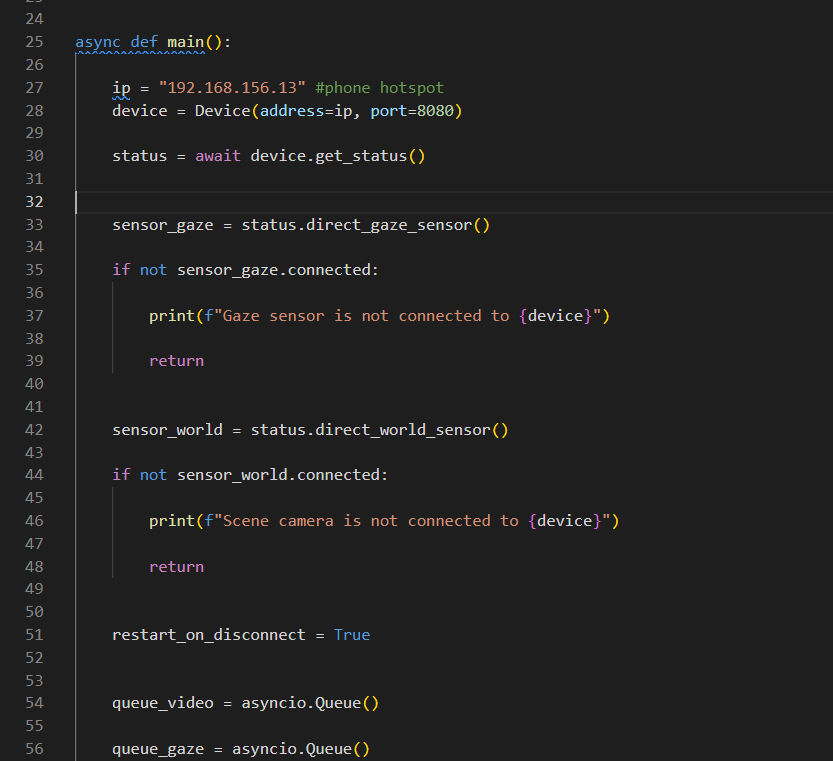
Tried this code, there's 15 seconds lag. I connected it to the companion phone via the phone's hotspot but it is simiar if I connected it to the company's wifi network. And I can see the lag in the async code just increase.
Interesting. Do the frames render at regular speed - just delayed? Or is it in slow-motion?
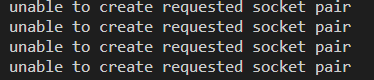
There both error like "unable to create requested sockete pair" and bad pixels. It's primarily delay.
Tell me about the PC. What kind of specs? Is there anything running in the background that might be eating up resources?
Memeory was eaten up a bit

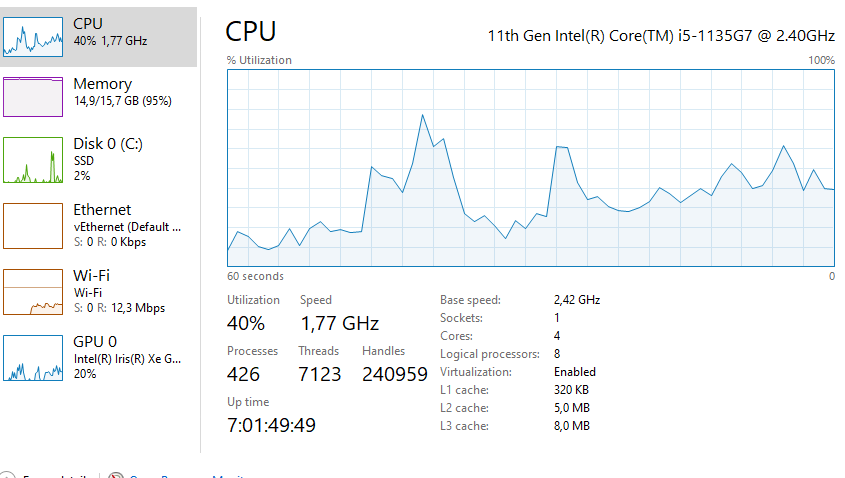
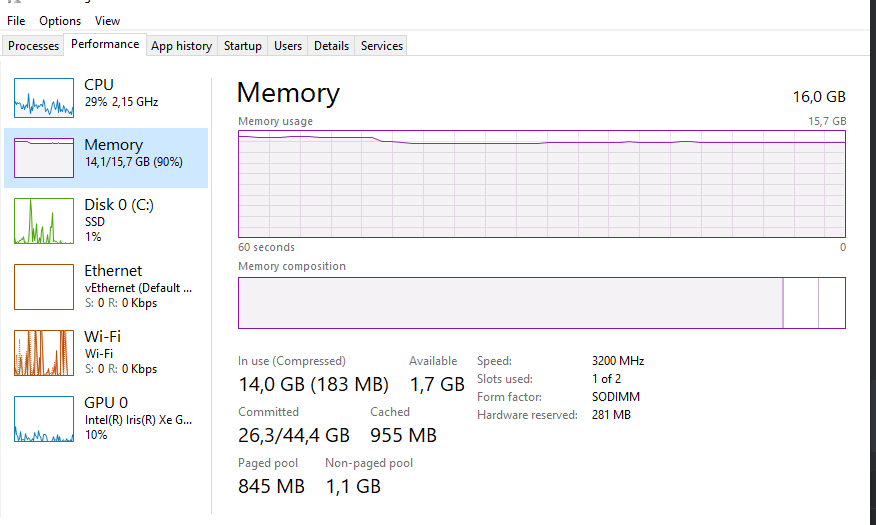
Very capable hardware. I'm pretty confident that whatever is eating up 40% of your CPU and 95% of your RAM is the problem
Hi, can someone help me understand this error? I'm trying to load an old data file.
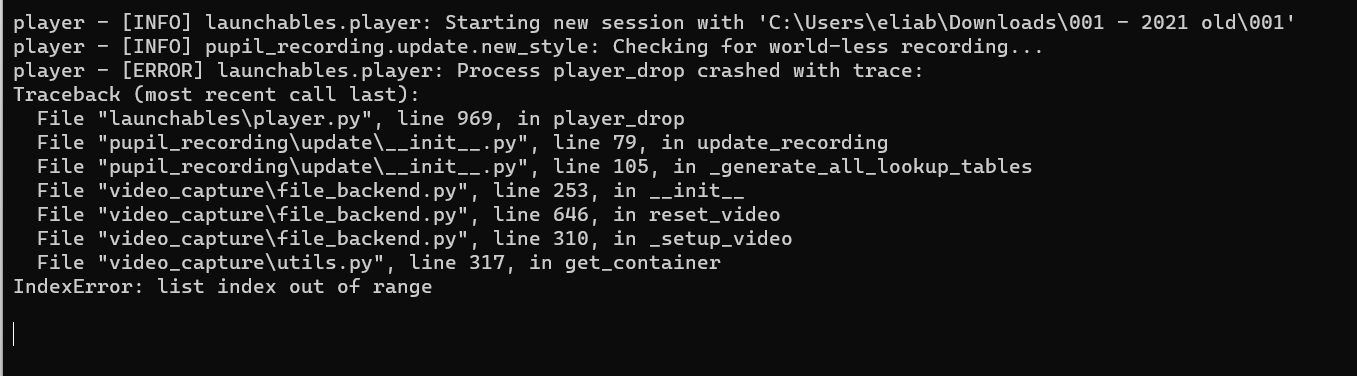
What does it mean?
Hi Elie! how old is the recording? Do you know with which version of Pupil Capture was it recorded?
It was roughly recorded in August 2021
I dont remember which Pupil Capture version it was ,is there a way to find out in the files?
Oh, actually I see now in info.player: { "duration_s": 1014.73128, "meta_version": "2.3", "min_player_version": "2.0", "recording_name": "2020_08_31", "recording_software_name": "Pupil Capture", "recording_software_version": "2.3.0", "recording_uuid": "3b84686a-a572-4c9e-9613-8b6246fe8e58", "start_time_synced_s": 6444.819551, "start_time_system_s": 1598888559.9532158, "system_info": "User: user, Platform: Windows, Machine: pc, Release: 10, Version: 10.0.19041" }
The reason why I asked that is because the recording format had changed, especially if you attempt to load a recording made with the 1.X era.
The error that you get seems to be related. Which version of Pupil Player are you using?
I see. Thanks for the suggestion. I was using the latest version - but as per ur suggestion I downloaded v2.3 via this link https://github.com/pupil-labs/pupil/releases . I tried uploading the data to it and I still got the same error.
Thanks for trying that. Could you share the recording with [email removed] To do so, please upload it to the cloud provider of your choice (Drive, Dropbox, ...) and invite that email address. We will have a look and let you know if we find what could have happened there.
You mean upload the entire folder?
yes! we might need to check if there is a corrupted file
I did that, thanks.
If you find anything can you DM me? on Discord
Sure! I will do so!