
Thank you for your work. Could you please answer the following question?
Q1 What are the continuous operating time limits for each of the three products (Neon, Invisible, and Core)? For example, I planned to operate Neon for 3 hours the other day, but after about 60 to 90 minutes of use, an error occurred on the smartphone application (NeonCompanion app automatically closed, an error message was displayed, etc.), and it became unusable for several tens of minutes (the sensor part of the eyewear was hot, but is that related to the application error?).
Hi @user-5c56d0! Neon can record continuously for up to four hours on a single battery charge. The module temperature doesn't factor into this as it usually reaches about 10 degrees over ambient temperature within the first 10-15 minutes and remains at that temperature. So, if your current recording stopped unexpectedly, and the app closed, we'd need to investigate that. Please open a private ticket in the 🛟 troubleshooting channel
Can you drag the bottom left corner of the surface down so you cover the full windshield? Or was this trapezoid shape intended? It looks like the surface visualized to the right of the video is warped due to the geometry of the surface.
can you please tell to me how to drag it? should i do it before running the analysis ?
Yes, you'd want to set the surface such that it covers an appropriate portion of your windscreen. Please try clicking on 'Reset Surface', then drag and drop the corners of the surface to the desired locations.
Got it, Thanks
Hi ! I'm from a Cognitive Sciences Lab. We are using a Neon module to study baby cognition. We've had trouble using the Neon glasses meant from children as our age group starts at 12 months: their heads are too small. Therefore we've had to 3D print our own frame based on PupilLab's own 3D models (see pictures of what we've made attached). We've been testing with this successfully, but occasionally we get a "sensors failure"/"recording failure" message, then the recording keeps going but without eye-gaze data.
How can we minimise this occurence ? Is this linked to our custom frame or is this a more general problem stemming from Neon Modules ?
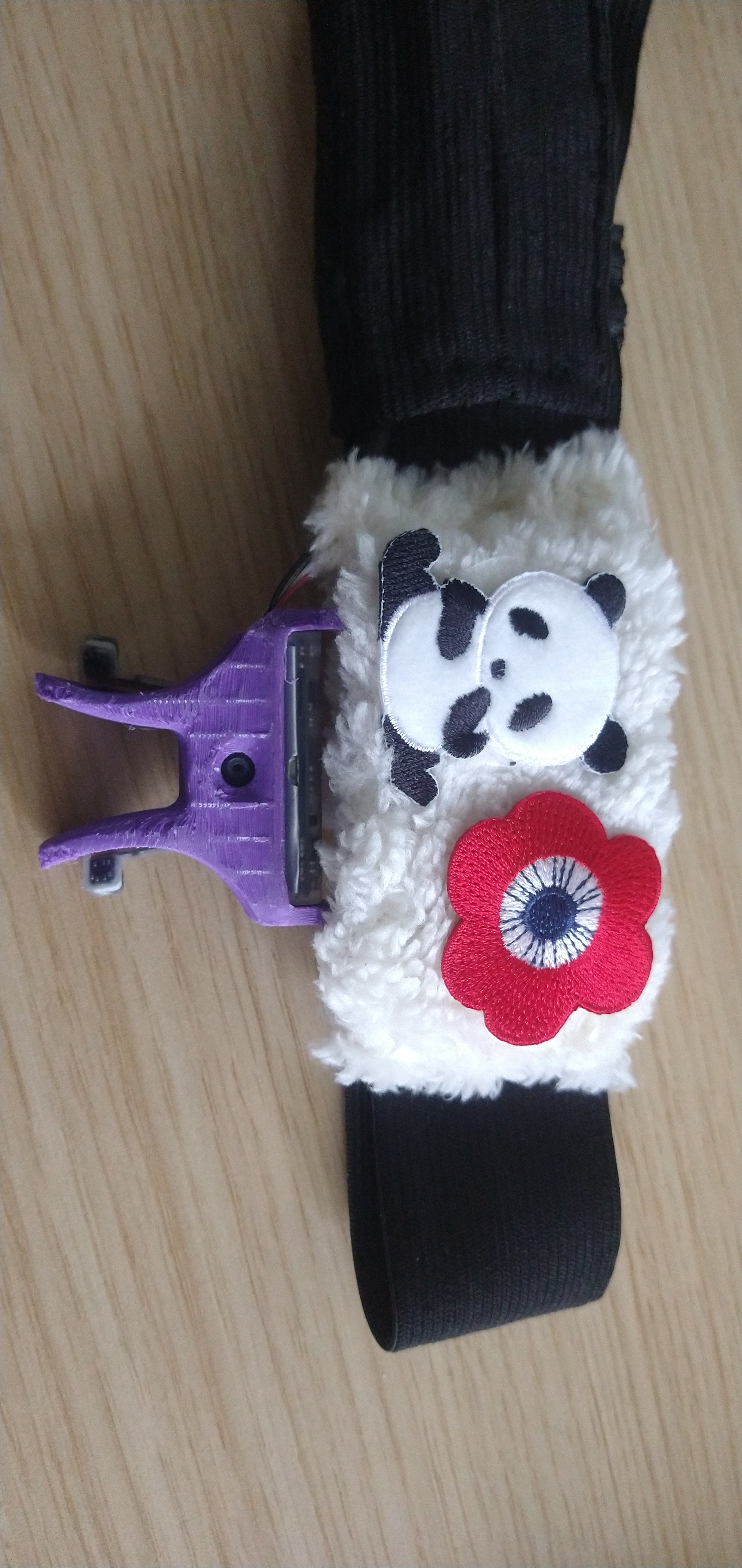
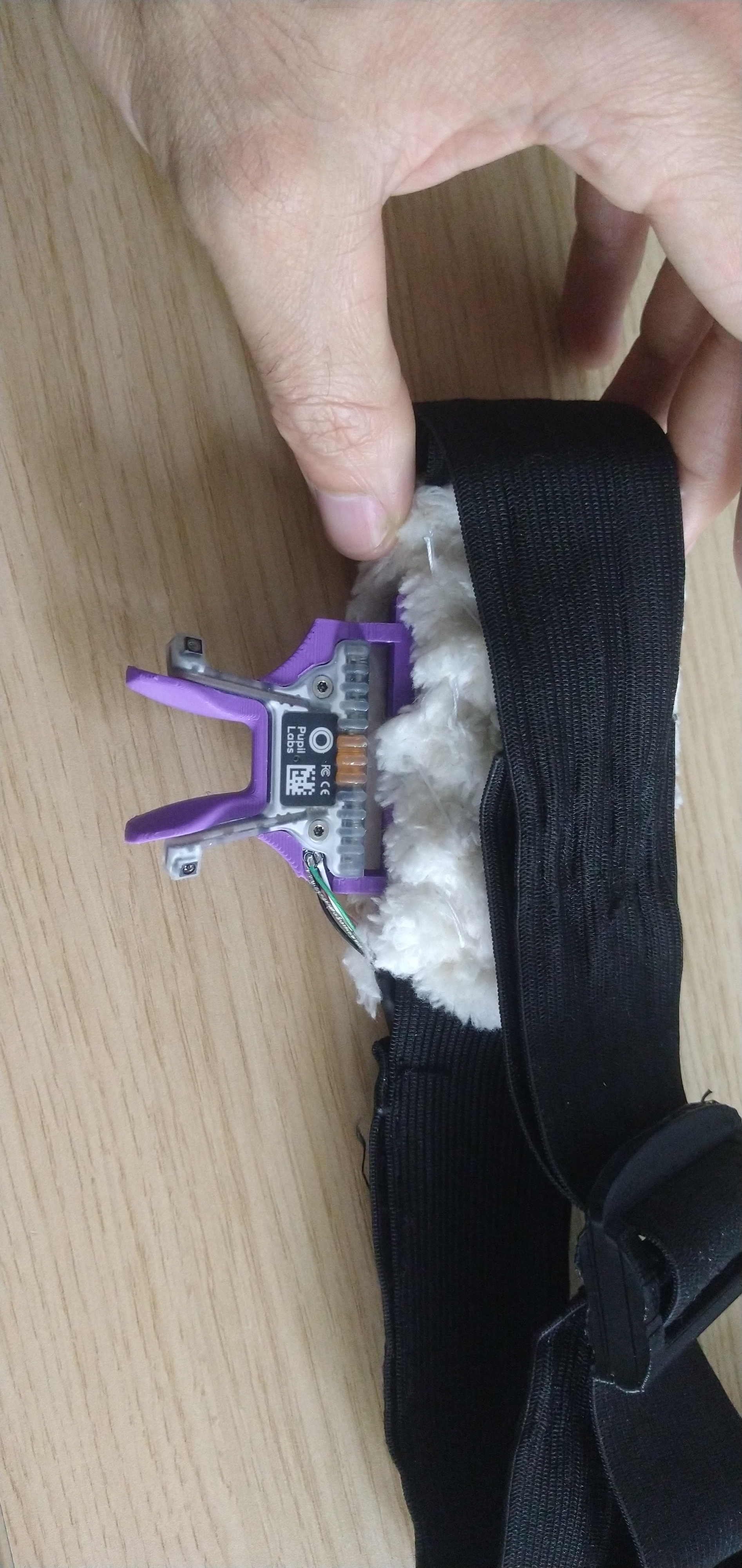
Thanks for sharing those pictures! Really great to see this integration of the Neon module. As for the errors you're getting, it's a little difficult to pin down whether that's something to do with the module, nest or custom integration, or even the app version you're using! Please open a support ticket in troubleshooting. It will prompt you to enter some details that will help us look more closely at the issue, and we'll go from there.
Will do, thanks !
Can someone reply to this ?
hey quick question, can we move the recording into another work space in pupil cloud
Hi @user-159183 👋. This is not currently possible, although feel free to upvote this in the feature-request channel https://discord.com/channels/285728493612957698/1212410344400486481
The frames without marker detections will be skipped, yes. The markers do need to be detected for the mapping to take place, and we don't do any interpolation of frames with missing detections.
hello. I've not managed to get the standalone Neon player to run (on a 2020 imac running Catalina). Installs OK, but doesn't launch. When I run in terminal I see some ImportErrors about libraries, libavformat. Is this a known issue? I'd like to get it working please
Hi, @user-53a8e1 - are you running from source or using the bundled dmg installer?
I used the dmg: neon_player_v4.1.2-0-g0c5732e5_macos_x64.dmg
Can you share the log file? You should find it in the neon_player_settings folder
sorry, where would I find that folder? I've done "show package contents" to the installed app
Your home folder. E.g., /Users/your-user-name/neon_player_settings
got it
Hi, is it possible to download the recordings with the fixations and gaze on it? When I download the recordings from pupil cloud, I only get the raw recording without anything on it. Thanks!
Hi @user-e91538 👋. Check out the Video Renderer in Cloud: https://docs.pupil-labs.com/neon/pupil-cloud/visualizations/video-renderer/#video-renderer
Thank you! We will need to investigate further, and this will help.
In the meantime, are you able to run from source?
I haven't tried that but I'll see if I can work it out
just wanted to confirm that I have managed to run neon player from source. It took a while to build (maybe it's a python 3 issue...)
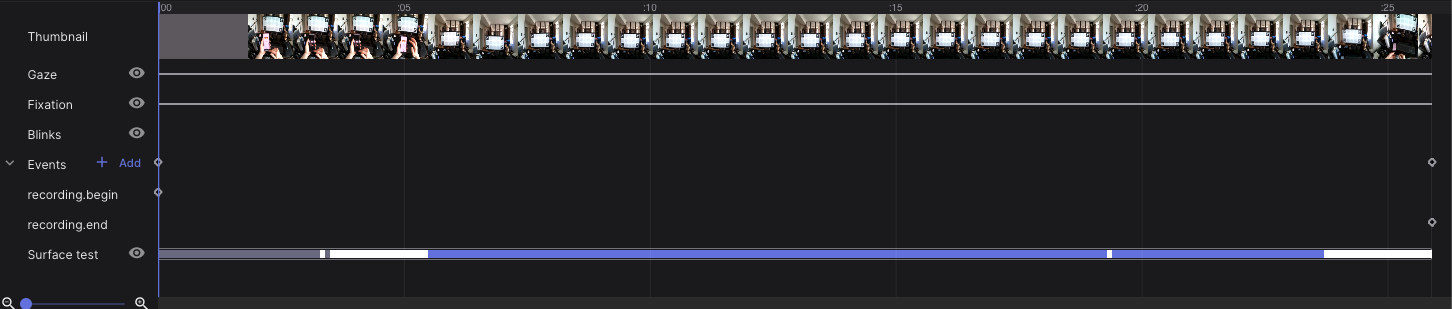
Thanks for the reply, after applying the enrichment how do we find out if the marker is detected in a particular frame or not ?
In the timeline of the enrichment, you can see whether the markers have been detected or not
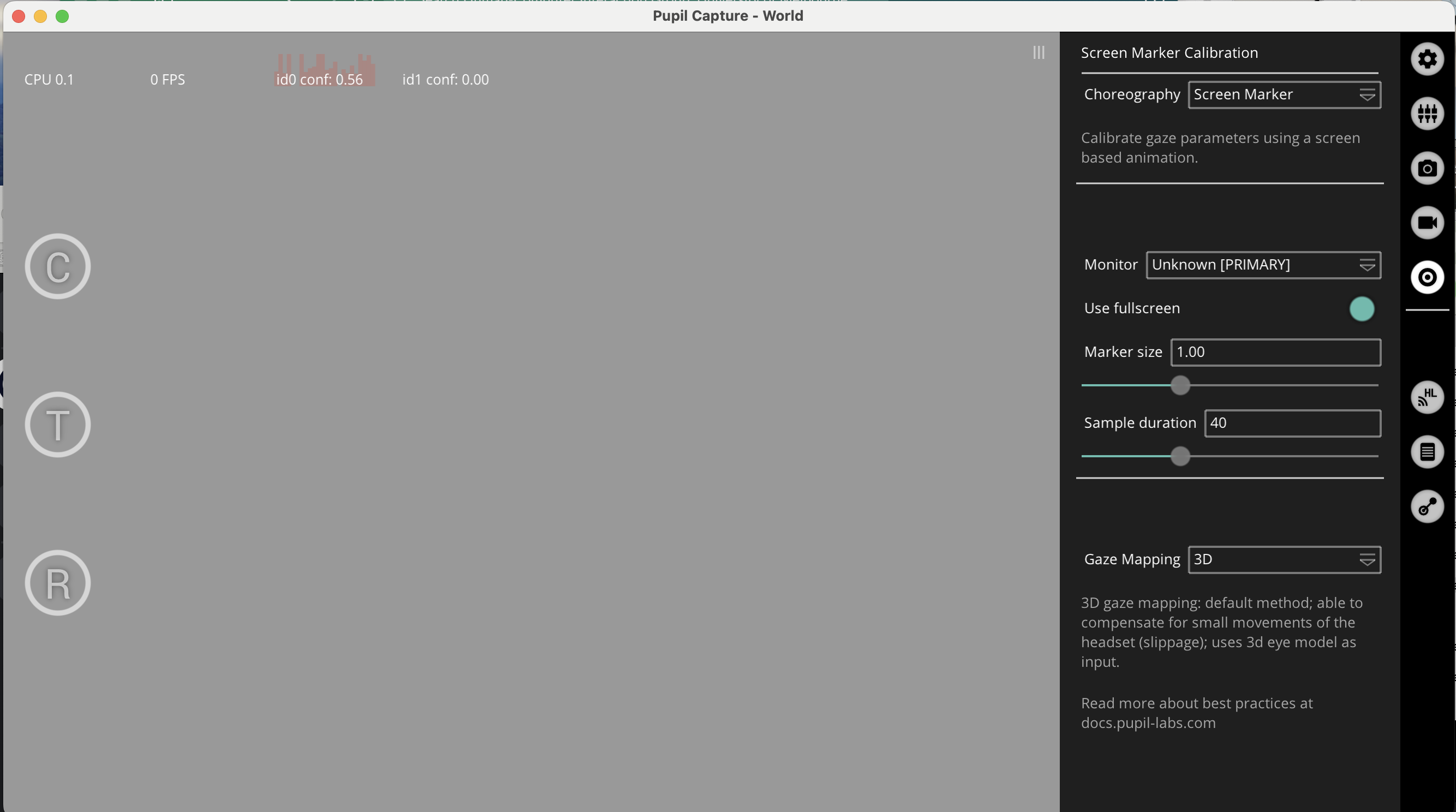
I cant see anything even the eye tracker is connect to laptop(mac)
Hi @user-820f0e 👋
Neon is not designed to be used with Pupil Capture software. You connect Neon to the Companion Device for data collection. Please could you clarify your use case?
I want to record gaze direction using computer.
I can use API, but I dont know how I can modify the quality of recording video in python code
@user-820f0e can you clarify what you mean by "quality of recording video"?
Also, can you give an example of your research goals so that we can provide more concrete suggestions?
I want to do a user study research, and the place that my participants look at are important. from the quality I mean, I need to read qr codes using open CV, so the frames need to be in a good quality. from pupil_labs.realtime_api.simple import discover_one_device device.receive_matched_scene_and_eyes_video_frames_and_gaze()
Hi, @user-820f0e! I have a couple of thoughts to share
I have a (probably dumb) question about pupil cloud. When I choose Video Renderer and some other enrichments it says "Recordings: You can select which recordings you want to include in the enrichment.". But when I choose these, it seems to automatically run on all the recordings in the project. How do I select which recordings to run it on?
If you only want to run enrichments on certain recordings in a project, and wish to keep those recordings in the project, you need to use specific events on the recordings you want to process. Then choose to run the enrichment only on those events in the 'Temporal Selection' when setting up the enrichment.
OK thanks! You should probably change that documentation that says you can select which recordings then!
Thanks for highlighting that, @user-53a8e1! I'll liaise with the Cloud team.
The announcement channel doesn't allow comments, so I will write here. It's great there are some potential Neon Companion app improvements! HOWEVER, do you think it would be possible to give users warning of an upcoming release? We had a study going on today and when we turned the phones on this morning, right before participants were arriving, the apps automatically updated, which was not ideal for our circumstances and caused some unforeseen issues. I will be sure to keep the phones off internet in the future. But on the other hand we would want to back up data to Pupil Cloud, so needing to leave the phones disconnected from internet indefinitely is not ideal. An unexpected update can really disrupt research. Would it be possible to provide a week's, or at least a few day's, notice in the future?
Hi @user-7ee596 Thanks for the feedback. Apologies for the disruption this caused for you and your team.
If you want to stay with a specific version of the app throughout the data collection/experiment, you might want to try disabling auto updates. You can do this on a per-app basis in Playstore app settings. This way you can stay connected to the internet and still make use of Pupil Cloud.
"Hello @neil , I have a inquiry regarding the gaze.csv file. I noticed that there are X and Y coordinate values present during a blink event. Could you please clarify why X and Y coordinates are recorded during blinks? Additionally, I'm curious about how fixations and blinks might overlap in the data. Is interpolation utilized to handle such occurrences?"
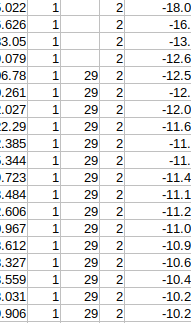
Hi @user-e91538. Regarding the gaze x/y values overlapping with blink events, note that Neon's neural network always outputs some gaze values, even with the eyes closed. As for the overlap between fixations and blinks in your data, during some parts of the blink sequence (when the eyelid starts closing or when it starts re-opening after the blink), the pupil is still visible which can explain the overlapping fixation/blink classifications.
Now, how can you deal with blinks? Blink interpolation is a common approach to deal with blinks when preprocessing pupillometry data, and in general, we'd recommend discarding data points that are so close to the blink onset and offset.
Okay Thank you
OK, that's really helpful to know. Is that an Intel Mac or an M1?
it's a 2020 imac with an intel core i7
Is there a way to re-upload recordings from the phone onto the cloud? We had a few recordings that were corrupted on the cloud but on the neon companion device (one note) they are valid.
Hi @user-ac085e! Recordings can be uploaded to Cloud only through the Companion App if the Setting Cloud upload is enabled.
Could you clarify what's the issue with your recordings? I understand that they play back fine on the phone, but they show some error on Pupil Cloud? In that case, could you please go to our 🛟 troubleshooting channel, create a ticket, and share with us the IDs of the affected recordings?
Hi @user-757948 - I'm replying to this question: https://discord.com/channels/285728493612957698/285728493612957698/1215217152722731008 here. Can you please describe the issue with are experiencing with your recording on Pupil Cloud?
@nadia Hi Nadia, so I have the upload setting enabled on the companion app and the video uploaded initially. However, on the cloud, it stated that the video was corrupted and unviewable. I checked the original video on the companion app and the video was not corrupted, so possibly something happened during upload? Is there a way to re-upload the video from the companion device onto the cloud?
Hi @user-ac085e, thanks for clarifying. Re-uploading is not possible - however, the recording might be recoverable. Could you please go to our 🛟 troubleshooting channel and create a ticket? This will create a private chat where you can share more details about your recording (eg recording ID).
thank you
Good morning Team Pupil Labs
The newest update to the companion was a nice touch, especially the part where we now can adjust manual exposure live and see the result.
But here is the major problem, that renders the glasses useless now. The manual exposure does not go down as far as in the previous version of the neon companion.
Even when the manual exposure is set to "0", the video is extremely over exposed. When we set the exposure value to "0" with the last version, it was completely dark.
Kind regards
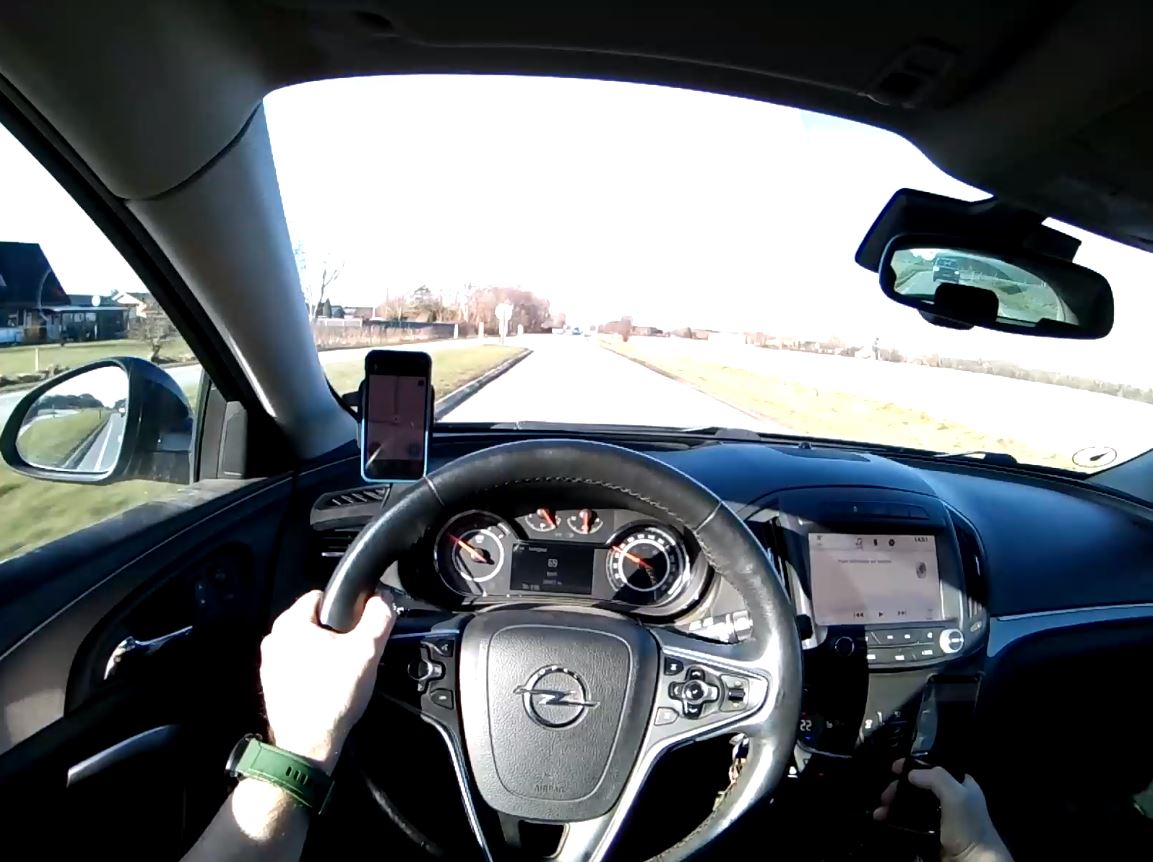
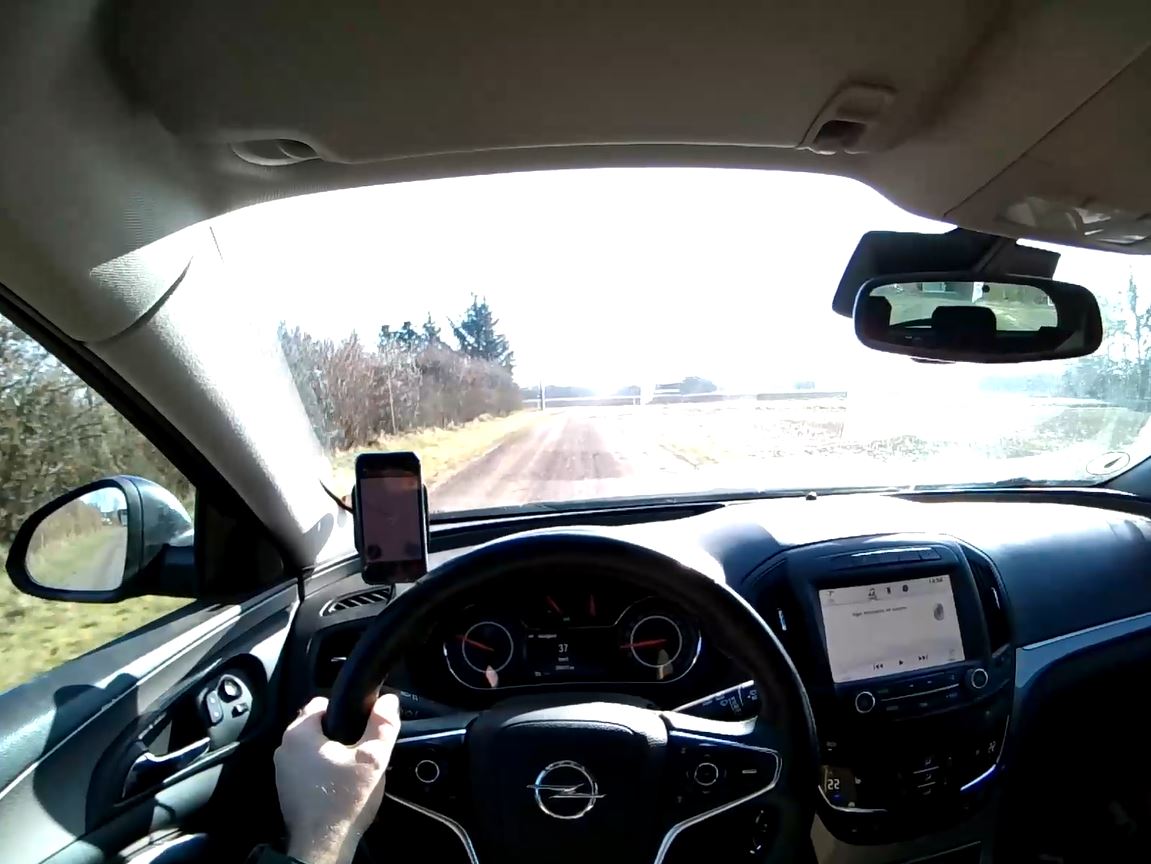
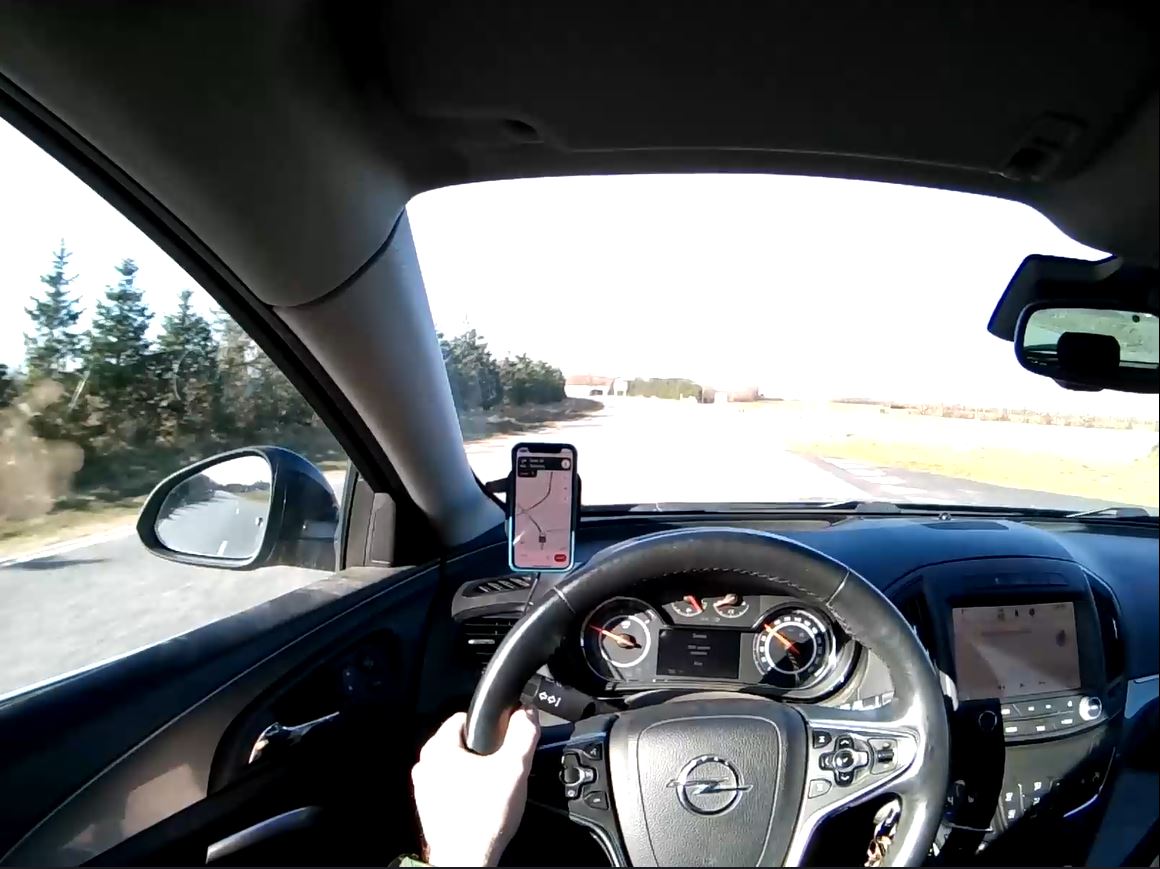
Hi @user-6c4345! Thanks for bringing this to our attention. We did not intend to make changes to the slider behaviour. Only the UI changed. We are currently looking into this and will keep you posted.
Hi again @user-6c4345! We tested the exposure settings with older and the latest App version. We see that the scene camera is overexposed with lower values - this limit in the lower range was present in previous app versions as well. However, we will be working on a fix for future releases.
@nadia Thank You for Your fast answer, as usual👍 But at the moment we can't use the glasses, because of bright sunshine. Is it possible to downgrade the NEON companion app to the version before the latest release?
Unfortunately, it's not possible to downgrade the app version - however, nothing has changed with regards to exposure settings and value range with the App update. The changes that you see in the latest version consider only the UI.
@nadia But that is not the case, that it's only the GUI. When using the old version, we were able to drive in direct sunlight and turn the exposure value down to "0" and then the cabin of the car would almost be all black and under exposed, but the wiew through the front was perfectly exposed.
Thanks, @user-6c4345. We're looking more deeply into this now!
Hi! I had the same issue with over/exposed videos. Is there any way to still get an enrichment feature? Or any suggestion of how we could manually generate a heatmap using python and the csv data?
Thank you!
Thank you for the response, if my understanding is right if its blue the marker is detected and white when its not.
But it my case as per the timeline its showing that the marker is not detected but in the video its detected ?
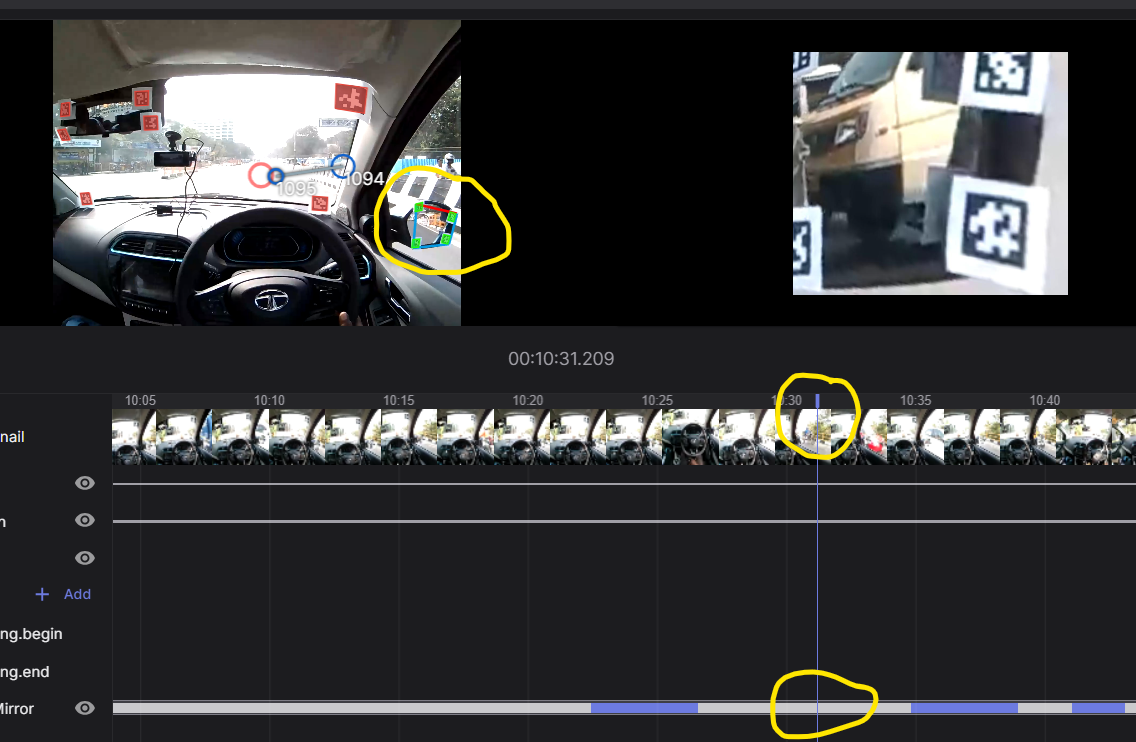
Hi @user-b6f43d 👋! There is currently a bit of testing going on in Cloud with how the enrichment timeline is presented, apologies for that. Pretty soon, we will ship a much better bar with a legend and three colours indicating not found, found and found and gazed. I do believe currently one of these colour representations is missing. Thus, purple is only gazed upon and white can be found but not gazed or not found at all
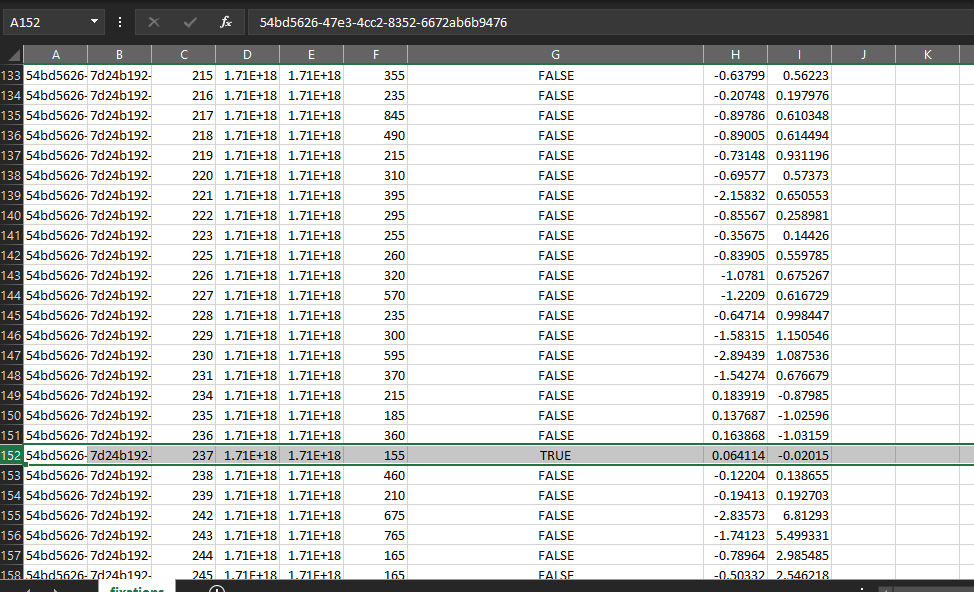
Hey team, we are looking at fixations from the marker mapper enrichments and found a couple of fixations like this where the Gaze detected on surface column has a "true" value and yet the coordinates are negative or greater than 1, how is the gaze detected on surface boolean determined?
Hey, I started recording today and as soon as I click the start record button it's stopping and showing like this ? What is the problem
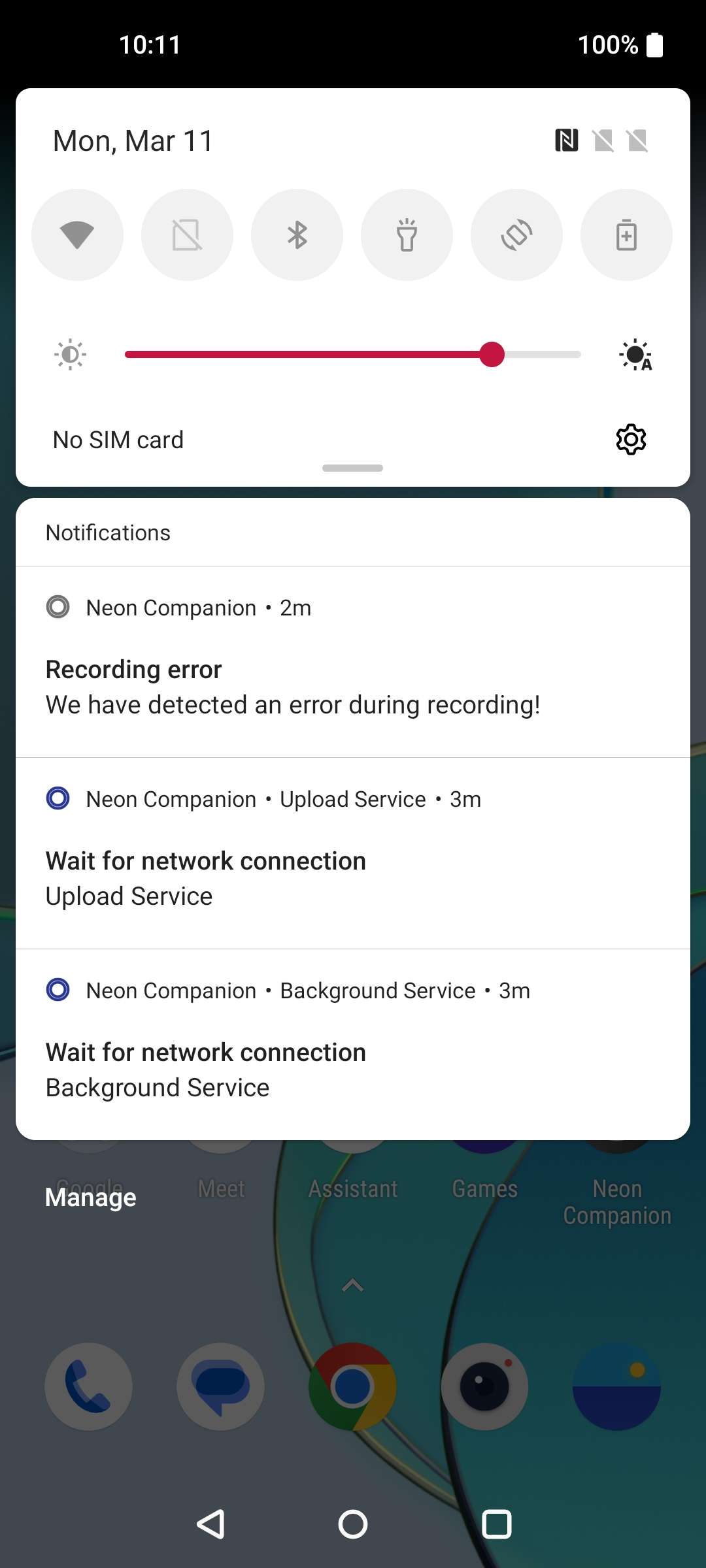
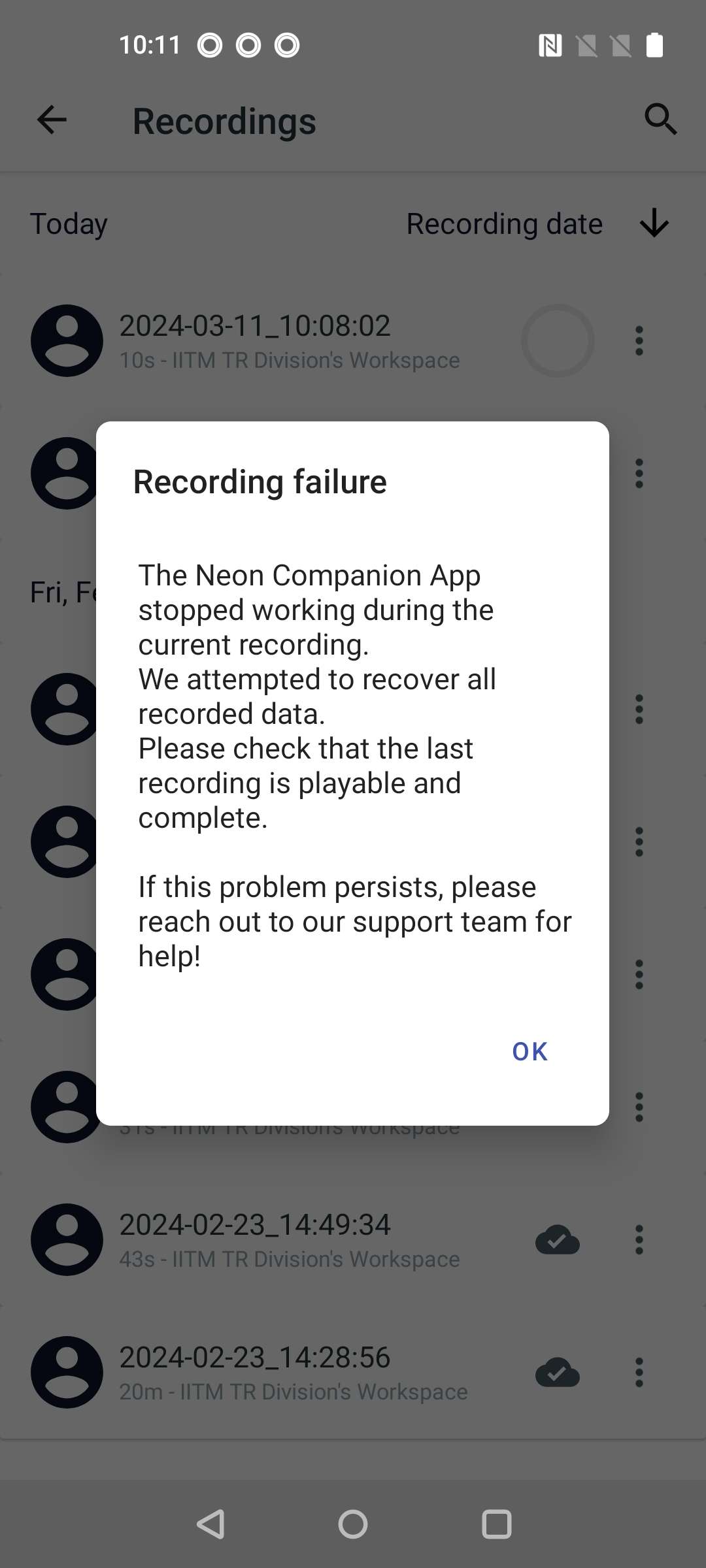
Hey @user-b6f43d! That error message indicates a Companion App/Android-related crash. Please open a ticket in 🛟 troubleshooting and we'll do some further investigation to confirm!
Hey Neon Dev Team!
We are working on a project where we want to combine the neon sensor module with additional sensors (IR camera, ToF sensor, Radar). We are currently triying to figure out how we could combine all data streams (Neons cameras+IMU and our additional sensors). Our goal would be to run everything through a microcontroller so we can manage time sync and then output all the data via usb. Do you have any documentation on your datatransfer and usb implementations?
Thanks! Paul
Hi @user-b96a7d 👋 ! Neon does require to be connected to the Companion Device (phone) to properly function. Have a look at how the ecosystem works.
**What does it mean? ** It means that, the USB type C port is used, thus if you would like to use a microcontroller you will need a USB-type C hub that has an ethernet port and connect it to the microcontroller through an ethernet cable.
Can I get other sensors and sync it? Definitely! There are several ways to do so, from using Lab Streaming Layer to using our Realtime API directly. Have a look here on how you can obtain the most accurate time sync.
Additionally, if you have already purchased your Neon, and you haven't yet got your onboarding call, you might be interested on booking it, send an email to info@pupil-labs.com with your OrderID to book it.
[email removed] 👋 ! Neon does require
Hi Neon team, I have a question about a log message sent by the realtime api. When I used realtime api to send_event, I noticed that this log message was printed to console for every timestamp: "1709135269094 - pupil_labs.realtime_api.simple.Device.receive_data - INFO - Found matching samples. Time differences: scene - gaze: -5.337s scene - eyes: 1.509s gaze - eyes: 6.846s" This is just an example for one timestamp. Can you explain what these time differences are and how we should care about them? For most of the time, the time differences are 0. However, there were some times (especially at the end of the experiment), the time differences look odd: they can be Nans or pretty large (>20s). When we saw those "red flgas" time differences, how should we deal with them? Should we remove those timestamps from the analysis of the gaze data, for example? Also, I think the timestamp here is using the same clock (i.e., the clock used by the companion app) as the data files (e.g., gaze.csv), right?
This was also my question before. [email removed] for asking and thank you @nadia for the reply. Now it makes some sense. I want to have a deeper understanding of how Neon's nueral network works, and how Neon detects fixation, blinks, etc. Can you point me to some documents or papers that I can read about it?
Hi @user-613324 - Happy to hear that this information helped 🙂 If you want to read more about Neon and its technology, I recommmend having a look at Neon's white paper, our fixation detector and our blink detector. There is more info in our docs as well.
Hi there, I have a question about the neon's just act natural frames. Would it be possible to switch out the lenses in that frame with sunglass lenses or shaded lenses, as is the case for the pupil invisibles?
Hi @user-ebe453 ! Shaded lenses are not included in the bundle, but yes you can remove the clear ones (simply pop them up, like on any horn-rimmed spectacle frame) and you can order some sun glasses lenses at your local optician store and pop them in.
Edit: We would recommend that you use a hex Allen key to remove the module from the nest prior to pop the lenses to avoid damaging it.
Amazing! Thanks for the info!
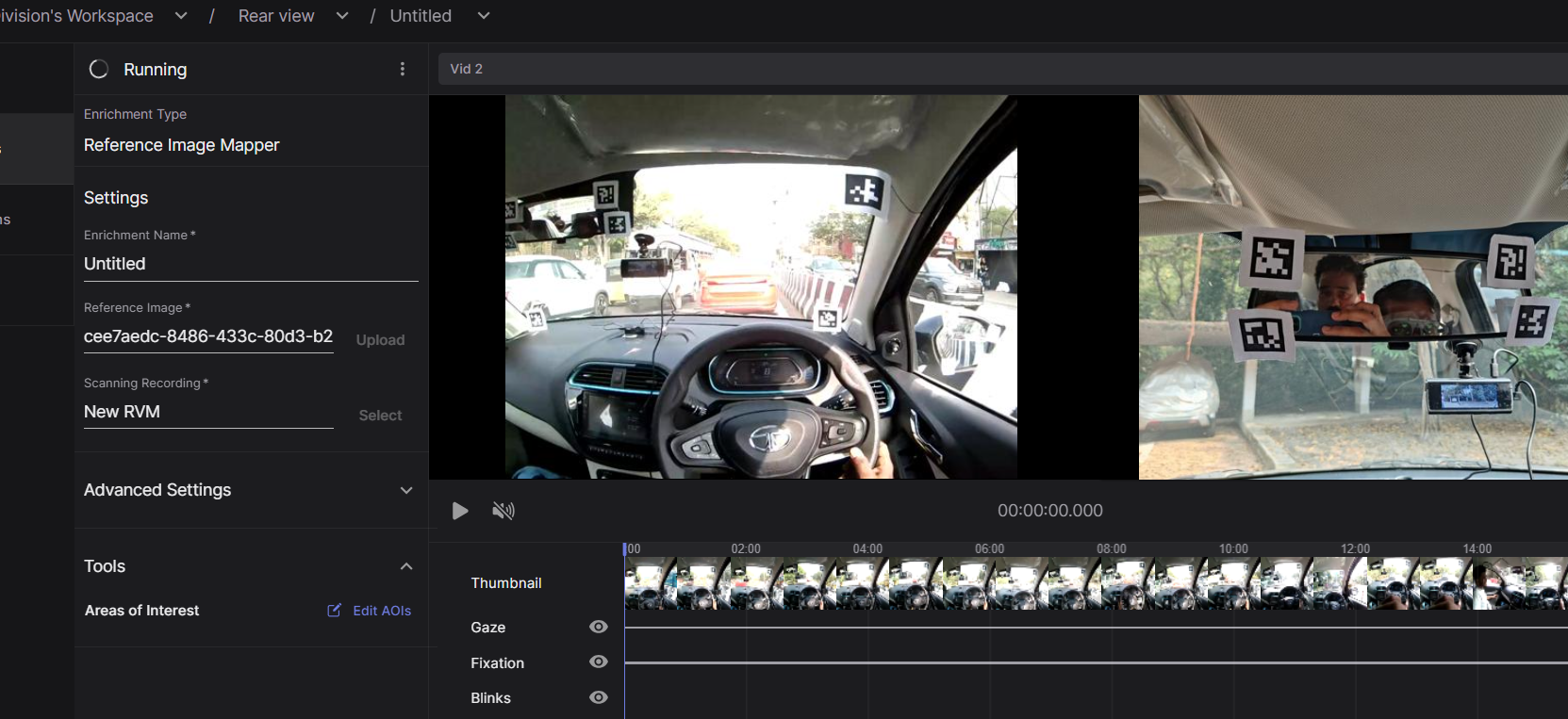
Hi, the reference image marker enrichment is running for very long and the analysis is not getting over. what might be the problem ?
When the realtime api receives a frame of video from the world camera, it will search through its previously received gaze data and eye camera frames to find the data from those streams whose timestamps most closely align with the timestamp of the frame from the world camera. This under-the-hood work is done to accommodate the receive_matched_scene_and_eyes_video_frames_and_gaze and receive_matched_scene_video_frame_and_gaze functions. The timestamps used for comparison are generated on the companion device when the data is generated - not when it is received by the PC and, as you suspect, match up to the data files.
The large differences in timestamps you're seeing may be indicative of some networking issues, and is probably worth investigating, but it should only affect the stream of data from the companion device to the pc. The data in your recording, including events you send to it, will be aligned despite these messages.
that makes lots of sense. Thank you very much @dominic
Hi @user-b6f43d - The processing time for your enrichment can vary depending on several factors. The duration and number of recordings included in the enrichment and the current workload on our servers are two major variables.
Can you also try a hard refresh just in case your browser has put your tab to sleep - "Ctrl" + "F5" (Windows) or "Command" + "Shift" + "R" (Mac) - and let us know if the issue persists?
okay thanks
iam getting a error

The video i want to select is showing as not matched ? what doest that mean ?
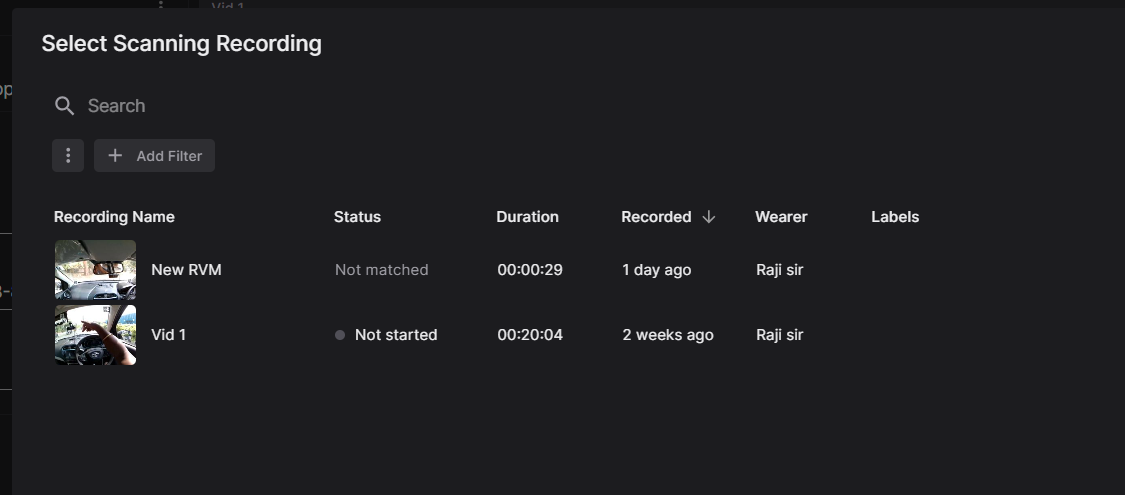
@user-b6f43d can you please create a ticket in our 🛟 troubleshooting channel? This will create a private chat where you can share more details about your enrichment.
sure
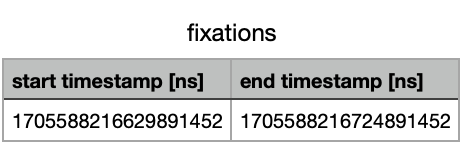
Hello, could you please help me figure out, what the timecode of an event in a recording is, if it says eg. "1705588216629891452"?
Hi @user-e91538. The timestamp is given in nanoseconds.
You can convert this to seconds, by dividing the timestamp values by 1e9 post-hoc. Alternatively, you can use this Python function to convert the recorded timestamps to datetime objects of your local system time: https://pandas.pydata.org/pandas-docs/stable/reference/api/pandas.to_datetime.html
I hope this helps 🙂
thank you! Is the the option to track down how many fixations in a scene, which starts and ends at a certain point of the recording (for example 00:05:03 - 00:07:43) were made and how long they were? I wouln´t need the real datetime for that 🙂
The best way to track eye tracking data in a specific part of the recording, ie a period of interest, is to use events. Please have a look at this relevant message: https://discord.com/channels/285728493612957698/633564003846717444/1156252158174441482
Hi do you have any pictorial illustrations for how to setup the hardware? (connecting the phone to the glasses and the app setup)
Hi @user-5543ca! We have instructions here on how to set up and start recording data with Neon. Is there any particular aspect of the setup that you would like more information about?
Thank you
I'm attempting to use one of my recorded videos as a scanned video for the reference image mapper in Pupil Cloud. However, all of my recorded videos are over 3 minutes long. When I crop them using Neon player, I'm unable to figure out how to open them with Pupil Cloud. Upon exporting the data, all I can see is gaze and timestamp information. Could you provide guidance on how to properly crop and utilize longer videos with Pupil Cloud for reference image mapping?
There isn't an option for that just yet, but it has been requested as a new feature. When you have a chance, you should upvote that feature request. In the meantime, you will want to record a separate video whose purpose is just scanning the environment.
Hello together! I have the following problem: I am performing a reference image mapper enrichment, but although the process says it's "completed", the gaze over the reference image does not appear, and when I try to create a heatmap, nothing appears over the reference image. The bar below the video remains grey no matter which video I select in the top selection. Only if I select the Scanning recording option for both selections the bar does appear in purple and the gaze appears across the image. But then I can't make a heatmap out of it. What could be the problem here?
The Enrichment-ID is: b46d0879-91de-4525-83d2-92e7532b18a9
Hi! Quick quetion: Is there any way to connect timestamp [ns] in gaze_positions & timestamps [seconds] in eye0_timestamps? I firstly assumed that these columns have the 1 to 1 relationship; however, sometimes the number of rows in gaze_positions is fewer than eye0_timestamps. Therefore, I cannot decide which frame (pts in eye0_timestamps) generates a gaze (gaze_positions).
Hi @user-292135! Just for clarification, are you referring to Pupil Core or Neon?
Hi @user-3d8000! It seems as though something during the setup of the enrichment wasn't suitable for successful mapping, for example, the scanning recording or the reference image. Have you run successful reference image mapper enrichments before in the past?
Hi @neil! It was our first time working with neon. We tried to follow the guidelines for recording the scanning recording and the reference image as best as we could. But the people who wore the eyetracker were surrounded by many screens (like a semicircle). Could that be a problem for the reference image?
Neon. More specifically, exported data using Neon Player e.g.
wc -l eye0_timestamps.csv
  119958 eye0_timestamps.csv
wc -l gaze_positions.csv
  119858 gaze_positions.csv
Thanks for the clarification. Did you transfer the recording locally from the phone to your computer?
Yes I did.
For recordings transferred locally, you may see fewer rows in the gaze data when compared to the number of eye video frames. This is because real-time gaze estimation on the phone can drop below 200 Hz, depending on the phone model/available computational resources, but eye videos are always recorded at 200 Hz. If you uploaded them to the Cloud, they would get reprocessed at the full 200 Hz.
In any case, each gaze datum inherits the timestamp of its associated eye image pair. In other words, it's equal to the timestamp of the eye video frame the sample was generated from. So, you should be able to match them easily enough working with the data you have locally.
Thanks Neil! One request for future: eye0_timestamps.csv having a column of "timestamp [ns]" would be very helpful. One can check from which frame a gaze / blink datum coming easily without passing through pupil cloud.
That's very true. We will add that functionality to Neon Player and let you know when its done.
It's difficult to say without seeing. If you're able, you can invite me to the workspace such that I can provide concrete feedback. Let me know and I will DM you my email.
Thank you @neil !! It would be great if you could have a look at it!
Hi! I'm just costing up a research council bid in the UK. I'd like 10 pairs of Neon 'Just Act Natural' - to use in the UK and the US. Can I have a quote with an academic discount, please? (Nora, University of Southampton UK)
Hi @user-3766a5 - thank you for your interest in Neon. Could you please contact us at sales@pupil-labs.com with your contact information? A member of our Sales team will reply via email asap.
Hi! Facing some sensor issues where most recordings get interrupted by the error message "Sensor failure - The scene scamera has stopped providing data. Please stop recording. etc". This is the first session where we've encountered this issue, any advice?
Hi @user-0055a7 - can you please create a ticket in our 🛟 troubleshooting channel? This will create a private chat where you can share more debugging steps to solve your issue.
Hi Nadja, sorry - what kind of a formula is that (1e9)? How can I devide a number by a letter? Please help... 🙂
Hi @user-e91538 ! The notation "1e9" represents (10^9), equaling 1 billion. In terms of time, 1e9 nanoseconds equals one second. The "e" signifies "exponent," making this a way to express large numbers simply; it's not dividing by a letter.
Hi. All my reference image mapper enrichments face error in pupil cloud. How should I find what the problem is?
Hi @user-46e202 👋 ! There could be few reasons why it failed, if you hover over the triangle denoting errors, you might see something on the lines of "the reference image and scanning recording could not be found".
On a nutshell, the reference image mapper would look for points in the reference image, construct a 3D representation of these points using the scanning recording and then try to locate this geometrical construct on the rest of recordings.
*Why it might not have found it? *
Featureless image: If your image does not have points (like a white wall), they are malleable or dynamic, they might not be found.
Occlusions: If there are many occlusions on the video, these points can not be found:
**The scanning recording: ** If you did not move and capture the image from different points of view, or you did move quite fast, or there were strong changes in composition or illumination, the algorithm could have also failed to find it.
With out seing the image and scanning rec is hard to say...
Did any of the points above relate to your use case? No? Feel free to share the scanning recording and reference image here for further feedback. Alternatively if they are of a sensitive nature, you can simply invite us to your workspace.
Error: Server error. Please get in touch with info+cloud-support@pupil-labs.com for support. :))
Thanks, that's a bit more specific, could you please share the enrichment ID?
Thank you for the fast response. Here is the enrichment ID: aaf51e01-814f-4cbf-b9a5-f6b9e6bc1399
Thanks! I will ask our Cloud team and get back to you!
Alright. Thank you
Hi @user-46e202 ! the Cloud team found and solve the issue. Please let us know if that is not the case.
The issue steamed from not allowed characters in your reference image upload, the filename will be sanitised in the near future but while this check is implemented, you may want to use only UTF-8 characters in the name of your files.
Thank you for your help. I renamed the files and everything worked smoothly
Hi Neon team, I'm trying to understand the meaning of the "timestamps" in different files. So in the gaze.csv, according to your wbesite, the timestamp is timestamp of the eye video frame this sample was generated with. Are these timestamps in the same time space as the timestamps in the event.csv (including the events sent by the realtime api)? In other words, are they all in the same clock of the Neon companion app?
Hi @user-613324. The Neon Companion App automatically saves timestamps for all data generated, yes. In relation to events sent by the real-time API, the app assigns a timestamp by default upon arrival. However, if preferred, you can also send a custom timestamp for your event. Read more about that in this section of the docs.
Hi Neil, thanks for the reply. My goal is to align the events with the gaze data -- that is, in the gaze file, add another column to denote the start and end of different events. In this case, I think I should use the default timestamp in the device.send_event(), right? When I used this method, I noticed that the timestamps in the event.csv did not exist in the gaze.csv. So I think I just need to find the gaze timestamp that best match with the given event timestamp (minimal absolute difference between the two), right? Is there any time offset to be considered in this alignment?
Hello! I'm using Neon for an experiment involving mother and infant interactions. Currently, I am trying to create a heatmap of the infant's gaze on the mother's face, averaged over trials. I have run a Face Detection enrichment, but I'm finding it tricky to work with the raw data since the face_detections timestamps don't exactly line up with the gaze_data timestamps. The approach I've taken so far is that I've used the merge.asof function in pandas to merge the two data frames based on the nearest timestamp, and then I've checked if the gaze coordinates for each timestamp fall within the bounding box of the face for the same timestamp. I'm worried I'm losing too much data this way. Is there by any chance a script for generating a heatmap of gaze position on face? Or, do you have any suggestions about the best way to go about this? Thank you!
Hi @user-481ee0 - would you mind sharing the code with me via DM? I can review it and give more accurate feedback 🙂
Hi, I just bought Neon but the app does not recognize the device, could you help me?
Hi @user-fd453d - can you please create a ticket in our 🛟 troubleshooting channel? This will create a private chat where you can share more debugging steps to solve your issue.
Hey, I am wondering something... since when was saccades.csv included in the timeseries data downloaded from Pupil Cloud? I have seen no mention of this anywhere... not even listed in timeseries download dropdown of files, but the file is there. Does every video uploaded to Pupil Cloud contain this file in the Timeseries download? I would like to use this file rather than having to determine saccades manually, but there is 0 information about it anywhere, which has me questioning its accuracy and such...
Hi @user-09f634 🕵️ ! We are currently testing this feature and it has not being "officially released". This means it is subject to change, and undocumented. We will make an announcement once is ready for the public and update our documentation accordingly. 😉
Hi, thanks for the info and tips. Last one for now: is there a possibility to download the events.csv ONLY? I already downloaded the Timeseries - which was quite timeconsuming and would like just to refresh the events.csv.
Hi @user-e91538 ! Currently the Cloud UI, only allows you to download all timeseries, if you would like to see a more flexible download manager, please suggest it at 💡 feature-requests .
In the meantime, you could leverage the Cloud API to download only the events, see this gist which exemplifies exactly that.
Hey! I was wondering one thing about the heatmaps generated through our enrichments. What are the metrics used for generating them? i.e. What do the colors mean? I see that they vary from 0%-100% on the bar on the left, but what exactly are these percentages referring to?Thank you so much!
Hi @user-ed237c 👋 ! I assume that you are not referring to AOI Heatmaps, but rather the "traditional" heatmaps. They show a Gaussian blured histogram for the gaze data, aggregated across the selected recordings. The colors indicate how often that point was gazed. Just to be clear, the "100%" does not mean that a point was gazed at "100% of the time", but instead indicates that the heatmap has its maximum value there.
Hi, I had a question about heatmap visualization in pupil-cloud. So for example we have two videos where one is 10 minutes long and the other one is 2 minutes long. Does the visualization normalize the data from these two videos in any way? Because otherwise the data from the longer video has is far more effective in the heatmap.
Hi @user-46e202 - Can you clarify what do you mean by normalization? The heatmap is created based on the aggregated gaze data of the selected recordings, with the colors indicating how often each part of your reference image or surface was gazed. If you have two recordings of different lengths, the longer one would contribute more data points to the heatmap.
Hi Pupil Labs team! I finally got my glasses.
Hi @user-0001be 👋 ! Placing glasses on top of or under the frames is not recommend, as it will lead to a reduction in data quality/accuracy and will also be difficult to wear. Neon is compatible with contact lenses, though, and we offer frames that have magnetic, swappable lenses, called "I Can See Clearly Now".
You can have other accounts on Pupil Cloud that can view/edit the same workspace ("Invite Collaborators" under the Workspace dropdown menu), but you will need to first sign in with the same Google account as used for setting up the phone to do the initial invite of other accounts.
May I ask if you have had your free 30 min onboarding call yet?
Hi Rob, I've just scheduled an onboarding call with Miguel for tomorrow. Looking forward to it!
Hey Pupil labs team! In the "Neon Player" under the "Gaze Data" section, what metrics are used for correcting the gaze offset in the horizontal (x) and vertical (y) directions (I mean the -0.5 to 0.5)? Also, how does the pixel information correlate with this standardized measure? Thank you in advance for your reponse.
Those values are in normalized space where 1.0 would be equal to the full size of that dimension (i.e., 1.0 = 1600px for x and 1200px for y)
Hello everyone! Does the statement (true/false) in the fixations_on_face.csv. presume, that there was a face detected? Thank you so much in advance!
Hi @user-e91538 ! Yes, you can find the meaning of each column here and yes for fixation on faceto be True, a face has to be detected and the fixation needs to be on that face.
[email removed] We are scoping a new study, doing eye-tracking with older people (above 65). Given that at this age group there are often multiple eye-conditions (bifocal lenses etc) we are wondering if Neon is the right option for us. The version with the prescription lenses goes from +/- 3 which can already be limiting. Can the Core be used with a person own prescription lenses? do you have any reference examples of such studies with elderly participants? (or video recording that you could share over a DM?)
Cheers!
Hi @user-94f03a ! Integrating Neon or Pupil Core with personal eyeglasses presents several challenges and whether you can use them or not, will ultimately depend on the facial physiognomy and the glasses design your participant's wear.
Here's a breakdown of the challenges based on the eye tracker position relative to the glasses, along with some potential solutions.
Fit: Personal glasses could comfortably fit above frames like the Ready Set Go!, but the module placed beneath can push prescription glasses up/forward, altering critical parameters like the distance to vertex and pantoscopic tilt, potentially affecting vision and comfort.
**Obstruction: **There's also a chance that the glasses' nose bridge could block the scene camera's view.
Positioning above the glasses:
Glare: The reflective glare from glasses lenses can interfere with eye cameras, complicating gaze estimation. Signal Stability: This positioning may lead to a jittery signal due to the less than ideal interaction between the module's eye cameras and the lenses.
With 👁 core you will face similar issues, positioning under won't probably occlude the scene camera with the bridge, as it is a bit higher, but the displacement of the prescription glasses will be greater.
Positioning above the glasses: It is possible depending of the size of the lenses. But you will have to position the eye cameras under the lenses, with a suboptimal pupil location.
The eye cameras would need to be placed under the lenses, possibly leading to suboptimal pupil detection and calibration issues. Pupil Core may be more sensitive to these issues than Neon.
Hello, I am looking at the acceleration data from my recordings, and it looks a bit odd. I'm wondering why the z-component is centred around 1. See attached for an example. It's like this for all of my recordings. Has anyone else encountered this problem?
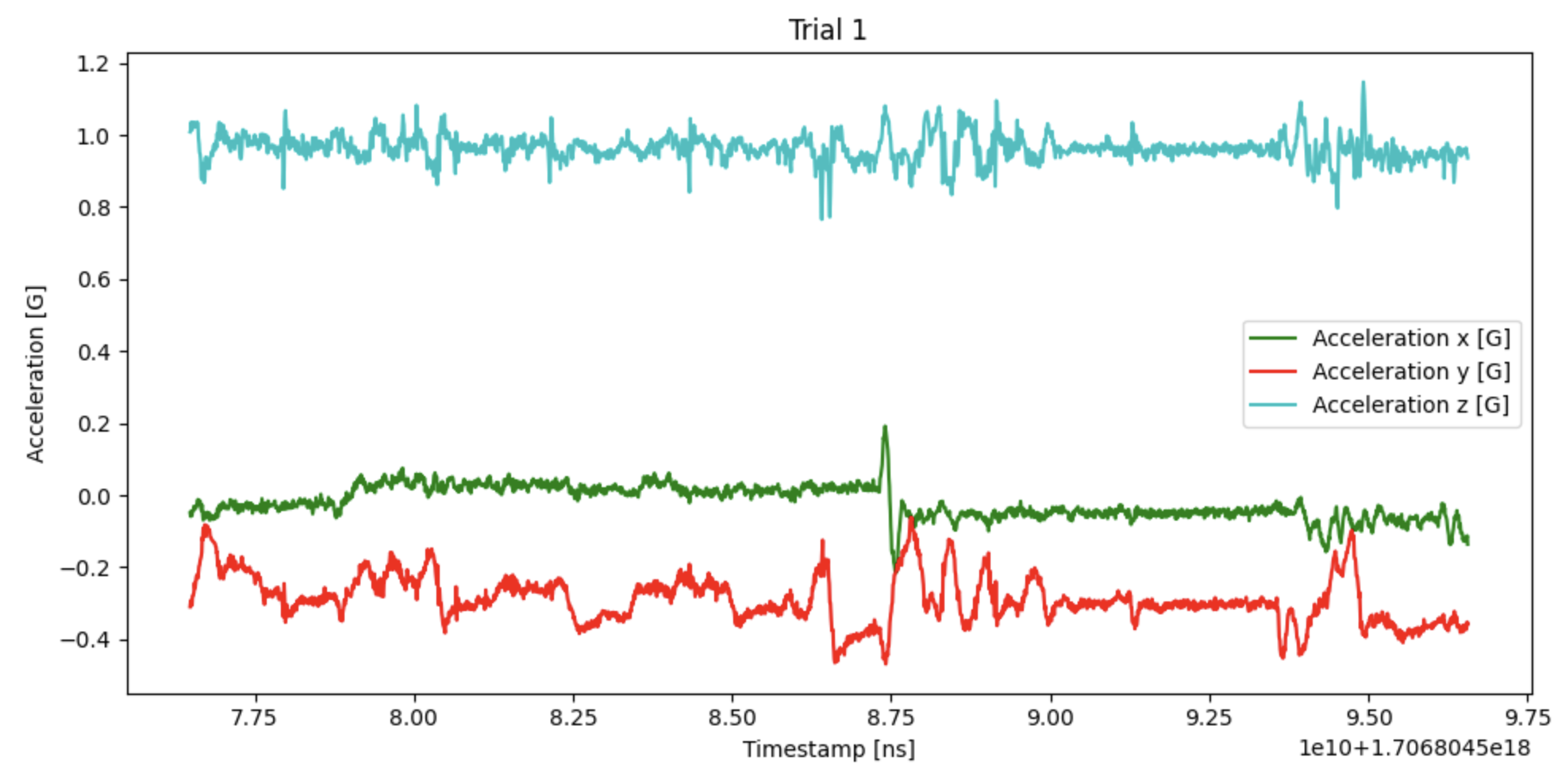
This is because you are subjected to 1G from earth's gravity.
Of course! Thank you.
Hello, why is the cloud not allowing me to perform a simple visualization ? I've even downloaded the gaze.csv but the cloud is not letting me perform the render. Any help? Thanks in advance!
0f55bd1a-e96e-4fc6-82ed-94eeb8b39166
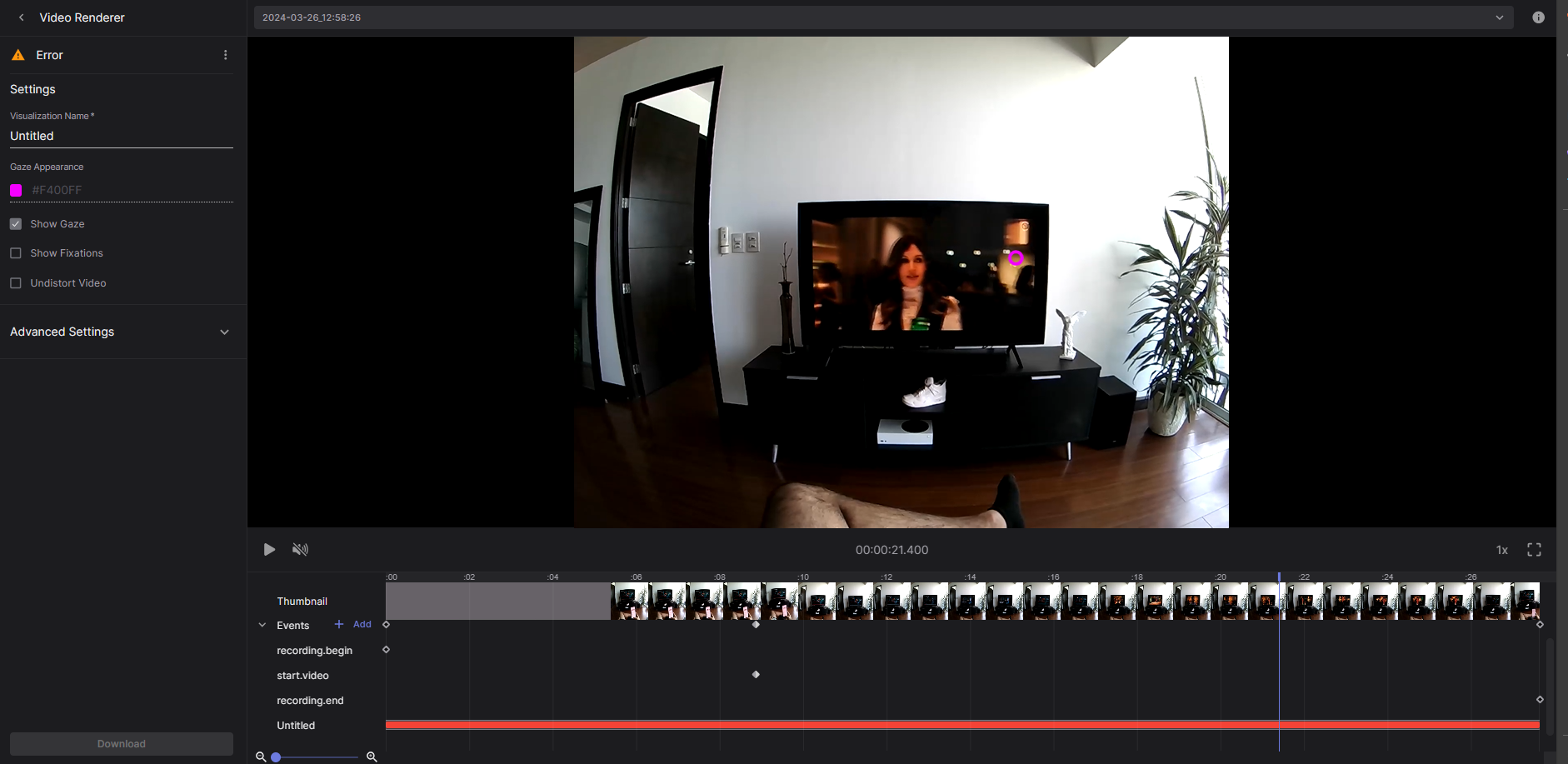
Hi @user-831bb5 - Our Cloud team is looking into the issue. I'll keep you posted
@user-831bb5 this should be fixed now!
Thank you Nadia!
hey! when i open the scene camera view in the neon companion app it segfaults after a bit of time (10 secs to a few mins) ://
06-03 06:28:14.055 997 997 F libc : Fatal signal 6 (SIGABRT), code -1 (SI_QUEUE) in tid 997 (init), pid 997 (init) 06-03 06:28:14.062 997 997 F libc : crash_dump helper failed to exec, or was killed 06-03 06:28:14.651 1197 1197 F linker : CANNOT LINK EXECUTABLE "/system_ext/bin/qcrosvm": library "libsimplelog.dylib.so" not found: needed by main executable 03-27 08:44:46.188 4967 4967 F linker : CANNOT LINK EXECUTABLE "/system_ext/bin/qcrosvm": library "libsimplelog.dylib.so" not found: needed by main executable 03-27 08:44:46.206 4973 4973 F libc : Fatal signal 6 (SIGABRT), code -1 (SI_QUEUE) in tid 4973 (init), pid 4973 (init) 03-27 08:44:46.228 4973 4973 F libc : crash_dump helper failed to exec, or was killed 03-27 08:44:50.181 5688 5688 F linker : CANNOT LINK EXECUTABLE "/system_ext/bin/qcrosvm": library "libsimplelog.dylib.so" not found: needed by main executable 03-27 08:44:47.864 6903 6903 F linker : CANNOT LINK EXECUTABLE "/system_ext/bin/qcrosvm": library "libsimplelog.dylib.so" not found: needed by main executable 03-27 08:44:51.863 8873 8873 F linker : CANNOT LINK EXECUTABLE "/system_ext/bin/qcrosvm": library "libsimplelog.dylib.so" not found: needed by main executable 03-27 19:44:41.207 32690 307 F libc : Fatal signal 11 (SIGSEGV), code 1 (SEGV_MAPERR), fault addr 0x5f1a in tid 307 (pool-18-thread-), pid 32690 (illabs.neoncomp)
any idea what’s up? thanks!
Hi @user-99f1d0 - ! Could you open a ticket in the 🛟 troubleshooting channel? Then, we can assist you with debugging steps in a private chat.
and "fixation on face" = false preassumes, that there is a face detected (but not fixated) or could it be, that there isn´t a face destected at all, that one could look at?
Hi @user-e91538 - Fixation on face == False includes all fixations that are not detected on a face, irrespectively of whether a face was detected in the scene camera video or not. The information on face detection is provided in the face_detections.csv file that includes the coordinates for the facial landmarks detected along with their associated timestamps
Hi there - I have the following situation where the marker mapper are not really detected but it seems something else is detected instead (not sure what) - see image attached:
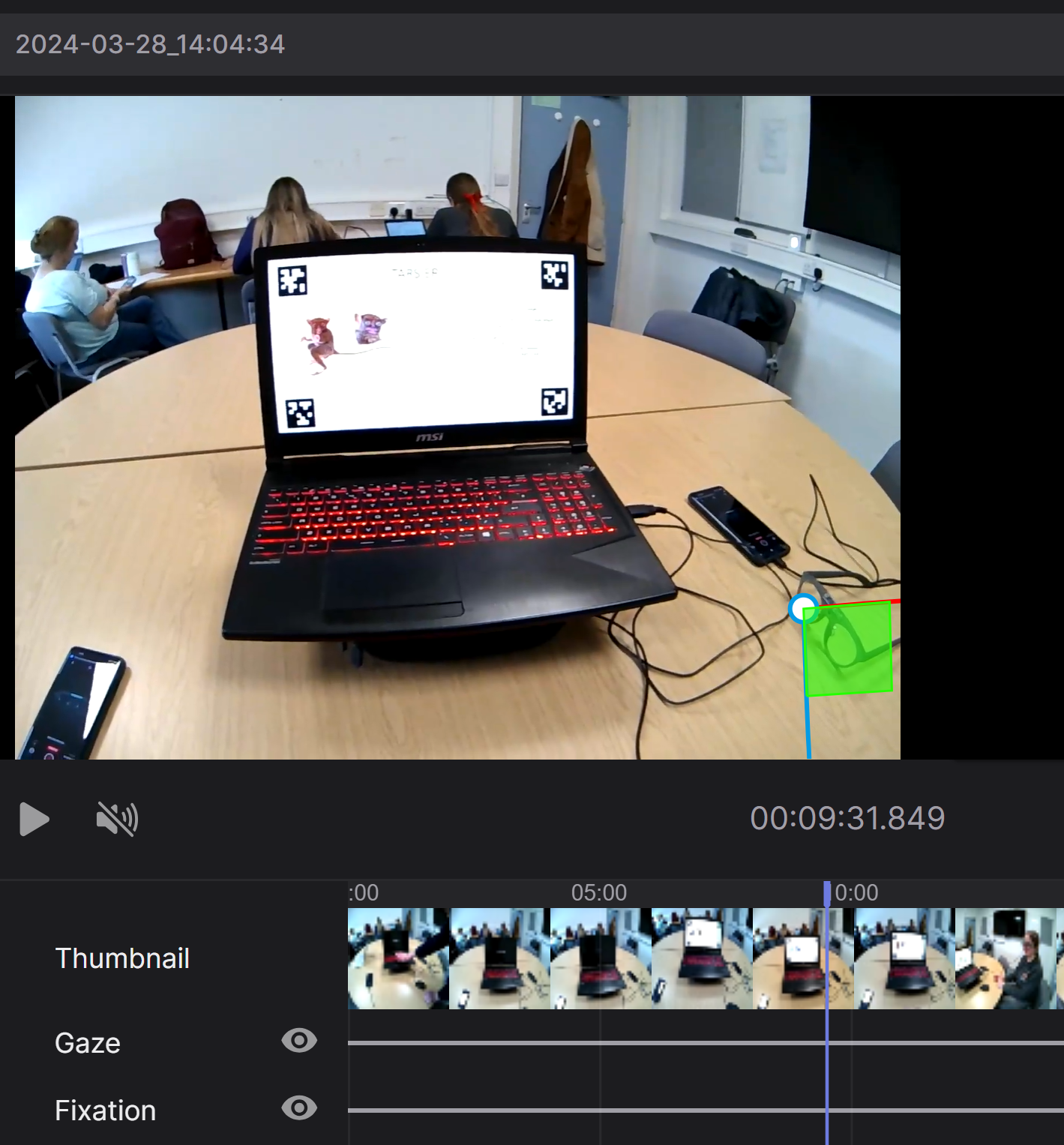
Hi @user-7413e1 🙂 Can you please share the enrichment ID?
@user-7413e1 can you try a hard refresh - "Ctrl" + "F5" (Windows) or "Command" + "Shift" + "R" (Mac) - and let me know if the issue persists?
ce5dafa8-5843-4a5b-869c-321fb78c1431
I passed it on to our Cloud team and will keep you posted!
It seems to work now! thanks
although it still does weird things like this:
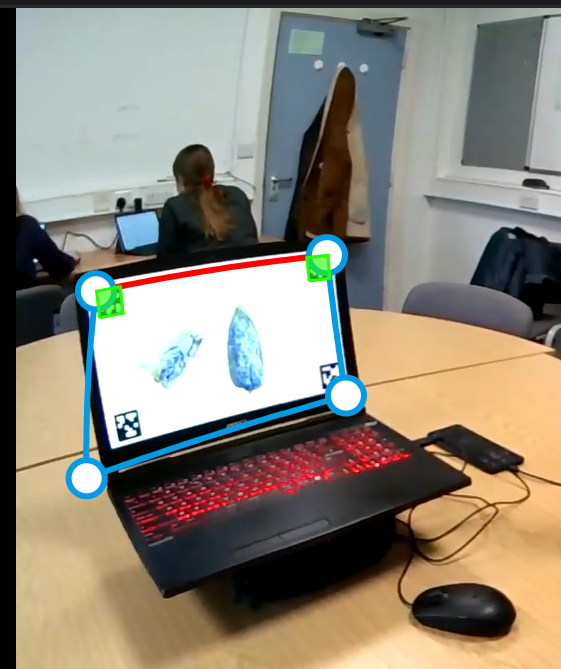
this happens because the markers at the bottom of the screen were not detected (the ones that are detected are shown in green). This could be because of the lighting conditions - specifically the monitor and consequently the markers you present digitally look overexposed. I'd recommend testing it out after adjusting the laptop's brightness or the scene camera exposure of your Neon glasses. As an example, please refer to this video: https://www.youtube.com/watch?v=cuvWqVOAc5M&t=2s
Hi Miguel, apparently I need the Pupil Cloud API key for the code. Where can I find it? Thank you so much for helping!
You can create one here
thanks for your quick response! Wish you great holidays!
Also, is there an option to import event timecodes into Pupil Cloud?
You can add event during the recording using the realtime api.